
Livoo TEC602 Manuel utilisateur
User manual
WWW.LIVOO.FR
Reference : TEC602
Version : 1.4
Lan ua e : En lish
Compatible Bluetooth®
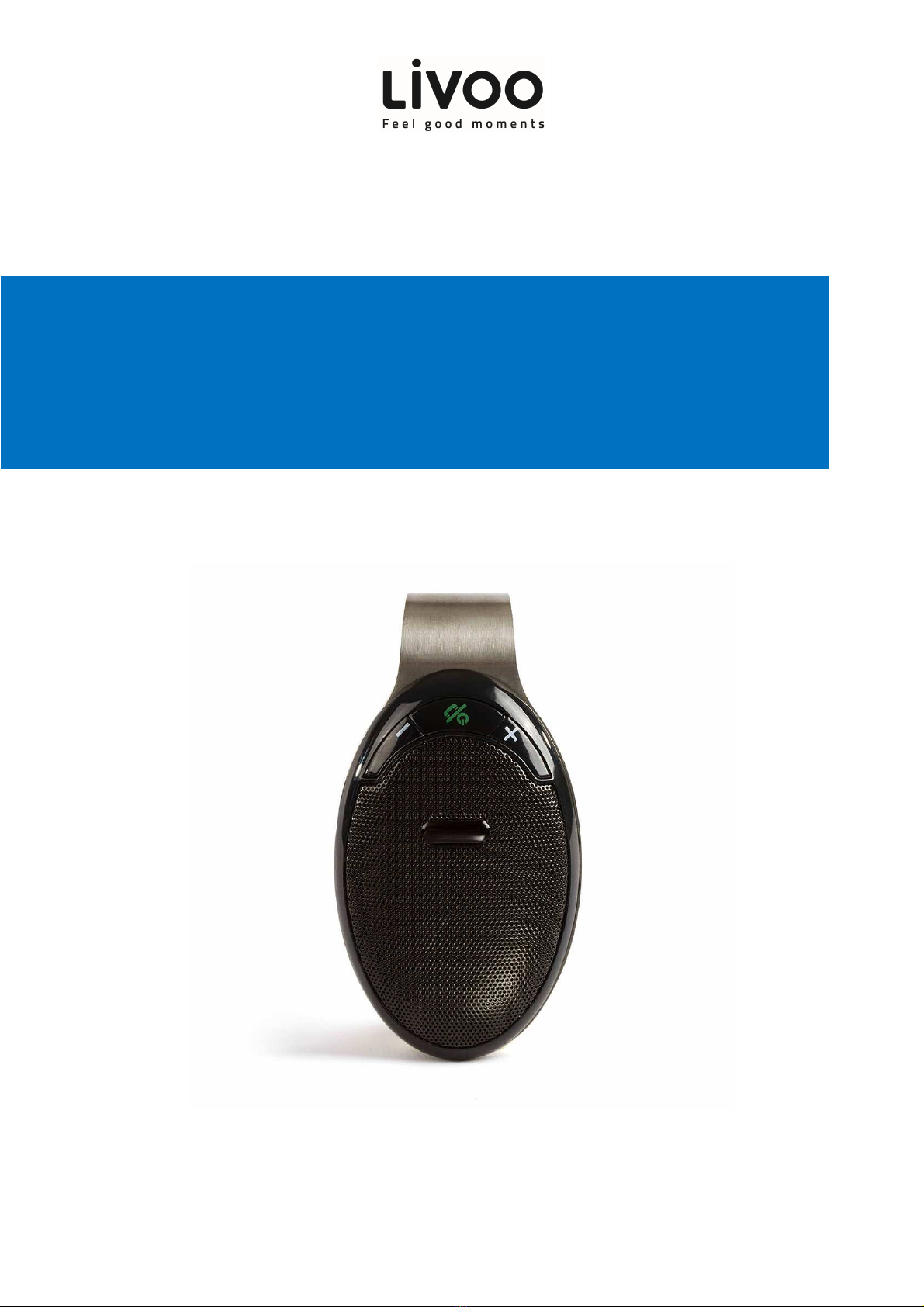
handsfree car kit
User manual
1
Thank you to have purchased a product brand LIVOO. We take reat care in desi n, er onomics and
simple use of our products. We hope that this product will ive you complete satisfaction.
This manual is also available on www.livoo.fr
1. Introduction
Con ratulations on choosin TEC602 ele ant Sunvisor Bluetooth® Handsfree Car kit. Please read manual very
carefully so that you can operate all features and functions to et the best performance. The unit is specially
desi ned for you ….
2. Caution
a. Please do not use or store the unit in hi h temperature or hazardous location:
b. Please do not expose the unit to rain.
c. Please do not disassemble, repair or modify the unit
d. The device comes with a rechar eable battery so please do not throw or put in fire to avoid explosion
e. Please take out battery if the device is not oin to be used for a lon time.
f. Low battery power may result in reduction in Bluetooth® transmission distance or disconnection.
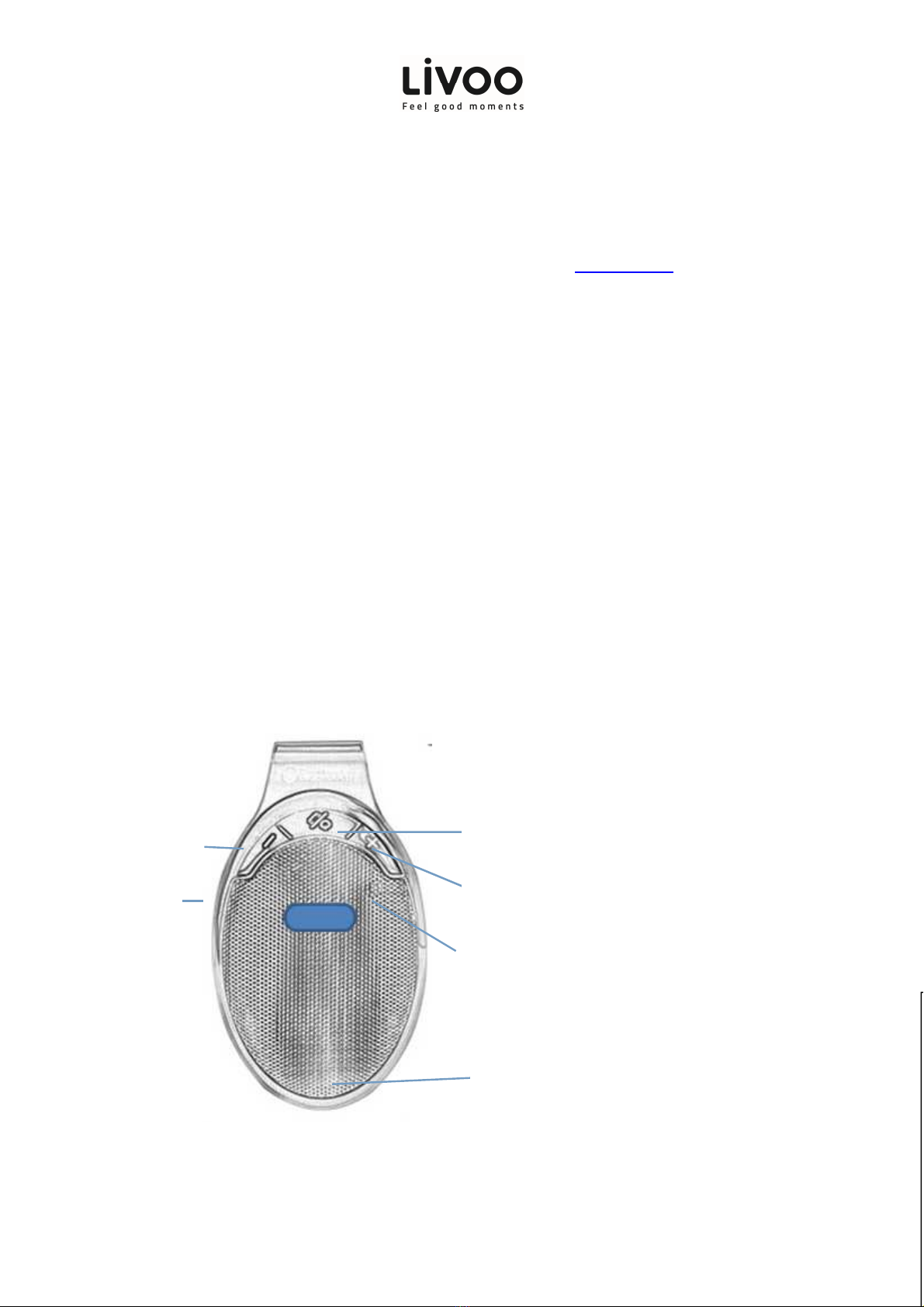
3. Product Diagram
MFB button (Power on/off, call
answer/end/redial)
Volume+/Next track
Volume
-
/Previous track
LED indicator
MIC
Micro USB

User manual
2
4. Operating the car Bluetooth speaker
A. ON/OFF:
Voice report of “Power ON, Pairin ” and “Power OFF” will be offered when press the MFB key.
B. Bluetooth® airing:
If the unit has never been paired with a Bluetooth® device before, you need to follow the instructions below to pair
the car speaker with your Bluetooth® device.
1) When the speaker is ready to pair with your Bluetooth device in the first time, Blue LED indicator flash fast
2). Activate Bluetooth® on your compatible device and set it to search for compatible devices.
3). Select “TEC602” from the list of found devices and then you will hear the voice prompt “connected”
Note: If the unit is already connected to another Bluetooth® device then the speaker will not appear in search list
and you need to disconnect the already paired Bluetooth® device from the speaker and search a ain.
4). If your device asks for a passkey, enter di its “0000” and press “OK”.(Varies dependin on the Bluetooth® device
manufacturers, model and software version).
5). If the pairin is successful, you will hear “beep” sound, the speaker will have Voice Prompt “connected `and the
Blue LED indicator will flash slowly and your speaker is ready to receive calls from mobile or play the music
wirelessly.
Note: If the speaker has been paired to the Bluetooth® device before you need to follow the pairin instructions
below to connect the speaker to the Bluetooth® device:
Activate Bluetooth® on your compatible device and put the speaker on “Bluetooth Mode” and the speaker will
connect automatically to the compatible device and you will hear a Voice Prompt “connected”.
6) Pair the second phone
The unit allow to pair two Bluetooth enabled phones device at the same time. Please refer the follow
Steps to pairin :
a) Turn off your mobile phone’s Bluetooth function or disconnect the Bluetooth connection.
b) Please pairin for the second cellphone as the above steps. After the second cellphone pairin successfully
and with voice prompt `connected`, then please connected the first phone. And now the two phones
pairin at the same time.
5. Bluetooth in Car Speakerphone Operation
(1)Answer a call
When comes a call, Bluetooth in car speakerphone will rin and report voice of “incomin call”, press MFB key to
answer.
Remark: The voice prompt “incomin call” is available for Android mobile phones, iPhone has no voice prompt
“incomin call”
(2)Han up a call
Press MFB key to han up it durin a call.
Remark : when you et a call, it won’t be possible to reject it.
(3)Redial last number
Short press the MFB key twice when the Bluetooth in-car speakerphone is on and not in use, you can call the last
number you dialed.

User manual
3
(4)Volume Control
Lon press volume- (-) or volume+ (+) to adjust volume.
(5)Play music
In standby mode, short press the Bluetooth in-car speakerphone MFB key, start playin mobile phone inside the
music; Short press “+”or “—”to chan e the “next” and the “previous” music.
REMARKS: When unit is on no workin status, no connect Bluetooth, then it will auto-off after 10minutes.
(6)Car speaker and mobile headset transformation
When the conversation is in pro ress via the car speaker, press
`+` &`-` key simultaneously
then the conversation
will be switched to mobile phone, press
`+` &`-` key again
, the conversation will be switched back to car speaker
unit a ain.
Remarks: This function is not available for all Bluetooth enabled device, it depends on the compatibility of the paired
device.
6. The Bluetooth Speakerphone put in the car
Bluetooth in Car Speakerphone requires no installation and can be easily cau ht in the car sun visor.
7. Car Speaker Charging
This device is with rechar eable battery. Durin the char in , When unit is at `OFF` status, the LED indicator will be
RED on; When unit is at `ON` status, then LED indicator will be RED on and Blue LED will flash on every 3 seconds;
When full char ed, the LED li ht will turn off. It’s stron ly recommended to make it fully char ed before usin .
Normal full char in time is approx. 2 hrs.
Important Notice:
(1)The char in LED indicator will have a short delay, if the Bluetooth in car speakerphone is lon -time non –
occupied or power run out.
(2)In order to extend durability of battery and ensure the stability of speakerphone’s performance, it’s
recommended to char e the speakerphone immediately whenever low battery appeared, the LED indicator flash
every 3 seconds in blue color battery durability, device stand-by time will be shorter if the device is still used in case
of low-battery, also, char in time will be more hours than usual. Meanwhile, it will shut down automatically soon
under a very low battery condition.
(3) While char in , the LED indicator will always li ht up in red color, and will put out after char in complete.
8. Device Self-protection and Low-power
When battery power is less than 3.3v, voice prompt “battery is low” and device turn off automatically when less than
3.0v.
9. Siri/Google assistant function & lay G S function
Short press volume `+` button twice to activate Siri/Goo le assistant function, it will prompt voice `beep`.
Open oo le map on mobile, the unit itself will play GPS instructions directly.
10. Compatibility

User manual
4
Wireless: With BLUETOOTH® V4.2,
A2DP1.3, AVCTP1.4, ADVTP1.3, AVRCP1.5, HFP1.5, SPP1.0, HID1.0
roduct features:
Model no:TEC602
Bluetooth version: BLUETOOTH® V5.0+EDR
Transmission distance:≤10-15M (This may vary accordin to environment and connected Bluetooth device)
Char e input:DC 5V 400mA
Build-in Rechar eable Battery: 3.7V 400mAh
Frequency: 2.4GHZ-2.480GHZ
Char e time: 1.5-2 Hours
Talkin time: 6-8 Hours
Music time : 6-8 Hours
Standby time: 20 days
11. Components
1x handsfree car kit
1x USB power cable
1x Manual
12.Trouble Shooting Guide
Should you experience any difficulty while using the car speaker, please refer to the following Chart.
Fault
Reason
Solution
Not Charging
No Sound
The Car char er (included)
is
not plu ed well or the USB
cable (included) is not plu ed
into the micro USB jack behind
the speaker.
Plu the car char er (included) into
ci arette li hter socket well and plu the
USB cable (included) into the micro USB
jack of the speaker.
Car ci arette socket is n
ot in
function
Plu another device into the sa
me socket
to confirm the socket
is workin .
Computer USB port is not
function.
Make sure your computer power is
turned on and try another USB port.
The battery is dead.
Rechar e the unit

User manual
5
No Audio
Signal via
Bluetooth®
Connection
The car speaker is not linked to
the cell phone.
Go throu h “Car Speaker Operations”
process to connect the speaker.
Volume set is too low. Increase the volume of your device.
Speaker is not paired to the
audio source.
Check whether a connection exists. If
necessary pair the speaker a ain to the
audio source
Volume too low
Increase the volume on the speaker
Increase
the volume on the audio source.
Car Speaker
cannot be
Connected
Pairin does not work
Check whether the audio source
supports the A2DP protocol
Audio source is switched off
Switch on the audio source
Bluetooth is switched off
at the audio source.
Switch on the Bluetooth function
in the audio source.
Bluetooth version is not
supported.
Use a different playback unit.
oor Sound
quality from a
Bluetooth®
device
Bluetooth device is almost out
of ran e of
the speaker
Move your Bluetooth device closer to the
speaker

User manual
6
EU DECLARATION OF CONFORMITY
We
DELTA
BP61071
67452 Mundolsheim – France
Herewith declare under our sole responsibility, that the radio equipment
Compatible Bluetooth® handsfree car kit
TEC602 (Frequency ran e 2402MHz-2480MHz)
Fulfils the essential requirements of the Directive 2014/53/UE
The followin standards were applied:
Radio:
EN 300 328 V2.1.1 (2016-11)
EMC:
Draft ETSI EN 301 489-1 V2.2.0 (2017-03)
Draft ETSI EN 301 489-17 V3.2.0 (2017-03)
Health and Safety:
EN 62479: 2010
Mundolsheim, 04/10/2018
User manual
7
Correct Disposal of this product
(Waste Electrical & Electronic Equipment)
(Applicable in the European Union and other European countries with separate collection systems)
The European Directive 2012/19/EU on Waste Facilities Electrical and Electronic (WEEE)
This markin shown on the product or its literature, indicates that it should not be disposed with other household
wastes at the end of its workin life.
To prevent possible harm to the environment or human health from uncontrolled waste disposal, please separate this from other
types of wastes and recycle it responsibly to promote the sustainable reuse of material resources.
Household users should contact either the retailer where they purchased this product or their local authority office, for details of
where and how they can take this item for environmentally safe recyclin
.
•Photo no contractual
•Worried about the quality of his products the manufacturer reserves the ri ht to make modifications without advance
notice
LIVOO
BP 61071
67452 Mundolsheim - FRANCE
Table des matières
Autres manuels Livoo Accessoires automobiles

Livoo
Livoo TEA266 Manuel utilisateur

Livoo
Livoo TEA297 Manuel utilisateur

Livoo
Livoo TEA221 Manuel utilisateur

Livoo
Livoo TEA248 Manuel utilisateur

Livoo
Livoo TEA164 Manuel utilisateur

Livoo
Livoo TEA249 Manuel utilisateur

Livoo
Livoo TEC582 Manuel utilisateur

Livoo
Livoo TEA228 Manuel utilisateur

Livoo
Livoo TEA214 Manuel utilisateur


