Product Specification KLE – KVM Link Extender
This product spec is subject to change without prior notice.
4 / 6
Oct 2005
General features
▪Full-featured IP-based Remote Control Solution for server management
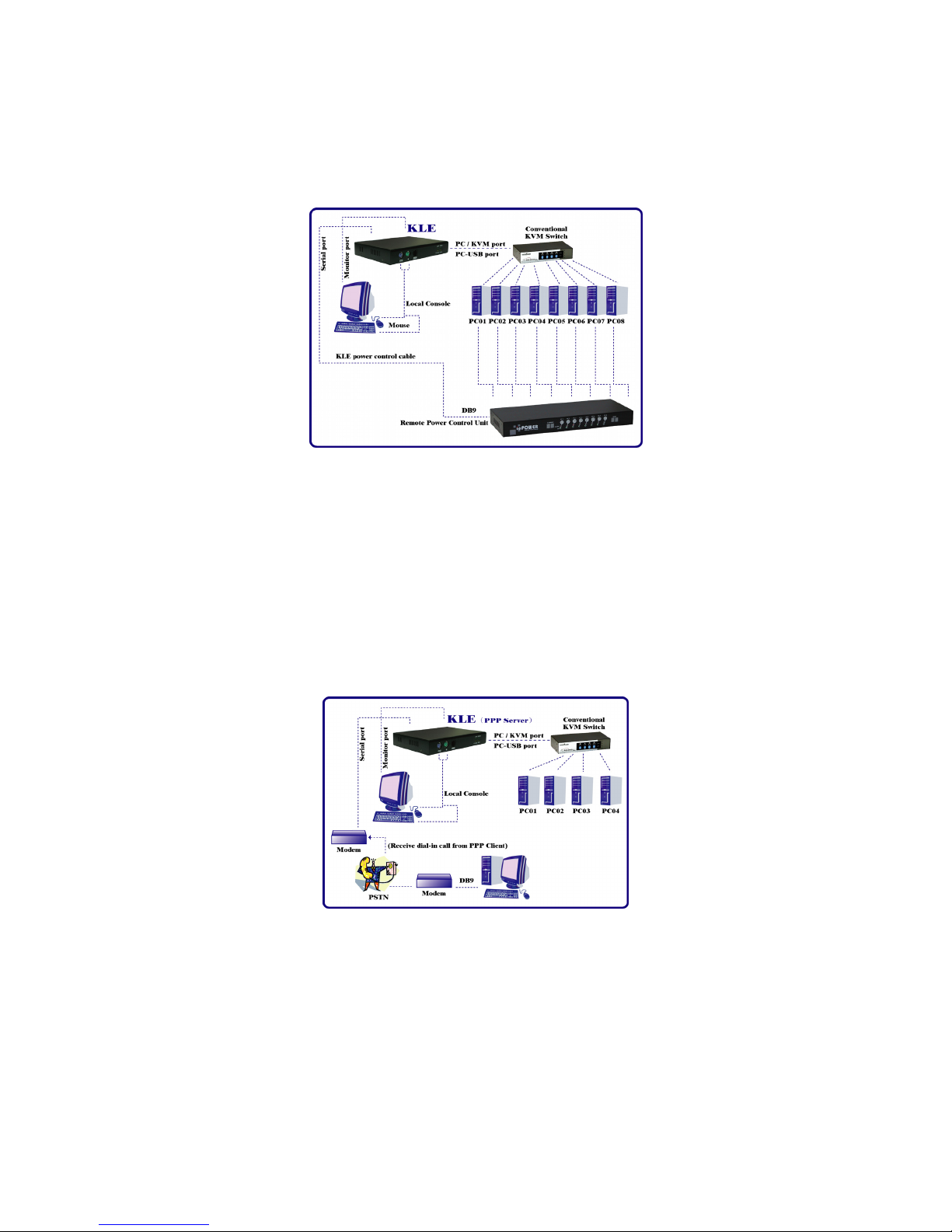
▪Provides remote control for several servers when connected to a conventional KVM Switch
▪Simultaneous access from multiple users
▪No user limitation
▪Facilitate centralized control
▪Total control over the remote server from BIOS level up to GUI applications
▪Remote Power On/Off support
▪Total transparency of control
▪Ultra-security using full 1024-bit PKI Authentication / 128-bit SSL encryption
▪Work with LDAP / RADIUS / Active Directory Servers
▪Ethernet 10/100 and serial PPP connections
▪Factory default restore button to restore the unit back to factory default
TCP/IP remote connection
▪Web Management Interface for all settings and upgrade/backup features
▪Support Telnet session and FTP service (disabled by default for more security)
Thin-client Viewer Program
▪Win-32 viewer and Java viewer for cross-platform compatibility
▪Connection options configurable for optimized performance
▪Shared, Non-Shared and View Only sessions
▪Easy download and installation
▪Multiple viewer instances can be run on a same client computer
▪Automatic video optimization
Hi-Speed PPP Connection
▪PPP Connection support over serial RS-232 interface up to 1 Mbps
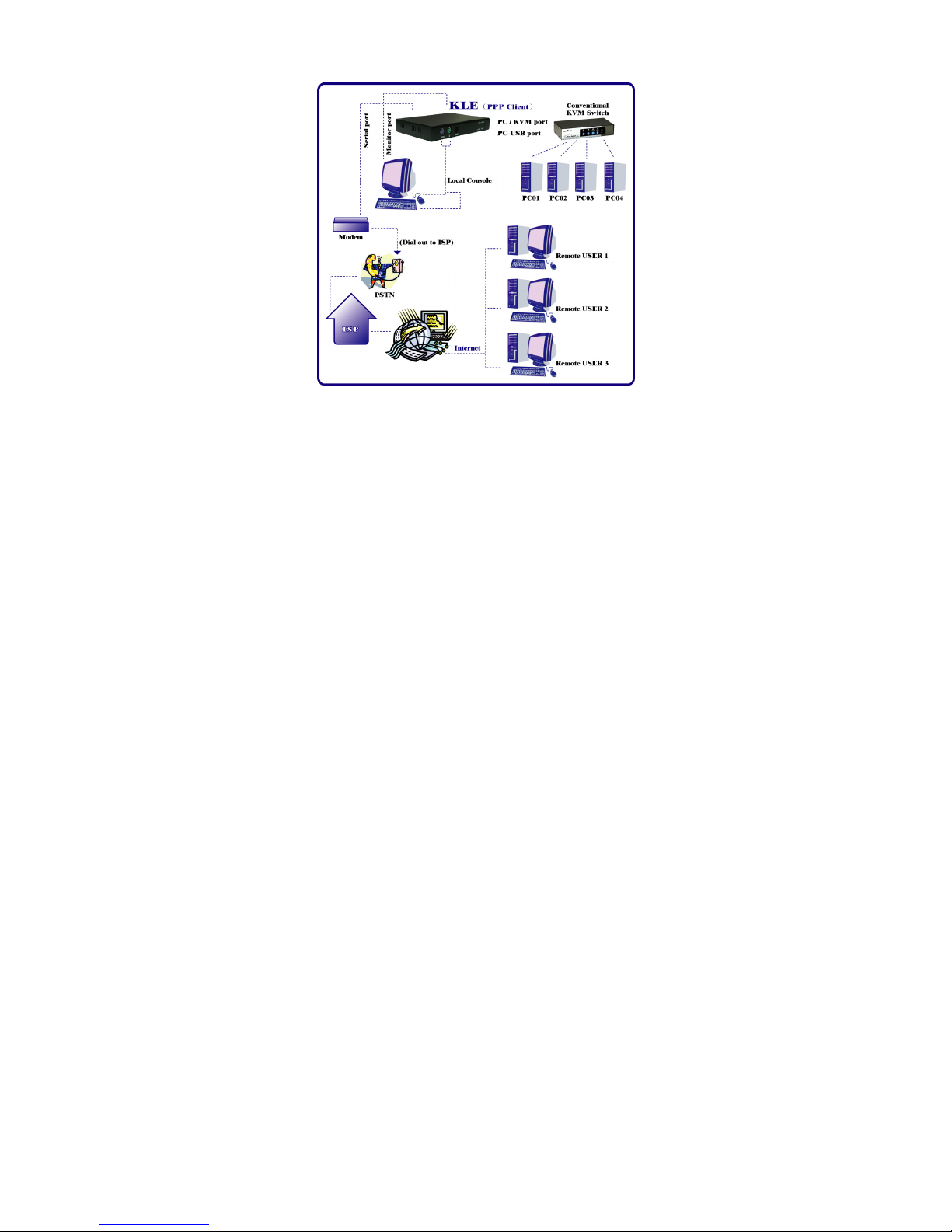
▪PPP server enabling for PPP connection across a pair of modems for secure or backup direct
access
▪PPP client enabling for PPP connection to the internet with a modem
Video server
▪Support up to 1280 x 1024 @ 60 Hz resolution
▪8/16-bit color
▪3 Video Quality settings
▪3 Video Compression schemes
▪8-bit color reduction
▪JPEG Compression option for low bandwidth internet connections
▪Configurable database to set up new or unknown VGA modes
▪Virtually compatible to any KVM Switch through simple configuration
Power ON-OFF Control Support
▪Remote power ON-OFF control over serial interface
▪Serial commands configurable to fit all serial power control devices
▪Power ON-OFF privilege only for the SUPERADMIN users
Security
▪1024-bit Public key Authentication using certificates generated by an external CA
▪128-bit SSL Encryption for keyboard, mouse and video signal transmissions
▪Remote authentication support for SSL-secured LDAP or RADIUS servers
▪RADIUS accounting support
▪3 SSL security levels :
oNo authentication – No encryption
oServer Authentication – SSL encryption
oServer & Client authentication – SSL encryption
▪3 password policies :
oNo Password