
Lilin D6601 Series Manuel utilisateur
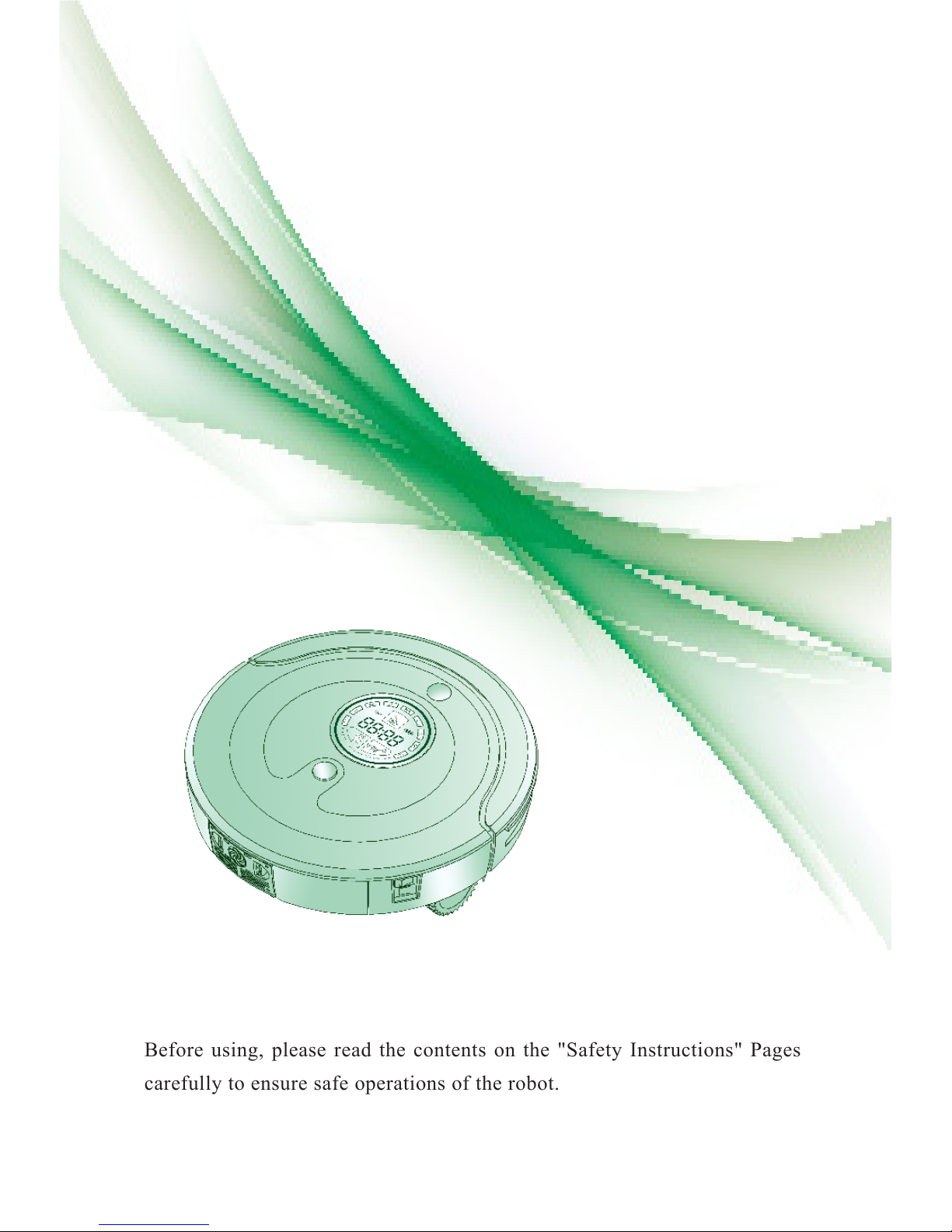
Before using, please read the contents on the "Safety Instructions" Pages
carefully to ensure safe operations of the robot.
User's Manual
D6601 Series
Robotic Vacuum Cleaner

Cleaning Dust Bin
Cleaning Main Brush and Dusting Brush
Cleaning the Sensors and Charging terminal
Cleaning Side Brushes
Cleaning the Mop
Cleaning Universal Wheel
Cleaning Right and Left Wheels
Troubleshooting
Reference
Table of Contents
18
21
18
20
18
17
17
16
15
14
13
12
12
11
10
10
10
09
08
07
06
05
02
01
Before Using
How to use
Care and Maintenance
Robot Features
Safety Instructions
Cleaning Modes
Packing List
Main Body Anatomy
Button Functions
Indicator Descriptions
Installation of Remote Controller Batteries
Installation of Charging Base
Pairing Robot with Remote Controller
Setting Current Time
How to Start and Pause Cleaning
How to Charge
How to Schedule
How to Use Mop

01
Frequency Conversion Technology
Using this technology by remote controller to adjust the cleaning speed
according to different working environment. Will use less power and produce
lower noise.
Bluetooth Wireless Remote Controller
You don't have to point at the robot to operate and can use it more conveniently.
The remote controller also has the direction control function of rocker handle.
Powerful Suction
The robot has combined the advantages of traditional vacuum cleaners and
intelligent cleaners perfectly. It can pick up ne dust on the carpet.
Easy-Clean Dust Bin
With humanized design, you can clean the dust bin more easily. Can avoid
secondary pollution.
High-Efcient Sterilization
Enhanced high power UV lamp can help to kill bacteria more efciently.
Day and Night Recognition
The robot can recognize day or night automatically, and will enter into different
cleaning modes according to different time. At night, the robot will enter into
mute cleaning mode and will not affect people’s rest (Day is from 8:00 to 18:00
by default, other time is Night).
Robot Features
1
2
3
4
5
6
Before Using
02
Safety Instructions
To reduce the risk of injury or damage, you should keep the safety instructions in mind when using
the robot.
Basic Safety Instructions
After reading, please keep the manual carefully.
This is security warning symbol. It alerts there exists potential danger,which may
cause property damage and / or severe personal injury or even death.
WARNING It indicates a dangerous situation, which if not avoided, may cause
severe personal injury or even death.
CAUTION It indicates a dangerous situation, which if not avoided, can cause slight
or moderate injury.
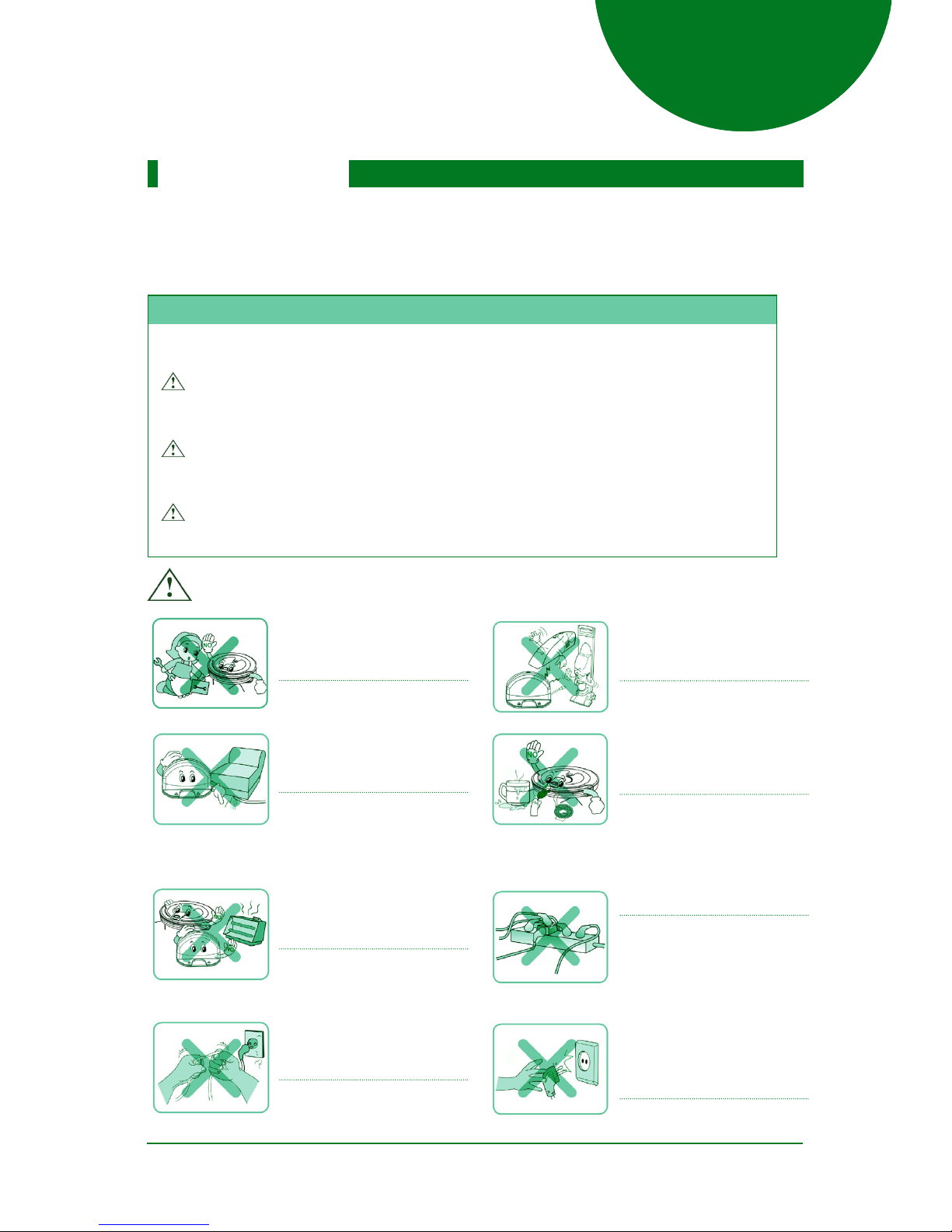
WARNING
For safety concerns, do not let
children disassemble the robot
without supervision.
Or may cause product failure.
Ensure that the power cord of
adapter will not be crushed or
punctured .
Or may cause a electric shock
re or product failure.
If the power cord is broken, do
not plug it into the outlet.
Do not place the robot or
charging base near the heating
devices .
Or may cause product
deformation fire or product
failure.
Do not bend the power plug .
Do not use the power plug when
it is damaged or loosened.
Or may cause fire or product
failure.
Do not use the robot with
batteries and / or charging base
of other products.
Or may cause fire or product
failure.
Do not use the robot when
candles or fragile objects are on
the oor.
Or may cause fire or product
failure.
Must use the dedicated outlet.
If multiple appliances are
connected to one outlet
simultaneously, will generate
too much heat and may cause
When pulling out the power
adapter, please grab the plug,
not the cord. And do not touch
the plug with your fingers.
Or may cause a electric shock.
03
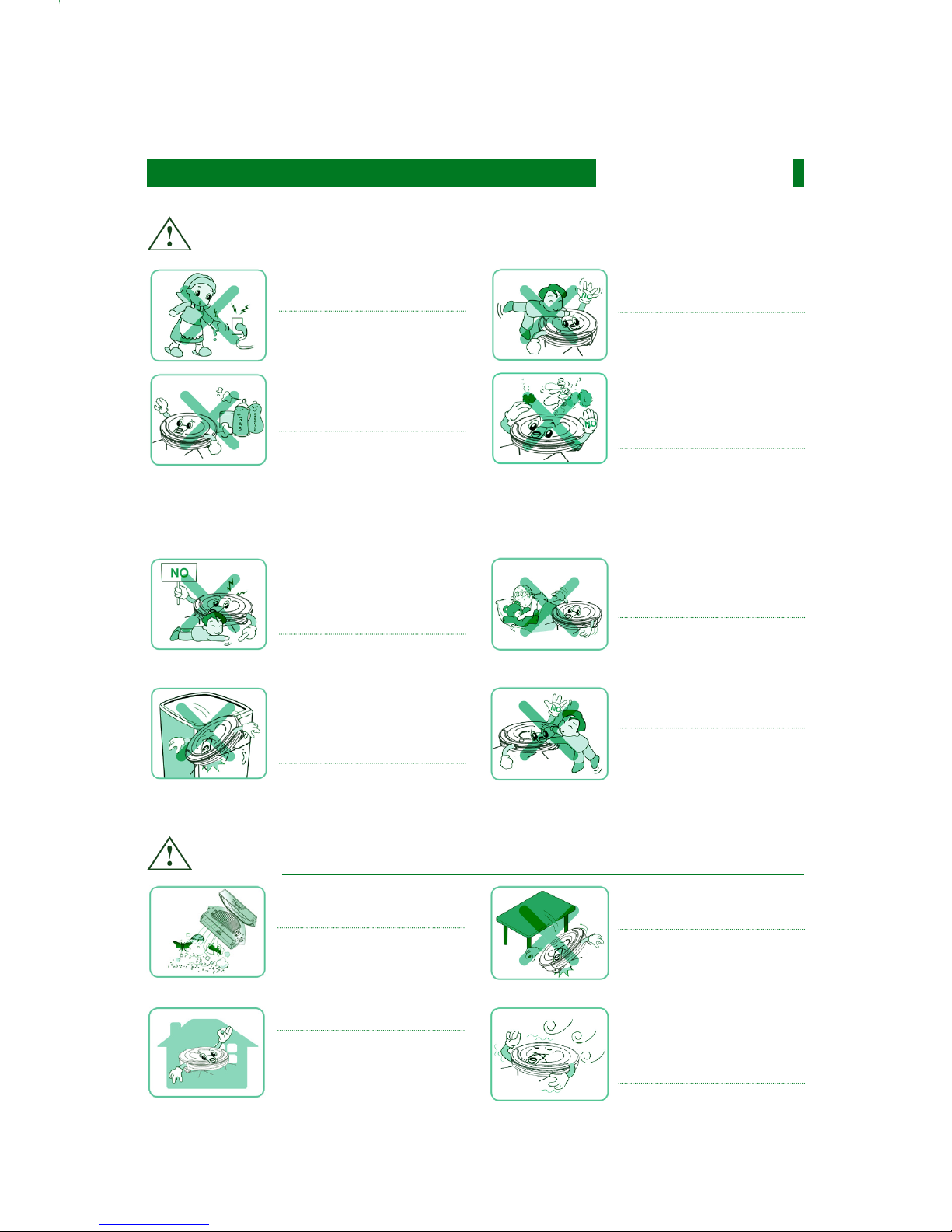
CAUTION
Do not touch the power adapter
with wet hands.
Or may cause a electric shock.
Do not put any part of the
body(e.g.hand, foot)under the
center brushes or wheels while
the robot is working.
Or may cause injury or product
failure.
Empty dust bin regularly and
keep it clean.
The dust collected in the dust
bin may contain harmful
bacteria / may cause allergies.
Do not operate the robot on
the narrow furnitures with
certain height, e.g.wardrobe,
refrigerator, table, etc.
Or may cause injury or product
failure or damage.
The robot is for indoor use only.
Using it outdoors may cause
product failure or irreparable
damage.
Turn off the power switch
immediately if the robot
generates any abnormal
knocking、odor or smoking.
Or may cause re or product
failure.
Do not operate robot in the
room where the child is sleeping
.
Or may cause injury or product
damage.
Do not drop the robot or subject
it to strong collision.
Or may cause product failure.
Do not expose the robot under
cold temperature(less than
-10° C) for a long period of
time.
Or may cause product failure.
Do not spray or place
inflammables 、surfactants or
drinks around the robot.
Or may cause fire or product
failure.
* Inflammables:e.g. gasoline,
thinner ,etc.
* Surfactants: e.g. detergent,
bathroom articles, etc.
Do not let small child play with
the robot without supervision.
Or may cause injury or product
damage.
Do not let small children or pets
sit or stand on the robot.
Or may cause injury or product
damage.
Safety Instructions
WARNING

Tip:
Do not let the robot pick up
liquids, blades, thumbtacks,
kindling, etc
Or may cause product failure.
Do not pour liquids(e.g.water,
detergent,etc) into the robot.
If the liquids enter into the
robot, please turn off the power
switch and contact sales agent
or customer care center.
Do not let the bottom frame and
charging terminals of charging
base touch metallic objects.
Or may cause product failure.
Do not use the robot when dust
bin is full.
Or may cause product failure.
Please check the following items before using:
Remove fragile or unnecessary objects from the room that will be cleaned (e.g. Remove the
expensive potteries and valuables from the oor).
Do not use the robot in the room where children stay alone, or may cause injury.
Please check whether battery power is enough, if not , please charge the robot.
Please empty dust bin if it is full.
If you don’t want the robot to enter into the specied room, please shut the door.
The robot may enter into other rooms and will continue cleaning during its working.
Note: Do not use the robot in workshop, shop, garage or outdoor environment. It is for
home use only.
04
CAUTION
Safety Instructions

05
(1)
(2)
(3)
(4)
(5)
(6)
Cleaning Modes
Auto Mode
Spot Mode
Edge CleaningMode
Mute Cleaning Mode
Scheduled Cleaning Mode
Zigzag Cleaning Mode
AUTO: The robot will clean automatically in kinds of cleaning paths till it
returns to the charging base to recharge.
SPOT: The robot will spiral approximately 2.4 meters in diameter, intensively
cleaning a localized area.
(The robot can be controlled by the remote controller to walk to the localized area
and then clean it.)
When detecting the wall or furniture, the robot will clean along the wall or
navigate around furniture with its side brushes.
(This mode can help to clean the dust at the corner of sofa, bed, wall, etc. This
cleaning process will last for 25 minutes till the robot returns to the charging base
The robot will complete cleaning under ultra low noise and will not affect
people’s work or rest.
You can schedule the cleaning time according to your requirements.The robot
will clean automatically at the specied time.
The robot will clean in zigzag cleaning path, just like articial mopping. The
cleaning area will be enlarged and best cleaning effects will be provided.
Note: The photos above are for reference only. Please check the actual products
instead.
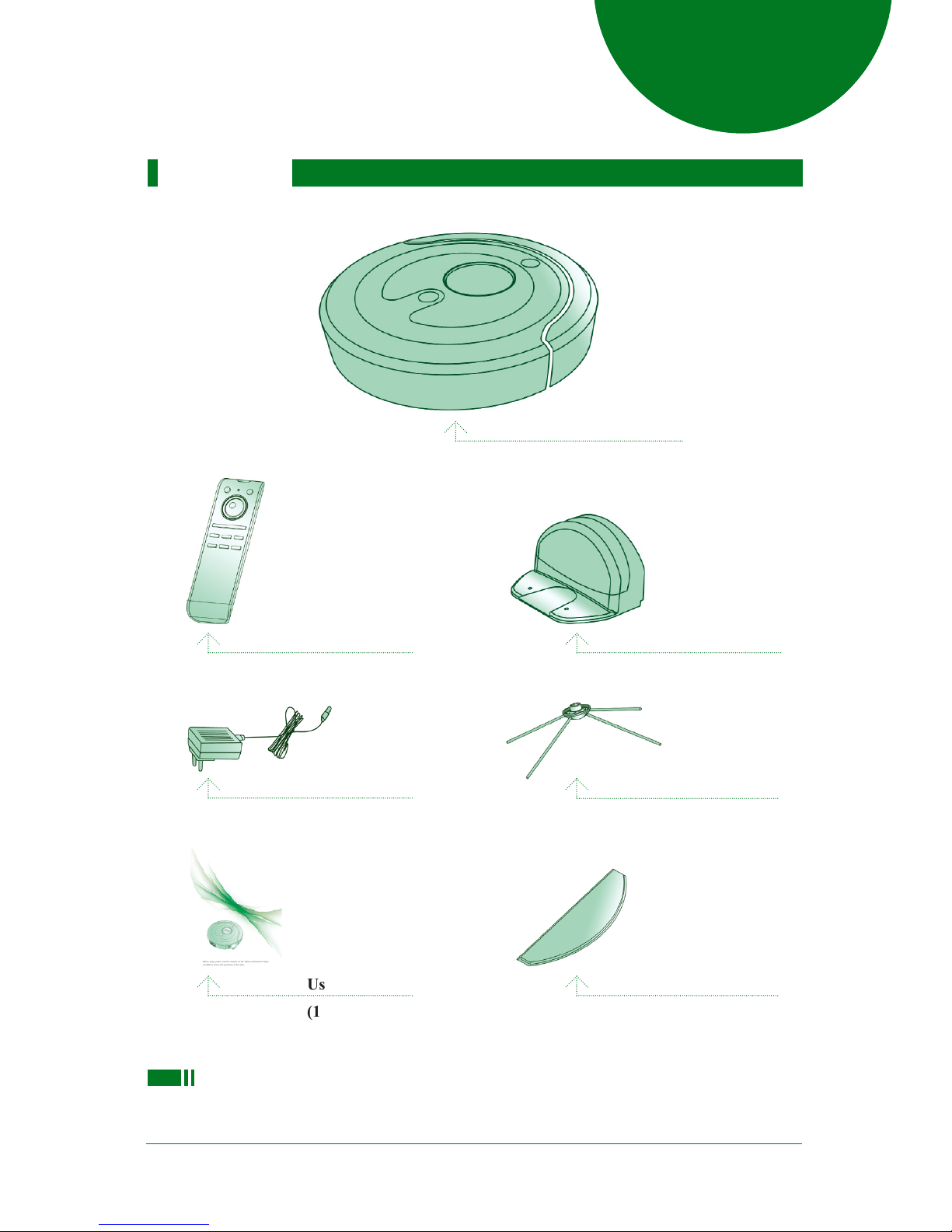
Packing List
Main Body
Remote Controller
(1 PCS)
Charging Base
(1 PCS)
Side Brush
(2 PCS)
User’s Manual
(1 PCS)
Power Adapter (1 PCS)
Microber Mop
(2 PCS)
06
Before using, please read the contents on the "Safety Instructions" Pages
carefully to ensure safe operations of the robot.
User's Manual
Robotic Vacuum Cleaner
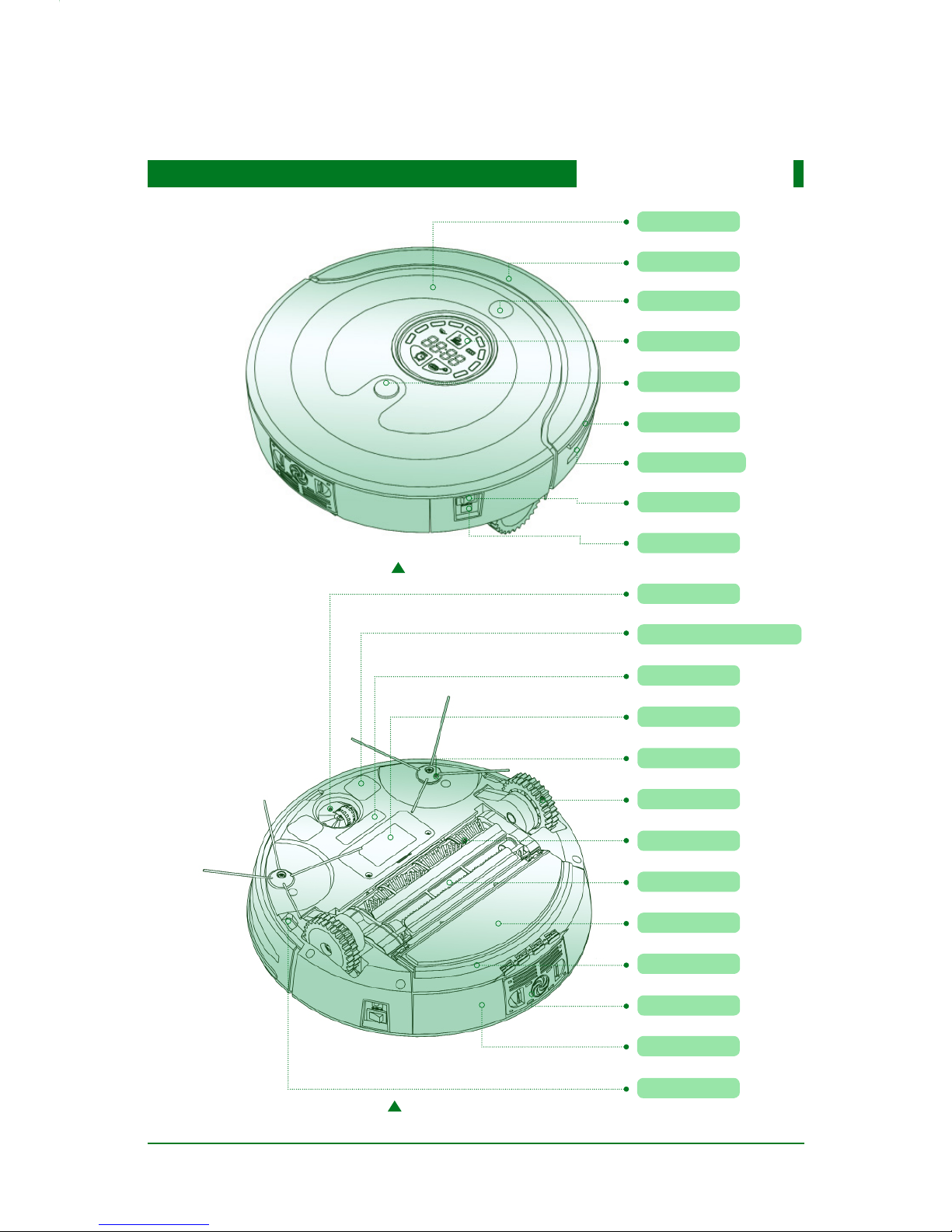
Main Body Anatomy
Decorative Panel
Front Cover
IR Receiver
Display Screen
Dust Bin Button
Rubber Bumper
Transparent Window
Power Switch
DC Jack
Universal Wheel
Charging Terminal
UV Lamp
Battery Cover
Side Brush
Left/Right wheel
Main Brush
Dusting Brush
Mop
Mop Plate
Fan
Dust Bin
Cliff Sensor
07
Top View
Bottom View

Button Functions
Power
Power Indicator Charge
Forward
Leftward Rightward
Backward
Auto Clean
Spot
Edge
Mute
Zigzag
Speed
UV
08
Power : Power Button
Power Indicator : Press any button, if this indicator lights, it means the remote controller works properly.
Charge : Press this button, the robot will look for charging base to recharge automatically.
Auto Clean Press this button, the robot will enter into auto cleaning mode.
Spot : Press this button, the robot will enter into spot cleaning mode.
Mute : Press this button to exchange between normal cleaning mode and mute cleaning mode
Edge : Press this button, the robot will enter into edge cleaning mode.
Speed : Press this button, you can adjust the cleaning speed.
UV : Press this button, you can turn on/turn off UV sterilization function.
Zigzag : Press this button, the robot will enter into zigzag cleaning mode.
Remote Controller
Table des matières


