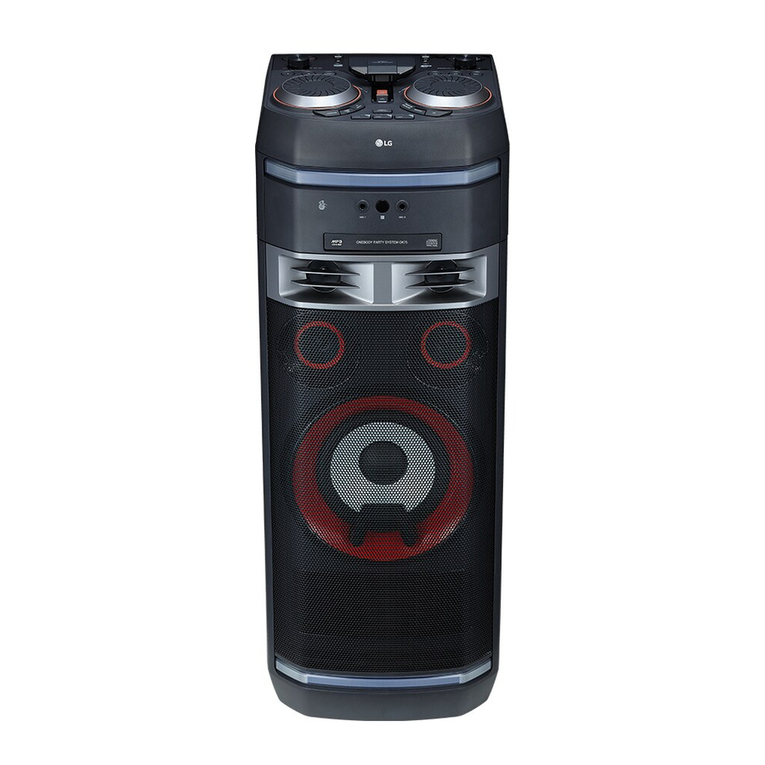
LG CMS4360F Manuel utilisateur

OWNER’S MANUAL
Mini Hi-Fi
System
Please read this manual carefully before operating
your set and retain it for future reference.
MODEL
CM4360 (CM4360, CMS4360F)
FOR THE GUARANTEE TERMS & CONDITIONS,
PLEASE REFER TO INNER PAGE OF BACK COVER.
*MFL69360233* www.lg.com
Copyright © 2017 LG Electronics. All Rights Reserved


1 Getting Started
Getting Started 3
Getting Started
1
Safety Information
CAUTION
RISK OF ELECTRIC SHOCK
DO NOT OPEN
CAUTION: TO REDUCE THE RISK OF ELECTRIC
SHOCK DO NOT REMOVE COVER (OR BACK)
NO USER-SERVICEABLE PARTS INSIDE REFER
SERVICING TO QUALIFIED SERVICE PERSONNEL.
This lightning ash with arrowhead
symbol within an equilateral triangle
is intended to alert the user to the
presence of uninsulated dangerous
voltage within the product’s
enclosure that may be of sufcient
magnitude to constitute a risk of
electric shock to persons.
The exclamation point within an
equilateral triangle is intended
to alert the user to the presence
of important operating and
maintenance (servicing) instructions
in the literature accompanying the
product.
WARNING: TO PREVENT FIRE OR ELECTRIC SHOCK
HAZARD, DO NOT EXPOSE THIS PRODUCT TO RAIN
OR MOISTURE.
WARNING: Do not install this equipment in a
conned space such as a book case or similar unit.
CAUTION: Do not block any ventilation openings.
Install in accordance with the manufacturer’s
instructions.
Slots and openings in the cabinet are provided
for ventilation and to ensure reliable operation of
the product and to protect it from overheating.
The openings shall be never be blocked by placing
the product on a bed, sofa, rug or other similar
surface. This product shall not be placed in a built-
in installation such as a bookcase or rack unless
proper ventilation is provided or the manufacturer’s
instruction has been adhered to.

Getting Started4
Getting Started
1CAUTION: This product employs a Laser System.
To ensure proper use of this product, please read
this owner’s manual carefully and retain it for future
reference. Shall the unit require maintenance, contact
an authorized service center.
Use of controls, adjustments or the performance of
procedures other than those specied herein may
result in hazardous radiation exposure.
To prevent direct exposure to laser beam, do not try
to open the enclosure.
CAUTION concerning the Power cord
Most appliances recommend they should be placed
upon a dedicated circuit;
That is, a single outlet circuit which powers only
that appliance and has no additional outlets or
branch circuits. Check the specication page of this
owner’s manual to be certain. Do not overload wall
outlets. Overloaded wall outlets, loose or damaged
wall outlets, extension cords, frayed power cords, or
damaged or cracked wire insulation are dangerous.
Any of these conditions could result in electric
shock or re. Periodically examine the cord of your
appliance, and if its appearance indicates damage
or deterioration, unplug it, discontinue use of the
appliance, and have the cord replaced with an exact
replacement part by an authorized service center.
Protect the power cord from physical or mechanical
abuse, such as being twisted, kinked, pinched, closed
in a door, or walked upon. Pay particular attention to
plugs, wall outlets, and the point where the cord exits
the appliance. The Power Plug is the disconnecting
device. In case of an emergency, the Power Plug must
remain readily accessible.

Getting Started 5
Getting Started
1
This device is equipped with a portable battery or
accumulator.
Safety way to remove the battery or the battery
from the equipment: Remove the old battery
or battery pack, follow the steps in reverse order
than the assembly. To prevent contamination of
the environment and bring on possible threat
to human and animal health, the old battery or
the battery put it in the appropriate container at
designated collection points. Do not dispose of
batteries or battery together with other waste. It is
recommended that you use local, free reimbursement
systems batteries and accumulators. The battery
shall not be exposed to excessive heat such as
sunshine, re or the like.
CAUTION: The apparatus should not be exposed to
water (dripping or splashing) and no objects lled
with liquids, such as vases, should be placed on the
apparatus.
CAUTION: Do not use high voltage products around
this product. (ex. Electrical swatter) This product may
malfunction due to electrical shock.

Table of Contents6
Table of Contents
1 Getting Started
3 Safety Information
8 Unique Features
8 Accessories
9 Playable file Requirement
9 – Music file requirement
9 – Compatible USB Devices
9 – USB device requirement
10 Remote control
12 Front Panel
14 Rear Panel
2 Connecting
15 Connecting to speakers
15 – Connecting the speakers to the unit
16 Optional Equipment Connection
16 – USB Connection
16 – AUX IN Connection
3 Operating
17 Basic Operations
17 – CD/USB Operations
17 – Auto Play
18 Other Operations
18 – Programmed Playback
18 – Deleting Programmed list
18 – Displaying file information
(ID3 TAG)
19 – Searching for a folder and an MP3/WMA
file
19 – Deleting an MP3/WMA file
20 – AUTO DJ playback
20 – Turn off the sound temporarily
21 Using a BLUETOOTH® wireless technology
21 – Listening to music stored on the
BLUETOOTH devices
23 Using the Music Flow Bluetooth App
23 – Install “Music Flow Bluetooth” App onto
Your Bluetooth Device
25 Radio Operations
25 – Listening to the radio
25 – Improving poor FM reception
25 – Presetting the Radio Stations
25 – Deleting all the saved stations
25 – Seeing information about a Radio station
26 Sound adjustment
26 – Setting the surround mode
27 Advanced Operations
27 – Recording to USB
27 – To select recording bit rate and speed
28 Setting the Clock
28 – Setting the Clock through
“Music Flow Bluetooth” App
29 – Using your player as an alarm clock
29 – Sleep Timer Setting
29 – Dimmer
30 – Auto power down
30 – AUTO POWER On
30 – Auto function change
31 LG Sound Sync

Getting Started8
Getting Started
1
Unique Features
BLUETOOTH
Listens to music stored on your Bluetooth device.
AUTO DJ
Blends the end of one song into the beginning of
another for seamless playback.
USB Direct Recording
Records music to your USB device.
Music Flow Bluetooth
Music Flow Bluetooth is an app designed to let you
take control of some of LG’s latest audio devices.
Refer to page 23-24
LG Sound Sync
Controls volume level of this unit by the remote
control of your LG TV that is compatible with LG
Sound Sync.
Accessories
Please check and identify the supplied accessories.
Remote Control (1) Batteries (2)

Getting Started 9
Getting Started
1
Playable file
Requirement
Music file requirement
MP3/WMA le compatibility with this unit is limited
as follows.
ySampling frequency : within 32 to 48 kHz (MP3),
within 32 to 48 kHz (WMA)
y Bit rate : within 32 to 320 kbps (MP3),
40 to 192 kbps (WMA)
y Maximum les : Data CD : 999 / USB : 2000
y Maximum folders : Data CD : 99 / USB : 200
y File extensions : “.mp3”/“.wma”
yCertain MP3/WMA les may not be played
depending on the type or format of the le.
y CD-ROM le format : ISO 9660/JOLIET
y We recommend that you use Easy-CD Creator,
which creates an ISO 9660 le system.
The DTS is not supported. In case of DTS audio
format, audio is not output.
You have to set the disc format option to [Mastered]
in order to make the discs compatible with the LG
players when formatting rewritable discs. When
setting the option to Live File System, you cannot use
it on LG players.
(Mastered/Live File System : Disc format system for
Windows Vista)
Compatible USB Devices
y MP3 Player : Flash type MP3 player.
y USB Flash Drive :
Devices that support USB2.0 or USB1.1.
y The USB function of this unit does not support all
USB devices.
USB device requirement
yDevices which require additional program
installation when you have connected it to a
computer, are not supported.
yDo not extract the USB device while in operation.
yFor a large capacity USB, it may take a few minute
to be searched.
yTo prevent data loss, back up all data.
yIf you use a USB extension cable or USB hub, the
USB device is not recognized.
yUsing NTFS le system is not supported.
(Only FAT(16/32) le system is supported.)
yThis unit recognizes up to 2000 les.
yExternal HDD, card readers, locked devices, or hard
type USB devices are not supported.
yUSB port of the unit cannot be connected to the
PC. The unit cannot be used as a storage device.
ySome USB may not work with this unit.

Getting Started10
Getting Started
1
Remote control
Replacement of battery
(R03)
(R03)
Remove the battery cover on the rear of the remote
control, and insert two (size AAA) batteries with 4
and 5 matched correctly.
• • • • • • • • • • • • • • a • • • • • • • • • • • • •
1 (Power) : Switches the unit ON or OFF.
R (Open/Close) : Opens and closes the disc tray.
VOL +/- :Adjusts speaker volume.
PRESET·FOLDER W/S :
- Searches for a folder of MP3/WMA les. When
a CD/USB containing MP3/WMA les in several
folders is being played, press PRESET·FOLDER
W/S to select the folder you want to play.
- Chooses a preset number for a radio station.
FUNCTION : Selects the function and input source.
@ : Mutes the sound.
PROGRAM/MEMORY :
- Stores radio stations.
- Deletes all the saved stations.
- Creates a programmed list you want to listen to.
AUTO DJ : Selects the AUTO DJ mode.
(For more information refer to page 20 )
DELETE :
- Deletes MP3/WMA les.
- Deletes a song on the programmed list.
Ce manuel convient aux modèles suivants
2
Table des matières
Autres manuels LG Système stéréo

LG
LG OK99DAB Manuel utilisateur

LG
LG CK57 Fiche technique

LG
LG CM2460DAB Fiche technique

LG
LG CM4530 Manuel utilisateur

LG
LG CM8450 Manuel utilisateur

LG
LG MCV904 Series Manuel utilisateur

LG
LG XC62-D0U Manuel utilisateur

LG
LG OK85 Fiche technique

LG
LG MCD206 Manuel utilisateur

LG
LG MDD105 Manuel utilisateur

LG
LG XB66-F0U Manuel utilisateur

LG
LG CM2440DAB Manuel utilisateur

LG
LG FFH-164 Manuel utilisateur

LG
LG DMS5420V Manuel utilisateur

LG
LG CJ65 Fiche technique

LG
LG CM4635T Manuel utilisateur

LG
LG OM5560 Fiche technique

LG
LG CJ98 Manuel de référence

LG
LG LFA840 Manuel utilisateur

LG
LG CMS4340F Manuel utilisateur