LG HLT55W Manuel utilisateur
OWNER’S MANUAL
REAL 5.1 CH
DVD SOUND BAR
MODEL
HLT55W (HLT55W, SHT55-S/D)
P/NO : MFL65899781
ENGLISH
Việt 中文
Please read this manual carefully before operating
your set and retain it for future reference.
HLT55W-F2_DSGPLL_ENG_9781.indd 1 2010-10-13 �� 5:57:06
2Safety Information
Safety Information
1
CAUTION
RISK OF ELECTRIC SHOCK
DO NOT OPEN
CAUTION: TO REDUCE THE RISK OF ELECTRIC SHOCK
DO NOT REMOVE COVER (OR BACK) NO USER-
SERVICEABLE PARTS INSIDE REFER SERVICING TO
QUALIFIED SERVICE PERSONNEL.
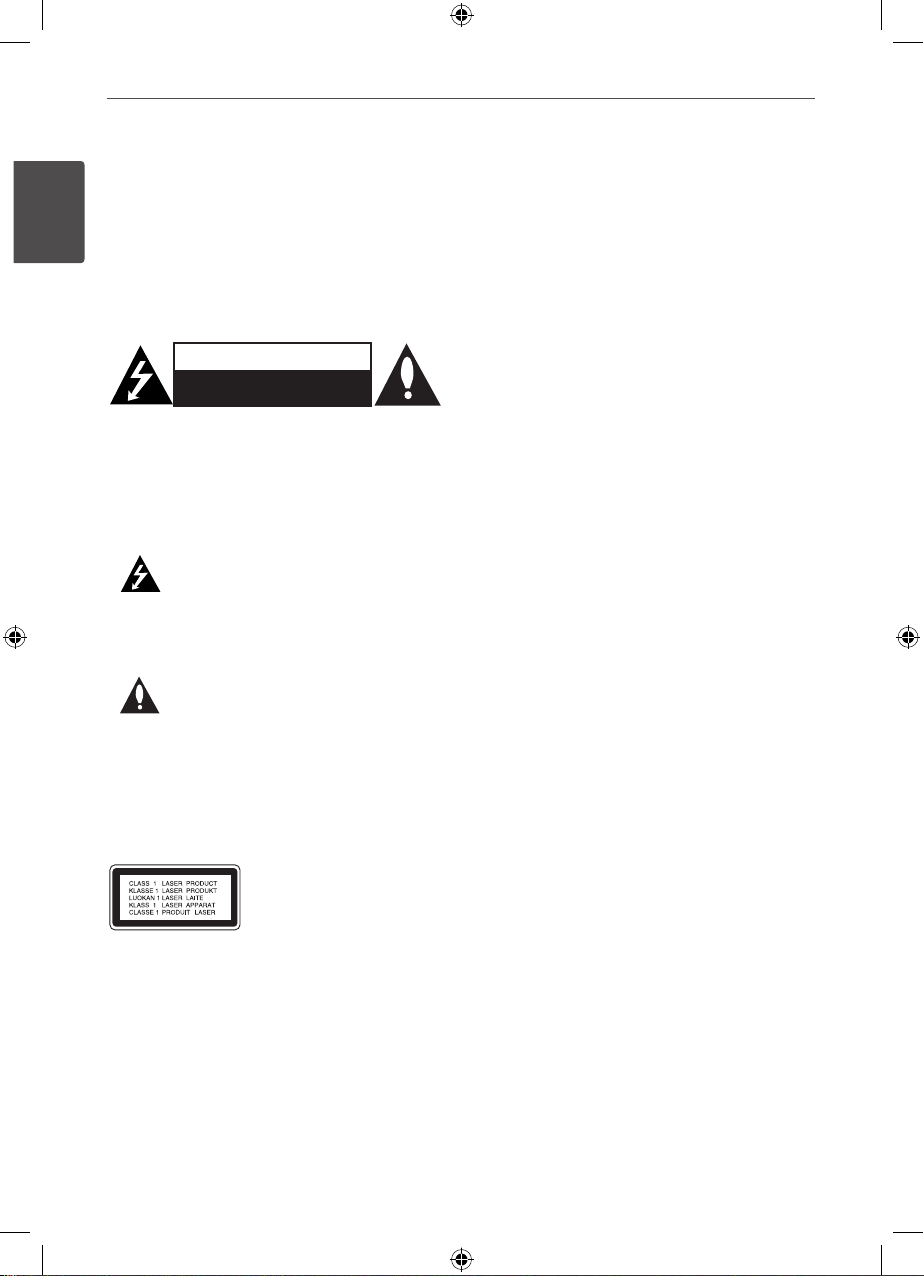
This lightning ash with arrowhead
symbol within an equilateral triangle is
intended to alert the user to the presence
of uninsulated dangerous voltage within
the product’s enclosure that may be of
sucient magnitude to constitute a risk of
electric shock to persons.
The exclamation point within an equilateral
triangle is intended to alert the user to
the presence of important operating and
maintenance (servicing) instructions in the
literature accompanying the product.
WARNING: TO PREVENT FIRE OR ELECTRIC SHOCK
HAZARD, DO NOT EXPOSE THIS PRODUCT TO RAIN
OR MOISTURE.
WARNING: Do not install this equipment in a
conned space such as a book case or similar unit.
CAUTION: This product employs a Laser System.
To ensure proper use of this product, please read
this owner’s manual carefully and retain it for future
reference. Shall the unit require maintenance,
contact an authorized service center.
Use of controls, adjustments or the performance of
procedures other than those specied herein may
result in hazardous radiation exposure.
To prevent direct exposure to laser beam, do not try
to open the enclosure. Visible laser radiation when
open. DO NOT STARE INTO BEAM.
CAUTION: The apparatus shall not be exposed to
water (dripping or splashing) and no objects lled
with liquids, such as vases, shall be placed on the
apparatus.
CAUTION concerning the Power Cord
Most appliances recommend they be placed upon a
dedicated circuit;
That is, a single outlet circuit which powers only
that appliance and has no additional outlets or
branch circuits. Check the specication page of this
owner’s manual to be certain. Do not overload wall
outlets. Overloaded wall outlets, loose or damaged
wall outlets, extension cords, frayed power cords, or
damaged or cracked wire insulation are dangerous.
Any of these conditions could result in electric
shock or re. Periodically examine the cord of your
appliance, and if its appearance indicates damage
or deterioration, unplug it, discontinue use of the
appliance, and have the cord replaced with an exact
replacement part by an authorized service center.
Protect the power cord from physical or mechanical
abuse, such as being twisted, kinked, pinched, closed
in a door, or walked upon. Pay particular attention
to plugs, wall outlets, and the point where the cord
exits the appliance. To disconnect power from the
mains, pull out the mains cord plug. When installing
the product, ensure that the plug is easily accessible.
1
Safety Information
HLT55W-F2_DSGPLL_ENG_9781.indd 2 2010-10-13 �� 5:57:06
3
Safety Information
Safety Information
1
WARNING: Do not install this equipment in a
conned space such as a book case or similar unit.
CAUTION: Do not block any ventilation openings.
Install in accordance with the manufacturer's
instructions.
Slots and openings in the cabinet are provided for
ventilation and to ensure reliable operation of the
product and to protect it from overheating.
The openings should be never be blocked by placing
the product on a bed, sofa, rug or other similar
surface. This product should not be placed in a built-
in installation such as a bookcase or rack unless
proper ventilation is provided or the manufacturer's
instruction have been adhered to.
This device is equipped with a portable battery or
accumulator.
Safe way to remove the battery or the battery
from the equipment:
Remove the old battery pack, follow the steps
in reverse order than the assembly. To prevent
contamination of the environment and bring on
possible threat to human and animal health, the
old battery or the battery put in the appropriate
container at designated collection points. Do not
dispose of batteries or battery together with other
waste. It is recommended that you use local, free
reimbursement system batteries and accumulators.
The battery shall not be exposed to excessive heat
such as sunshine, re or the like.
Copyrights
It is forbidden by law to copy, broadcast, show,
broadcast via cable, play in public, or rent
copyrighted material without permission. This
product features the copy protection function
developed by Macrovision. Copy protection signals
are recorded on some discs. When recording and
playing the pictures of these discs picture noise
will appear. This product incorporates copyright
protection technology that is protected by U.S.
patents and other intellectual property rights. Use
of this copyright protection technology must be
authorized by Macrovision, and is intended for home
and other limited viewing uses only unless otherwise
authorized by Macrovision. Reverse engineering or
disassembly is prohibited.
CONSUMERS SHOULD NOTE THAT NOT ALL HIGH
DEFINITION TELEVISION SETS ARE FULLY COMPATIBLE
WITH THIS PRODUCT AND MAY CAUSE ARTIFACTS
TO BE DISPLAYED IN THE PICTURE. IN CASE OF 525
OR 625 PROGRESSIVE SCAN PICTURE PROBLEMS,
IT IS RECOMMENDED THAT THE USER SWITCH THE
CONNECTION TO THE ‘STANDARD DEFINITION
’ OUTPUT. IF THERE ARE QUESTIONS REGARDING
OUR TV SET COMPATIBILITY WITH THIS MODEL 525p
AND 625p UNIT, PLEASE CONTACT OUR CUSTOMER
SERVICE CENTER.
You have to set the disc format option to [Mastered]
in order to make the discs compatible with the LG
players when formatting rewritable discs. When
setting the option to Live File System, you cannot
use it on LG players.
(Mastered/ Live File System : Disc format system for
Windows Vista)
HT903 trans
HLT55W-F2_DSGPLL_ENG_9781.indd 3 2010-10-13 �� 5:57:06
4Contents
1
2
3
4
5
6
7
Contents
Safety Information
2 CAUTION
Preparation
6 Unique Features
6 Accessories
7 Introduction
7 Playable Discs
7 About the Symbol Display
7 Symbol Used in this Manual
7 Regional Codes
8 Playable file Requirement
9 Remote control
11 Front panel
12 Rear panel
Installation
13 Mounting the main unit on a
wall
15 Attaching the speakers
15 Setting up
17 Connections to Your TV
17 HDMI Out Connection
18 Video Connection
19 Resolution Setting
19 Video Output Resolution
20 Optional Equipment Connection
20 AUX In Connection
20 AUDIO (PORT. IN) In
Connection
20 Listening to music from your
portable player or external
device
21 USB Connection
22 OPTICAL In connection
22 Antenna Connection
23 Adjust the setup settings
23 OSD Initial language settings
23 To display and exit the Setup
menu
24 Language
24 Display
25 Audio
26 Lock (Parental Control)
27 Others
Operation
28 Using the Home Menu
28 Basic Operations
29 Other Operations
29 Displaying Disc Information on-
screen
30 To display the DVD Menu
30 To display the DVD title
30 1.5 times speed playback
30 Screen Saver
30 Starting play from selected
time
30 Resume playback
HLT55W-F2_DSGPLL_ENG_9781.indd 4 2010-10-13 �� 5:57:06
5Contents
1
2
3
4
5
6
7
31 Marked Playback
31 Changing subtitle code page
32 Viewing a PHOTO file
32 Options while viewing a photo
33 Sleep Timer Setting
33 Turn off the sound temporarily
33 Last Scene Memory
33 System Select - Optional
33 Adjust the speaker level
settings
33 VOCAL FADER
34 Radio Operations
34 Listening to the radio
34 Presetting the Radio Stations
34 Deleting all the saved stations
34 Deleting a saved station
34 Improving poor FM reception
35 Sound adjustment
35 Setting the surround mode
36 Advanced Operations
36 Recording to USB
Maintenance
37 Notes on Discs
37 Handling the Unit
Troubleshooting
38 Troubleshooting
Appendix
39 Language Codes
40 Area Codes
41 Trademarks and Licenses
42 Specifications
HLT55W-F2_DSGPLL_ENG_9781.indd 5 2010-10-13 �� 5:57:06
6Preparation
Preparation
2
2
Preparation
Unique Features
Portable In
Listens to music from your portable device.
(MP3, Notebook, etc)
USB Direct Recording
Records music from CD to your USB device.
Full HD up-scaling
Views Full HD picture quality with simple setup.
Home Theater Speaker ez
Setup
Listens to sound from TV, DVD and Digital
device with vivid 5.1 (2.1 or 2.0) ch mode.
Accessories
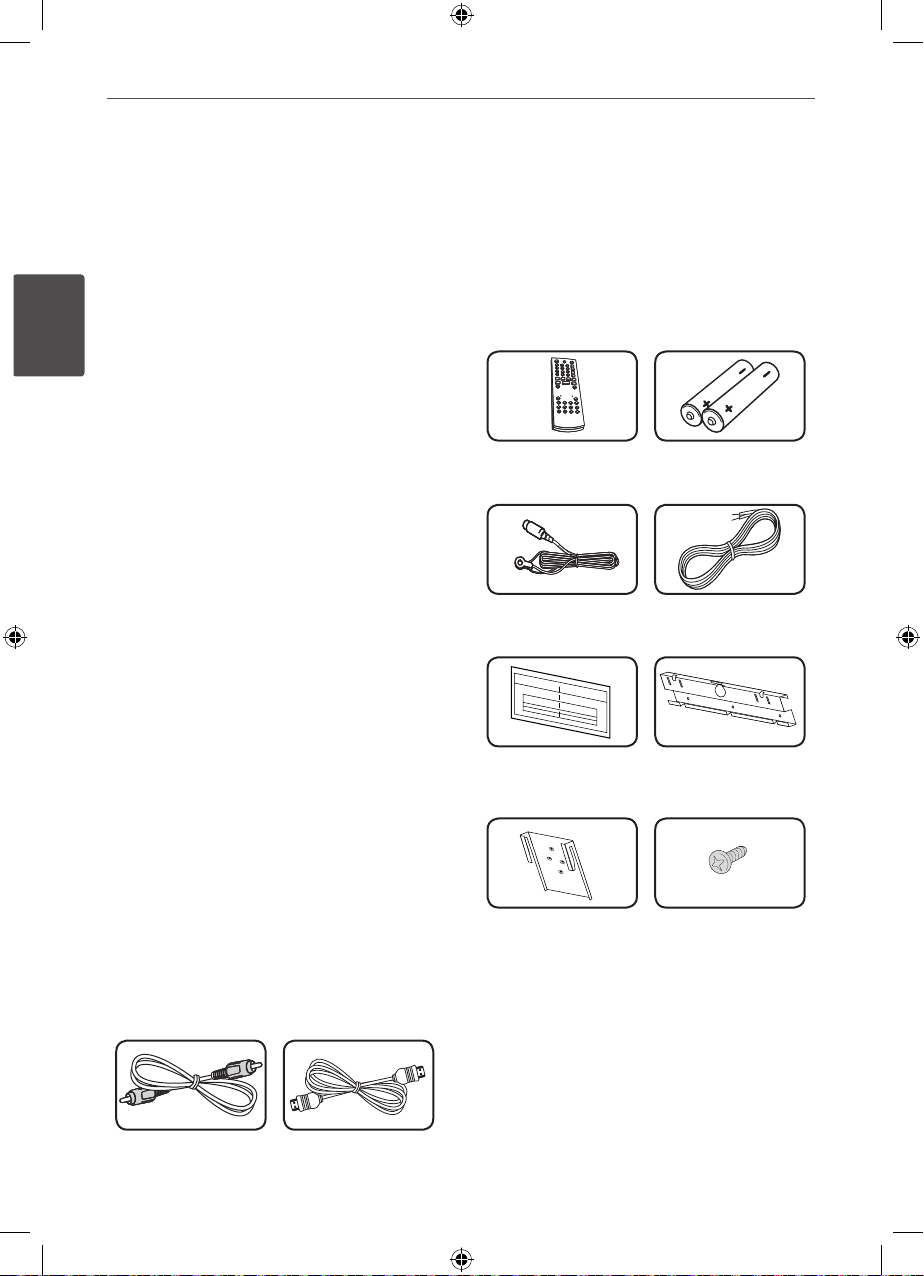
Please check and identify the supplied
accessories.
Video cable (1) HDMI cable (1)
Remote control (1) Batteries (2)
FM antenna (1) Speaker cables (2)
WALL BRACKET
INSTALL GUIDE (1)
Wall bracket (1)
Unit brackets (2) Screws (4)
HLT55W-F2_DSGPLL_ENG_9781.indd 6 2010-10-13 �� 5:57:07
7Preparation
Preparation
2
Introduction
Playable Discs
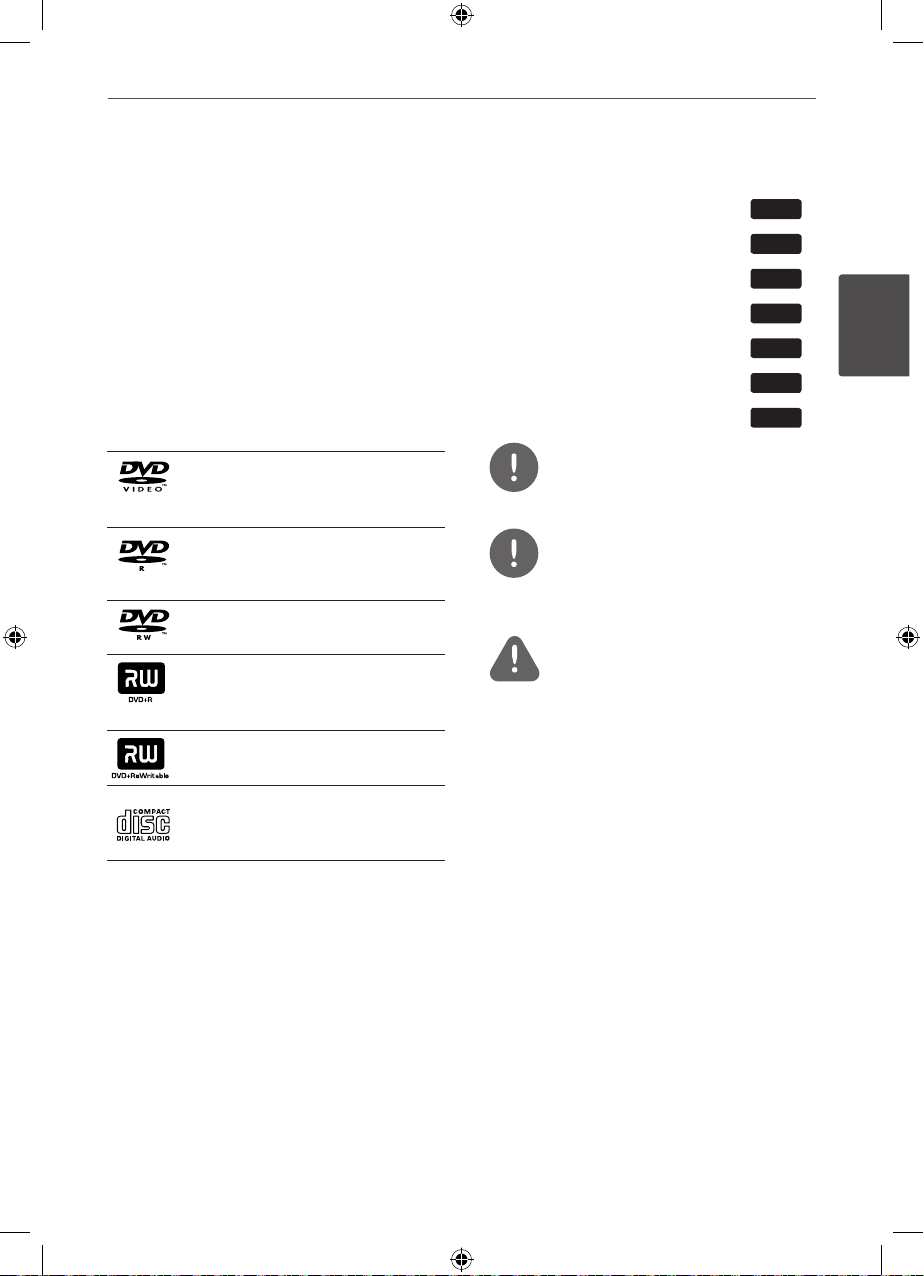
This unit plays DVD±R/RW and CD-R/RW that
contains audio titles, DivX, MP3, WMA and/or
JPEG les. Some DVD±RW/DVD±R or CD-
RW/CD-R cannot be played on this unit due to
the recording quality or physical condition of
the disc, or the characteristics of the recording
device and authoring software.
DVD-VIDEO (8 cm / 12 cm disc)
Discs such as movies that can be
purchased or rented.
DVD±R (8 cm / 12 cm disc)
Video mode and nalized only
DVD-RW (8 cm / 12 cm disc)
Video mode and nalized only
DVD+R: Video mode only
Supports the double layer disc
also
DVD+RW (8 cm / 12 cm disc)
Video mode and nalized only
Audio CD: Music CDs or CD-R/CD-
RW in music CD format that can
be purchased.
About the Symbol Display
“ ” may appear on your TV display during
operation and indicates that the function
explained in this owner’s manual is not
available on that disc.
Symbol Used in this Manual
All discs and le listed below ALL
MP3 les MP3
DVD and nalized DVD±R/RW DVD
WMA les WMA
DivX les DivX
Audio CDs ACD
JPG les JPG
NOTE
Indicates special notes and operating features.
TIP
Indicates tip and hints for making the task
easier.
CAUTION
Indicates cautions for preventing possible
damages from abuse.
Regional Codes
This unit has a regional code printed on the
rear of the unit. This unit can play only DVD
discs labeled same as the rear of the unit or
“ALL”.
• Most DVD discs have a globe with one or
more numbers in it clearly visible on the
cover. This number must match your unit’s
regional code or the disc cannot play.
• If you try to play a DVD with a dierent
regional code from your unit, the message
“Check Regional Code” appears on the TV
screen.
HLT55W-F2_DSGPLL_ENG_9781.indd 7 2010-10-13 �� 5:57:08
8Preparation
Preparation
2
Playable file
Requirement
MP3/ WMA music file requirement
MP3/ WMA le compatibility with this unit is
limited as follows :
• Sampling frequency : within 32 to 48 kHz
(MP3), within 32 to 48 kHz (WMA)
• Bit rate : within 32 to 320 kbps (MP3),
40 to 192 kbps (WMA)
• Support Version : v2, v7, v8, v9
• Maximum les : Under 999
• File extensions : “.mp3”/ “.wma”
• CD-ROM le format : ISO9660/ JOLIET
• We recommend that you use Easy-CD
Creator, which creates an ISO 9660 le
system.
Photo file requirement
Photo le compatibility with this unit is limited
as follows :
• Max pixel in width : 2760 x 2048 pixel
• Maximum les : Under 999
• Some discs may not operate due to a
dierent recording format or the condition
of disc.
• File extensions: “.jpg”
• CD-ROM le format : ISO9660/ JOLIET
DivX file requirement
DivX le compatibility with this unit is limited
as follows :
• Available resolution: within 720x576 (W x H)
pixels.
• The le name of the DivX subtitle should be
entered within 45 characters.
• If there is impossible code to express in the
DivX le, it may be displayed as " _ " mark
on the display.
• Frame rate : less than 30 fps.
• If the video and audio structure of recorded
les is not interleaved, either video or audio
is outputted.
• Playable DivX le : ".avi", ".mpg", ".mpeg",
".divx"
• Playable Subtitle format : SubRip (*.srt/
*.txt), SAMI (*.smi), SubStation Alpha (*.ssa/
*.txt), MicroDVD (*.sub/ *.txt), SubViewer 2.0
(*.sub/ *.txt), Vobsub (*.sub)
• Playable Codec format : "DIVX3.xx", "DIVX4.
xx", "DIVX5.xx", "MP4V3", "3IVX".
• Playable Audio format : "AC3", "PCM", "MP3",
"WMA".
• Sampling frequency : within 32 to 48 kHz
(MP3), within 32 to 48 kHz (WMA)
• Bit rate : within 32 to 320 kbps (MP3), 40 to
192 kbps (WMA)
• For Discs formatted in Live le system, you
can not it on this unit.
• If the name of movie le is dierent from
that of the subtitle le, during playback of a
DivX le, subtitle may not be display.
• If you play a DivX le dierent from
DivXspec, it may not operate normally.
HLT55W-F2_DSGPLL_ENG_9781.indd 8 2010-10-13 �� 5:57:08
9Preparation
Preparation
2
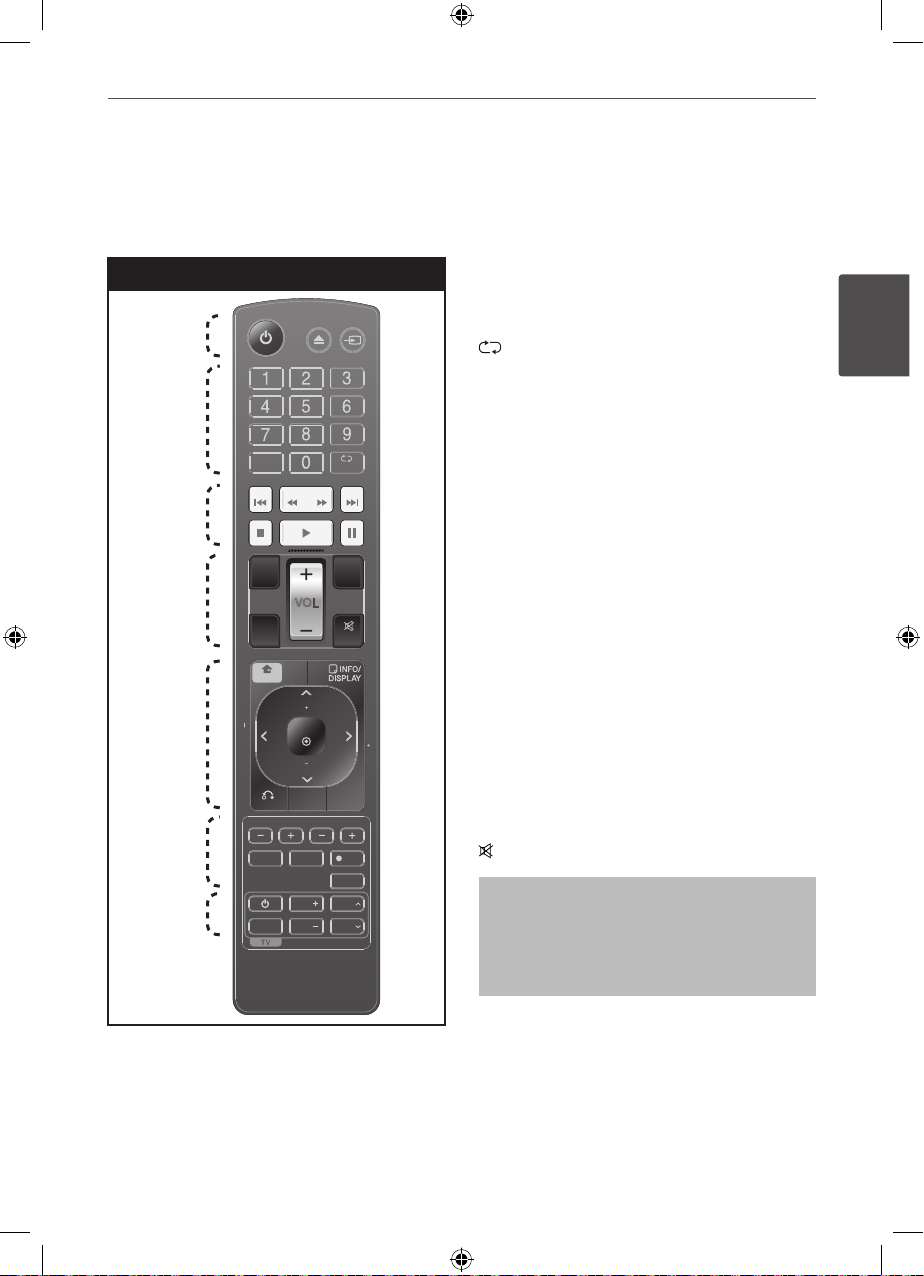
Remote control
Remote control
a
b
c
d
e
f
g
OPEN / RADIO &
CLOSE INPUT
SOUND
EFFECT
SPEAKER
LEVEL
REPEAT
CLEAR
OPTICAL
VOL
MUTE
VOL
VOL
AV / INPUT
ENTER
TITLE
RETURN
DISC MENU
PRESET
PRESET
PR/CH
PR/CH
REC
MARKER
SLEEP
MONO/STEREO
SCAN SKIPSKIP
HOME HOME
TUNING
TUNING
MIC VOL ECHO VOL
VOCAL FADER
•••••••••• a• • • • • • • • •
1 (POWER) : Switches the unit ON or OFF.
Z OPEN/CLOSE : Opens and closes the disc
Drawer.
t RADIO&INPUT: Changes input sources.
•••••••••• b• • • • • • • • •
0 to 9 numerical buttons : Selects numbered
options in a menu.
CLEAR : Removes a number when setting the
password.
REPEAT : Selects a play mode. (Repeat/
Repeat all/ Random)
•••••••••• c• • • • • • • • •
./> SKIP : Goes to next or previous
chapter/ track/ le.
m/M SCAN :
Searches backward or forward.
x (STOP) : Stops playback or recording.
B (PLAY), MONO/STEREO : Starts playback.
Selects Mono/ Stereo.
X (PAUSE/STEP) : Pauses playback.
•••••••••• d• • • • • • • • •
SPEAKER LEVEL: Sets the sound level of
desired speaker.
SOUND EFFECT: Selects a sound eect mode.
VOL -/+ (Volume) : Adjusts speaker volume.
OPTICAL: Changes input source to optical
directly.
MUTE : Mutes the sound.
Put the batteries into the remote control
Make sure for the + (plus) and – (minus) on
the batteries to be matched on the remote
control.
HLT55W-F2_DSGPLL_ENG_9781.indd 9 2010-10-13 �� 5:57:08
10 Preparation
Preparation
2
Remote control
OPEN / RADIO &
CLOSE INPUT
SOUND
EFFECT
SPEAKER
LEVEL
REPEAT
CLEAR
OPTICAL
VOL
MUTE
VOL
VOL
AV / INPUT
ENTER
TITLE
RETURN
DISC MENU
PRESET
PRESET
PR/CH
PR/CH
REC
MARKER
SLEEP
MONO/STEREO
SCAN SKIPSKIP
HOME HOME
TUNING
TUNING
MIC VOL ECHO VOL
VOCAL FADER
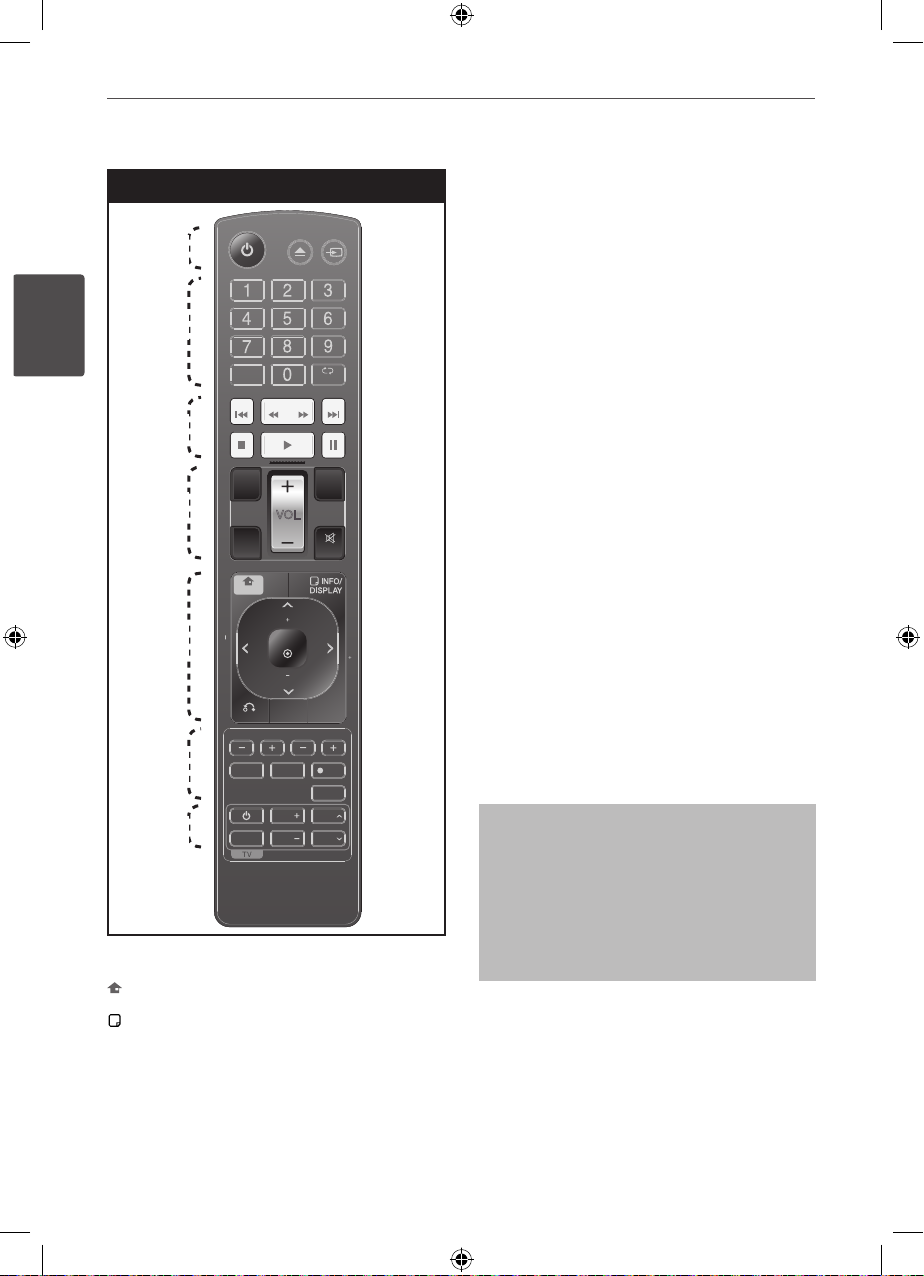
•••••••••• e• • • • • • • • •
HOME: Displays the [Home] menu.
INFO/DISPLAY : Accesses On-Screen
Display.
U/u/I/i (up/ down/ left/ right): Used to
navigate on-screen displays.
PRESET (+/-) : Selects programme of Radio.
TUNING -/+ : Tunes in the desired radio station.
ENTER : Acknowledges menu selection.
Presetting the radio stations.
O RETURN : Moves backwards in the menu
or exits the setup menu.
TITLE : If the current DVD title has a menu, the
title menu appears on the screen. Otherwise,
the disc menu may not appear.
DISC MENU : Accesses the menu on a DVD
disc.
•••••••••• f• • • • • • • • •
ECHO VOL -/+ : Adjusts echo volume.
MIC VOL -/+ : Adjusts microphone volume.
MARKER : Marks play list.
SLEEP : Sets the System to turn o
automatically at a specied time.
z REC : USB Direct Recording.
VOCAL FADER : You can enjoy the function as
karaoke, by reducing singer vocal of music in
the various source.
•••••••••• g• • • • • • • • •
TV Control buttons : Controls the TV. (LG TV
only)
Controlling the TV
You can control the sound level, input
source, and power switching of LG TVs as
well. Hold POWER (TV) and press PR/CH
(U/u) button repeatedly until the TV turns
on or o.
a
b
c
d
e
f
g
HLT55W-F2_DSGPLL_ENG_9781.indd 10 2010-10-13 �� 5:57:09
Ce manuel convient aux modèles suivants
3
Table des matières
Autres manuels LG Système de haut-parleurs