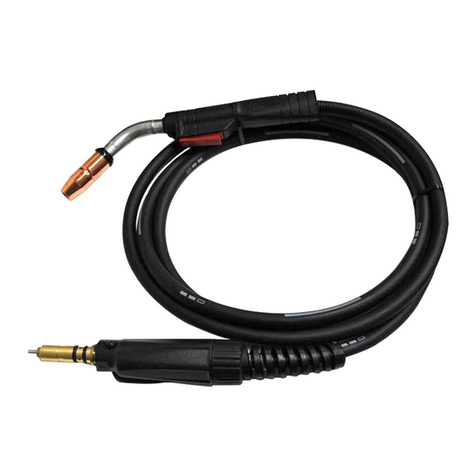
Laser BWT15 Manuel utilisateur

Shenzhen Qilin Laser Application Technology Co., Ltd.
Hand-held Welding Head Manual
Model No.:BWT15
Declaration
1. Shenzhen qilin laser application co., ltd. may update the operating instructions at
any time due to software or hardware upgrades. These updates will be included in the
new version of the operating instructions.Read the instructions carefully before using
the welding system !
2. Purchase Qilin laser handheld welding system to enjoy a lifetime of software
upgrade service, in the stipulated warranty scope, shenzhen qilin laser to fulfill the
promise of warranty service.It is strictly prohibited to disassemble or repair this
product by personnel other than our company without permission. In case of any
damage caused by the above factors, our company will not provide any free warranty
service.The company shall not be liable for any loss which may result from the use of
the product.The contents contained in the operating instructions shall not be modified
or reproduced by any organization or individual by any means. Shenzhen Qilin Laser
Application Technology Co., LTD has the right to interpret the product description.

Shenzhen Qilin Laser Application Technology Co., Ltd.
Security information
Please ensure that the operation is correct and safe when using the
system.Some signs or words will be used to remind you of danger-
ous matters and some important information.
Danger:
Indicates a serious danger. Improper operation or incorrect
use may cause serious injury or even death. Do not use the
device until the operation method is correct and the use
method is correct.
Warning:
Indicates a danger. In the process of using, improper
operation or incorrect use method may cause injury to
personnel. Please do not operate easily until the correct
operation method and correct use method are ensured.
Caution:
Indicates the potential risk of the product. Incorrect usage
or improper operation may damage the product or some
components. Please do not use it easily until the operation
method is correct and the use method is correct.
Important:
Important information that needs to be paid attention to
when using a product. Do not ignore this information,
which provides useful operational assistance.
This label indicates laser radiation. It is usually affixed to the
laser output product. Be careful of laser when using such
equipment.

Shenzhen Qilin Laser Application Technology Co., Ltd.
Operating instruction
The signal status is displayed in the page:
FGAP Gas Fillings Welding Connect Motor
Technical parameters
Interface type
QBH
Power Range
2000W
Laser Wavelength
1064-1080
Wobble Width
0.2-5.0 mm
Collimating length
50 (D20F50*3.5)
Focal length
150 (D20F50*3)
Protective lens
D20X2
Cooling Way
Water
Weight
1.2 kg
Working Mode

Shenzhen Qilin Laser Application Technology Co., Ltd.
FGAP : Control of laser switch. When in normal use, turn on FGAP button to connect laser
light signal. ( Connection of laser source will be cut down after 15 minutes of no
working)
Gas : For gas control, install proportional valve, effective percentage control.
Fillings : Control of feeder feeding, switch of feeding function.
Welding: The display of the trigger button of welding head.
The WELDING button is on when the trigger button pressed by user.
Connect : It is the indicating of loop signal of head to the metal.
When the gun head touches the metal plate which with alligator clip, the CONNECT
button is on. This button is for protective of laser light. Short connection is
prohibited.
Motor : Refers to the state of the laser head motor.
The light is on when the motor is normally connected, and when the motor is not
working, the MOTOR button is off and the LCD screen of welding head shows the
alarm signal E, it means the laser light signal is locked and the triggle button of
welding is invalid.
Control Section for Screen:
Laser Control Motor Control Gas Control
1. Laser Control
Power(0-100%): Choose appropriate percentage according to different materials.
The frequency is suggested at 3000-5000hz.
Frequency (50-30000HZ)
Duty Cycle(1-100%): According to the requirements of the welding surface
2. Motor Control
Working Mode:
Frequency: Refers to the adjustable motor speed (2-46hzms), 1HZ=10 laps
Width: Wobble size,(0.2-5mm)adjustable.
Tips:
1) ● mode: refers to the state when the motor does not swing and the spot is minimal.
Strong penetration, can be used for penetration welding, overlap welding or
thick materials.
2) mode: it means to swing a motor, connect the points into a line.
Can adjust the width of the mark, concentrate the energy density, also can have
a certain penetration of the thick plate, the use of positive fillet welding.
3) mode: they are the welding of swinging 2 motors, forming the point
into different beam shapes. Can adjust the diameter. Uniform energy density, obvious
advantages of thin plate welding, the minimum 0.3mm materials, for the use of butt
welding, Yin fillet welding.

Shenzhen Qilin Laser Application Technology Co., Ltd.
3. Gas Control
Gas advance//delay:
It is recommended to set it around 150ms to protect the welding dust from
polluting the protective lens.
Proportional valve:
when the proportional valve is connected, the gas can be controlled 100%
effectively.
Power Setting for slowly rising & falling
1. Control laser power slowly rise and fall to protect protective lens and better
welding effective.
2. Rising to full power in the time you set slowly, can be chosen from 20-400ms
3. Falling to 0 power in the time slowly, can be chosen from 0-400ms

Shenzhen Qilin Laser Application Technology Co., Ltd.
Position Setting for Red Light
1. Adjust the Axis of X and Y motor reflecting lens to change the red light offset
position.
2. The adjustment radius of the laser center point is 5mm.
3. Make sure all motor circruit are normal before adjustment to avoid wrong
operation.
Multi-language and Lock Settings
Muti-language: Chinese-English-Russian-Korean-Vietnamese-Janpanese
S/N: Serial Number of Machine
Version: Controller version of system
Available life: Valid use time (when (-) shows mean a permanent use permission)
License: the License number if needs to be entered when lock or unlock machine

Shenzhen Qilin Laser Application Technology Co., Ltd.
Connection Definition
Controller Connection

Shenzhen Qilin Laser Application Technology Co., Ltd.
Power Interface
± 15V interface is the interface to provide power for the motor drive inside the control
box, the voltage is plus or minus 15V (± 15V).
* Table below shows the cable interface definition for ±15V.
DC24V interface is the interface to provide power for the control box internal control
system, and the voltage is DC24V (DC24V).
* The table shows the definition of POWER 2 cable connection.
HMI
The HMI port is defined as a 5-pin green terminal through which the mainboard
supplies power and communicates with.
Pin
Signal
Definition
Description
1
V1
power input +15V
+15 external power input, the current of
external power output bigger than 3A
2
GND
GND
Power ground
3
V2
power input -15V
-15 The input power is from the external
power supply, current bigger than 3A
Pin
Signal
Definition
Description
1
24V
Power input
+24V external power input, the current of
external power output bigger than 3A
2
GND
GND
Power ground
Pin
Signal
Definition
Description
1
24V
Output power,500mA
HMI power supply
2
GND
Power ground
3
TXD
HMI sender
Serial port communication TXD signal
4
RXD
HMI receiver
Serial port communication RXD signal

Shenzhen Qilin Laser Application Technology Co., Ltd.
Laser control interface
The laser interface is an 8 PIN green terminal +4PIN green terminal +RS232 interface.
* The table shows the definition of laser source interface.
Welding head interface
The mainboard provides a galvanometer port, which is compatible with
common digital galvanometer ports in the market.
* The table describes the galvanometer port definitions.
Pin
Signal
Definition
Description
1
PWM+
MOD+
Duty cycle is adjustable from 1%-100%,
24V and 5V can be switched
2
PWM-
MOD-
Can be connected to GND
3
EN+
Enable +
Control laser signal, high level effective,
24V and 5V can be switched
4
EN-
Enable -
Can be connected to GND
5
RED+
Red laser +
Laser red light control (optional)
6
RED-
GND
Can be connected to GND
7
NC+
Enabled standby signal +
TBD
8
NC-
GND
Can be connected to GND
9
DA 1+
Analog output voltage+
For laser peak power adjustment, 0-10V
and 0-4V analog voltage options
10
DA 1-
Analog output voltage-
Can be connected to GND
11
DA 2+
Analog output voltage
For proportional valve regulation, 0-10V
analog voltage
12
DA 2-
GND
Can be connected to GND
Pin
Signal
Definition
Description
1
DB15
Galvanometer & OLED interface
To connect welding head
2
CF
Welding interface
Generally connected to the fire
button on the welding head, when
pressing the button on the gun,
the welding status light on the
7-inch screen will light up

Shenzhen Qilin Laser Application Technology Co., Ltd.
Gas control interface
Control box provides a special IO interface, all output IO using OC output can
directly drive the relay, the maximum current up to 500mA, the wiring diagram
is as follows.
Wiring diagram of outlet relay
Feeder control interface
The control box provides a specified communication interface to control wire
feeder. 3A current can be provided after 24V power supply is directly connected
to the power input interface of the control box.
*The table shows the definition of the control interface of the wire feeder.
Pin
Signal
Definition
Description
1
CAS1+
Used to protect the gas blowing
control, positive pole
Mainboad
control relay is
recommended
2
CAS1-
Used to protect the gas blowing
control, negative pole
Connect to
negative pole of
24V relay
3
SS_1
Wire feeder trigger signal 1
Wire feeder
control signal
4
SS_2
Wire feeder trigger signal 2
Wire feeder
control signal
Autres manuels pour BWT15
1
Table des matières
Autres manuels Laser Accessoires de soudage
Manuels Accessoires de soudage populaires d'autres marques

Lincoln Electric
Lincoln Electric LT-7 Tractor Manuel utilisateur

Weco
Weco Trolley R Manuel utilisateur

Cornwell Tools
Cornwell Tools MMWC1 Manuel utilisateur

Dohle
Dohle ExOn2A Manuel utilisateur

Nederman
Nederman Fume Eliminator FE 840/2500/P150 Manuel utilisateur

3M
3M Speedglas 9100 Series Manuel utilisateur

Miller Electric
Miller Electric OM-842 Manuel utilisateur

Miller
Miller A-200 Series Manuel utilisateur

Abicor Binzel
Abicor Binzel ABIMIG WT Series Manuel utilisateur

optrel
optrel lifeflip autopilot Manuel utilisateur

Miller
Miller MIGmatic M-25 Manuel utilisateur

Tregaskiss
Tregaskiss TOUGH GUN TT3 Reamer Manuel utilisateur