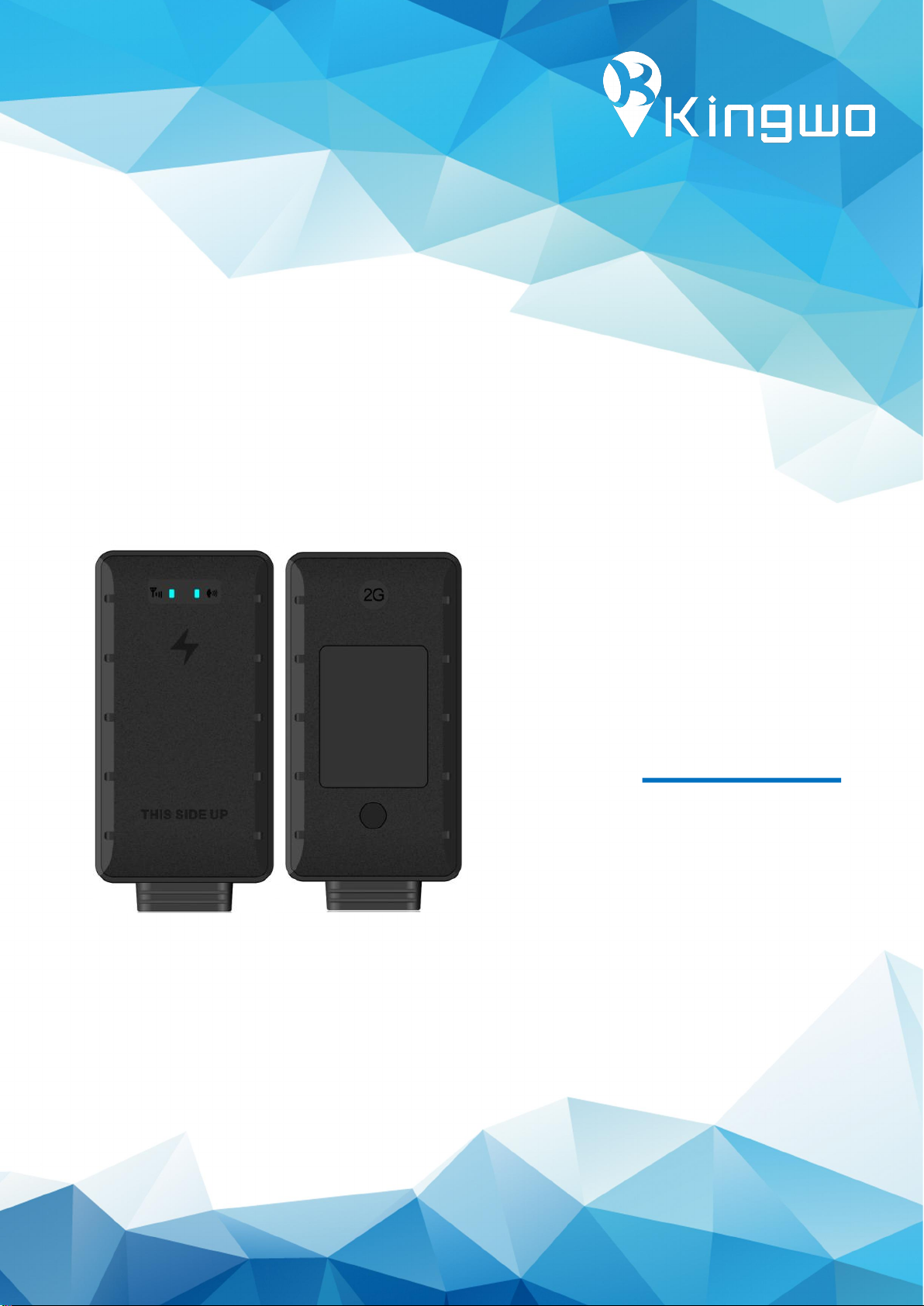
Kingwo MT200 Manuel utilisateur

+-++
Smart GPS Tracker
MT200
User manual

1
Declaration
The contents of this manual might be updated without prior notice; the
updated content will be added to the new version of this manual.
Kingwo IoT reserve the rights to update the products or procedures
described in the manual at any time. If there is a description of the
product in the manual that does not match the actual product, the
actual product shall prevail. Kingwo owns the final interpretation rights
of this manual.

2
Contents
1. Product features ................................................... 4
2. Technical Specification .............................................. 5
3. Functions ......................................................... 6
3.1 Tracking function .............................................. 6
3.1.1 Data upload according to time, speed and distance (Default setting is
upload by time) .............................................. 6
3.1.2 History data storage (Default ON) ......................... 6
3.1.3 Cornering Compensation (Default ON) ........................ 7
3.1.4 LBS (Default OFF) .........................................7
3.1.5 AGPS (Default ON) ........................................7
3.2 Alarm function ................................................ 7
3.2.1 Low Voltage Alarm (Default ON) .............................7
3.2.2 Over speed alarm (Default OFF) ............................. 7
3.2.3 Driving behavior alarm (Default OFF) ......................... 8
3.2.5 Turn over alarm(Default OFF) ............................... 8
3.2.6 Vibration alarm (Default OFF) ............................... 8
3.2.7 Towing alarm (Default OFF) ................................ 8
3.2.8 Wire cut off alarm (Always On) ..............................8
3.2.9 GPS error alarm (Default ON) ............................... 9
3.2.10 Device removal alarm ......................................................................... 9
3.3 Intelligent function .............................................9
3.3.1 Power Save (Default 5 mins after static status) ................. 9
3.3.2 Self-Diagnosis (Default ON) .................................9
3.3.3 Static Drift Suppression (Default ON) ......................... 9
3.3.4 Mileage Calculation (Default ON) ........................... 10
3.3.5 Remote Configuration (Default ON) ......................... 10
3.3.6 Remote Upgrade (OTA) (Default ON) ........................ 10
3.3.7 Dual IP or Domain (Default ON) ............................ 10
3.3.8 GT800 and JT808 protocol (Default ON) ...................... 10
3.3.9 Bluetooth function ..............................................................................11
4.Installation guide .................................................. 11
4.1 Wiring diagram ...............................................11
4.2 Installation and debugging process ............................... 13
4.2.1 SIM installation ......................................... 13
4.2.2 Main unit power on ......................................13
4.2.3 Parameter setting by SMS .................................14
4.2.4 Parameter setting by Android APP via Bluetooth ...............18
4.2.5Recommended Installation place ........................... 20
4.3 Software ................................................ 20

3
●Support GPS, AGPS and LBS, super-fast and accurate positioning
●Built in high sensitive G-sensor accelerometer
●Built in light sensor for removal alarm
●Driving behavior monitor (Speeding, hard declaration, hard acceleration,
cornering alarm)
●9-100 Wide voltage
●Support dual IP and dual protocols
●Support Kingwo,GT800 protocol and JT808 protocol , and protocol switch by SMS
or Bluetooth setting
●Support upload interval by time, distance and speed
●Support OTA (Remote firmware upgrade feature)
●Bluetooth features for parameter setting and sensors connecting
PART 01
Product Overview

4
Physical
Dimension
75*40*13mm
Weight
45±3g
Cellular
GSM module
Quectel MC25
Frequency
Working Frequency:
850/900/1800/1900MHz
Network protocol: Embedded TCP/IP stack
Sensitivity: -107dBm@850/900MHz
-106dBm@1800/1900MHz
Output power: Class 4
(2W)@850/900MHz
Class 1
(1W)@1800/1900MHz
GPRS data: GPRS Class 10, Mobile Station
Class B
GPS
Channels: 50
Sensitivity: -147dBm
Position accuracy:5-10m
Accuracy: 5m CEP
Cold start: <27s
Hot start: <1s
Bluetooth
Bluetooth 5.0
Power
Input voltage
9-100V
Battery
NI-MH AAA 3.6V/90mA,2hours working
time based on 2-3 minutes upload
Power
consumption
Average Current: <30mA (DC 12V)
Maximum current: <10mA (DC 12V)
Interface
Digital input(2)
Ignition detect and Air condition status
detect
Digital output(1)
Relay
Analog input 1
Voltage range:0-36V
GSM antenna
Internal High Gain
GPS antenna
Internal High Gain
SIM
Microsim
PART 02
Technical Specification

5
Indicator
2 status LEDs, Green: GPS, Red: GSM
Memory
1000 packets
Environmental
Parameter
Working
Temperature
-20℃~ +70℃
Humidity
5% ~ 95% (no fog)
Ingress Protection
Rating
IP65
3.1 Tracking function
3.1.1 Data upload according to time, speed and distance
(Default setting is upload by time)
The device can be set to upload data packets to the backend at a certain time
interval.
The device can be configured to send data packets at a certain distance
The device can be also configured to send data packets when it detects a certain
speed change.
3.1.2 History data storage (Default ON)
When the vehicles enters the GPRS blind area, the device will store the GPS data
upon 15s interval as default value, those data will be uploaded to the backend server
once GPRS network recovered, maximum 1000 pcs of data can be stored, the
interval can be configured from 5-7200 seconds
PART 03
Functions

6
3.1.3 Cornering Compensation (Default ON)
If the device detects that the vehicle driving direction has certain angular deviation
(default 15 degrees), the device will upload a packet extra to make sure the driving
trace is more accurate.
3.1.4 LBS (Default OFF)
If GPS is not available, the device will automatically switch to LBS mode, and acquire
the LBS each 30s and upload the LBS station IDs, the server shall interprets the
specific location on the map, to use this function, it would require your server
software support LBS function.
3.1.5 AGPS (Default ON)
The device supports AGPS, once the device is connected to GPRS, the AGPS can be
used to speed up the positioning and improve accuracy,
Important notice: if your SIM card has IP access limitation, you may whitelist
below IP for AGPS connection: 119.23.233.52
3.2 Alarm function
3.2.1 Low Voltage Alarm (Default ON)
When the battery voltage on the vehicle is too low (0-11V or 19-22V), device will
report a low voltage alarm to the backend
3.2.2 Over speed alarm (Default OFF)
When the vehicle speed is higher than the preset alarm value, the device will notify
the backend. Similarly, when the vehicle speed is lower than preset alarm value, a
low speed alarm will be uploaded to the backend, this value is configurable.

7
3.2.3 Driving behavior alarm (Default OFF)
The device is built in with G-sensor, which can detect speeding, hard deceleration,
hard acceleration and Cornering alarm
3.2.5 Turn over alarm(Default OFF)
If someone turn over the device, it will report an alarm.
3.2.6 Vibration alarm (Default OFF)
The device supports vibration alarm, 10 minutes after the ignition off (Arm range
1-20 minutes), the device generates vibration (Delay range 1-10 mins) without ACC
connected, the device will upload vibration alarm.
3.2.7 Towing alarm (Default OFF)
An alarm is generated when the device is set to a displacement of more than 100
meters (message mode prompt), and the alarm information is reported when the
displacement radius exceeds 100 meters when the device is turned off. (Note:
displacement range 100~2000m).
The device will send SMS if the vehicle is moved in ignition off status, if the radius is
more than 100 meters, will upload towing alarm (Towing range:100-2000m).
3.2.8 Wire cut off alarm (Always On)
The device is allowed to connect a power off relay for power and fuel cut off
function in case a car stolen happens, a command can be sent to the device to
remote cut off the fuel and power, please note only the preconfigured center
number can send such command.

8
3.2.9 GPS error alarm (Default ON)
When the device detects that the GPS module is working abnormally, it reports the
GPS receiver failure alarm to the backend.
3.2.10 Device removal alarm
Device is with built in light sensor, when it detects the lights vary, it will report
removal alarm to the backend
3.3 Intelligent function
3.3.1 Power Save (Default 5 mins after static status)
The device has a built-in high-sensitivity G-sensor accelerometer that monitors the
vehicle for motion in real time. When no motion is detected for a long time, the
device automatically enters the power saving state, meanwhile turns off the GPS/BD
module, and GSM enters the heartbeat return mode. In this state, the power
consumption of the device is extremely low, which can save power consumption
from the vehicle battery.
3.3.2 Self-Diagnosis (Default ON)
The device can perform self-diagnosis. In case there is malfunction regarding GPS
and GSM, it will report error message to the backend .The backend can query the
current model, version, configuration, running status, and device functions.
3.3.3 Static Drift Suppression (Default ON)
The device has a built-in high-sensitivity G-sensor accelerometer and a complete
positioning data-filtering algorithm that filters out most of the static drift data to
ensure the accuracy of GPS data.

9
3.3.4 Mileage Calculation (Default ON)
Mileage data is calculated based on the speed from GPS, The vehicle mileage data is
uploaded to the backend along with the vehicle positioning data; the initial mileage
can be configured when initially the device is set up.
3.3.5 Remote Configuration (Default ON)
To remote set device parameters including IP, center number and various of
monitoring parameters via the backend or SMS.
3.3.6 Remote Upgrade (OTA) (Default ON)
As long as GPRS is connected, remote firmware upgrade can be done remotely,if
your SIM card needs to has IP access limitation, we strongly suggest you to
whitelist the below IP for OTA function: 119.23.233.52
3.3.7 Dual IP or Domain (Default ON)
The device supports dual IP connection between the primary server and the standby
server. The default connection is the primary server. If there is a problem with the
primary server, the device automatically switches to the standby server. The primary
server and the standby server can be set in either IP or domain name.
3.3.8 GT800 and JT808 protocol (Default ON)
The device is compatible with GT800 protocol, JT808 protocol, if customer has
already integrate this protocol, no extra integration is required, the devices supports
protocol switch by sending SMS
Table des matières
Autres manuels Kingwo GPS

Kingwo
Kingwo LT03 Manuel utilisateur

Kingwo
Kingwo NT09E Manuel utilisateur

Kingwo
Kingwo NT08E Manuel utilisateur

Kingwo
Kingwo LT12 Manuel utilisateur

Kingwo
Kingwo MT12 Manuel utilisateur

Kingwo
Kingwo MT13 Manuel utilisateur

Kingwo
Kingwo MT02S Manuel utilisateur

Kingwo
Kingwo LT01 Manuel utilisateur

Kingwo
Kingwo MT02S Manuel utilisateur

Kingwo
Kingwo MT02S+ Manuel utilisateur