Keyestudio 4DOF Manuel utilisateur

keyestudio 4DOF Robot Mechanical Arm Kit for Arduino DIY

CONTENT GUIDE
1. Kit Overview.............................................................................................................................................................................................................................................. 1
2. Kit Features................................................................................................................................................................................................................................................ 1
3. Part List.......................................................................................................................................................................................................................................................3
4. Assembly Guide....................................................................................................................................................................................................................................... 11
Step1: Begin with the Baseplate Assembly.....................................................................................................................................................................................11
Step2: Assemble Arm Middle Parts...................................................................................................................................................................................................28
Step3: Assemble the Claw Servo Plate............................................................................................................................................................................................ 65
Step4: Final Assembly.........................................................................................................................................................................................................................79
Step5: Assemble the Joystick Control Plate.................................................................................................................................................................................... 87
5. Robot Arm Projects..................................................................................................................................................................................................................................93
Project 1: Getting Started with ARDUINO.......................................................................................................................................................................................93
1) UNO Control Board.................................................................................................................................................................................................................93
2) Example Use of ARDUINO IDE...........................................................................................................................................................................................118
Project 2: Joint Rotation and Pin Control...................................................................................................................................................................................... 128
1) Joint Rotation and Servo Angle Settings.......................................................................................................................................................................... 128
2) Pin Control............................................................................................................................................................................................................................. 129
Project 3: JoyStick Controlled Robot Arm..................................................................................................................................................................................... 131
1) Servo Control.........................................................................................................................................................................................................................131
2) Read the JoyStick Value...................................................................................................................................................................................................... 140
3) Dual-JoyStick Controlling.....................................................................................................................................................................................................144
4) Add Memory Function..........................................................................................................................................................................................................154

Project 4: Bluetooth Controlled Robot Arm...................................................................................................................................................................................199
1) Principle of Bluetooth Control.............................................................................................................................................................................................199
2) Bluetooth Control Key Test................................................................................................................................................................................................. 201
3) Bluetooth Controlling Arm...................................................................................................................................................................................................206
Project 5: PS2 Controlled Robot Arm (Extension)........................................................................................................................................................................214
1) PS2 Joypad Key Test............................................................................................................................................................................................................ 214
2) PS2 Joypad Control.............................................................................................................................................................................................................. 223
3) PS2 Controlling Posture Memory....................................................................................................................................................................................... 235
4) PS2 Controlling Posture Memory And Loop..................................................................................................................................................................... 252
6. More Resources:....................................................................................................................................................................................................................................270

1
1.Kit Overview
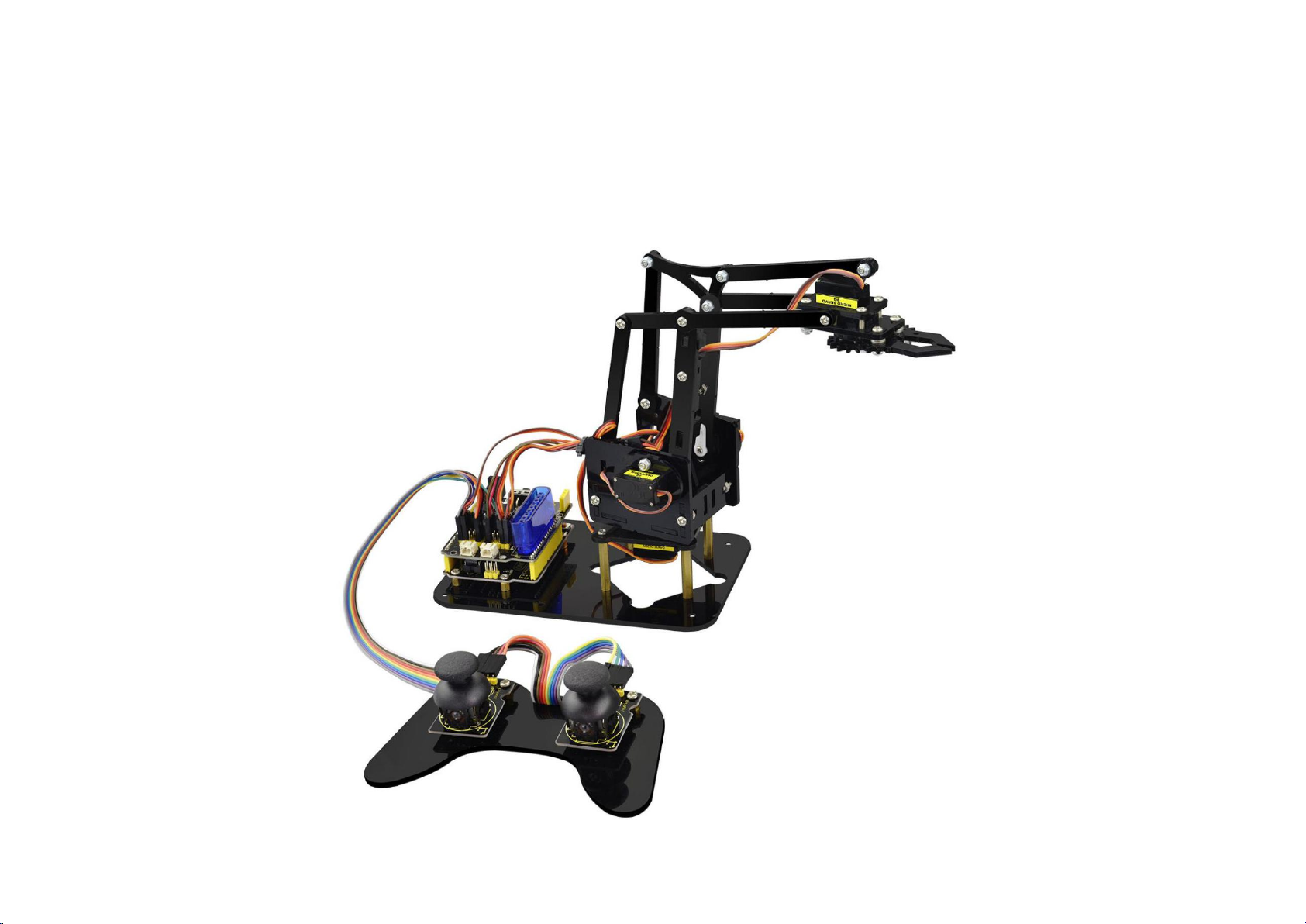
How to DIY a robotic arm to complete multiple movements? Cool.With this keyestudio robotic arm kit,
you are able to DIY your own controllable mechanical arm using ARDUINO microcontroller. It uses UNO
R3 and 2 JoyStick modules to control the angle degree of 4 servos.
When DIY this 4DOF robot arm kit, you could get everything needed for arm installation and debugging.
There are 3 controlling methods are as follows:
1) Controlling through Wired JoyStick (included in the kit);
2) Phone Bluetooth Controlling (note: HC-06 Bluetooth module Not Included, only provide the test
code for Bluetooth and APP for Android phone);
3) Wireless PS2 JoyStick Control (PS2 JoyStick module Not Included, we only provide the test code.)
You are able to get all related information in the Arm kit.
Take your brain on an inspiring journey through the world of programming. Get started now!
2. Kit Features
You can check out these features:

2
Detailed installation instructions
Detailed debugging methods, starting Arduino from entry.
Three controlling methods: Wired JoyStick Control; Phone Bluetooth Control; Wireless PS2 JoyStick
Control.
The parameters of keyestudio TB6612FNG motor/servo drive expansion board are as follows:
VIN voltage: VIN = DC 7-15V
VIN current: 5A
Two-way 5V output: 5V/3A
TB6612FNG: VIN input DC 7-15V; average drive current
1.2A; peak current 3.2A
PS2 interface: compatible with Sony PS2 receiver, can
be plugged directly into the expansion board.
Dimensions: 73*53.34mm

3
3. Part List
You can see a pretty beautiful packaging box for the arm kit, and inside the packaging you will find all
the parts and screws listed below.
No.
Item
Quantity
Picture
1
Keyestudio UNO R3 Main Board
1
2
keyestudio TB6612FNG motor/servo drive
shield
1

4
3
MeArm T=3MM Black Acrylic panels
1
4
MeArm T=3MM Black Acrylic handle
1
5
MeArm Black ABS Cylindrical holder
Diameter 42mm
1

5
6
Black 180° Servo
4
7
Keyestudio Bluetooth Module-(HC-06)
1
8
Keyestudio Joystick Module
2
9
3D PS2 Joystick cap
2

6
10
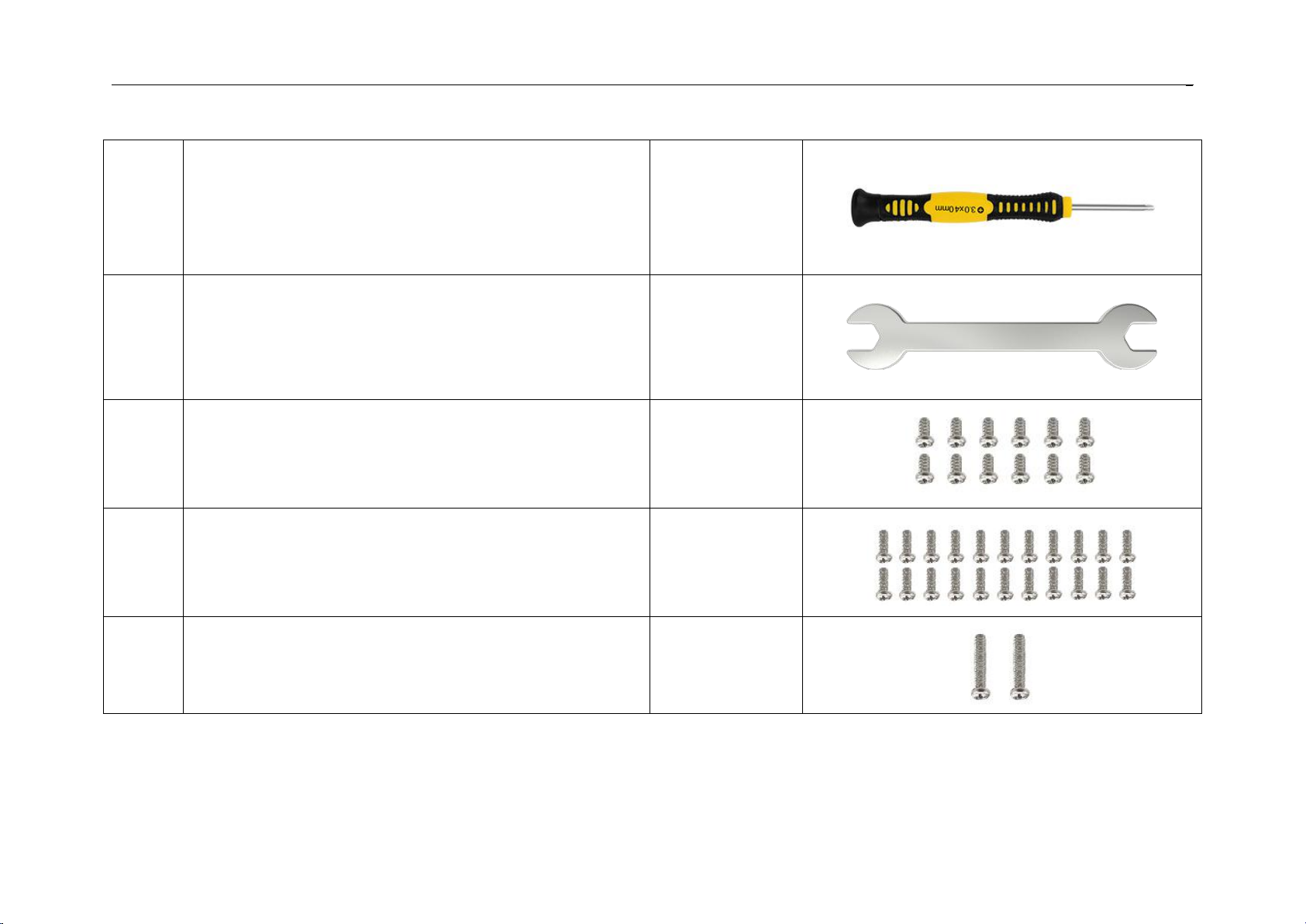
Yellow-black handle 3*40MM Phillips
Screwdriver
1
11
Galvanized M2+M3 2mm thin double-headed
small wrench
1
12
M3*6MM round-head cross screw
12
13
M3*10MM round-head cross screw
22
14
M3*16MM round-head screw
2

7
15
M3*14MM flat-head screw
2
16
M3*12MM round-head cross screw
12
17
M3*24+6MM copper pillar
4
18
M3*6mm+6mm copper pillar
10
19
M3 Stainless steel Hex Nut
22
Autres manuels pour 4DOF
1
Table des matières
Autres manuels Keyestudio Robotique

Keyestudio
Keyestudio Ks0428 Manuel utilisateur

Keyestudio
Keyestudio Micro:bit Mini Smart Robot Car Manuel utilisateur

Keyestudio
Keyestudio KS0358 Manuel utilisateur

Keyestudio
Keyestudio 4WD Bluetooth Multi-functional Car Manuel utilisateur

Keyestudio
Keyestudio Smart Little Turtle Robot V3 Manuel utilisateur

Keyestudio
Keyestudio 4DOF Manuel utilisateur
Manuels Robotique populaires d'autres marques

STEMCenter USA
STEMCenter USA Pi-Bot v2.00 Manuel utilisateur

SunFounder
SunFounder PiDog Manuel utilisateur

Universal Robots
Universal Robots UR5 Manuel utilisateur

Universal Robots
Universal Robots E Series Manuel utilisateur

YASKAWA
YASKAWA MOTOMAN-MPL80 II Manuel utilisateur

EFORT
EFORT ECR5 Manuel d'instructions