
KEENCUT EXCALIBUR 3S Manuel utilisateur
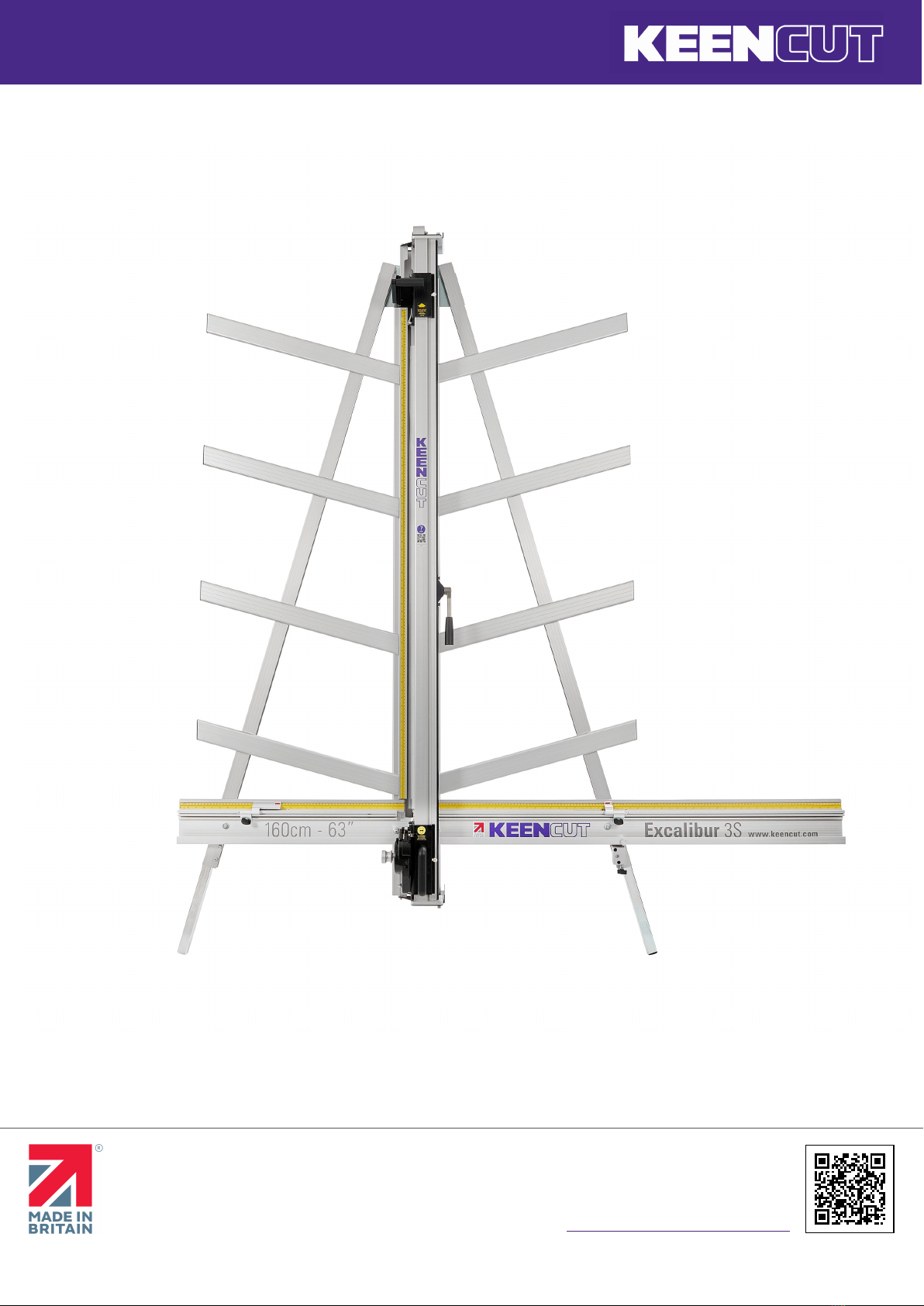
Excalibur 3S user guide
The world’s finest cutting machines
www.keencut.com
+44 (0) 1536 263158
+1 (716) 748 6203
[email protected] (UK HQ)
[email protected] (US sales)
Scan the QR code or
click here to view this document online >
Page 1 of 27

Excalibur 3S user guide
The world’s finest cutting machines
www.keencut.com
+44 (0) 1536 263158
+1 (716) 748 6203
[email protected] (UK HQ)
[email protected] (US sales)
Scan the QR code or
click here to view this document online >
Page 2 of 27
Contents
1. Introduction 3 .........................................................................................................................................................
1.1 The Excalibur 3S user guide 3 ...................................................................................................................................
2. Get to know your cutter 4 .........................................................................................................................................
2.1 Using the clamp 4 .................................................................................................................................................
2.2 The multi-tool cutter and the counterbalance 6 .............................................................................................................
2.3 Using & changing the cutting blade 8 .........................................................................................................................
2.4 Changing the scoring blade 11 ..................................................................................................................................
2.5 Changing the twin wheel cutter 12 ............................................................................................................................
3. Making your first cut 13 ...........................................................................................................................................
3.1 Cutting thick material using the ratchet latch 13 ............................................................................................................
3.2 Using the scoring blade 14 ......................................................................................................................................
3.3 Using the twin wheel cutter 16 .................................................................................................................................
4. Maintenance 18 ......................................................................................................................................................
4.1 Clean your machine 18 ...........................................................................................................................................
4.2 Lubrication 19 ......................................................................................................................................................
4.3 Adjusting the sliding bearings 20 ..............................................................................................................................
4.4 Changing the sliding bearings 22 ...............................................................................................................................
4.5 Adjusting the clamp pressure 25 ...............................................................................................................................
4.6 Fitting the sightline strip 26 .....................................................................................................................................

Excalibur 3S user guide
The world’s finest cutting machines
www.keencut.com
+44 (0) 1536 263158
+1 (716) 748 6203
[email protected] (UK HQ)
[email protected] (US sales)
Scan the QR code or
click here to view this document online >
Page 3 of 27
1. Introduction
1.1 The Excalibur 3S user guide
This User Guide for the Excalibur 3S gives advice on cutting
techniques, care and maintenance of your machine.
Before using your machine make sure that you have installed
and calibrated it correctly. Full details are in the Installation
Manual.
Visit the Excalibur 3S installation manual >

Excalibur 3S user guide
The world’s finest cutting machines
www.keencut.com
+44 (0) 1536 263158
+1 (716) 748 6203
[email protected] (UK HQ)
[email protected] (US sales)
Scan the QR code or
click here to view this document online >
Page 4 of 27
2. Get to know your cutter
2.1 Using the clamp
The clamping system enables the operator to control the grip
pressure by means of an integral friction brake, that maintains
the clamping force at the pressure applied by the operating lever.
Soft materials can be held firmly without sustaining damage and
solid materials are held rigidly without movement. By following
the guidelines below it will help you to get the most from the
machine.
Soft materials such as Foamcore boards, lightweight card, etc.
Use light to medium pressure. The underside of the clamp grips
an area nearly 4cm (11/2”) wide with a non-marking sponge
rubber
and reasonable force can be applied. If in doubt clamp a sample
first with the good surface facing outwards.
Do this gently

Excalibur 3S user guide
The world’s finest cutting machines
www.keencut.com
+44 (0) 1536 263158
+1 (716) 748 6203
[email protected] (UK HQ)
[email protected] (US sales)
Scan the QR code or
click here to view this document online >
Page 5 of 27
For harder materials such as PVC foam board, MDF or composite
boards such as Diabond, use medium to heavy pressure.
Do this firmly
When cropping to trim lines, pencil marks, etc. (see drawing),
place material in approximate position under clamp, apply light
clamp pressure to allow the material to be repositioned. Align
the trim marks with the edge of the sightline strip and clamp.
Excalibur 3S user guide
The world’s finest cutting machines
www.keencut.com
+44 (0) 1536 263158
+1 (716) 748 6203
[email protected] (UK HQ)
[email protected] (US sales)
Scan the QR code or
click here to view this document online >
Page 6 of 27
2.2 The multi-tool cutter and the counterbalance
The Excalibur 3S is fitted with two sliding carriages running on a vertical slideway and each carriage is fitted with a cutting
head. The top carriage is fitted with a twin wheel cutter for use with rigid boards such as aluminium composite panels,
MDF, hardboards. Refer to Changing the twin wheel cutter > or Using the twin wheel cutter > for more details. The lower or
multi-tool cutter head has a rotating turret arrangement where either of the two cutting tools can be selected (the cutting
blade or the scoring blade).
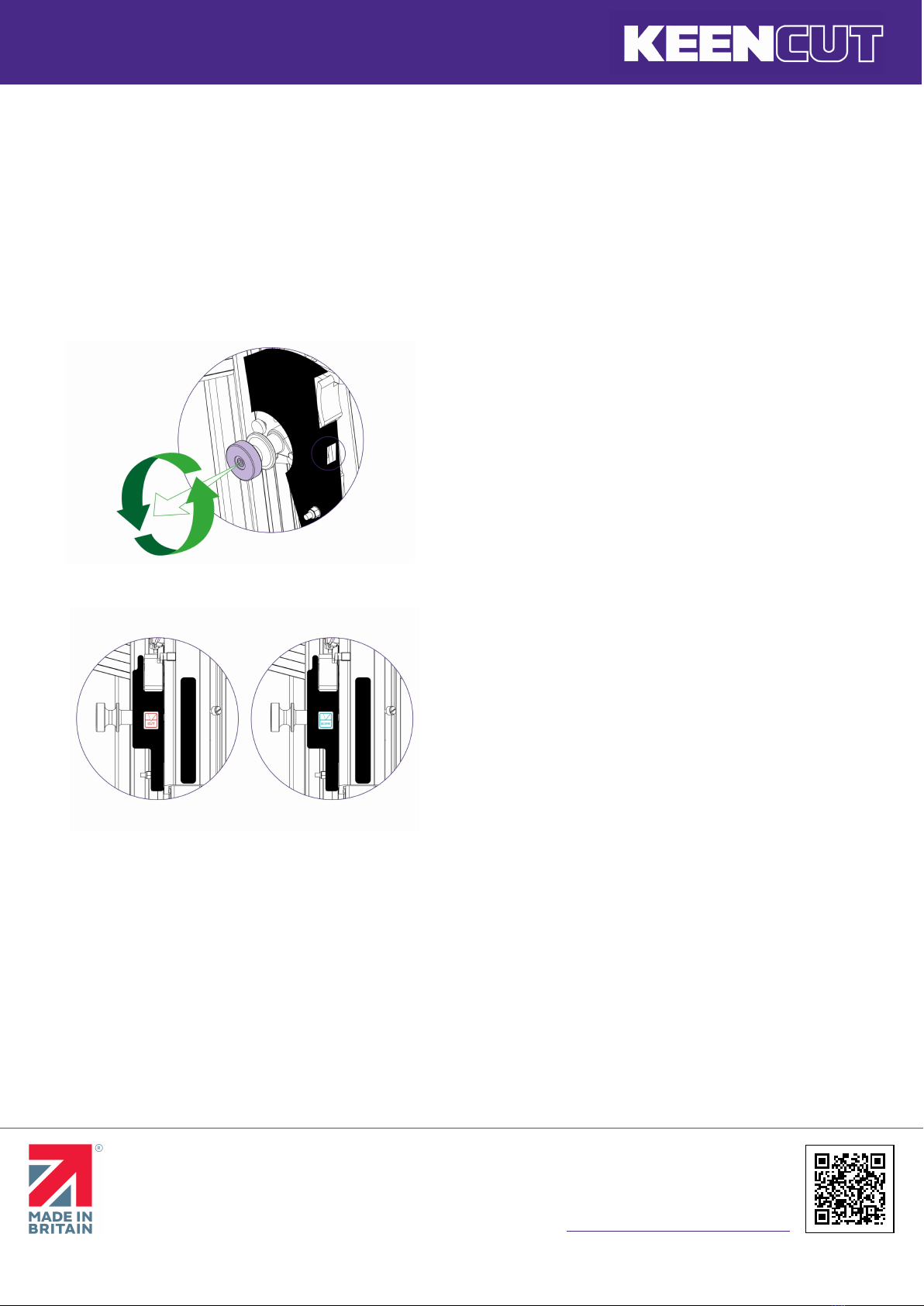
To select a different cutter pull the turret handle out to the left
about 6mm (1/4”) and rotate in either direction, the turret will
click into the correct position for the cutter indicated. Please note
that there are three positions on the turret but only two positions
are used on this version of the Excalibur.
The indicator label seen in the cutter guard window shows
which cutter is active.

Excalibur 3S user guide
The world’s finest cutting machines
www.keencut.com
+44 (0) 1536 263158
+1 (716) 748 6203
[email protected] (UK HQ)
[email protected] (US sales)
Scan the QR code or
click here to view this document online >
Page 7 of 27
The counterbalance can be attached to either cutting head for
easy, fatigue free working. it is normally attached to the twin
wheel cutter but to attach it to the multi-cutter head, lock the
twin wheel carriage in place using the white plastic thumb
screw. Raise the multi-cutter to engage the counterbalance
rocker, press the lower head of the rocker to connect it to the
carriage.

Excalibur 3S user guide
The world’s finest cutting machines
www.keencut.com
+44 (0) 1536 263158
+1 (716) 748 6203
[email protected] (UK HQ)
[email protected] (US sales)
Scan the QR code or
click here to view this document online >
Page 8 of 27
2.3 Using & changing the cutting blade
Select the cutting blade position on the turret and clamp the
material in the machine. Move the cutting head beyond the top
of the material to be cut.
Press to engage the cutter. Draw the cutter down to the bottom
of the machine where it will disengage automatically.
Should you engage the cutter by mistake or for any reason want
to disengage the cutter without moving it to the bottom of the
machine pull down the cutter and release lever.

Excalibur 3S user guide
The world’s finest cutting machines
www.keencut.com
+44 (0) 1536 263158
+1 (716) 748 6203
[email protected] (UK HQ)
[email protected] (US sales)
Scan the QR code or
click here to view this document online >
Page 9 of 27
The two support plates either side of the blade are designed to
give maximum rigidity of the blade when cutting hard or dense
materials. To adjust the support plates swing down the cutter
guard by undoing the guard locking knob. Turn the turret ½ turn
until blade is pointing towards you.
Unlock the blade clamping screw.
The support plates can be adjusted by sliding the black pin in the
slot. Move the plates to suit the material and tighten the
clamping screw once the support plates are in position.
For cutting most materials the support plates can be set about 12mm (1/2”) from the blade tip

Excalibur 3S user guide
The world’s finest cutting machines
www.keencut.com
+44 (0) 1536 263158
+1 (716) 748 6203
[email protected] (UK HQ)
[email protected] (US sales)
Scan the QR code or
click here to view this document online >
Page 10 of 27
To change the cutting blade, undo the blade clamping screw a
number of turns to release the blade.
Change or turn over the blade, insert it back into the turret as far
as it will go. Tighten the blade clamping screw, the safety pin
will engage to hold the blade in position. At this point the
position of the blade support plates can be adjusted to suit the
thickness of material being cut, further tightening of the screw
will clamp the blade in position.
Rotate the turret back to the cutting position. Replace the guard
ensuring it is locked closed.
Autres manuels pour EXCALIBUR 3S
3
Table des matières
Autres manuels KEENCUT Outils


