Kanguru Media X-Change 2.0 Manuel utilisateur

Index
1. Introduction................................................................... 1
Features ........................................................................... 1
Accessories ...................................................................... 1
Specifications ................................................................... 2
2. General Functions ........................................................ 3
Button/LED indicator ........................................................ 3
Front Panel ....................................................................... 4
Right Panel ....................................................................... 4
LCD Display ..................................................................... 5
3. Using the Media X-change 2.0................................ 6
Downloading files from memory cards ............................ 6
Downloading or Editing the files on PC ........................... 6
4. Driver Installation ........................................................ 7
Windows Me and Windows XP HomeEdition and
Professional ....................................................................... 7
Windows 98/98 SE ,Win2000 Professional ...................... 7
Macintosh MacOS 8.6 and 9.x ........................................ 7
5. General Information .................................................... 8
Memory card types ............................................................ 8
Connecting to PC .............................................................. 8
Data Transfer ...................................................................... 10
Battery Recharge ............................................................. 10
Auto Power off Function ................................................... 11
If an erroneous display/operation occurs ......................... 11
Care for the Hard Drive .................................................... 11
Care for the unit ............................................................... 12
6. Troubleshooting .......................................................... 12

Kanguru Media X-change 2.0
1
1. Introduction:
The Media X-change 2.0 is a portable hard drive/card reader capable
of downloading and storing data from any media card without the use of a computer.
Simply fill up your media cards, then download the data to the Media X-change
with the press of a button and reuse the card. View the transfer progress through the LCD
screen.
Features:
•USB 2.0 compatiable to PC, transfer speed up to 480Mbps.
•Stand-alone palm-sized rechargeable storage device. No PC required.
•Support SmartMedia, SD/MMC, Memory Stick and Memory Stick Pro,
Compact Flash Type I/II, IBM MicroDrive.
• 1 Year Limited Warranty
•Black and White LCD displays working status ( no picture preview ).
•Buzzer indicator.
•Fast & easy file transfer and storage with a simple button operating.
•Able to copy the data from memory card(s) to the internal hard drive.
•Able to create up to 9999 folders per card.
• Doubles as a high speed USB2.0 external hard drive.
•Auto shut off function to preserve energy in stand-alone mode.
•Battery life : approx.1.6 hours
•3.6V x 2 internal Li-Lon re-chargeable batteries
Accessories:
•User's Guide
•USB 2.0 Cable
•CD Driver
•AC/DC Adapter 100~240V auto-switched
•Li-ion Batteries (Already installed)
•Carry case

Specification:
ITEM DESCRIPTION
Support Memory Card • Compact FlashTM Card type I/type II (CF)
Interfaces • Smart MediaTM Card (SM)
• Memory Stick®(MS), Memory Stick Pro (MS Pro)
• Secure Digital Card (SD)
• MultiMedia Card (MMC)
• IBM® MicroDrive
LCD • Main storage (HDD) out of memory indicator
• Amount of battery power
• Error reading indicator
• Media type indicator
• File transfer status
• USB access
• Charge status
Hard Disk Size 2.5 inch (2.5" HDD 9.5mm)
Hard Disk Capacity Unlimited (Any 2.5" HDD)
Power Source Internal Power: Li-ion rechargeable battery
3.6V x 2(720mA)
External Power: 12V adapter (1500mA)
Supply Voltage 9V~18V
Supply Current working:12V(360mA) / standby :175mA
Rechargeable battery life Approx. 1.6 hours (A full charge)
Download interface USB 2.0 interface port
(Backward compatibility with USB 1.1)
Download Speed Up to 480Mbps
Files System Support Standard FAT 12/16/32
PC Peripheral USB 2.0, USB1.1 Interface with standard storage device
OS supportability • Windows98/98SE; Win 2000 (with device driver)
• Windows Me/XP, Linux Kernel version 2.4 or above
without driver.
• Linux Kernel version 2.4 or above without driver
• Mac OS 8.6~9.0 with driver;
Mac OS 10.01 above without driver
Accessories Power Adapter/USB Cable/User's Guide/
Driver Disc/Carrying Bag (optional)
Operating Temperature. 0°C~70°C
Storage Temperature -40°C~70°CC
Humidity 90% RH
Weight 300gr (included 2.5" HDD & battery pack )
Dimension ( L x W x H ) 130 x 75 x 25 mm (5.12 x 2.95 x 0.98 inch)
2 Kanguru Media X-change 2.0

2
1
4
3
Power on / Battery Charge
Power on / off
Copy / Stop copying
LCD Screen ( no picture review )
1
2
3
4
Button / LED indicator:
3 Kanguru Media X-change 2.0

Memory Stick,MMC/SD card slot:
For MMC/SD/MS/MS Pro card insertion
DC IN USB RESET
CF card slot:
For the CF card/Micro Drive insertion
SM card slot:
For the SmartMedia card insertion
Front Panel:
Right Panel:
4 Kanguru Media X-change 2.0

LCD Display
Hard Drive is out of storage
Hard Drive Error Indicator
Main Storage (2.5" Internal Hard Drive)
Error Reading Indicator
A corrupt file on a memory card has been detected,
and cannot be copied.
Amount of battery power
A flashing icon designates the battery is in low battery
status.
Media type indicator
The screen will show the icons identifying.
A flashing icon designates the unit is in the transfer process.
USB Access
A flashing icon designates the unit is in the process of being
recongnized by the computer, when the process is
complete, the icon will cease to flash.
5 Kanguru Media X-change 2.0

3. Using the Media X-change 2.0
Downloading files from memory cards
a.Insert memory card(s) into the according card slot.
b.Power on the Media X-change 2.0 then the buzzer will sound
c.The LCD screen will show icons identifying the media types correspondingly.
(please refer to the section covering the "LCD Display" function..)
d.Press the "Copy" button, files transfer function can be performed.
Downloading or Editing the files on PC:
a.Connect the Media X-change 2.0 and PC with the provided USB cable ,
b.Power on the Media X-change 2.0 and the "Transfer" icon will
appear on LCD panel shortly after.
c.Double Click the "My computer" icon, the operating system will display four
"Removable Disks" icons identifying the media types correspondingly.
(Please refer to the section covering "Connecting to PC ")
d.You can then read, write, copy, delete and remove data on the PC.
6 Kanguru Media X-change 2.0

4. Driver Installation
Windows Me and Windows XP HomeEdition and Professional
Windows Me and Windows XP HomeEdition and Professional users do not need to
install any drivers. Windows will automatically detect your device as a "removable
disc".
Windows 98/98 SE, Win2000 Professional
Macintosh MacOS 8.6 and 9.x
Insert the Mini Kanguru Drivers CD into your CD-ROM drive and
select the Kanguru Media X-change 2.0 folder.
1
Open the DRIVER folder and run "setup.exe" to begin driver
installation.
Press "Next" and follow the installation instructions.
2
Insert your driver Installation into your CD-ROM drive and double
click on "My computer" Browse your CD-ROM drive to "MacOS
Installer".
1
Restart your computer after installation is complete.
3
Follow the installation instructions to begin installing the drivers.
2
Restart your computer after installation is complete.
3
7 Kanguru Media X-change 2.0

5. General Information
Memory card types:
•CF Card : Type I / II Compact FlashTM Card
•SM Card : Smart MediaTM Card
•MMC : Multi Media Card
•SD Card : Secure Digital Card
•IBM®Micro Drive
•Memory Stick®(MS), Memory Stick Pro (MS Pro)
Connecting to PC
Operation system needing a driver:
•Windows 98/98SE (Second Edition)
•Windows 2000 Professional
•MacOS 8.6 and 9.x
Operation system with native support:
•Windows Me (Millenium)
•Windows XP Home Edition and Professional
•MacOS X (10.1 or later)
•Linux (kernel 2.4.x or later)
Four Removable disk drives appear in My Computer and in the Explorer whenever the
unit is connected to the system.
•Under Windows 98, Windows 2000 Professional, the 4 Removable disk drives look
like drives F, G, H and I in the following figure.
•Under Windows Me, Windows XP, the 4 drives are shown in the usual Removable
drive way .
8 Kanguru Media X-change 2.0

When Media X-change 2.0 is connected to the computer, the "Transfer" icon keeps
flashing during data transfers, when inserting a memory card into the slot, the
corresponding icon will appear and also flashes during data transfer.
DO NOT:
1. Disconnect unit from the computer until the icon stops flashing
2. Remove memory card(s) from the card slot during a transfer, which may cause
lost or corrupt data.
Under Windows 98SE, the Media X-change should be connected to the system before
the driver has been installed.
Under Windows 2000 Professional, the Media X-change should be connected to
the system before the driver has been installed, only one Removable drive will appear in
My Computer, corresponding to the SD/MMC/MS memory slot. In this case, the driver must
be installed and then it must be updated by means of the Device Manager.
The Media X-change is supported by the native MacOS X USB extensions, but DOS
volumes are not adequately supported by MacOS 10.0.x and loss of data can occur.
Upgrading to version 10.1 or later is mandatory.
9 Kanguru Media X-change 2.0
Autres manuels pour Media X-Change 2.0
1
Table des matières
Autres manuels Kanguru Lecteur de cartes

Kanguru
Kanguru Media X-Change Pro Manuel utilisateur

Kanguru
Kanguru FC-RW Manuel utilisateur

Kanguru
Kanguru FC-RW Manuel utilisateur

Kanguru
Kanguru U2-CR-58N1 Manuel utilisateur

Kanguru
Kanguru 6 in1 Card Reader Manuel utilisateur

Kanguru
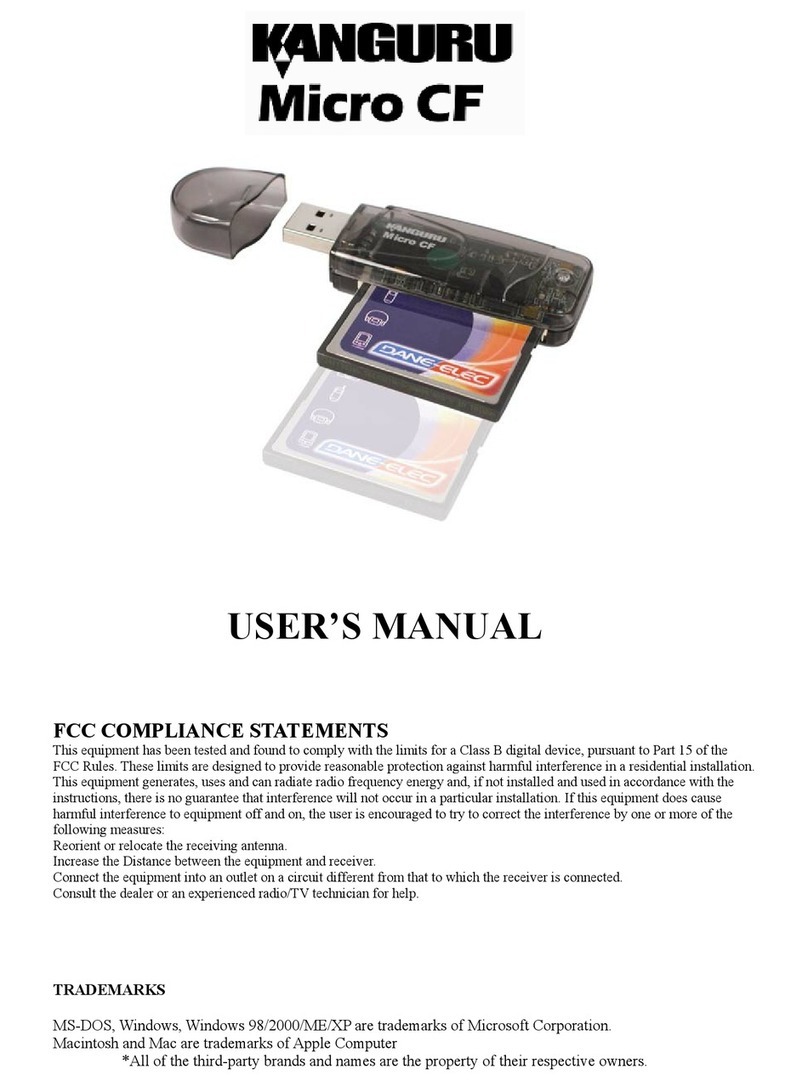
Kanguru Micro CF Manuel utilisateur

Kanguru
Kanguru Slim FC-RW Manuel utilisateur

Kanguru
Kanguru Media X-Change 2.0 Manuel utilisateur

Kanguru
Kanguru 52-in-1 Card Reader Manuel utilisateur


