JBL Legend CP100 Manuel utilisateur

OWNER’S MANUAL
Legend CP100
smartphone receiver

2
INTRODUCTION
WHAT’S IN THE BOX
CONTENTS
THANK YOU for purchasing the JBL®CP100 smartphone receiver. So we
can better serve you should you require warranty service, please retain your
original sales receipt and register your receiver online at www.jbl.com.
3. Warnings
4. Mounting
5. Front-panel buttons and rear-panel connections
6. Setting up
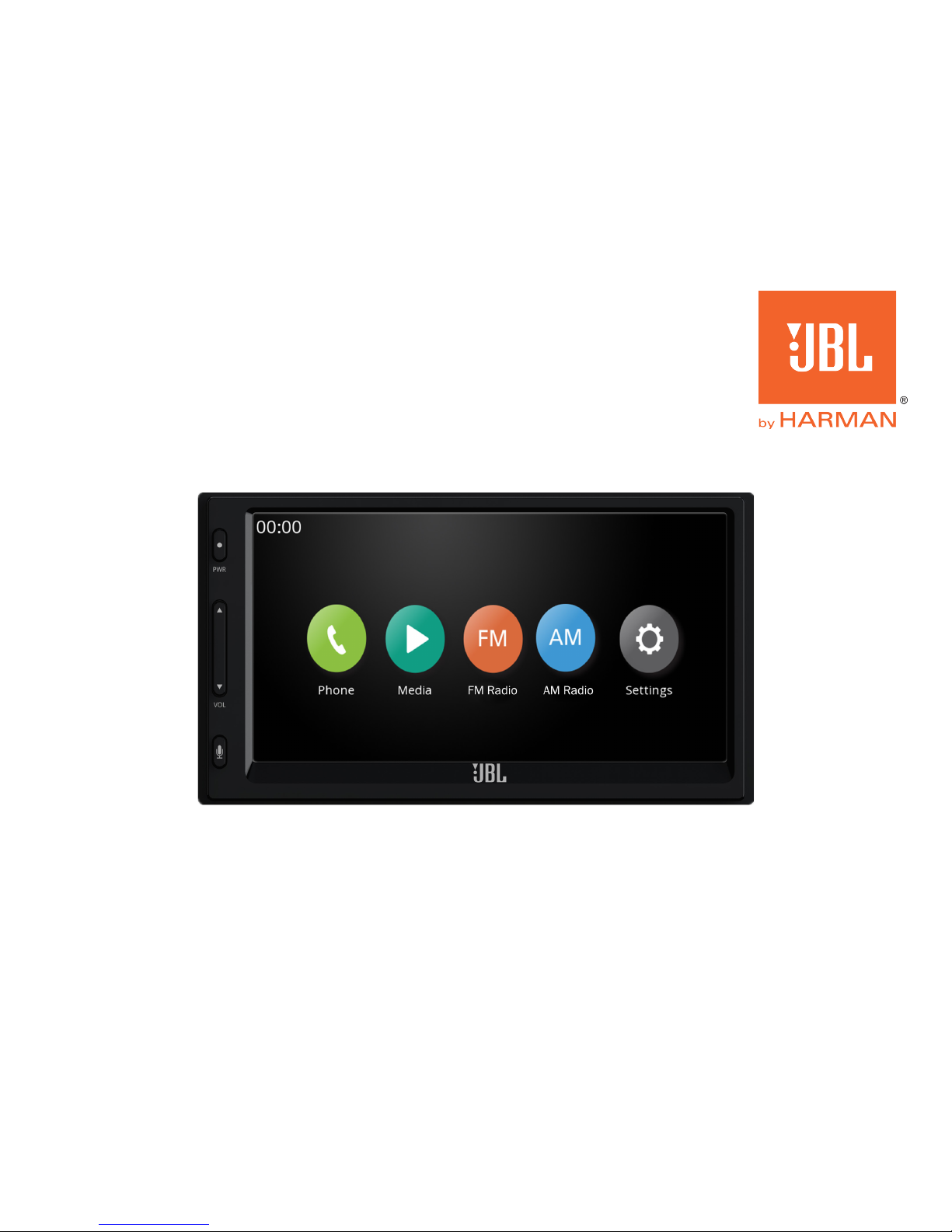
7. Home screen
8. Settings menu
9. Bluetooth pairing
10. Changing the date and time
11. Changing the system language
12. Using Bluetooth
13. Playing files from USB drives
14. Using Apple CarPlay®
15. Using Android Auto™
16. Listening to AM/FM radio
17. Specifications
18. Troubleshooting
• JBL Legend CP100 smartphone receiver
• Microphone
• Wiring harness
• 4 mounting screws
• Quick-start guide
• Warranty card

www.jbl.com 3
WARNINGS
Please read the following warnings
carefully before operating your receiver.
DO NOT ENGAGE WITH FEATURES
THAT PREVENT YOU FROM DRIVING
YOUR VEHICLE SAFELY
If a function requires extended attention,
use it only after coming to a complete
stop in a safe location in order to prevent
a collision.
KEEP VIEWING OF THE DISPLAY
TO A MINIMUM
Excessive interaction with the display
can keep you from keeping your eyes on
the road and may result in a collision.
MAINTAIN A SAFE VOLUME LEVEL
THAT LETS YOU HEAR OUTSIDE
NOISES WHILE DRIVING.
High volume levels that prevent you from
hearing sounds like emergency vehicle
sirens or warning signals (such as at train
crossings) are dangerous and might
cause a collision. Listening at high
volume can also result in hearing loss.
DO NOT DISASSEMBLE OR ALTER
THE LEGEND CP100
Alteration to the receiver may result in an
accident, fire, or electric shock.
FOR USE ONLY IN VEHICLES WITH A
12-VOLT CHARGING SYSTEM AND
NEGATIVE GROUND
Use in vehicles with anything other than
a 12-volt charging system could result in
accident, fire, or electic shock. If you are
not sure if your vehicle uses a 12-volt
system, check with your dealer.
WHEN REPLACING FUSES, USE THE
CORRECT AMPERE RATING
Using incorrectly rated fuses could result
in fire or electric shock.
DO NOT BLOCK VENTS OR
RADIATOR PANELS IN THE VEHICLE
Installing the receiver incorrectly can
cause heat to build up in the vehicle and
could result in fire.
KEEP SMALL OBJECTS OUT OF THE
REACH OF CHILDREN
Swallowing objects such as screws may
result in serious injury. If swallowed, dial
911 immediately.
DISCONTINUE USE IMMEDIATELY IF
A PROBLEM APPEARS
Continued use if a problem occurs could
cause personal injury or damage to the
product. Return it to an authorized JBL
dealer for repair.
PRODUCT CLEANING
Use a soft dry cloth to clean the screen
periodically. For severe stains, use a
cloth lightly dampened with water only.
Use of stronger cleaning agents could
damage the screen.
TEMPERATURE
The temperature inside the vehicle
should be between +45°C (+113°F) and
0°C (+32°F) before you turn the unit on.
MAINTENANCE
If you enounter problems, do not attempt
to repair the unit yourself. Return it to
your JBL dealer for service.
INSTALLATION LOCATION
The Legend CP100 is designed to fit in
most double-DIN dash openings. Make
sure not to install it in a location that is
subject to excessive direct sun and heat,
high humidity or water, excessive dust,
or excessive vibrations

4
Mounting
Wiring connection guide
In many vehicles, you’ll use the factory brackets to secure the receiver in
the dash. Installation methods vary from vehicle to vehicle.
Function Wire color Function Wire color Function Wire color Function Wire color
ACC power Red Parking brake Light green Front left speaker + White Rear left speaker + Dark green
Constant power Yellow Reverse signal Violet/white Front left speaker – White/black Rear left speaker – Green/black
Ground Black Optional rear camera Yellow RCA Front right speaker + Gray Rear right speaker + Violet
12v out Yellow/black Front right speaker – Gray/black Rear right speaker – Violet/black
Installing the Legend CP100 will vary from vehicle to vehicle. You’ll need to
purchase or fabricate a mounting bracket to secure the receiver in the dash of
your vehicle. You’ll also need to purchase a vehicle-specific wiring harness,
or splice the receiver’s wires directly to your vehicle’s power and signal
wires. If you do not have the necessary tools or experience, do not
attempt the installation yourself. Instead, please ask your authorized
JBL car audio dealer about professional installation.
INSTALLATION WARNINGS AND TIPS
IMPORTANT: Disconnect the vehicle’s negative (–)
battery terminal before beginning the installation.
• Always wear protective eyewear when using tools.
• In addition to power and signal connections, you must connect to
your parking brake lead, as certain functions will only operate with
the parking brake engaged.
• Check the height and depth of your vehicle’s dash cavity
(see page 15 for receiver chassis dimensions). Take depth
of any extra cables into consderation.
• When making electrical connections, make sure they are
secure and properly insulated.

www.jbl.com 5
Front-panel buttons
Your Legend CP100 features only three hard buttons on
the front panel; all the rest of the receiver’s functions are
controlled using the touchscreen or, with select appli-
cations, with your voice.
1. Power button turns the receiver on and off
2. Volume button raises and lowers the volume level
3. Push-to-talk button lets you engage Android Auto™
and Apple CarPlay® voice control functions
1. Microphone required for Bluetooth calls and voice
commands with Apple CarPlay or Android Auto
2. Steering wheel control adapter (sold separately)
lets you control the receiver with your car’s steering
wheel controls
3. Preamp outputs let you add external amplifiers for
more power
4. Wiring harness where you plug in the receiver’s power
and signal wires
5. USB input for plugging in smart devices or a USB drive
1
2
3
Microphone
input
Optional steering wheel
control adapter input
Wiring
harness
input
USB input
(smart device and
extension cables
sold separately)
Front and rear preamp
outputs for optional
external amplifier(s)
Rear panel connections

6
Setting up
After installation (or if you’ve
disconnected and reconnected
your car’s battery), you’ll first need
to program the date and time by
tapping the arrows on the screen.
When you’ve finished programming
both, you can tap the “OK” arrow in
the lower right corner to proceed to
the home screen.
Time
2015 - 05 - 17 00 : 00
OK

www.jbl.com 7
Home screen
The home screen is your base of
operations. From it, you can tap the
icons on the screen to select:
Phone to make and receive
hands-free phone calls
Media to play MP3 files from
USB, or engage Apple CarPlay®
or Android Auto™ from your
compatible phone*
FM to listen to FM radio
broadcasts
AM to listen to AM radio
broadcasts
Settings to adjust system settings
*Note: the Media button will
change to USB when no device or
drive is connected to the CP100
It will change to the Apple CarPlay
icon when a compatible iPhone is
connected to the USB input
It will also change to the Android
Auto icon when a compatible
Android phone is connected to
the USB input
USB drive
indicator
Mute
button
Sound
control
menu
Phone signal
strength
Phone
battery level
Bluetooth®pairing
indicator

8
Settings
Tap “Settings” on the home screen to connect to your Bluetooth
devices, change the date/time, activate day or night mode,
change languages, and.check the software version.

www.jbl.com 9
Bluetooth pairing
From the Settings menu, tap Phone Pairing. “Start Bluetooth pairing on phone”
will appear on the CP100’s screen, along with a pairing code. From your phone’s
Bluetooth menu, select the CP100, confirm the code, and allow your phone to
pair. The CP100 will then indicate that you have paired sucessfully.
The CP100 will save the profiles of several phones
you’ve paired with it. To reconnect a phone that had
previously been paired, tap Profiles, then tap the
name of the phone in the Profile List. Finally, tap
“Yes” when prompted by the CP100.
Start Bluetooth pairing on
phone
Select CP100 0000

10
To change the date and time, tap Date & Time in the Settings menu. You’ll then be
able to choose Date and Time. To change each field, tap the up and down arrows
above and below the numerals. When you’re finished, tap the Home button.
Changing the date and time
Autres manuels pour Legend CP100
2
Table des matières
Autres manuels JBL Récepteur de voiture


