
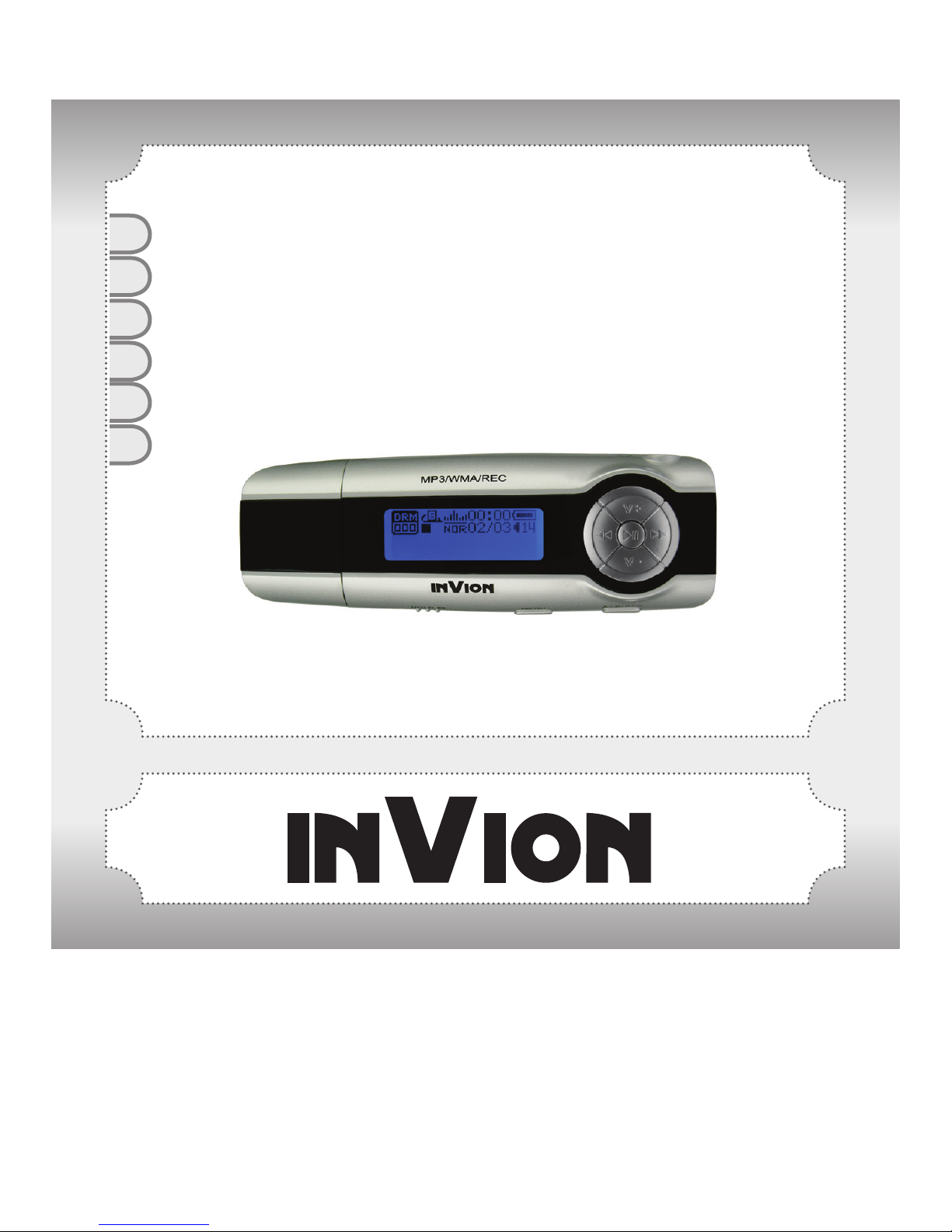
Invion Rush MP3 Player with USB Stick Manuel utilisateur
UK
DE
FR
NL
ES
IT
INSTRUCTION MANUAL
Rush MP3 Player With USB Stick

2
ENGLISH
Congratulations on purchasing your new Invion product.
We are convinced you will be satised with it.
To always guarantee optimal function and performance of your product, we would
ask the following:
● Before using the appliance for the rst time, carefully read the operating
instructions and adhere to the safety precautions!
● All activities at and with this appliance may only be carried out as described in
these operating instructions.
● Please be sure to include the operating instructions in case you pass along this
product to someone else.
Packaging:
This appliance is delivered in protective packaging to prevent transportation
damage. Packaging materials are raw materials and can therefore be recycled.
Please recycle these materials.

3
Content
Precautions 5
System requirement 6
1. Installation instructions 7
1.1 Installing the driver 7
1.2 Installing the battery 7
2. Connect/Download/ Remove 7
2.1 Connecting a PC 7
2.2 Download MP3 songs 7
2.3 Removing USB device 8
3. Basic operation 10
3.1 Buttons and functions 10
3.2 Power On/Off 10
3.3 Main menu setup 10
4. How to use the MP3 player 11
4.1 Music mode 11
4.2 Voice mode 12
4.3 FM Radio (depending on model) 13
4.3.1 Playing FM Radio 13
4.3.2 Recording FM Radio 14
4.3.3 Setting FM Radio 14
4.4 Record function 16
4.4.1 Record from the main menu 16
4.4.2 Record using the shortcut key 16
4.5 Setting 17
4.5.1 Set EQ 17
4.5.2 Set Play mode 17

4
ENGLISH
4.5.3 Setting Contrast 18
4.5.4 Set Backlight 18
4.5.5 Set Stop off 18
4.5.6 Set Sleep off 19
4.5.7 Record set 19
4.5.8 Set Language 19
4.5.9 Reset 20
4.5.10 Exit 20
4.6 Delete function 20
4.6.1 Delete single music 21
4.6.2 Delete All music 21
4.6.3 Delete single voice 22
4.6.4 Delete All voice le 23
4.7 About function 23
4.8 Folder function 24
4.9 Exit 25
5. A-B play mode 25
6. Lock function 26
Lyric sync 26
FAQ 27
Technical specications 29
DRM function (depending on model) 30

5
1) To avoid a trafc accident, never use the player while driving or operating other
vehicles. This may also be written in the law in some districts. To avoid any
danger, please also do not listen at extremely high volumes while walking,
especially when crossing the street. For safety purposes, wherever there are
potential risks, please stop using the player.
2) Please connect the earphone prior to turning on the player. This not only avoids
damaging the earphone but keeps the player in good condition.
3) Keep the player clean. Never store the player close to any heat source or dirty,
humid or rainy places. Avoid direct sunlight.
4) If the surface is dirty, please clean it with a soft cloth wet with clean water or a soft
cleanser. Never clean the case using alcohol or harsh abrasives.
5) Never use the player in an extremely dry environment to avoid static.
6) Never disconnect the player from a PC abruptly while downloading, uploading or
formatting to avoid program failure.
7) When the player is used as a removable disk, please follow the proper le
download and upload procedures. Our company resumes no responsibility for
any les lost due to improper operation.
Precautions
6
ENGLISH
System requirements of MP3 player:
Microsoft Windows 98SE/2000/Me/XP
Pentium 200MHZ or above.
USB port
120MB hard disk space
Mouse installed
CD-ROM drive
System requirements

7
1.1 Installing the driver for Windows 98. (no driver installation required for
Windows ME or above)
a. Connect the MP3 Player to the USB port of the PC and a “Find new hardware”
window appears on the screen. Click “Search latest driver for this device” and
insert the driver CD into the CD-ROM, and then click “Next”.
b. Select “Look in” to direct the installation directory to the “Drivers” les in the driver
CD, then click “Yes”. The PC will install the Windows 98 driver automatically.
1.2 Installing the battery
Install one AAA 1.5V alkaline battery properly upon indicator on the player.
Press the ► button to enter MP3 standby mode.
2.1 Connecting to a PC as USB
Before operation, please insert one end of the USB cable included with the player
into a PC and insert the other end into the MP3 player.
2.2 Download MP3 songs
You can drag and drop les and folders onto the removable device. The following
screens display indicating that the player is in USB mode.
USB ready Downloading
1. Installation instructions
2. Connect /Download/Remove

8
ENGLISH
2.3 Removing the USB device
a. Double click the Safely Remove Hardware icon in taskbar:
b. From Safely Remove Hardware screen, highlight “USB Mass Storage Device”
item.
c. Click “Stop” button. “Stop to Hardware Device” window appears on the screen as
shown in the picture below.

9
d. Click “OK”. After the “Safe to Remove Hardware” window appears, the player can
be disconnected from PC safely.
Notice: Never unplug the USB cable when transmitting data with PC to avoid
damaging the Player; after data transmitting, please do not disconnect the player
from PC until “Device now be safely removed” appears; while using USB function,
all other buttons will be nonfunctional.
Any application lost or I/O error and power on issues caused by improper operations,
please refer to FAQ.

10
ENGLISH
3.1 Buttons and functions
1) Hold
2) Menu
3) | Previous
4) REC/A-B
5) VOL-
6) Next |
7) Earphone jack
8) VOL+
9) ► Play/Pause/Stop
10) Microphone
3.2 Power On/Off
From power Off mode, press the ► button to power the player On and enter MP3
standby mode. Press the ► button 3 seconds under any mode, the player will save
data and enter power Off mode.
MP3 standby mode
Important: If the power is directly cut off in standby mode or play back
process, all the data set cannot be saved!
3.3 Main menu setup
From standby or playing mode, you can press the MENU button to enter the main
3. Basic operation
Table des matières
Manuels Lecteur MP3 populaires d'autres marques

Blaupunkt
Blaupunkt Compact Drive MP3 Manuel utilisateur

Memorex
Memorex MMP9008 - 8GB USB 2.0 Manuel utilisateur

Meizu Electronic Technology
Meizu Electronic Technology E5 Manuel utilisateur

Naxa
Naxa NMV-173NX Manuel utilisateur

Philips
Philips PSA250 Manuel utilisateur

Zipy
Zipy go! Waving Manuel utilisateur


