The exact hour is posted automatically after a few seconds. If the hour and the date are not only regulated, to see
“manual time setting”.
Setting Day-light Sa ings Time (DST)
The clock has DST auto adjustment feature.
DST auto adjustment under DAU:
Start: Last Sunday in March
End: Last Sunday in October
Manual time setting
- If, for an unspecified reason, the date and the hour are are not only regulated or are put out of order, to support during
5-7 seconds on the button TIME SET (DST). - The year starts to flicker. Support then on “+” or “-” to regulate the year.
- To support again on TIME SET (DST) to regulate the month thanks to the buttons “+” or “-”.
- Using TIME SET (DST), to regulate then day, then hour (to check that AM/PM is correct), then minutes.
- To support last once on TIME SET (DST) to fix in memory these adjustments. Note: Once you supplemented the
procedure of configuration of the date and the hour, those will be automatically recorded in the clock.
Format 12/24 hours
The hour is posted in the 12 hours format. To pass to the 24 hours format, support during 2 seconds on the button [+].
No Time Displayed When Plugged into the AC Power
If the display is blank when plugged into the AC outlet, pin the RESET hole by pin once. In a few seconds, the display will
be ON and time will be showed. Now repeat the procedure to reset the Auto-Set memory above. After you have
completed the time setting procedure, the time will be automatically stored in the clock.
Displaying the Year
To display the year by press the “-” button, the year appear. After a few seconds the time display will reappear.
FEATURES OF THE WEATHER STATION
The weather station is a high performance and low power consumption weather station which provides the weather
forecasting, pressure tendency, barometric and temperature display:
Weather Station
• Total 5 modes of weather forecast
• Selectable digital barometer by mbar / hPa or inHg unit
• Operating altitude by meter or feet unit
• Pressure history bar graph
• Selectable temperature by °C or °F unit
Weather forecast
The weather forecasting feature is around 75% accurate. The weather forecast is based solely upon the change of
air pressure over time. The average of past air pressure readings provides an accurate forecast for 6-12 hours.
Please discard the eather Forecast for the first 6 hours after setup, resetting or moving the unit.
Weather Icons
Reading at a consistent altitude to provide more accurate readings. If this station moves from horizontal axis to
another level, please see the procedure to adjust the altitude or reset the station. Common to weather forecasting,
absolute accuracy cannot be guaranteed but it will give users an indication of the expected weather.
Setting the isible weather and altitude
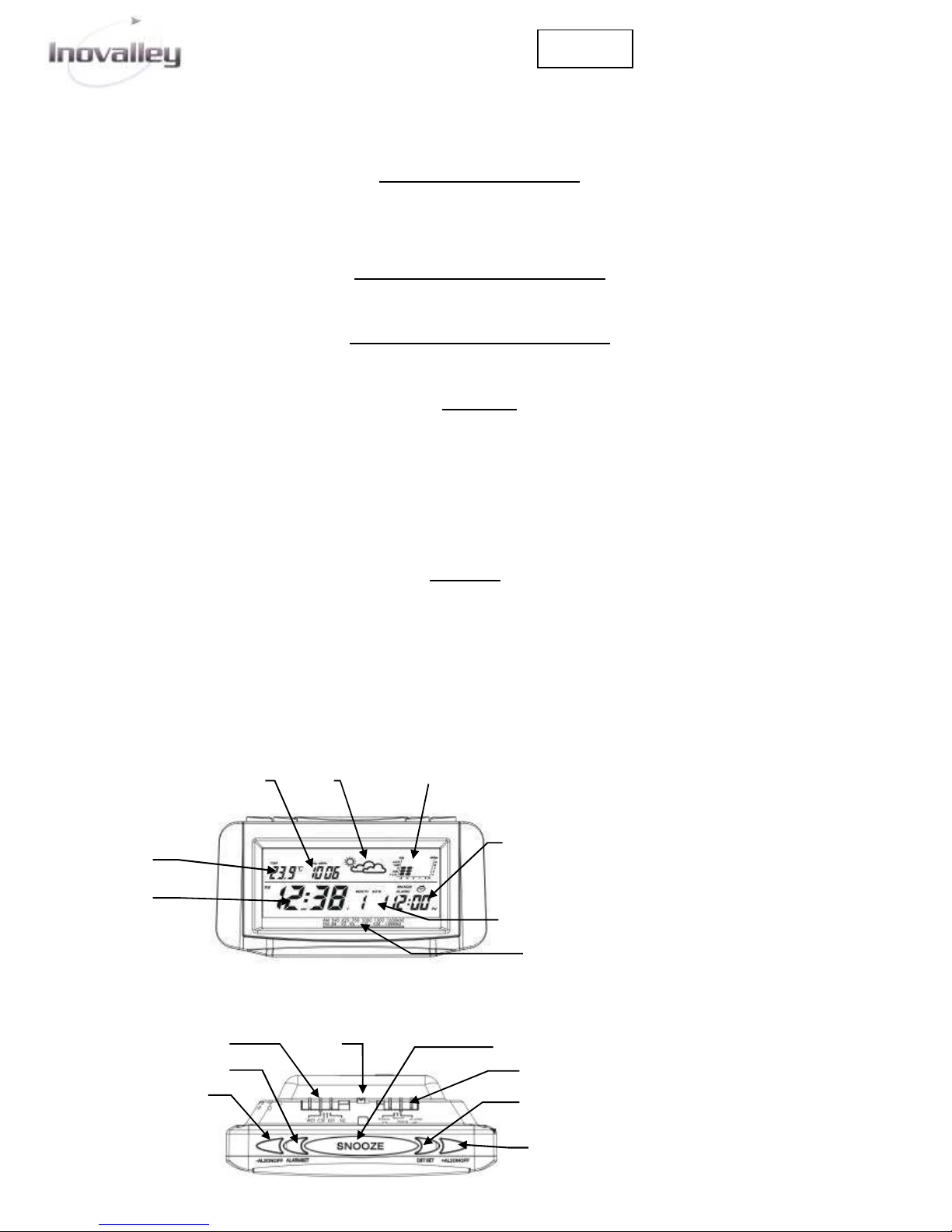
The 3 buttons of weather adjustment are on backside of the apparatus in battery compartment.
- Press and hold the eather Set “SET” button for 3 seconds to enter the weather icon setting mode.
-The weather icon will start to flash, press “◄” or “►” to choose the visible weather icon then press the “SET” button
to confirm.
- Then the digit “0” will start to flash, press “◄” or “►” to set the altitude level in term of meter (at°C) / feet (at °F),
and then press the “SET” button to confirm and leave this mode.
Note: Setting the Altitude Level is optional. hen “0” is flashing, press the “SET” button to leave this mode.
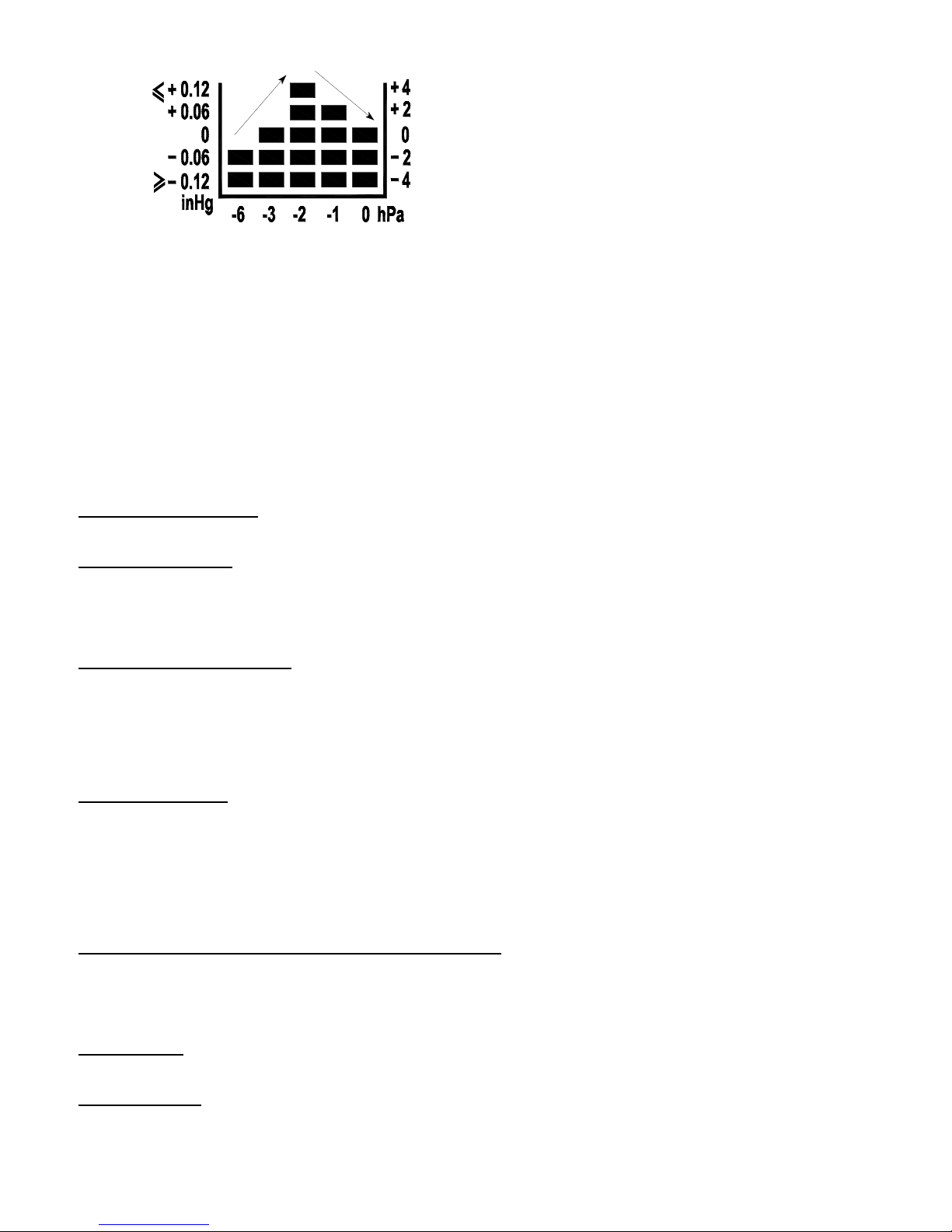
The air pressure bar graph
The air pressure bar graph indicates the air pressure trend over the past 6 hours with each bar along the horizontal
axis. The middle of the vertical axis represents the current air pressure and each single bar change on the vertical
axis. If the bars are rising it means that the weather is improving due to the increase in air pressure. If the bars go
down, it means the air pressure has dropped and the weather is expected to become worse.