ReXdesk: User Manual & Quick Start Guide
2 | P a g e © I n f l u x T e c h n o l o g y .
ABOUT THIS MANUAL..................................................................................................................... 1
VERSION DETAILS ........................................................................................................................... 1
COPYRIGHT & LICENSE AGREEMENT............................................................................................. 1
SUPPORT ......................................................................................................................................... 1
CONTACT ADDRESS........................................................................................................................ 1
1. Getting Started ........................................................................................................................4
1.1 ReXgen 2 Connector Details...................................................................................................4
1.2 Software Installation...............................................................................................................5
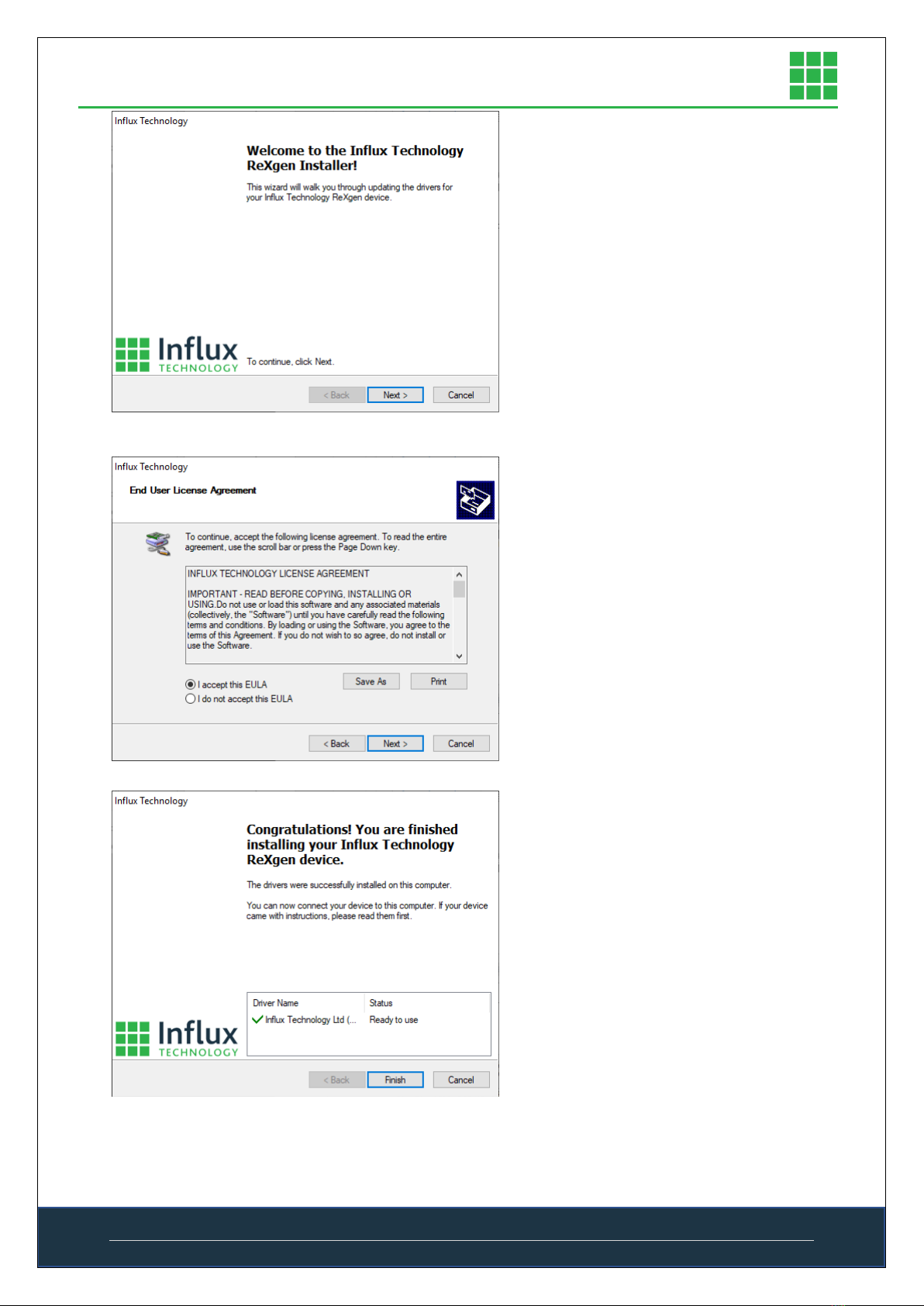
1.3 Driver Installation ..................................................................................................................6
2. Software Introduction..............................................................................................................8
2.1 Graphical Overview.................................................................................................................8
2.2 Navigation Bar ........................................................................................................................8
2.3 Status Bar..............................................................................................................................10
2.4 Configuration Panel ..............................................................................................................10
2.4.1 CAN Bus Options ..........................................................................................................12
2.4.2 Channel Options ...........................................................................................................12
2.4.3 SD Card .........................................................................................................................14
2.4.4 Filter ..............................................................................................................................14
2.5 Live data window ..................................................................................................................15
2.6 Library window......................................................................................................................15
2.7 Trigger window .....................................................................................................................16
2.7.1 New trigger panel..........................................................................................................16
2.8 Internal storage Window ......................................................................................................17
2.9 Show data log window..........................................................................................................18
2.9.1 Export Configurator Window........................................................................................18
2.10 Export settings window.........................................................................................................18
2.11. ReXgen Sleep/Wake up function Implementation. ..............................................................19
2.11.1. No Sleep.............................................................................................................................19
2.11.2. Normal Sleep .....................................................................................................................20
2.11.3. Deep Sleep .........................................................................................................................21
3. Quick Start Guide...................................................................................................................22
3.1 Preparation of Configuration. ...............................................................................................22
3.1.1 CAN Log All Configuration............................................................................................22
3.1.2 Logging Using Filters .....................................................................................................23
3.1.3 Logging Using J1939 Filters...........................................................................................25