
iHome ID9 Manuel utilisateur
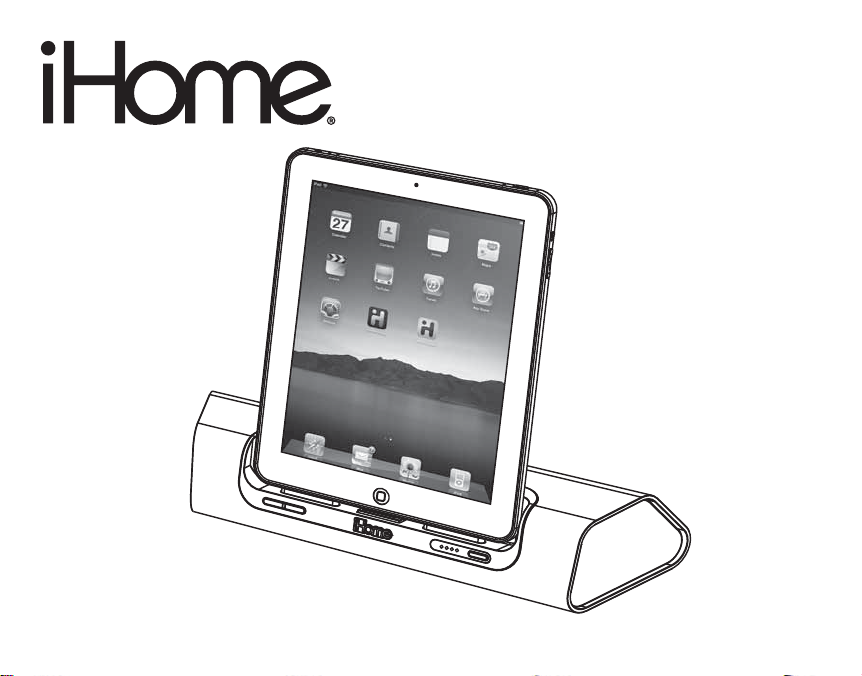
iD9
instruction manual
iD9 IB
Size: 153mm x 120mm
Printing color: Black
Nov. 1, 10. P1

iD9
Introduction
Thank you for purchasing the iHome iD9. This product is designed to provide
high quality sound for your iPad, iPhone or iPod, and for auxiliary audio
devices. The iD9 is an “app-friendly” product, which means it works with
iHome apps such as iHome+Sleep to set alarms and with iHome+Radio to
listen to internet radio stations from around the globe. Visit the App Store to
download these apps and to learn more.
This instruction booklet explains the basic operation and care of the unit.
Please read it carefully and keep it for future reference.
and are registered trademarks of SRS Labs, Inc.
TruBass and WOW technologies are incorporated under license from SRS Labs, Inc.
P2

iD9
FCC Information
This equipment complies with the limits for a Class B digital device as specified in Part 15 of FCC Rules. These
limits provide reasonable protection against radio and TV interference in a residential area.
However, your equipment might cause TV or radio interference even when it is operating properly. To eliminate
interference you can try one or more of the following corrective measures:
• Reorient or relocate the receiving antenna.
• Increase the distance between the equipment and the radio or TV.
• Use outlets on different electrical circuits for the equipment and the radio or TV.
• Consult your dealer or an experienced radio/television technician if the problem still exists.
Modifying or tampering with your system’s internal components can cause a malfunction and might invalidate the
system’s warranty and void your FCC authorization to operate it.
This Class B digital apparatus complies with Canadian ICES-003.
Cet appareil numérique de la classe B est conforme à la norme NMB-003 du Canada.
Maintenance
• Place the unit on a level surface away from sources of direct sunlight or excessive heat.
• Protect your furniture when placing your unit on a natural wood and lacquered finish. A cloth or other protective
material should be placed between it and the furniture.
• Clean your unit with a soft cloth moistened only with mild soap and water. Stronger cleaning agents, such as Benzene,
thinner or similar materials can damage the surface of the unit.
This device complies with Part 15 of the FCC Rules, operation is subject to the following two
conditions: (1) This device may not cause harmful interference, and (2) this device must accept
any interference received, including interference that may cause undesired operation.
P3

iD9
Table of Contents
Meet Your iD9 ............................................................................ 1-2
Getting Started .............................................................................. 3
Charging the Internal Battery ............................................................4
Charging your iPad, iPhone or iPod...................................................5
Playing your iPad, iPhone or iPod ...................................................... 5
Using the Line-in Jack....................................................................... 6
Using the Remote Switch.................................................................. 7
Internal Rechargeable Lithium-ion Battery............................................. 8
Consumer Product Safety Guide........................................................9
Troubleshooting............................................................................ 11
Warranty.................................................................................... 12
P4
Meet Your iD9
iD9
1
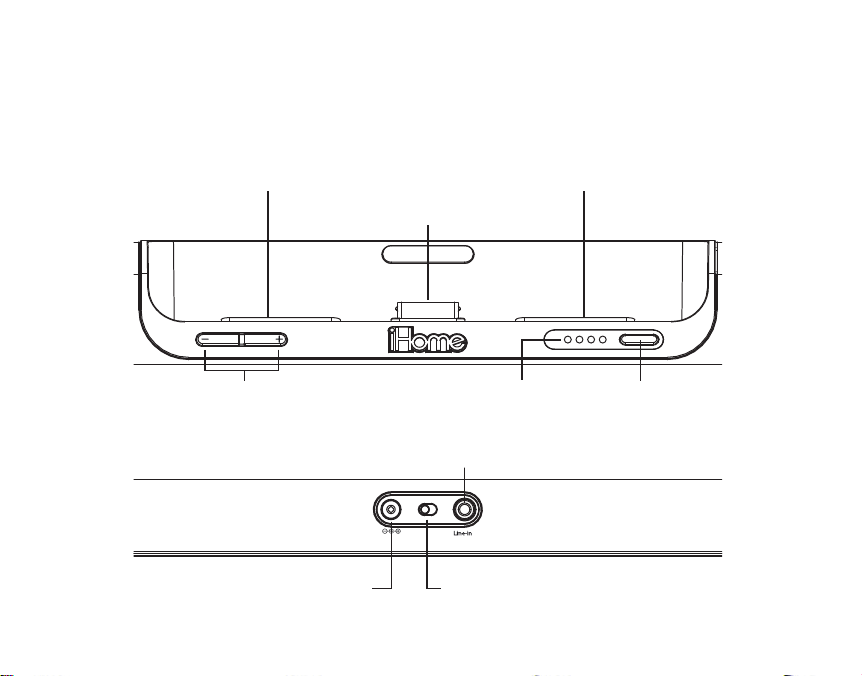
Battery Charge Indicator
Remote Auto/On Switch
Line-in Jack
Power Button
Flexible Dock 30 Pin Connector
iPad rests (place bumpers here to dock iPad without a case)
Lower/Raise Volume Switch
DC Jack
Front
Rear
DC 9V, 2.5A
remote
auto on
P5

Meet Your iD9
iD9
2
Included
• iD9 system
• 100V-240V universal voltage AC adaptor
• iPad bumpers
P6
iD9
Using the
Getting Started
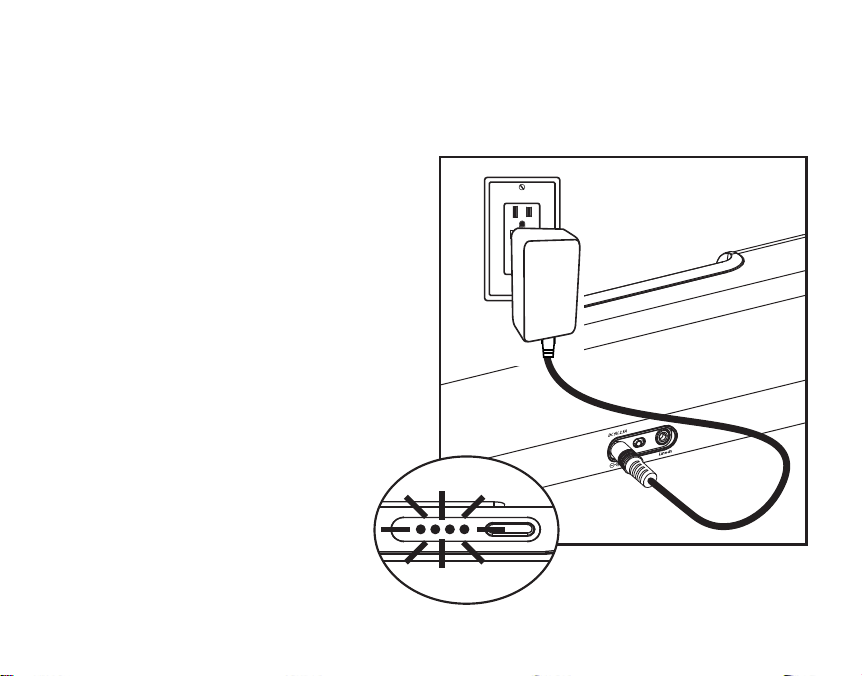
1.Plug the 100V - 240V universal
switching AC adapter into the DC
jack on the rear of the iD9 and
the other end into a working
outlet. A row of 4 white LED
indicators will light up, indicating
the unit has power and has begun
charging the internal battery. If the
white lights do not appear, try
activating any wall switch that
controls the outlet, or try using
another outlet.
3
1
RESET
RESET
TEST
TEST
P7

iD9
Using the
4
Charging the Internal Battery
The iD9 has an internal rechargeable Lithium-ion battery which should last
the life of the unit. Charge the battery fully for first time use. Please allow at
least 6 hours to fully charge the unit for first time use.
1. Make sure the AC adaptor is properly connected to the unit and plugged
into a working power source.
2. The internal battery will charge. While the battery is charging, the white
LED battery indicator lights will cycle to the right.
3. When the battery is fully charged, all 4 battery indicators will remain lit
while the unit is powered on. As the battery runs down, the lights will go
out (see below).
•••• ••• •• •
Fully charged 75% charge 50% charge 25% charge
When there is no battery indicator light, the battery is dead and needs to
be charged. NOTE: Even if the battery is dead, the unit will still operate
while connected to AC power.
P8
5
1.The unit must be connected to an AC power
source to charge your iPad, iPhone or iPod. It will
not charge these devices when operating on the
internal battery.
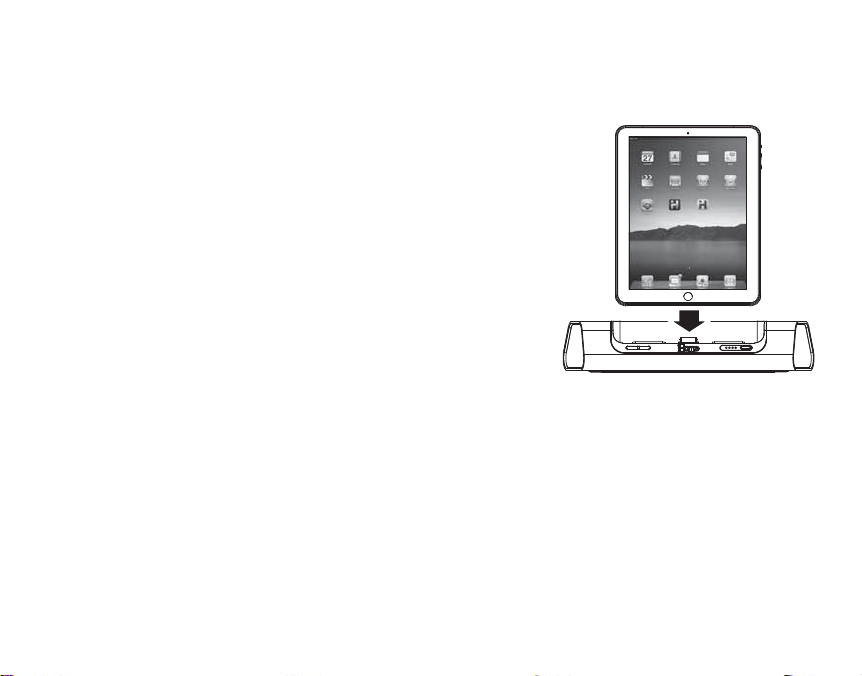
2.Gently dock your iPad, iPhone or iPod. Your
device will begin charging and while docked
will continue until fully charged. iPod Classic (1G
and 2G) will not charge.
Charging your iPad, iPhone or iPod
1.Gently dock an already playing iPad, iPhone or iPod. The unit will power
on. Or, dock your device, then turn on the unit by pressing the Power Button.
Select the source you wish to listen to on your device
2.Press the –/ + Volume Button to adjust volume to the desired level. NOTE:
To save battery power, this unit has lower volume output when operating on
the internal battery.
3. When you are done listening, press the Power Button to turn off the unit and
your device.
Playing your iPad,iPhone or iPod
iD9
Using the
P9

iD9
Using the
Using the Line-in Jack
The iD9 has an aux line-in jack located on the back of the unit for listening to
any audio device equipped with a headphone or line-out jack.
Note: Do not connect a device to the line-in jack while an iPad, iPhone or
iPod is docked or you will hear both sources playing at once.
1. Plug one end of a standard 3.5mm audio cable into the headphone jack
or line-out jack of your device and the other end into the line-in jack on the
iD9.
2. Press the Power Button on the iD9.
3. Use the play control on your device. Adjust the volume to the desired
listening level with the –/ + Volume Button. You may need to adjust the
level on your audio device, too. NOTE: To save battery power, this unit
has lower volume output when operating on the internal battery.
4. When you are done listening, press the Power Button to turn off the unit.
Remember to turn off the power on your audio device, too. 6
P10
Autres manuels pour ID9
1
Table des matières
Autres manuels iHome Chargeur de batteries


