
IBM 2216 Manuel

2216 Nways Multiaccess Connector
Hardware Installation Guide
GA27-4106-00


ÉÂÔ 2216 Nways Multiaccess Connector
Hardware Installation Guide
GA27-4106-00

Note
Before using this information and the product it supports, be sure to read the general information under
Appendix A, “Notices” on page 11.
First Edition (March 1997)
This edition applies to the IBM 2216 Nways Multiaccess Connector Model 400.
Order publications through your IBM representative or the IBM branch office serving your locality. Publications are not stocked at the
address given below.
A form for readers’ comments appears at the back of this publication. If the form has been removed, address your comments to:
Department CGF
Design & Information Development
IBM Corporation
PO Box 12195
RESEARCH TRIANGLE PARK NC 27709-9990
USA
When you send information to IBM, you grant IBM a nonexclusive right to use or distribute the information in any way it believes
appropriate without incurring any obligation to you.
Copyright International Business Machines Corporation 1997. All rights reserved.
Note to U.S. Government Users — Documentation related to restricted rights — Use, duplication or disclosure is subject to
restrictions set forth in GSA ADP Schedule Contract with IBM Corp.

About This Guide
This guide explains how to set up the IBM 2216, and how to identify and correct
some problems that occur during setup.
Who Should Use This Guide
This guide is intended for the person responsible for installing the IBM 2216. This
person should be familiar with installation and cabling charts.
About the Illustrations
The illustrations in this guide represent one possible configuration for the IBM 2216.
The illustrations assume that the redundant power supply is installed and almost all
of the slots are filled.
Copyright IBM Corp. 1997 iii

iv 2216 Hardware Installation Guide
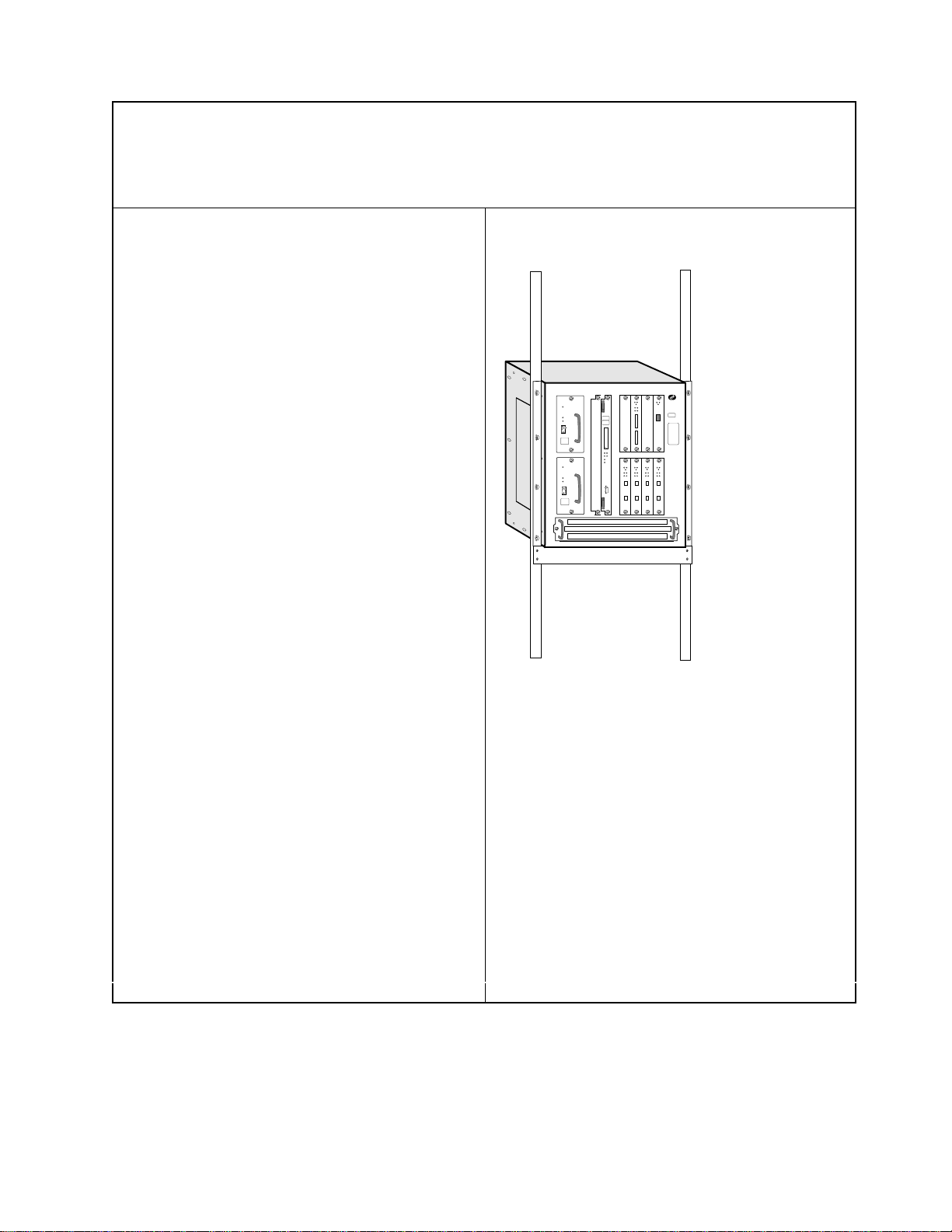
Setting Up the IBM 2216
These instructions explain how to rack-mount and surface-mount the IBM 2216.
1 Unpack and Verify
Unpack the IBM 2216 and verify that, along
with this guide, the following items were
included:
Documentation
¹
Caution: Safety Information–Read This
First
, SD21-0030
¹
IBM 2216 Planning Guide
, GA27-4105
¹
IBM 2216 Maintenance Guide
, SY27-0350
¹
Hardware Configuration Quick Reference
Card
, GX27-3988
Hardware
¹Any cables ordered
¹Rack Mount Installation aid
¹Power cord for each power supply
¹PCMCIA Modem (except in countries
where the PCMCIA modem is not
available)
Rack-mounting- proceed with step 2a.
Surfacing-mounting - proceed with step
2b on page 2.
2a Rack-Mounting the Model 200
You need the following items:
¹Cables, as required
¹Eight rack-mounting screws
¹Screwdriver
Notes:
1. You will need a second person to help hold
the IBM 2216 while it is being mounted.
2. If you have a shelf for the rack, install it
before continuing.
3. Do not use the installation aid if you have a
shelf installed.
Continue with step 3 on page 2.
1
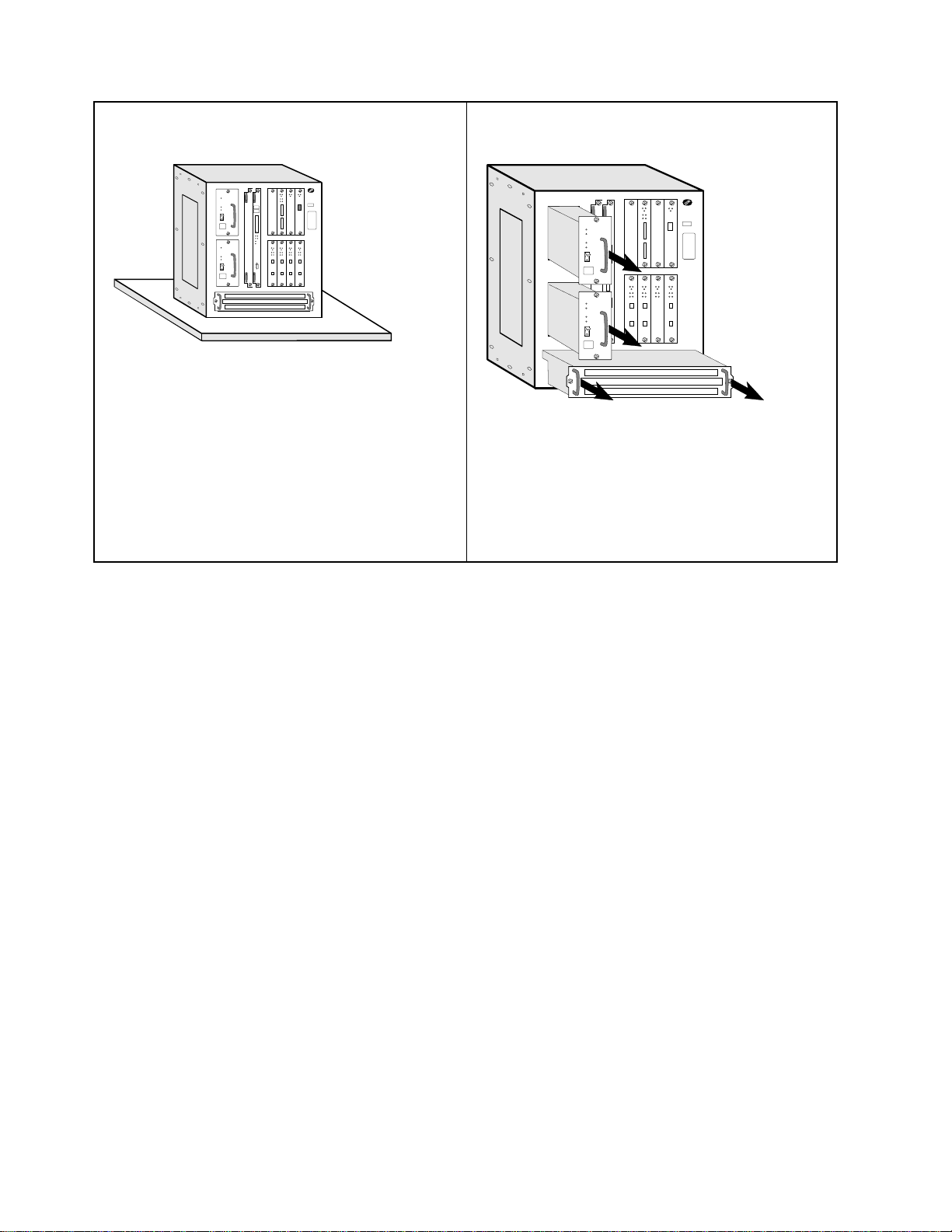
2b Surface-Mounting the Model 200
You need the following items:
¹Cables, as required
Continue with step 9 on page 4.
3 (Rack-Mounting)
To make the IBM 2216 easier to lift, remove:
1. The Fan tray
2. Each power supply.
To remove them, loosen the screws on each
component and pull the handles.
22216 Hardware Installation Guide
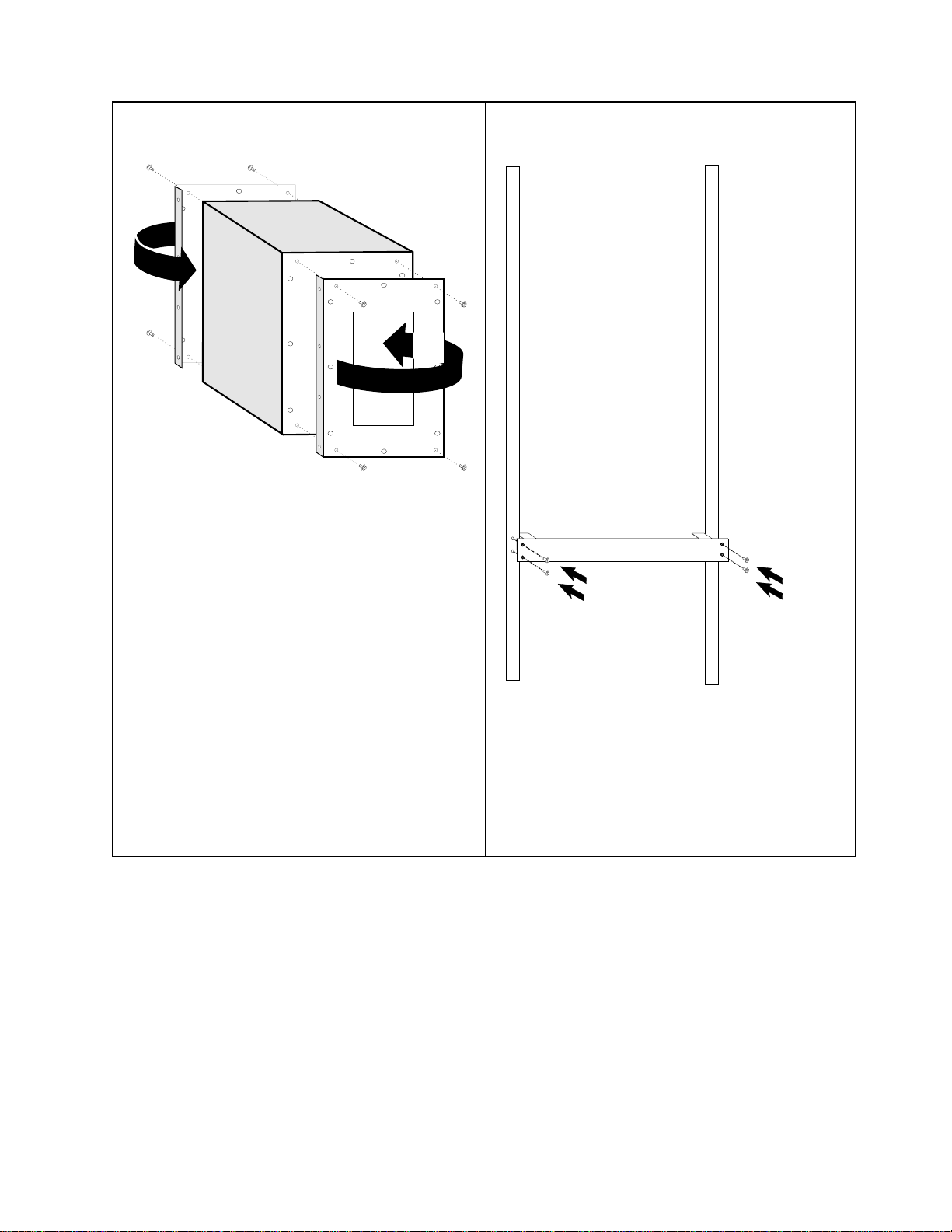
4 (Rack-Mounting)
REAR
The mounting brackets are shipped with the
flanges facing the rear:
1. Remove the two screws at the top and
bottom of each bracket
2. Reverse each bracket so that the IBM 2216
can be rack-mounted
3. Reinstall the four screws.
When the brackets are fitted correctly, the letter
embossed on each bracket is in the top-rear
corner; an A on the right side and a B on the
left side.
5 (Rack-Mounting)
The installation aid is a metal bar that supports
the IBM 2216 as you install it in the rack. The
installation aid ensures that the IBM 2216 and
rack are lined up correctly.
Line up the holes in the installation aid with the
rack and install all screws.
3
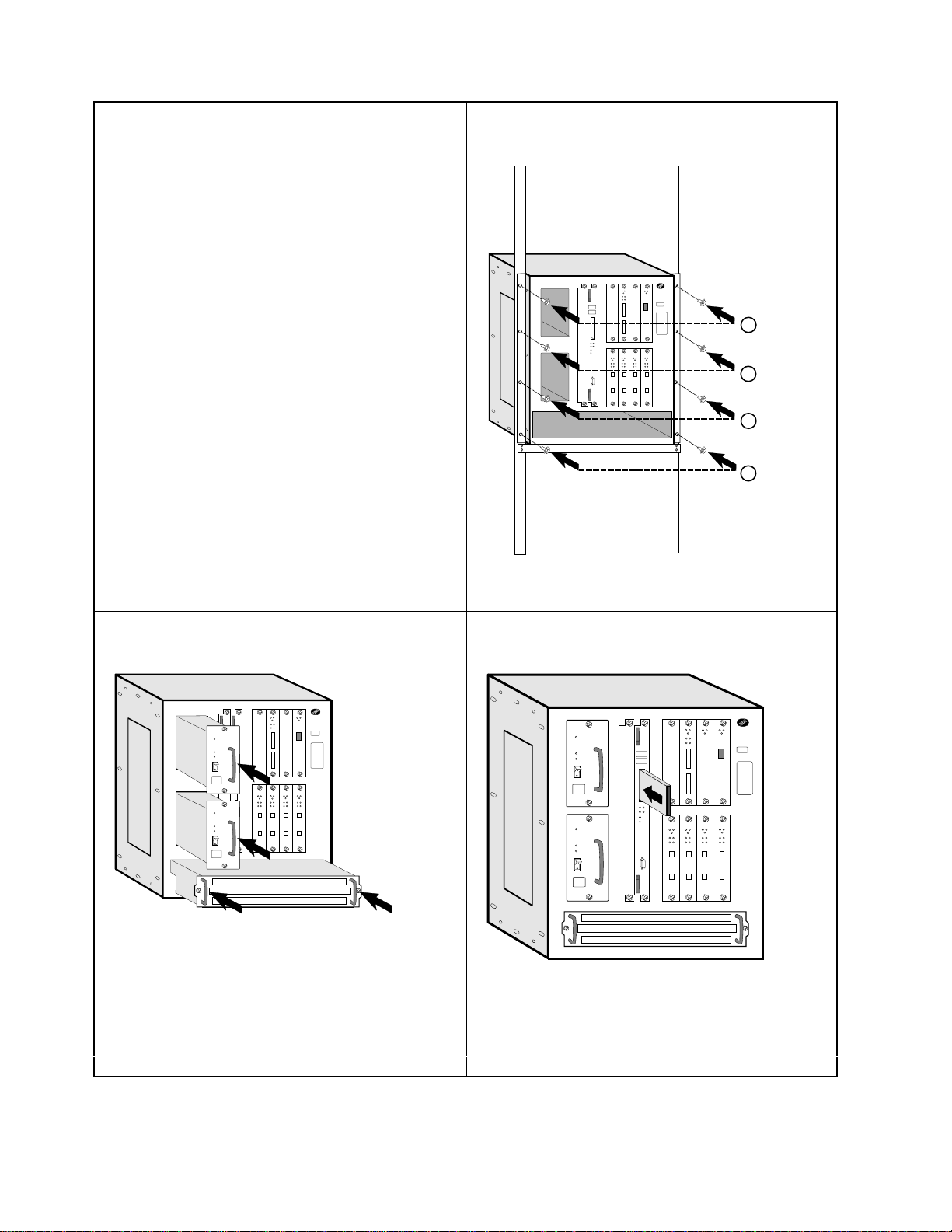
6 (Rack-Mounting)
With the second person’s help, set the IBM
2216 on the IBM 2216 installation aid or on the
shelf. The mounting brackets keep the IBM
2216 from falling into the rack during
installation.
With the installation aid installed, one person
can steady the IBM 2216 while completing the
next step.
7 (Rack-Mounting)
1
3
2
4
Install the pairs of screws in the order shown.
8 (Rack-Mounting)
Reinstall the fan tray and each power supply,
making sure the screws are secured.
If the power supply resists, shift it to the left. If
the fan tray resists, gently rock it.
9 (Rack- or Surface-Mounting)
If you are installing a PCMCIA modem, slide it
into the port of the system card. Attach the
telephone cable to the modem (a triangle
identifies the top of the cable).
42216 Hardware Installation Guide
Autres manuels IBM Câbles et connecteurs


