Motor type conguraon
When a Carat is delivered the transmier unit is congured for the specic motor type included. If you connect the Carat
to another motor type than the one that was originally shipped with the system, the motor type needs to be changed in
the GUI (See page 7). The parameters are changed in the transmier unit. The receiver is interchangeable with no need to
change parameters in GUI. If you are you uncertain about what encoder your Hedén motor are congured with, just send an
Connecng
Slide the rod mount on to the motor housing. Put reducon insert into the mount. Aach the gear to the motor (gear can
be mounted from either side of the motor. Make sure the gear pin is inserted in the slot in the hub. Mount the motor to lens
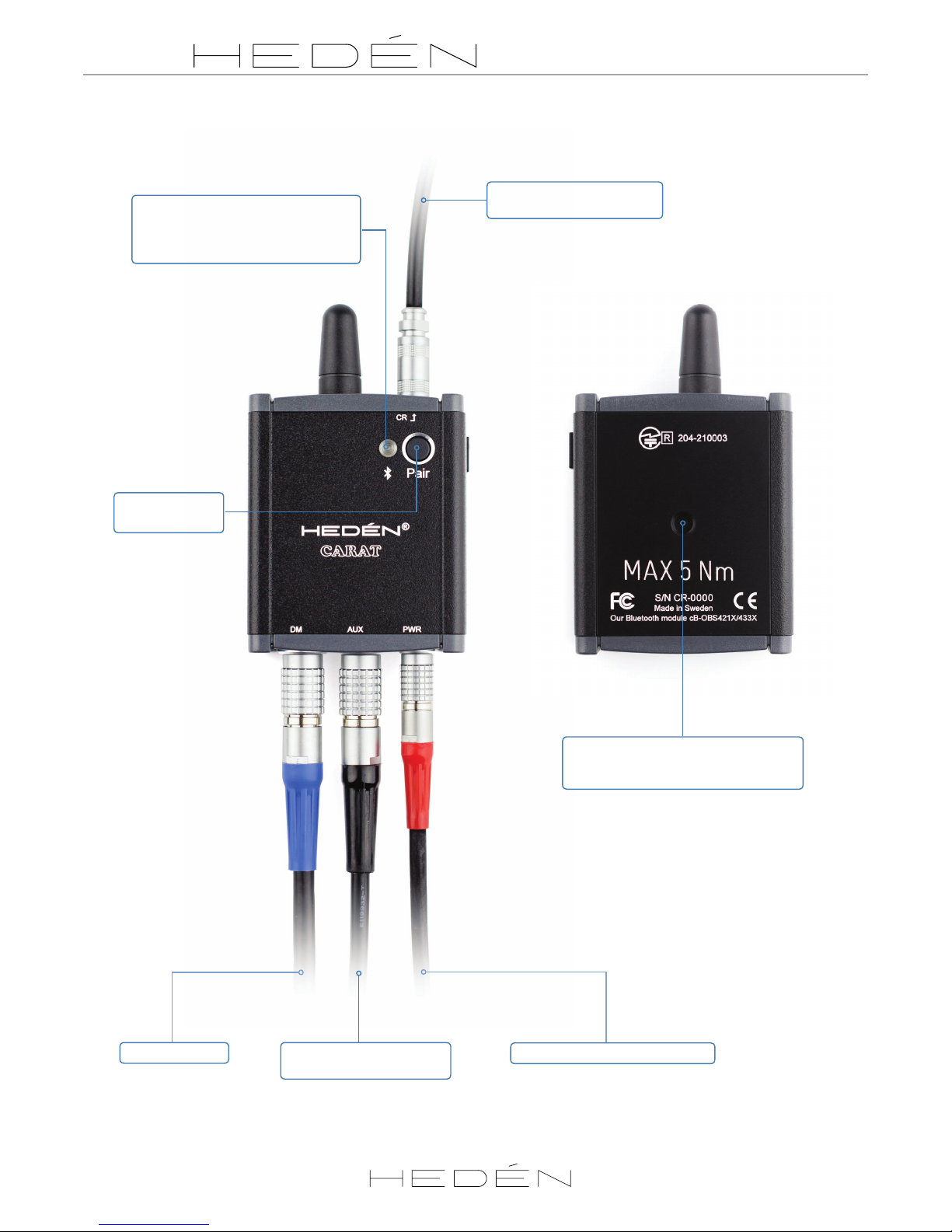
and make sure gear is rmly connect to lens. Connect motor cable between the motor and receiver (DM connector). Connect
the power cable to receiver (14.4V 2.5A PTAP). We recommend connecng and disconnecng the motor cable only when
the receiver is not powered up. Slide scale ring on to knob. Note that there is a slot in scale ring and a pin on the knob that
should line up.
Pairing
When delivered as a complete kit the transmier and receiver is already paired.
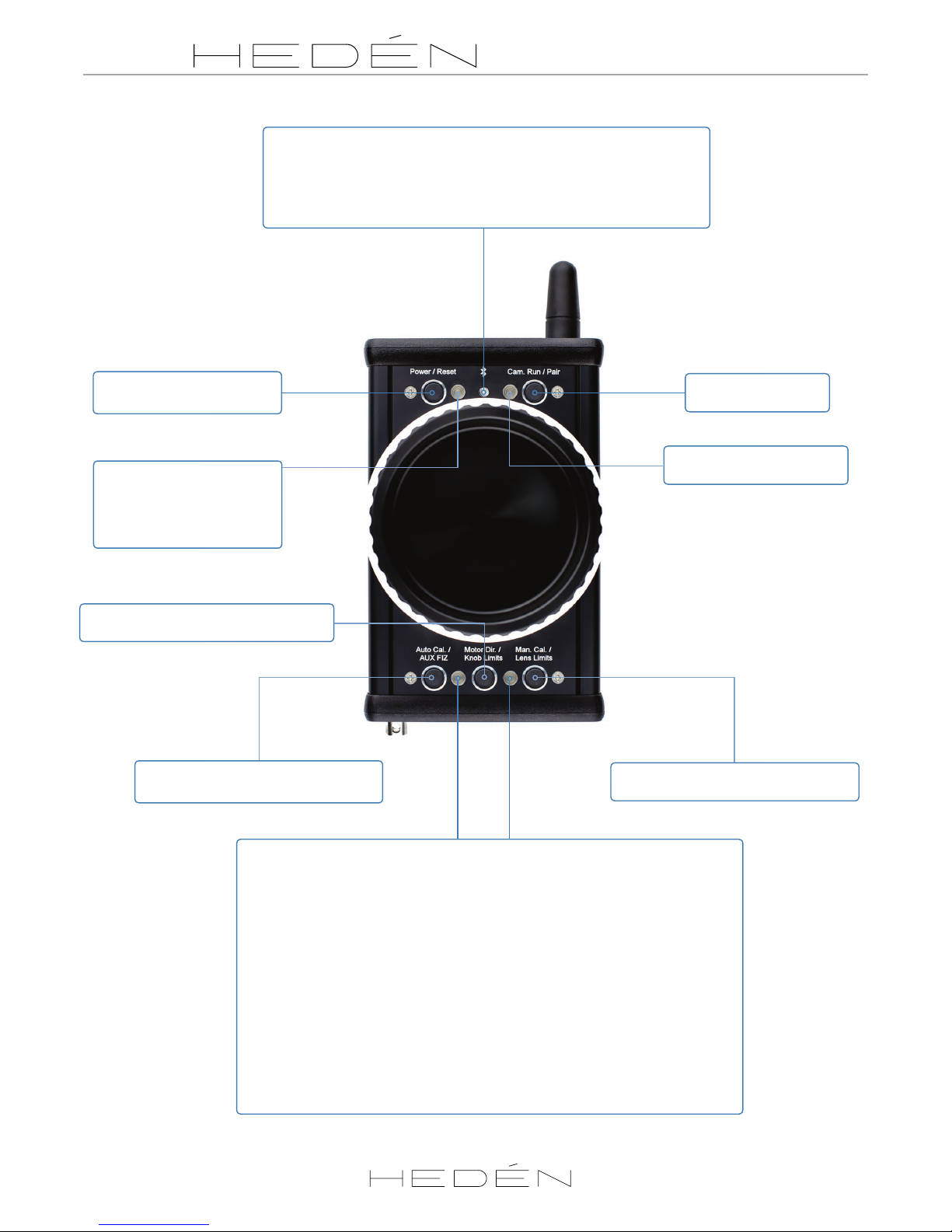
Long press (2 seconds) the “Pair“ buons on the sender and receiver simultaneously or in short sequence will start the
pairing sequence. Blue LEDs will start ashing rapidly. Aer successful pairing the LEDs will show a steady blue light and if a
motor is connected the lower LEDs will start ashing orange.
Auto calibraon
The 2 lower LEDs will ash orange if the system is ready for calibraon. Use auto calibraon if your lens has xed end stops.
Long press “Auto cal.” buon to start the calibraon sequence. The torque used by the motor to calibrate can be tuned in
GUI if the lens is unusually s or sensive. If you have a lens with no xed ends/oang focus ring use manual calibraon.
Manual calibraon
When the lower LEDs are ashing orange, long press “Man cal.” buon. Lower right LED will show a steady orange light
waing for you to turn the knob into the center posion to do a “pick up” of the motor. The lower right LED will start blinking
orange when you nd the control knobs center, now the knob works as a speed controller rather than the normal posion
control. This means that turning the knob will move the motor incrementally faster depending on how far from center it
is turned. The motor will not stop running unl knob is returned to center again. Run the motor and stop it at its rst limit
and press “Man cal.“ buon. Run it in the other direcon to the next limit and press “Man cal.“ again. Manual calibraon is
nished.
Knob Limit
Knob limit lets you set 2 limits in the knob range and move the motor only between these points. Turning the control knob
beyond the assigned points will acvate the transmiers vibrator unless this is turned o in the GUI (see page 7). To enter
this mode move to desired start posion then short press center lower buon (“Knob limits”). Move to desired second posi-
on and press buon again. To exit mode press buon a third me.
Lens limit
Lens limits allows you to use a selected/limited range of the lens and use the whole range of the knob. This makes ne
increment adjustments easier. To enter this mode move to desired start posion then short press right lower buon (“Lens
limits”). Move control knob to second posion and press buon again. To exit mode press buon a third me.
Controlling Fujinon Cabrio or Canon lenses with internal motors (Addional cables needed - see our website)
Switching between controlling Canon or Fujinon is done in the GUI. As default the Carat is congured to work with Fujinon
lenses, indicated by blue LED on receiver. When congured for Canon the LED on the receiver will switch to magenta color.
Connect your lens’s remote/AUX port to the Carat receiver AUX port using a Hedén Fujinon or Canon adapter cable. Power
up the Carat receiver and sender unit. The lower le LED on the Carat transmier should now start ashing blue. This means
you need to turn the control knob unl it matches the posion of internal motor in lens. The vibrator will indicate that the
correct posion is found and you will be able to control the lens. If your lens has mulple motors for focus/zoom/iris you can
cycle trough the motors by short pressing lower le buon on sender unit. In the GUI it is possible to pre-determine which
lens motors you want to be able to control with the Carat transmier. It is also possible to have a Hedén motor connected
simultaneously with an external lens. Toggle between the modes using lower le buon short press.
5