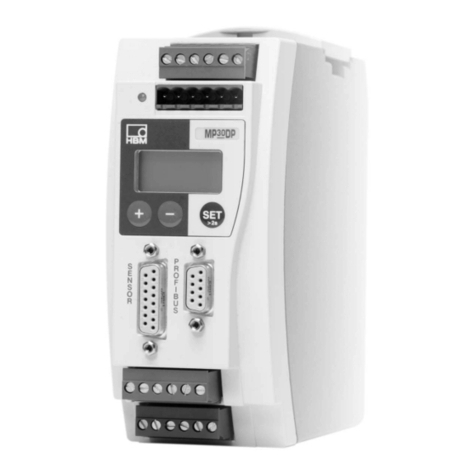
HBM ML77B Manuel utilisateur

Operating Manual
English
ML77B
Profibus Interface

Hottinger Baldwin Messtechnik GmbH
Im Tiefen See 45
D-64239 Darmstadt
Tel. +49 6151 803-0
Fax +49 6151 803-9100
www.hbm.com
Mat.: 7-2002.0577
DVS: A00760_09_E00_00 HBM: public
06.2018
EHottinger Baldwin Messtechnik GmbH.
Subject to modifications.
All product descriptions are for general information only.
They are not to be understood as a guarantee of quality or
durability.

ML77B A00760_09_E00_00 HBM: public 3
1 Savety instructions 7.......................................
2 Markings used 10............................................
2.1 The markings used in this document 10..........................
2.2 Symbols on the product 11.....................................
3 Introduction 12..............................................
4 Guideline 13................................................
5 Connection 15...............................................
5.1 Pin assignment 15............................................
5.2 Bus termination 16............................................
6 Configuration and parameterization 17........................
7 Front panel 19...............................................
8 Menu structure in Setup mode 20.............................
8.1 Parameters menu 20..........................................
8.1.1 Setup window DP settings 20...................................
8.1.2 Setup window Scaling (P2.00 or later) 21........................
8.1.3 Setting the Profibus address 21.................................
8.2 Options menu 22.............................................
8.2.1 Output data dialogue window 22................................
8.2.2 Input data dialogue window 23..................................
8.2.3 Diagnostic data dialogue window 23.............................
8.2.4 Parameterisation data dialogue window 23.......................
8.2.5 Configuration data dialogue window 24..........................
8.2.6 Bus parameters dialogue window 24............................
9 Profibus 26..................................................
9.1 Input data 26.................................................
9.1.1 Device status 26..............................................
9.1.2 Measured values 27...........................................
9.1.3 Channel status for 1-channel device 27..........................

4A00760_09_E00_00 HBM: public ML77B
9.1.4 Channel status for 8-channel device 28..........................
9.1.5 Control word status 29.........................................
9.1.6 Time stamp 30...............................................
9.1.7 Input data of 1-channel device 30...............................
9.1.8 Input data of 8-channel device 30...............................
9.1.9 Input data of 32-channel device 31..............................
9.2 Output data 32...............................................
9.2.1 Device control word 32........................................
9.2.2 Limit values, tare value for 1-channel device 33...................
9.2.3 Channel control word for 1-channel device 34.....................
9.2.4 Channel control word for 8‐channel device 34.....................
9.2.5 Channel control word for 32‐channel device 35...................
9.2.6 Output data for 1-channel device 35.............................
9.2.7 Output data for 8-channel device 35.............................
9.2.8 Output data for 32‐channel device 36............................
9.2.9 ML77B output data (if ML77B has one subchannel) 36.............
9.2.10 ML77B output data (if ML77B has several subchannels, available
as from firmware‐version P2.00) 37.............................
9.3 Diagnosis 40.................................................
10 Output of measured values 42................................
10.1 Measured values as output data for the ML77B 42................
11 Manual parameterization and configuration 46.................
11.1 Parameterisation 46...........................................
11.1.1 Device parameterisation entry 47...............................
11.1.2 Parameterisation entry for 1-channel device 47...................
11.1.3 Parameterisation entry for 8-channel device 48...................
11.1.4 Parametrisation entry for 32-channel device 49...................
11.1.5 Parameterization entry ML77B 50...............................
11.2 Configuration 50..............................................
11.2.1 Configuring amplifier channels 51...............................
11.2.2 Subsequent configuration bytes for 1-channel device 53...........
11.2.3 Subsequent configuration bytes for 8-channel device 53...........

ML77B A00760_09_E00_00 HBM: public 5
11.2.4 Subsequent configuration bytes for 32‐channel device 54..........
11.2.5 Subsequent configuration bytes for the ML77B 56.................
12 Setup parameters in the AB22A Setup mode 58................
12.1 Parameter list 58.............................................

6A00760_09_E00_00 HBM: public ML77B

Savety instructions
ML77B A00760_09_E00_00 HBM: public 7
1 Savety instructions
Approbiate use
The K3607 calibration instrument is to be used exclusively for measurement
tasks and directly related control tasks. Use for any purpose other than the
above shall be deemed to be not in accordance with the regulations.
In the interests of safety, the instrument should only be operated as described
in the Operating Manual. It is also essential to comply with the legal and safety
requirements for the application concerned during use. The same applies to the
use of accessories.
Conditions on site
SProtect the device from direct contact with water.
SProtect the device from moisture and humidity or weather conditions such
as rain, snow.
SDo not expose the device to direct sunlight.
SPlease observe the permissible maximum ambient temperatures and
humidity stated in the specifications.
SThe device must not be modified from the design or safety engineering point
of view except with our express agreement. Any modification shall exclude
all liability on our part for any damage resulting therefrom.
In particular, any repair or soldering work on motherboards is prohibited.
When exchanging complete modules, use only original parts from HBM.
SInstall the device so that it can be disconnected from the supply voltage at
any time without difficulty.
SThe device is maintenance-free.
SBefore cleaning, disconnect all connections.
SClean the housing with a soft, slightly damp (not wet!) cloth. You should
never use solvents, since these could damage the labeling.
SWhen cleaning, ensure that no liquid gets into the module or connections.
SIn accordance with national and local environmental protection and material
recovery and recycling regulations, old equipment that can no longer be

Savety instructions
8A00760_09_E00_00 HBM: public ML77B
used must be disposed of separately and not with normal household
garbage.
Qualified personnel
Qualified personnel means persons entrusted with the installation, assembly,
commissioning and operation of the product, who possess the appropriate
qualifications for their function.
This includes people who meet at least one of the three following requirements:
SKnowledge of the safety concepts of automation technology is a require
ment and, as project personnel, you must be familiar with these concepts.
SAs automation plant operating personnel, you have been instructed how to
handle the machinery. You are familiar with the operation of the equipment
and technologies described in this documentation.
SAs commissioning engineers or service engineers, you have successfully
completed the training to qualify you to repair the automation systems. You
are also authorized to activate, ground and label circuits and equipment in
accordance with safety engineering standards.
It is also essential to comply with the legal and safety requirements for the
application concerned during use. The same applies to the use of accessories.
The device must only be installed by qualified personnel, strictly in accordance
with the specifications and with the safety requirements and regulations listed
below.
Maintenance and repair work on an open device with the power on may only be
carried out by trained personnel who are aware of the dangers involved.
Working safety
SMaintenance and repair work on an open device with the power on may only
be carried out by trained personnel who are aware of the dangers involved.
SAutomation equipment and devices must be installed in such a way that
adequate protection or locking against unintentional actuation is provided
(e.g. access checks, password protection, etc.).

Savety instructions
ML77B A00760_09_E00_00 HBM: public 9
Additional safety precautions
Additional safety precautions must be taken in plants where malfunctions could
cause major damage, loss of data or even personal injury. In the event of a
fault, these precautions establish safe operating conditions.
The scope of supply and performance of the device only covers a small area of
measurement technology. In addition, equipment planners, installers and
operators should plan, implement and respond to the safety engineering
considerations of measurement technology in such a way as to minimize
remaining dangers. On-site regulations must be complied with at all times.
There must be reference to the remaining dangers connected with
measurement technology.
General dangers of failing to follow the safety instructions
The device is a state of the art unit and as such is reliable. The module may
give rise to dangers if it is inappropriately installed and operated by untrained
personnel.

Markings used
10 A00760_09_E00_00 HBM: public ML77B
2 Markings used
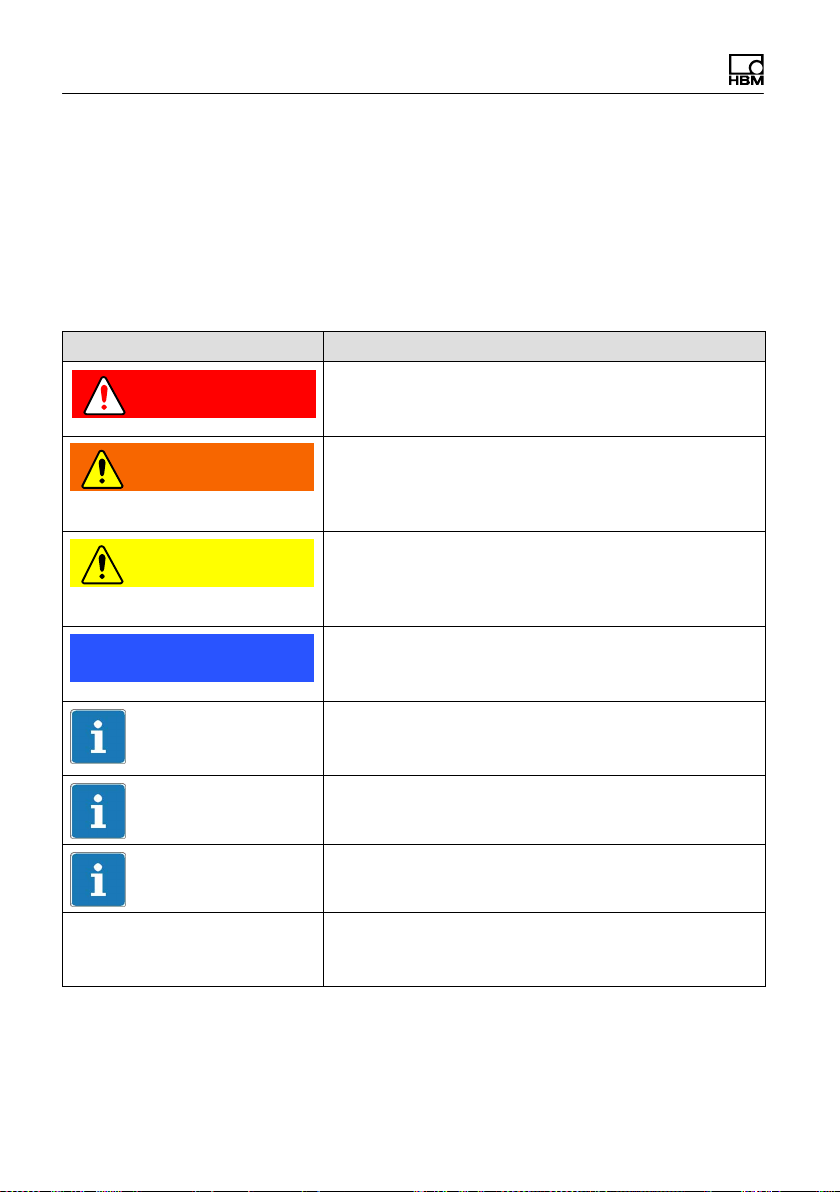
2.1 The markings used in this document
Important instructions for your safety are specifically identified. It is essential to
follow these instructions in order to prevent accidents and damage to property.
Symbol Significance
DANGER Warns of an imminently dangerous situation in which
failure to comply with safety requirements will result
in death or serious physical injury.
WARNING This marking warns of a potentially dangerous
situation in which failure to comply with safety
requirements can result in death or serious physical
injury.
CAUTION This marking warns of a potentially dangerous
situation in which failure to comply with safety
requirements can result in slight or moderate physical
injury.
Notice This marking draws your attention to a situation in
which failure to comply with safety requirements can
lead to damage to property.
Important
This marking draws your attention to important
information about the product or about handling the
product.
Tip
This marking indicates application tips or other
information that is useful to you.
Information
This marking draws your attention to information
about the product or about handling the product.
Emphasis
See….
Italics are used to emphasize and highlight text and
references to other chapters and external docu
ments.
Table des matières
Autres manuels HBM Équipement d'enregistrement
Manuels Équipement d'enregistrement populaires d'autres marques

Strymon
Strymon NIGHTSKY Manuel utilisateur

Mitsubishi Electric
Mitsubishi Electric 16CH DIGITAL RECORDER DX-TL5000U Manuel utilisateur

Tews Technologies
Tews Technologies TPMC465 Manuel utilisateur

Honeywell
Honeywell Excel 50 Manuel utilisateur

SeaLevel
SeaLevel COMM+8.LPCI Manuel utilisateur

Arturia
Arturia AUDIOFUSE STUDIO Manuel utilisateur