
Harman Kardon DVD 48 Manuel utilisateur
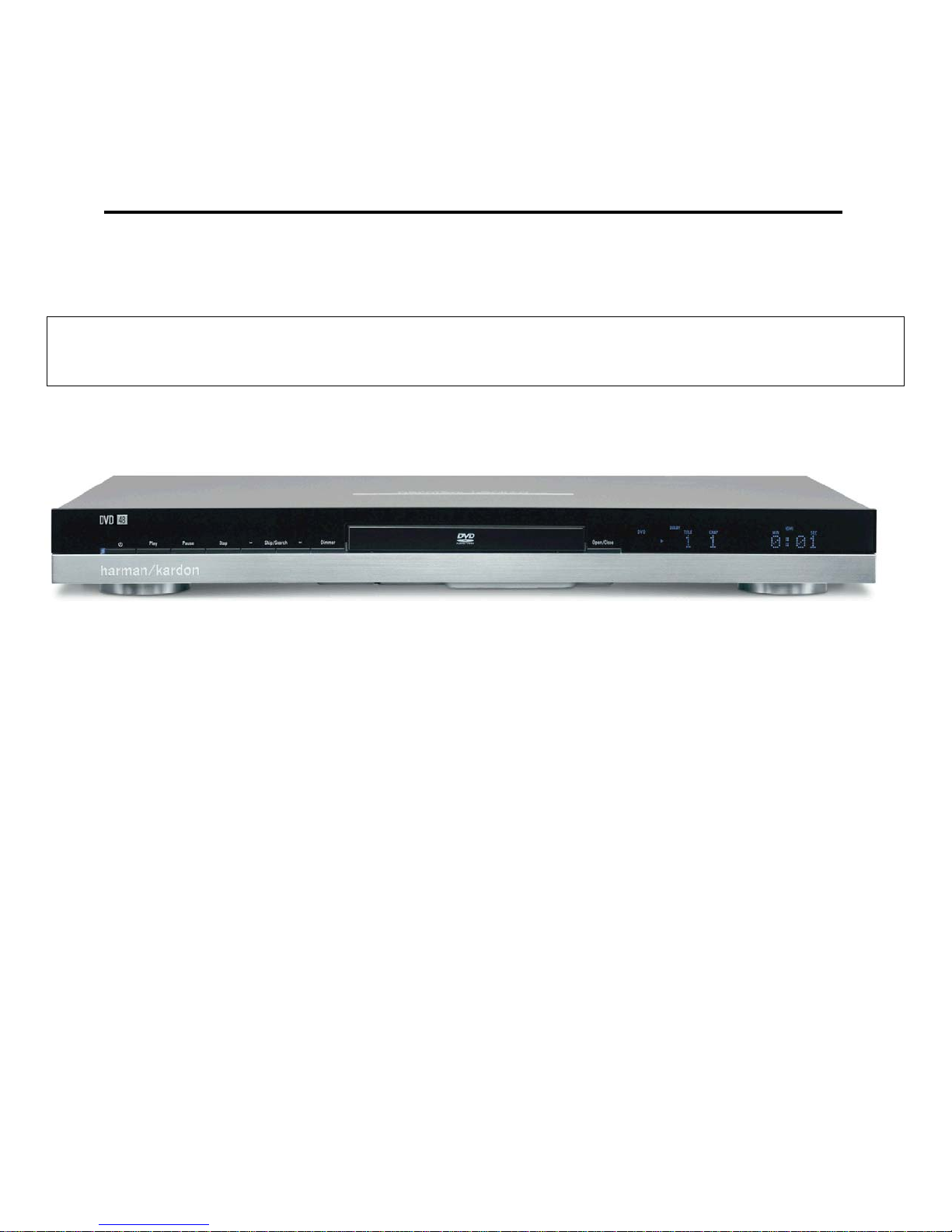
harman kardon
Model DVD 48
DVD/CD/CD-R/CD-RW/VCD MP3 Player
Service Manual
- Contents -
SERVICE PRECAUTIONS………….……….……2
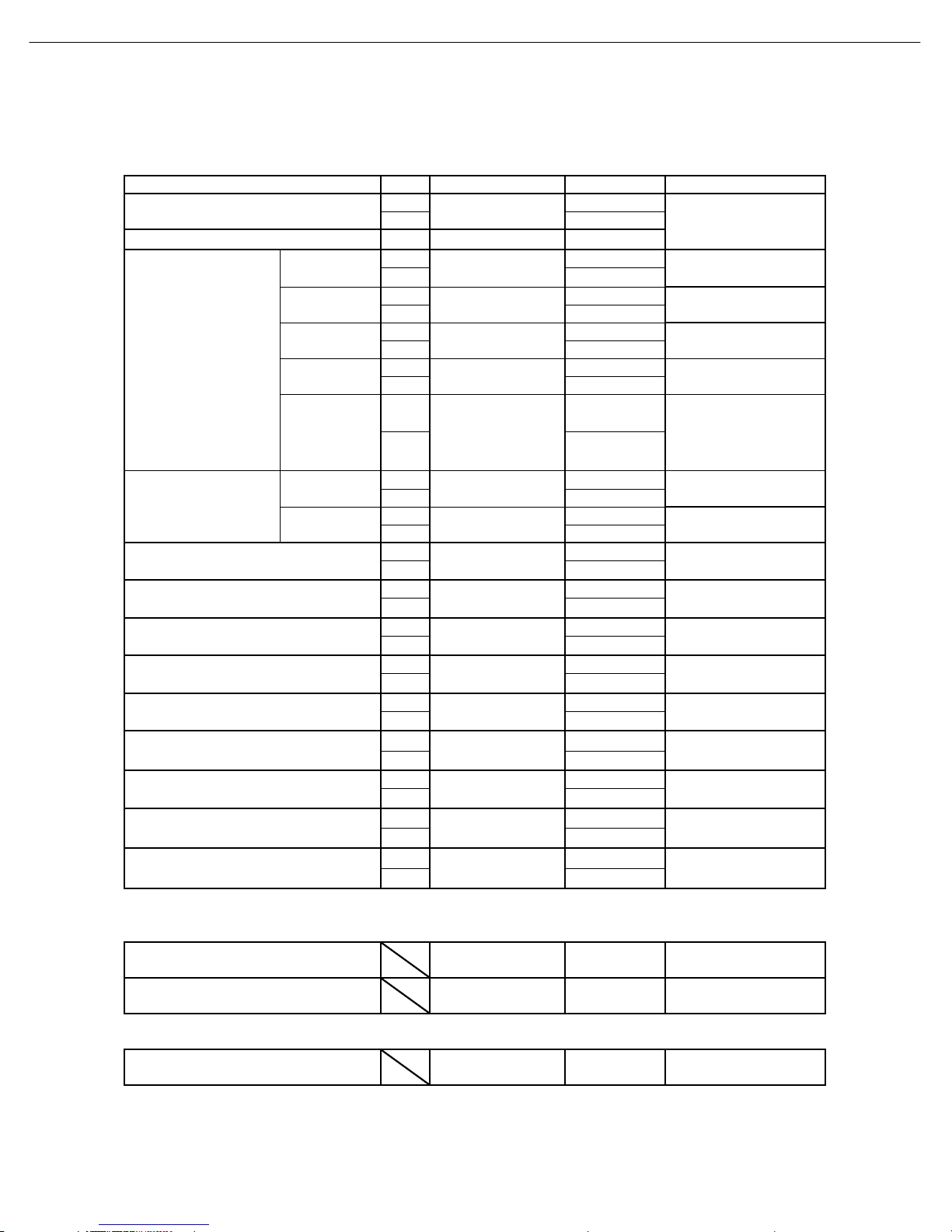
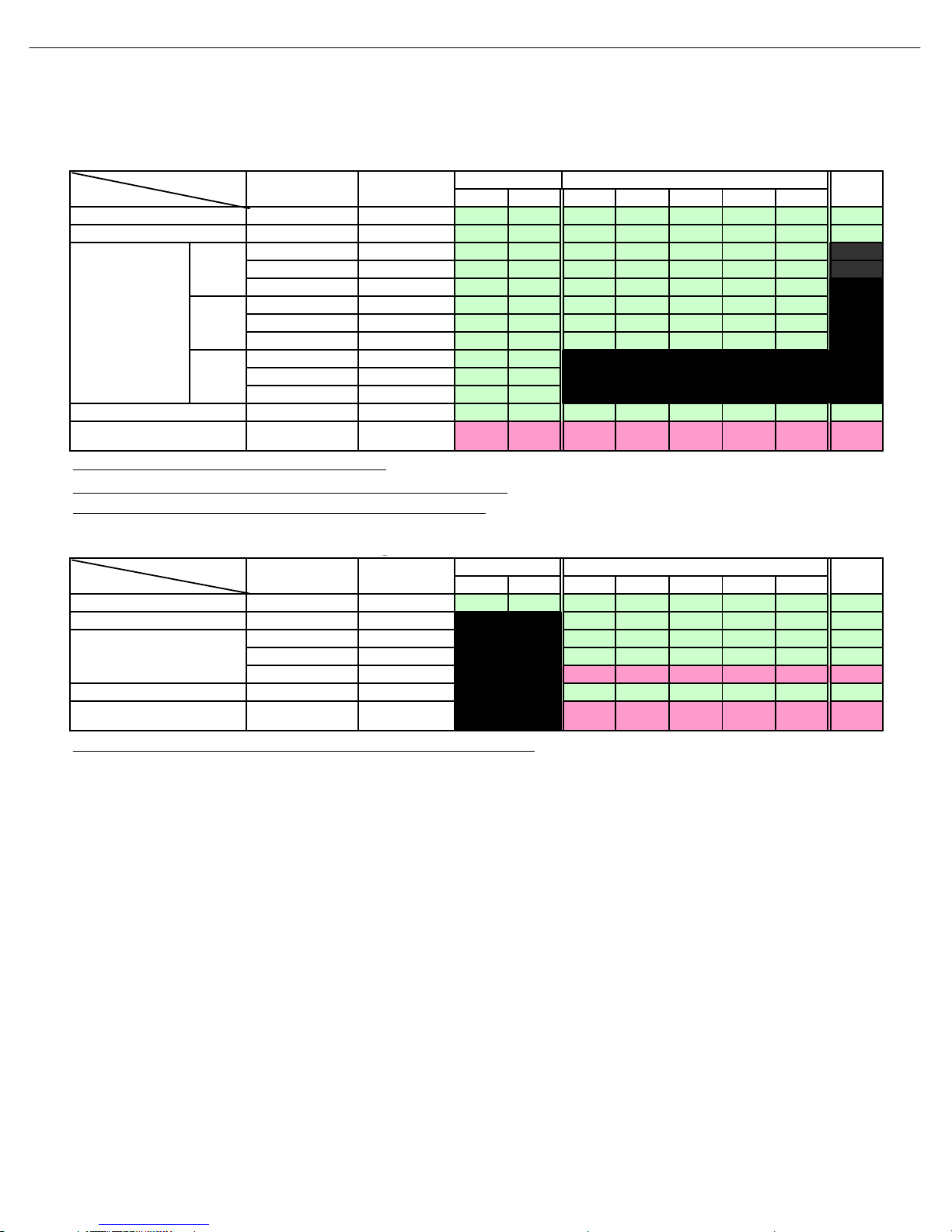
BASIC SPECIFICATIONS………………………...5
DETAILED SPECIFICATIONS………………......6
PACKAGE (120V)..………………....…….………10
FRONT PANEL CONTROLS…………………….11
INFORMATION DISPLAY…………….………….13
REAR PANEL CONNECTIONS……………..….14
REMOTE CONTROL……………………………..16
CONNECTIONS…………..……..………….........19
INSTALLATION…………………….....................22
BASIC TROUBLESHOOTING GUIDE…………25
DISASSEMBLY PROCEDURE (120/230v).…...27
EXPLODED VIEW (120v)….……………………28
BLOCK DIAGRAM.……………..………………..29
ELECTRICAL PARTS LIST (120v)……… …….30
PCB DRAWINGS……………………..................53
SEMICONDUCTOR PINOUTS…………………59
SCHEMATICS………………………………..….168
WIRING DIAGRAM……………………………..174
harman/kardon, Inc.
250 Crossways Park Dr.
Woodbury, New York 11797 Rev0 8/2007
Released 2007
Discontinued XXXX
1
SERVICING PRECAUTIONS
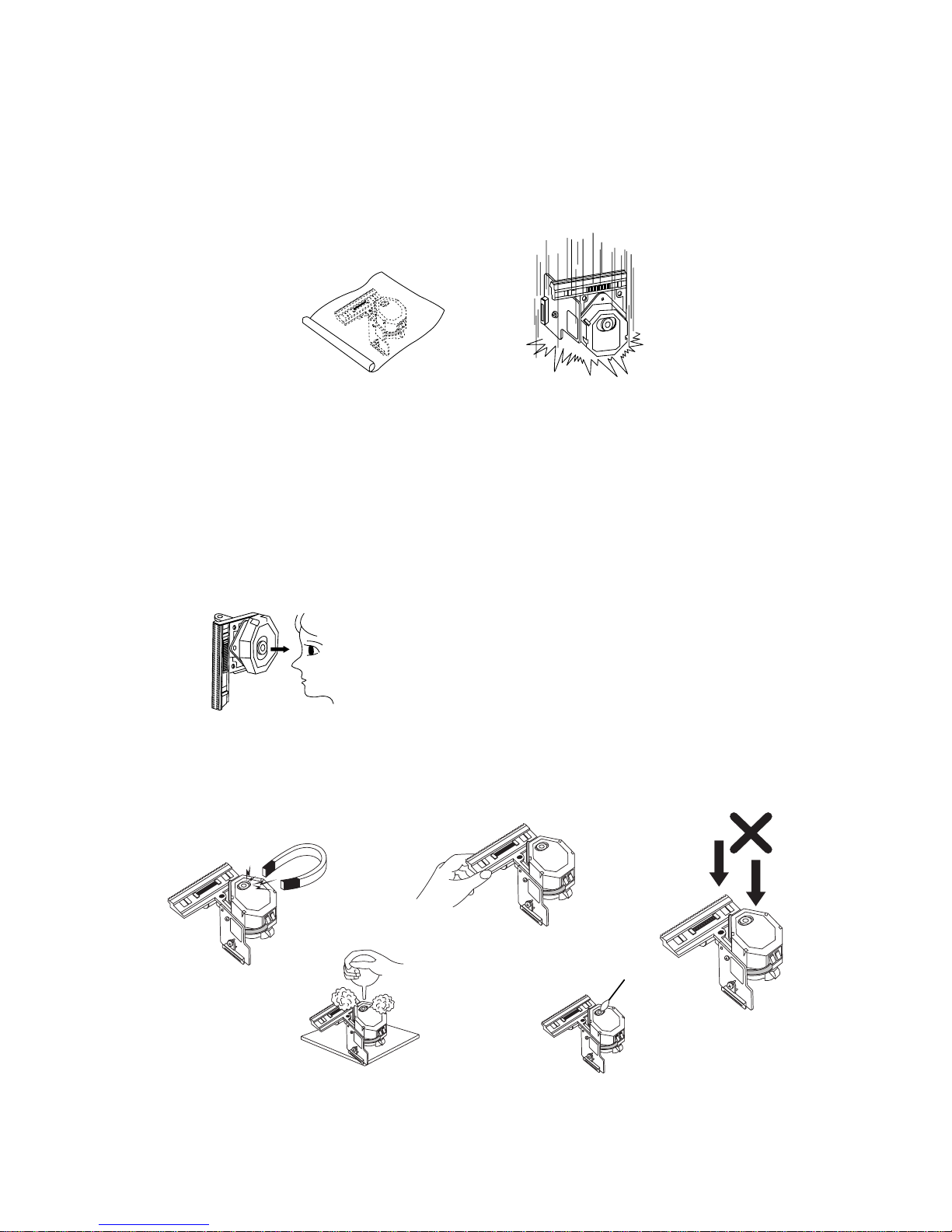
NOTES REGARDING HANDLING OF THE PICK-UP
1. Notes for transport and storage
1) The pick-up should always be left in its conductive bag until immediately prior to use.
2) The pick-up should never be subjected to external pressure or impact.
2. Repair notes
1) The pick-up incorporates a strong magnet, and so should never be brought close to magnetic materials.
2) The pick-up should always be handled correctly and carefully, taking care to avoid external pressure and
impact. If it is subjected to strong pressure or impact, the result may be an operational malfunction
and/or damage to the printed-circuit board.
3) Each and every pick-up is already individually adjusted to a high degree of precision, and for that reason
the adjustment point and installation
screws should absolutely never be touched.
4) Laser beams may damage the eyes!
Absolutely never permit laser beams to enter the eyes!
Also NEVER switch ON the power to the laser output part (lens, etc.) of the pick-up if it is damaged.
5) Cleaning the lens surface
If there is dust on the lens surface, the dust should be cleaned away by using an air bush (such as used
for camera lens). The lens is held by a delicate spring. When cleaning the lens surface, therefore, a cot-
ton swab should be used, taking care not to distort this.
6) Never attempt to disassemble the pick-up.
Spring by excess pressure. If the lens is extremely dirty, apply isopropyl alcohol to the cotton swab. (Do
not use any other liquid cleaners, because they will damage the lens.) Take care not to use too much of
this alcohol on the swab, and do not allow the alcohol to get inside the pick-up.
Storage in conductive bag
NEVER look directly at the laser beam, and don’t let contact
fingers or other exposed skin.
Magnet
How to hold the pick-up
Conductive Sheet
Cotton swab
Pressure
Pressure
Drop impact
2

2
NOTES REGARDING COMPACT DISC PLAYER REPAIRS
1. Preparations
1) Compact disc players incorporate a great many ICs as well as the pick-up (laser diode). These compo-
nents are sensitive to, and easily affected by, static electricity. If such static electricity is high voltage,
components can be damaged, and for that reason components should be handled with care.
2) The pick-up is composed of many optical components and other high-precision components. Care must
be taken, therefore, to avoid repair or storage where the temperature of humidity is high, where strong
magnetism is present, or where there is excessive dust.
2. Notes for repair
1) Before replacing a component part, first disconnect the power supply lead wire from the unit
2) All equipment, measuring instruments and tools must be grounded.
3) The workbench should be covered with a conductive sheet and grounded.
When removing the laser pick-up from its conductive bag, do not place the pick-up on the bag. (This is
because there is the possibility of damage by static electricity.)
4) To prevent AC leakage, the metal part of the soldering iron should be grounded.
5) Workers should be grounded by an armband (1MΩ)
6) Care should be taken not to permit the laser pick-up to come in contact with clothing, in order to prevent
static electricity changes in the clothing to escape from the armband.
7) The laser beam from the pick-up should NEVER be directly facing the eyes or bare skin.
Resistor
(1 Mohm) Conductive
Sheet
Resistor
(1 Mohm)
Armband
3
DVD48 harman/kardon

3
ESD PRECAUTIONS
Electrostatically Sensitive Devices (ESD)
Some semiconductor (solid state) devices can be damaged easily by static electricity. Such components com-
monly are called Electrostatically Sensitive Devices (ESD). Examples of typical ESD devices are integrated cir-
cuits and some field-effect transistors and semiconductor chip components. The following techniques should
be used to help reduce the incidence of component damage caused by static electricity.
1. Immediately before handling any semiconductor component or semiconductor-equipped assembly, drain off
any electrostatic charge on your body by touching a known earth ground. Alternatively, obtain and wear a
commercially available discharging wrist strap device, which should be removed for potential shock reasons
prior to applying power to the unit under test.
2. After removing an electrical assembly equipped with ESD devices, place the assembly on a conductive sur-
face such as aluminum foil, to prevent electrostatic charge buildup or exposure of the assembly.
3. Use only a grounded-tip soldering iron to solder or unsolder ESD devices.
4. Use only an anti-static solder removal device. Some solder removal devices not classified as "anti-static"
can generate electrical charges sufficient to damage ESD devices.
5. Do not use freon-propelled chemicals. These can generate electrical charges sufficient to damage ESD
devices.
6. Do not remove a replacement ESD device from its protective package until immediately before you are
ready to install it. (Most replacement ESD devices are packaged with leads electrically shorted together by
conductive foam, aluminum foil or comparable conductive materials).
7. Immediately before removing the protective material from the leads of a replacement ESD device, touch the
protective material to the chassis or circuit assembly into which the device will by installed.
CAUTION : BE SURE NO POWER IS APPLIED TO THE CHASSIS OR CIRCUIT, AND OBSERVE ALL
OTHER SAFETY PRECAUTIONS.
8. Minimize bodily motions when handing unpackaged replacement ESD devices. (Otherwise harmless motion
such as the brushing together of your clothes fabric or the lifting of your foot from a carpeted floor can gen-
erate static electricity sufficient to damage an ESD device).
4
DVD48 harman/kardon

DVD 48 TECHNICAL SPECIFICATIONS
Please register your product on our Web site at www.harmankardon.com. Note:You’ll need your serial number. At the same time, you can choose to be notified about our
new products and/or special promotions.
Applicable Disc:
Disc formats: 5-inch (12cm) or 3-inch (8cm) DVD-
Video, DVD-Audio, SACD,™standard-conforming
DVD-R, DVD+R, DVD-RW, DVD+RW,VCD,
CD, CD-R, CD-RW or MP3 discs
Region code: DVD video disc with Code 1 or 0 only
DVD layers: Single side/single layer, single side/dual
layer, dual side/dual layer
Audio formats: DVD Audio MLP Lossless,
™SACD, Linear PCM,
MPEG,Windows Media®9, Dolby®Digital
or DTS®audio discs
Still-image format: JPEG
Video Signal System: NTSC or PAL
HDMI™Output: Video: 480p, 720p, 1080i, 1080p
HDMI Version 1.1-compliant
HDCP Version 1.1-compliant
Composite Video Output: 1V p-p/75 ohms, sync negative polarity
S-Video Output:
Y/luminance: 1V p-p/75 ohms, sync negative polarity
C/chrominance: 0.286V p-p
Component Video Output: Y: 1V p-p/75 ohms,sync negative polarity
Pr: 0.7V p-p/75 ohms
Pb: 0.7V p-p/75 ohms
Analog Audio Output: 2V RMS (1kHz, 0dB)
The DVD 48 is Simplay HD™-verified for compatibility
via the HDMI connection with other Simplay HD-verified products.
Frequency Response:
DVD (linear PCM): 2Hz – 22kHz +0/–0.5dB (48kHz sampling)
2Hz – 44kHz +0/–1.5dB (96kHz sampling)
2Hz – 88kHz +0/–0.5dB (192kHz sampling)
CD: 2Hz – 20kHz +0/–0.5dB
SACD: 2Hz –100kHz +0/–0.5dB
Signal/Noise Ratio (SNR): 105dB (A-weighted)
Dynamic Range:
DVD: 100dB (18-bit)/105dB (20-bit)
CD/DVD: 96dB (16-bit)
THD/1kHz: DVD/CD: 0.0025%
Wow & Flutter: Below measurable limits
AC Power: 110–240V AC/50–60Hz
Power Consumption: 1 Watt (on/standby)/13 watts (max)
Dimensions (H x W x D): 2" x 17-3/10" x 11-1/4"
(50mm x 440mm x 285mm)
Weight: 6 lb (2.7kg)
Shipping Dimensions (HxW xD): 5" x 14-3/8" x 20"
(127mm x 365mmx 508mm)
Shipping Weight: 8.8 lb (4kg)
Depth measurement includes knobs, buttons and terminal connections. Height measurement includes feet and chassis.
All features and specifications are subject to change without notice.
Harman Kardon and Logic 7 are trademarks of Harman International Industries,Incorporated,registered in the United States and/or other countries.
Designed to Entertain is a trademark of Harman International Industries,Incorporated.
Blu-ray Disc is a trademark of the Blu-ray DiscAssociation.
CEA (Consumer ElectronicsAssociation) is a registered trademark of the Consumer Electronics Association.
Dolby and Pro Logic are registered trademarks, and MLP Lossless is a trademark,of Dolby Laboratories.
DTS,DTS-ES, DTS Neo:6 and DTS 96/24 are registered trademarks of DTS,Inc.
HD-DVD is a trademark of the DVD Format/Logo Licensing Corporation (DVD FLLC).
HDMI (High-Definition Multimedia Interface) is a trademark of HDMI Licensing LLC.
Kodak is a registered trademark,and Photo CD is a trademark, of Eastman Kodak Company.
Microsoft,Windows and Windows Media are registered trademarks of Microsoft Corporation in the United States and/or other countries.
WMA (Windows MediaAudio) is a proprietary file format developed by Microsoft.
SACD (SuperAudio CD) is a trademark of Sony Corporation.
TrueLife is a trademark of Genesis Microchip Inc.
The Simplay HD logo and the Simplay,Simplay HD and Simplay Labs trademarks are owned by Silicon Image,Inc. and are used under license from Silicon Image,Inc.
and/or Simplay Labs, LLC.
This product incorporates copyright protection technology that is protected by method claims of certain U.S.patents and other intellectual property rights owned by Macrovision
Corporation and other rights owners. Use of this copyright protection technology must be authorized by Macrovision Corporation and is intended for home and other limited
viewing uses only unless otherwise authorized by Macrovision Corporation. Reverse engineering or disassembly is prohibited.
DVD 48 om.qxd 3/14/07 4:04 PM Page 49
5
DVD48 harman/kardon
tvklsGuhtlGGaGk}kG[_ tw蠯
k
GGGGGGGGGGGaGG
j
G
z
G
h
{GkGGGGGGGGGGGGGaGGlkz^GOzvuPSGG{k}T\[WhGOhilP
{GjGGGGGaGGXWȳGsG{SGhjXWW}G\WV]Wo¡
{GtGGaGG}wT^^YYhGOhGh¡PGSjhzjhklGzzTY\YYOhwP
XUhuhsvnGh|kpvGv|{w|{
s y {lz{Gkpzj
vGs} s
y
sG} GGGGGGGGWUY
mVGGi s
y
yUXo¡GWi s
y
s
y
s
y
s
y
lG s
ji y
yUXo¡GWi s
y
zVui s
"A" y
jGzi ˧
"22K" ˧
si s
T`WiG
"22K" y
{UoUkL s
"22K" y
kGyi s
T]WiG
"20K AES17" y
衒簙裿讟蘏莀L s
ୠ୲ୠ୕இ "22K" y
kGyi s
ୠ୲ୠ୕இ "20K AES17" y
衒簙裿讟蘏莀L s
ୠ୲ୠ[_இ "22K" y
kGyi s
ୠ୲ୠ[_இ "20K AES17" y
YUGkpnp{hsGv|{w|{
GGGXPGvw{pjhsGv|{
GGqp{{lyGGGGGG[[UXo¡ uGG[[UXo¡
O|pP jkGw
GGqp{{lyGGGGGGG`]o¡ uGG`]o¡
O|pP k}kGw
GGGYPGjvhphsGv|{
GGv|{w|{GsGGGGG} uGjkGGk}kG
GGwGGwGsGG^\Gs
w
\WW·\WGO}P
cG\W|p
cG\W|p
lkz^GOzvuP
{yhjrGZW
S
Z[
lkz^GOzvuP
{yhjrGYY
{k}T\[WhGOhilP
{p{slGYSGjohw{lyGY
hvz h
lkz^GOzvuP
{yhjrGX
lkz^GOzvuP
{yhjrGYW
{k}T\[WhGOhilP
{p{slGZSGjohw{lyGX
{k}T\[WhGOhilP
{p{slGZSGjohw{lyGY
lkz^GOzvuP
{yhjrGX
lkz^GOzvuP
{yhjrGY
lkz^GOzvuP
{yhjr [
{k}T\[WhGOhilP
{p{slGYSGjohw{lyGX
lkz^GOzvuP
{yhjr XW
lkz^GOzvuP
{yhjr XZ
{k}T\[WhGOhilP
{p{slG[Sjohw{ly
X]
h|kpvGz{ylhtGZ
lkz^GOzvuP
{yhjr [W
lkz^GOzvuP
{yhjr [X
lkz^GOzvuP
{yhjrGYZ
YUWG·GWUY
ஊ·GXUW
ஊ·GXUW
XW\
eG`\
ஊ·GXUW
ஊ·GXU\
ஊ·GXU\
T[U\Z·XUW
GWUWX
ஓ\
GWUWX
ஓZ
GWUWX
_`U\·Z
tGp
ஓ\
T`UW[G·GXUW
எڏଝڦڣە
ஏଝڦڣە
ஐଝڦڣە
ڍٻڋٻڣە
ڌڋڋଝڣە
ڌڋଝڦڣە
ஊଝڦڣە
6
DVD48 harman/kardon
tw
蠯
2. DVD-Audio Part (Test Disc V-612 , JVC)
ͽ΅ ΅ ͷͽ ͷ ΄ͽ ΄ ʹ
΅ΣͼΫΕͳ ρ·ΣΞΤ
΅ΣͼΫΕͳ ײ
΅ΣΫ ρΕͳ
΅ΣͼΫ ρΕͳ
΅ΣͼΫ ρΕͳ
΅ΣΫ ρΕͳ
΅ΣͼΫ ρΕͳ
΅ΣͼΫ ρΕͳ
΅ΣΫ ρΕͳ
΅ΣͼΫ ρΕͳ
΅ΣͼΫ ρΕͳ
΅ΣͺΟΗΚΟΚΥΪΖΣΠ װΕͳ
΅ΣΕͳ װΕͳ
ఒ΄ΈͽΖΧΖΝ΅͵΅ΣΒΔΜΫΝΒΪ
ఒ΄ΈͷΣΖΦΖΟΔΪΖΤΡΠΟΖΤ΅ΣΒΔΜΫΕͳΖΗΖΣΖΟΔΖ
ఒ΅ΣΒΔΜΫ΅ΣΒΔΜΫ΅ΣΒΔΜΫΝΒΪ
3. SACD Part (Test Disc : DAC Ver1.2 , Philips)
͵ΪΟΒΞΚΔΒΟΘΖΕͳ
ͼΫ ͽͷ ͲͶ΄
ͽΚΞΚΥ΅ΣΒΔΜͺΟΗΠΣΞ
΄ͿΕͳͲͷΚΝΥΖΣ
΄Έ
ΦΥΡΦΥͽΖΧΖΝ·
΅͵ͼΫͽͷ
ͷΣΖΦΖΟΔΪ
ΖΤΡΠΟΖΤΕͳ
ΖΗ΅Σ
͵ΠΨΟΞΚΩʹ ;ΦΚΥΚʹ
(p)
ͽ΅ ΅ ͷͽ ͷ ΄ͽ ΄ ʹ
΅ΣͼΫΕͳ ρ·ΣΞΤ
΅ΣͼΫΕͳ ײ
΅ΣΫ ρΕͳ
΅ΣͼΫ ρΕͳ
΅ΣͼΫ ρΕͳ
΅ΣͺΟΗΚΟΚΥΪΖΣΠ װΕͳ
΅ΣΕͳ װΕͳ
ఒ΄Ͳʹ͵ͷΣΖΦΖΟΔΪΖΤΡΠΟΖΤ΅ΣΒΔΜͼΫΕͳΖΗΖΣΖΟΔΖ
;ΦΚΥΚʹ ΄Έ
΄ͿΕͳͲͷΚΝΥΖΣ
͵ΪΟΒΞΚΔΒΟΘΖΕͳ
ͼΫ ͽͷ ͲͶ΄
΅ΣΒΔΜͺΟΗΠΣΞ
ΦΥΡΦΥͽΖΧΖΝ·
΅͵ͼΫͽͷ
ͷΣΖΦΖΟΔΪ
ΖΤΡΠΟΖΤΕͳ
ΖΗ΅Σ
ͽΚΞΚΥ ͵ΠΨΟΞΚΩʹ
7
DVD48 harman/kardon
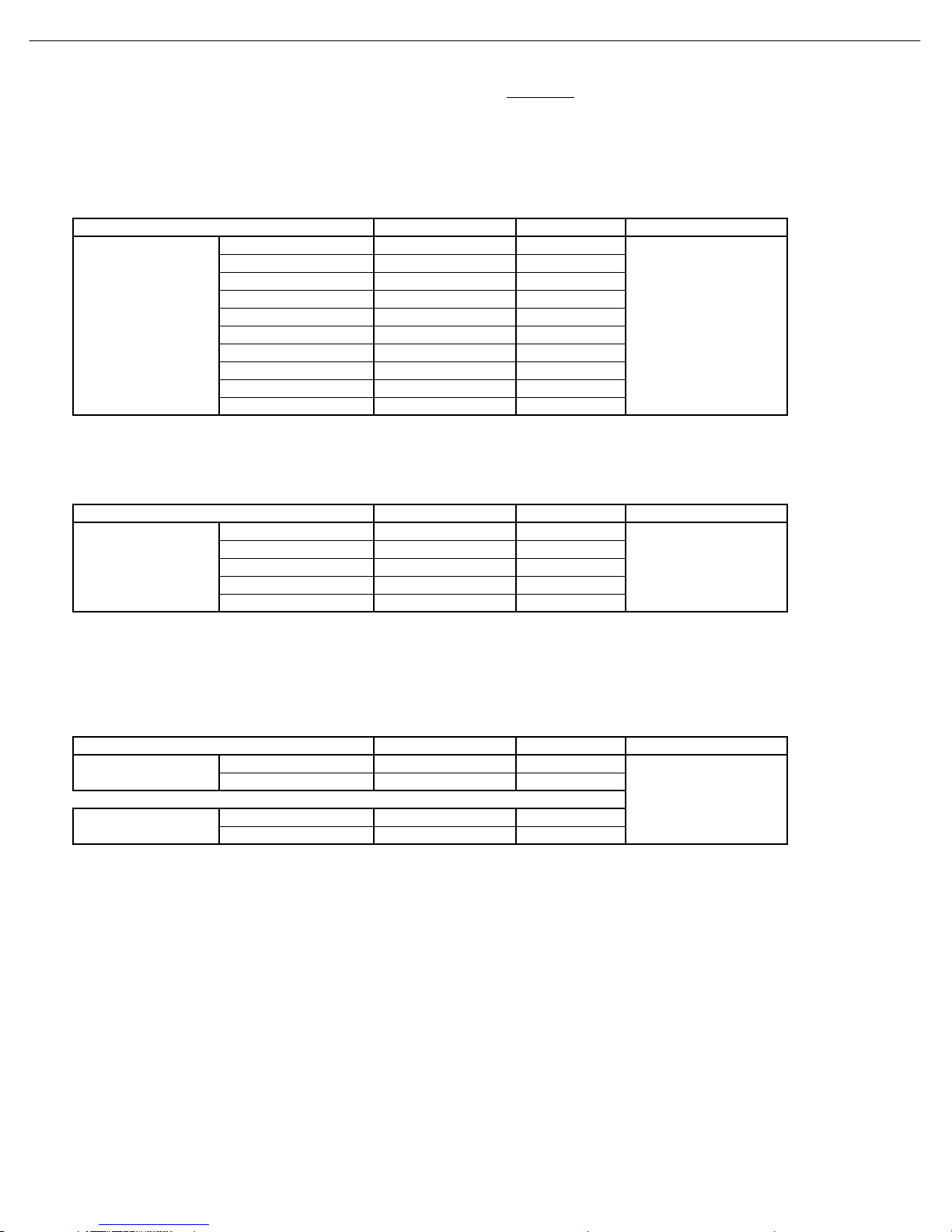
tvklsGuhtlGGGGaGk}k[_G
kGGGGGGGGGGGaGGjGzGG
G}
{GkGGGGGGGGGGGGGGaGG{k}T\[WhGOhilPGGGGSGtk}kTXXXGO{lhjPGGGGGGGGGGz
zGuvUa
{GjGGGGGaGG^\ȳGsG{
hjGpGGGGGGGGGGGGGGGaGGmG|zhGOXYW}V]Wo¡PGGSGmGlGOYZW}V\Wo¡P
{GtGaGG}tT^WW{
tw蠯
·ΚΕΖΠͽΖΧΖΝ΅ΖΤΥԽ΅ΖΣΞΚΟΒΥΖΕ
ͽΚΞΚΥ
ʹΠΞΡΠΤΚΥΖ ·ρ·
΄·ΚΕΖΠΊ ·ρ·
΄·ΚΕΖΠʹ Ξ·ρΞ·
ʹΠΞΡΠΟΖΟΥΊ ·ρ·
ʹΠΞΡΠΟΖΟΥΓ Ξ·ρΞ·
ʹΠΞΡΠΟΖΟΥΣ Ξ·ρΞ·
΄ΔΒΣΥʹ·ͳ΄ ·ρ·
΄ΔΒΣΥΖΕ Ξ·ρΞ·
΄ΔΒΣΥΣΖΖΟ Ξ·ρΞ·
΄ΔΒΣΥͳΝΦΖ Ξ·ρΞ·
·ΚΕΖΠ΄ͿΒΚΥΠ΅ΖΤΥԽ΅ΖΣΞΚΟΒΥΖΕ
ͽΚΞΚΥ
ʹΠΞΡΠΤΚΥΖ Εͳ
΄·ΚΕΖΠΊ Εͳ
ʹΠΞΡΠΟΖΟΥΊ Εͳ
ʹΠΞΡΠΟΖΟΥΓ Εͳ
ʹΠΞΡΠΟΖΟΥΣ Εͳ
ʹΙΣΠΞΒ΄ΚΘΟΒΝͲ;;΅ΖΤΥԽ΅ΖΣΞΚΟΒΥΖΕ
ͽΚΞΚΥ
ʹΠΞΡΠΤΚΥΖʹΙΣΠΞΒ Εͳ
΄·ΚΕΖΠʹΙΣΠΞΒ Εͳ
ʹΠΞΡΠΤΚΥΖʹΙΣΠΞΒ Εͳ
΄·ΚΕΖΠʹΙΣΠΞΒ Εͳ
·ΚΕΖΠ΄ͿΌΕͳΎ
ͼΫί;Ϋ
ΆΤΖ΄ʹ΅ΣΒΡ
TDV-540A
΅ͺ΅ͽͶʹͲ΅Ͷ
ΣΒΪʹΠΝΠΣ
ʹΙΣΠΞΒ;ΌΕͳΎ
ͼΫ
ί
ͼΫ
΅͵·Ͳ
΅ͺ΅ͽͶʹͲ΅Ͷ
;ΒΘΖΟΥΒ
ʹΠΝΠΣ
;ΖΒΤΦΣΖΞΖΟΥͺΥΖΞ ΖΤΦΝΥ ΅ΖΤΥ͵ΚΤΔ
ʹΙΣΠΞΒͲ;ΌΕͳΎ
ͼΫ
ί
ͼΫ
·ΚΕΖΠΠΦΥΡΦΥΌ·Ύ
;͵·͵Έ
΅ͺ΅ͽͶʹͲ΅Ͷ
ʹͽͳͲ
;ΖΒΤΦΣΖΞΖΟΥͺΥΖΞ ΖΤΦΝΥ ΅ΖΤΥ͵ΚΤΔ
;ΖΒΤΦΣΖΞΖΟΥͺΥΖΞ ΖΤΦΝΥ ΅ΖΤΥ͵ΚΤΔ
8
DVD48 harman/kardon
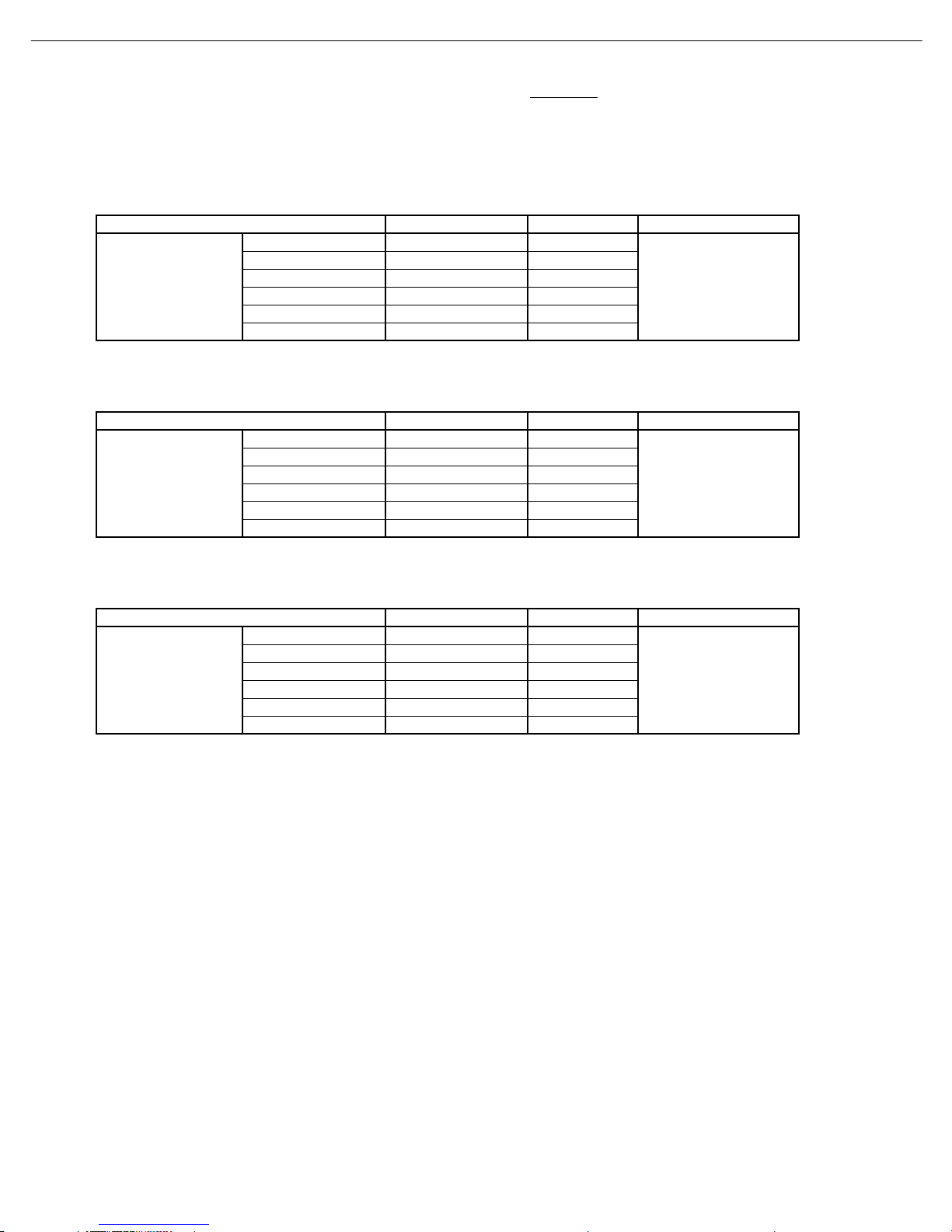
tvklsGuhtlGGGGaGk}k[_
kGGGGGGGGGGGaGGjGzGG
G}
{GkGGGGGGGGGGGGGGaGG{k}T\[WhGOhilPGGGGSGtk}kTXXXGO{lhjPGGGGGGGGGGz
zGuvUa
{GjGGGGGaGG^\ȳGsG{
hjGpGGGGGGGGGGGGGGGaGGmG|zhGOXYW}V]Wo¡PGGSGmGlGOYZW}V\Wo¡P
{GtGaGG}tT^WW{
tw蠯
·ΚΕΖΠͷΣΖΦΖΟΔΪΖΤΡΠΖΟΤԽ΅ΖΣΞΚΟΒΥΖΕ
ͽΚΞΚΥ
;ΫΕͳΖΗ
;Ϋ ΕͳρΕͳ
;Ϋ ΕͳρΕͳ
;Ϋ ΕͳρΕͳ
;Ϋ ΕͳρΕͳ
;Ϋ ΕͳρΕͳ
ͽΚΞΚΥ
;ΫΕͳΖΗ
;Ϋ ΕͳρΕͳ
;Ϋ ΕͳρΕͳ
;Ϋ ΕͳρΕͳ
;Ϋ ΕͳρΕͳ
;Ϋ ΕͳρΕͳ
ͽΚΞΚΥ
;ΫΕͳΖΗ
;Ϋ ΕͳρΕͳ
;Ϋ ΕͳρΕͳ
;Ϋ ΕͳρΕͳ
;Ϋ ΕͳρΕͳ
;Ϋ ΕͳρΕͳ
;ΖΒΤΦΣΖΞΖΟΥͺΥΖΞ ΖΤΦΝΥ ΅ΖΤΥ͵ΚΤΔ
;ΖΒΤΦΣΖΞΖΟΥͺΥΖΞ ΖΤΦΝΥ ΅ΖΤΥ͵ΚΤΔ
ʹΠΞΡΠΤΚΥΖΌΕͳΎ
;͵·͵Έ
΅ͺ΅ͽͶʹͲ΅Ͷ
;ΦΝΥΚͳΣΦΤΥ
΄·ΚΕΖΠΊΌΕͳΎ
;͵·͵Έ
΅ͺ΅ͽͶʹͲ΅Ͷ
;ΦΝΥΚͳΣΦΤΥ
;ΖΒΤΦΣΖΞΖΟΥͺΥΖΞ ΖΤΦΝΥ ΅ΖΤΥ͵ΚΤΔ
ʹΠΞΡΠΟΖΟΥΊ
ΌΕͳΎ
ͺΟΥΖΣΒΔΖ;ΠΕΖ
;͵·͵Έ
΅ͺ΅ͽͶʹͲ΅Ͷ
;ΦΝΥΚͳΣΦΤΥ
9
DVD48 harman/kardon
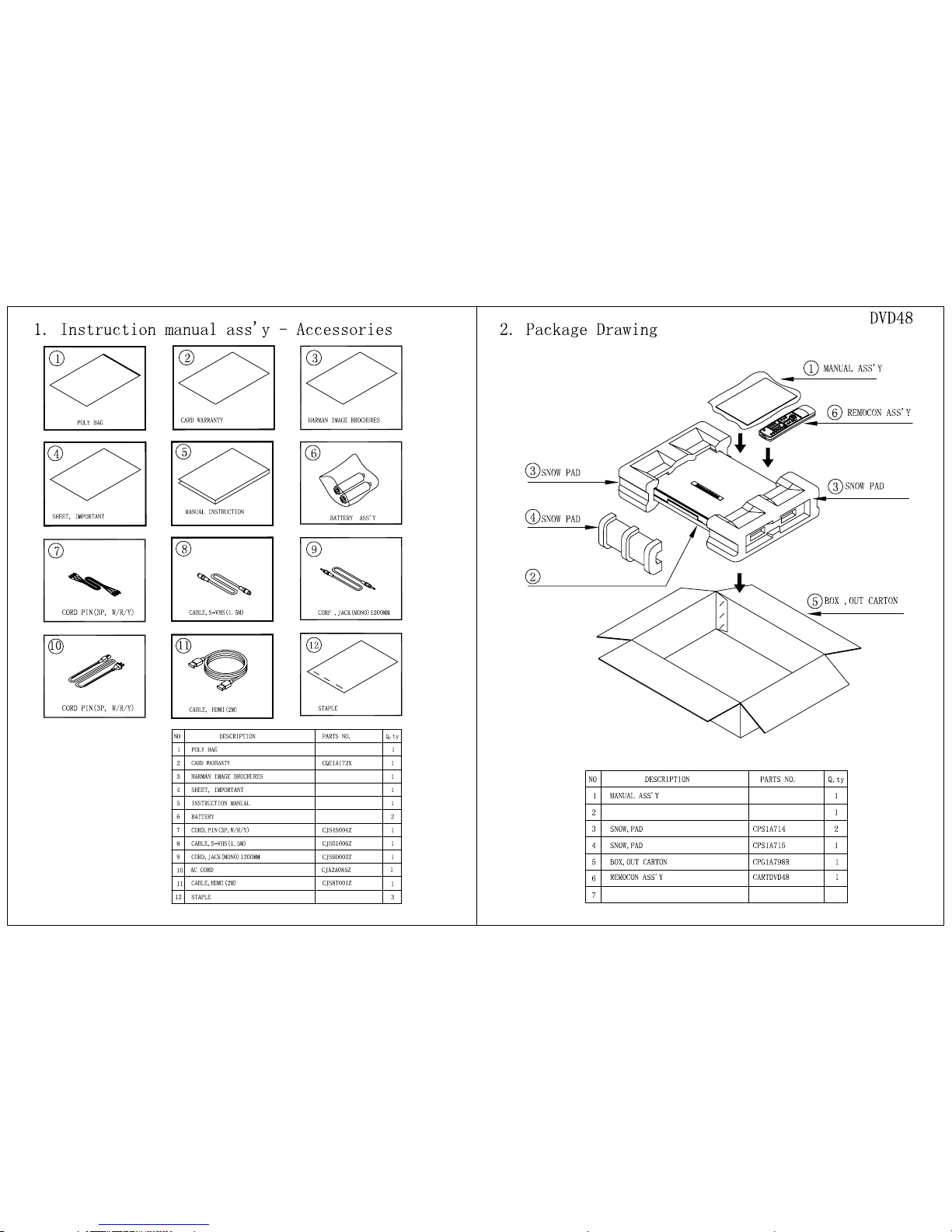
DVD 48 DVD 48
DVD 48
10
Autres manuels pour DVD 48
1
Table des matières
Autres manuels Harman Kardon Lecteur multimédia


