
Greystone DataFast D-101 Manuel utilisateur

DataFast™ D-101
Hand Held Duplication Unit
User’s Manual
GREYSTONE PERIPHERALS INC.,150 Knowles Drive,Los Gatos, CA 95030
TEL:(408) 871-4000 FAX:(408) 871-4100
E-Mail: grystone@grystone.com Web Page: http://www.grystone.com
A PubliCARD, Inc.Company

LIMITED 1 YEAR WARRANTY
GreystonePeripheralsInc.warrantstotheoriginalbuyerofthisproductthatthe
hardwareisfreeofdefectsinmaterialsandworkmanshipforaperiodofone(1)
year from the date of purchase. Should this product fail to be in good working
orderduringthewarrantyperiod,theCompany,atitssoleoption,willrepairor
replacethedefectiveproductwithanidenticalproductorproducthavingsimilar
featuresand functionalityasdeterminedbyGreystonePeripherals,Inc.
LIFE SUPPORT/MEDICAL SYSTEM USE DISCLAIMER:
DO NOT USE FOR MEDICAL PURPOSES
GreystonePeripherals,Inc.productsmaynotbeusedascriticalcomponentsinlife
supportdevices, lifesupportsystemsormedical systems.
Lifesupportdevicesorlifesupportsystemsormedicaldevicesaredevicesorsystems
which (a) are intended for surgical implant in the body, or (b) which support or
sustainlifeandwhosefailuretoperform,whenproperlyusedinaccordancewiththe
instructionsprovidedinthelabeling,canreasonablybeexpectedtoresultininjury.
Acriticalcomponentisanycomponentinalifesupportdeviceorlifesupportsystem
ormedicalsystemwhosefailuretoperformcanbereasonablyexpectedtocontribute
tothefailureormalfunctionofthelifesupportdeviceorsystemormaybeexpected
toaffectthe safetyor effectivenessof suchlife supportdeviceor system.
GreystonePeripherals,Inc.cannot,anddoesnot,assumetheresponsibilityorriskof
anyinjuryordeathrelatedtoanydefect,error,failureormalfunctionofthehardware,
softwareormanualswhich,takentogether,comprisetheGreystoneproduct.
PROPRIETARY NOTICE
Greystone Peripherals Inc. makes no warranty of any kind with regard to this
material,including,butnotlimitedto,theimpliedwarrantiesofmerchantability
andfitnessforaparticularpurpose.GreystonePeripheralsshallnotbeliablefor
errorscontainedhereinorforincidentalorconsequentialdamagesinconnection
with the furnishing, performance, or use of this material.
Thisdocumentcontainsproprietaryinformationwhichisprotectedbycopyright.
Allrightsarereserved.Nopartofthisdocumentmaybephotocopied,reproduced,
or translated to another language without the written consent of Greystone
Peripherals, Inc. The information contained in this document is subject to
changewithoutnotice.
DataFast isa trademarkof GreystonePeripheralsInc.
PentiumisaregisteredtrademarkofIntelCorporation.
Copyright 1999 by Greystone Peripherals, Inc. All rights reserved.
D-UMAN0018 11/99B

Chapter 1: Introduction
1-1 Introduction...........................................................1-1
1-2 Features..................................................................1-2
1-3 Specifications..........................................................1-3
Chapter 2: Setting Up Your D-101
2-1 Unpacking Your D-101 .........................................2-1
2-2 Setting Up Your D-101..........................................2-2
Chapter 3: Operation
3-1 Using the LCD Menu & Keypad...........................3-1
3-2 Main Menu Screen.................................................3-2
3-2.1 Changing the Source and Target Drives .....3-2
3-2.2 Starting a Job..............................................3-3
3-2.3 Standard Jobs..............................................3-3
Smart Copy.................................................3-4
Job Completion Status Display.............3-5
Mirror Copy ...............................................3-6
Disk Test ....................................................3-7
Wipe Disk ..................................................3-8
3-2.4 SRCE=IN TARGET=EXT.........................3-8
Set System Options.....................................3-9
Maintenance Menu...................................3-10
System Statistics menu........................3-10
View Log File......................................3-11
Set Time & Date ................................3-11
Update Software .................................3-11
Chapter 4: Remote Operation
4-1 Setup for Remote Operation ..................................4-1
4-2 Using the Remote Software Utility.........................4-2
4-2.1 Begin Drive 0 Operations with D-101 .......4-4
4-2.2 Select Remote Drive....................................4-5
4-2.3 Upload New Software to D-101 .................4-6
Contents

D-101 DataFast User’s Manual 1-1
Introduction
Chapter 1
Introduction
1-1 Introduction
Congratulations on your purchase of the D-101 DataFast™handheld
disk duplication unit from Greystone Peripherals, Inc. The
D-101is the smallest, lightest andfastest duplication/diagnostic toolon
the market today. Designed for the computer professional that needs a
powerful portable solution, this hand held unit is the answer. Just place
yourmasterdriveintheunitandyoucantakeitanywhere—andwiththe
D-101's bi-directional copy capability you can copy to or from a target
drive, whatever the job requires.
TheD-101unitallowsyoutoselectivelycopyprogramsoftwareanddata
from a master source drive to a target disk drive. Target drives that are
identical to the source drive may be “mirrored”, or duplicated exactly,
sector by sector. A ‘Smart Copy’ mode is used for faster copying, or for
dissimilar drives using a FAT16, FAT32, or NTFAT file system. The
D-101 is ideal for applications that require portability.
Priortoexecution,copyingjobsaresetupaccordingtothetype(physical
details) of the source and target disk, selective or complete copying, and
modeofcopying. Setupandexecutionofcopyjobsisaccomplishedusing
asix button keypad and a 4-line by 20-character LCD display. A menu
guides you easily through setup and copy jobs.
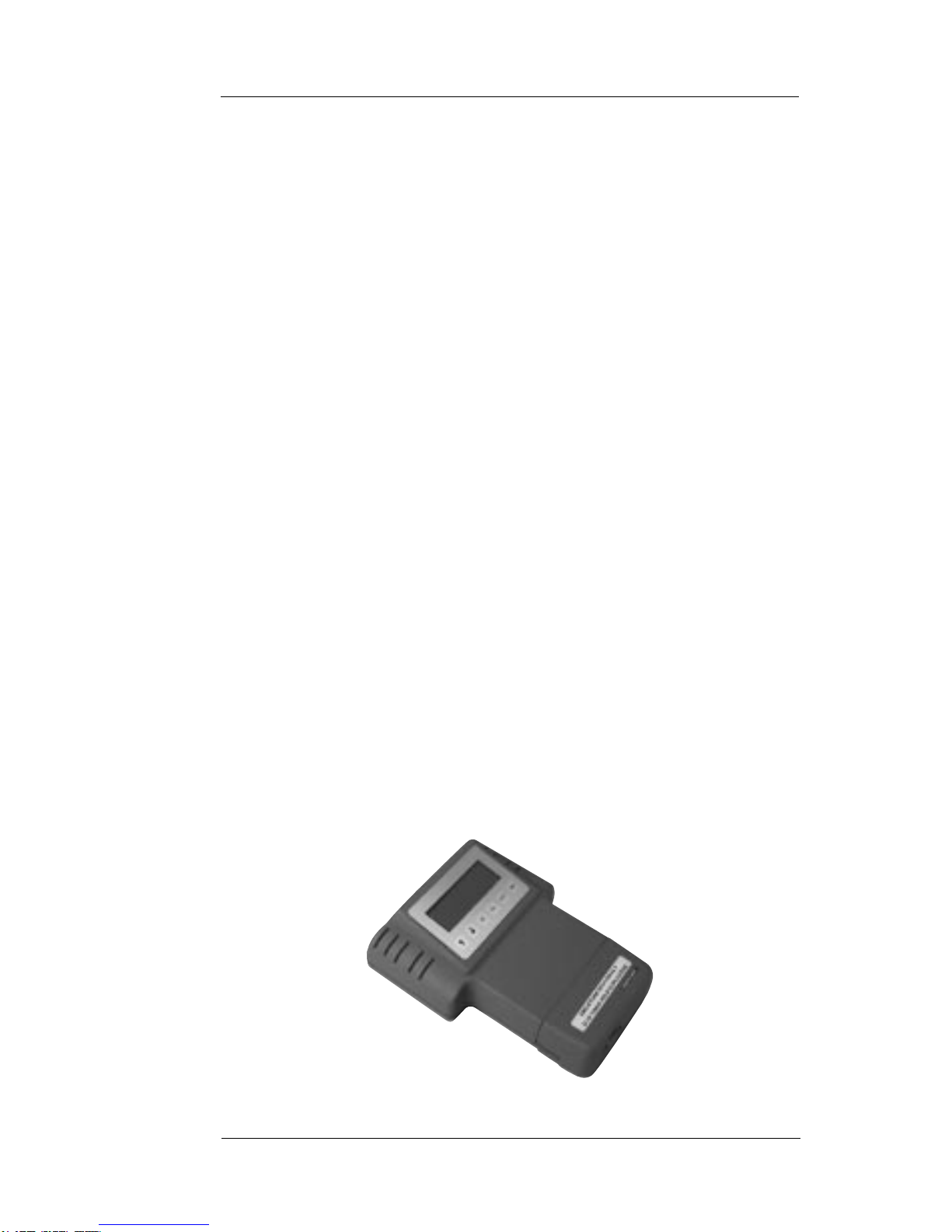
D-101 DataFast Handheld Duplicator Unit

1-2 D-101 DataFast User’s Manual
Introduction
1-2 Features
• Duplicates software from a master disk to a target disk drive
• Supports Ultra DMA ATA/EIDE/IDE drives
• Data transfer speeds over 400 MB/min through IDE
interface
• Copies all operating systems
• Bi-directional copying
• Copies Compaq and Winbook maintenance partitions
• Smart Copy mode duplicates only files, not unused space or
deleted files (all FAT file systems)
• Mirror mode copies even unknown file systems to drives
with identical cylinder, head and sector counts
• Duplicates drives larger than 8 GB
• Supports LBA, CHS addressing and Read/Write Multiple
modes
• Automatic parameter translation option to keep logical
cylinder count below 1024
• Wipeout mode fills each sector on disk with zeroes
• Verify option reads back copied data and compares with
original
• Data logging tracks job results
• Cooling fan to prevent over-heating and ensure data integrity
• Parallel port allows copy operations between D-101 drive
and a PC with IDE drives

D-101 DataFast User’s Manual 1-3
Introduction
1-3 Specifications
•Power Requirements: 110/220 Vac 1A 47-63Hz
•Dimensions: 6.5"(W) x 8.0" (D) x 1.85" – 2.75" (H)
•Weight: 1.5 lb
Serial Port
The serial port is reserved for factory test and technical support of the
D-101.AD-101unitcanconnecttoanASCIIterminalortoahostPC
byaserialporttoserialportcable.TheD-101serialportisconfiguredas:
• DOS COM1
• 9600 baud, 8-bit data, 1-stop bit, no parity
• IBM PC/AT-compatible DB-9 connector
Parallel Port
The parallel port is used to connect the D-101 to a host PC through a
standardIEEE-1284parallelinterface.APCbootablefloppycontaining
remote software utilities is provided to enable copying between the
D-101and aPC, andfor D-101software upgrades.The D-101parallel
port is configured as:
• IEEE-1284 compatible
• DOS LPT1
• EPP mode (if supported by the connected PC.
Otherwise, bi-directional mode is used.)

1-4 D-101 DataFast User’s Manual
Introduction

D-101 DataFast User’s Manual 2-1
Setting Up Your D-101
Chapter 2
Setting UpYour D-101
This chapter will guide you through the easy procedures for setting up
your D-101 hand held disk duplication unit. It includes the following
sections:
• Unpacking your D-101
• Setting up the system for operation
Once you have completed the setup procedures detailed in this chapter,
refer to Chapter 3 for operating instructions to get you up and running
quickly.
2-1 UnpackingYour D-101
BeforesettinguptheD-101,verifythatyouhavereceivedalltheitemsfor
the system configuration you ordered. Please consult your dealer or
Greystone Peripherals if any item is damaged or missing.
1. One D-101 unit
2. One 40-pin data cable
3. One 4-pin power cable
4. One IEEE 1284 parallel cable
5. One AC power adapter
6. 3.5" D-101 utilities diskette
7. Registration card
8. User’s manual
Record the D-101 Serial Number
Now is a good time to record the serial number and date of purchase.
Locatetheserialnumberontheunitandwriteitdowninthespacebelow
for future reference if needed.
D-101 Serial No.: _______________________________
Date of Purchase: _______________________________

2-2 D-101 DataFast User’s Manual
Setting Up Your D-101
2-2 Setting UpYour D-101
ProceedwiththefollowinginstructionsforeasysetupofyourD-101disk
duplicating system.
SPECIAL NOTE
All drives, both master and target drives must be set
(following the drive manufacturer’s instructions) as
MASTER DRIVES. They must not be set as slave
drives, or set to cable select.
NOTE
The D-101 supports bi-directional copying. You can
designate the internal drive to be either the source
(master) or the target (destination) drive.
Target Drive
IDE Data
Ethernet
Power IN
D-101 Connector and Feature Locations
Target Drive
Power
Parallel Port
Serial Port
Cover to
Master Drive
Compartment
LCD Menu Display
Keypad
Table des matières
Manuels duplicateur de disques populaires d'autres marques


Kanguru
Kanguru U2-DVDDUPE-S Manuel utilisateur

StarTech.com
StarTech.com 8STSATDUP11 Manuel utilisateur

DUPLO SEIKO CORPORATION
DUPLO SEIKO CORPORATION Duprinter DP-460 Manuel utilisateur

Addonics Technologies
Addonics Technologies UDFH7 Manuel utilisateur

Vinpower Digital
Vinpower Digital MiniLoader VDX-1 Manuel utilisateur

Addonics Technologies
Addonics Technologies CFASTD5 Manuel utilisateur