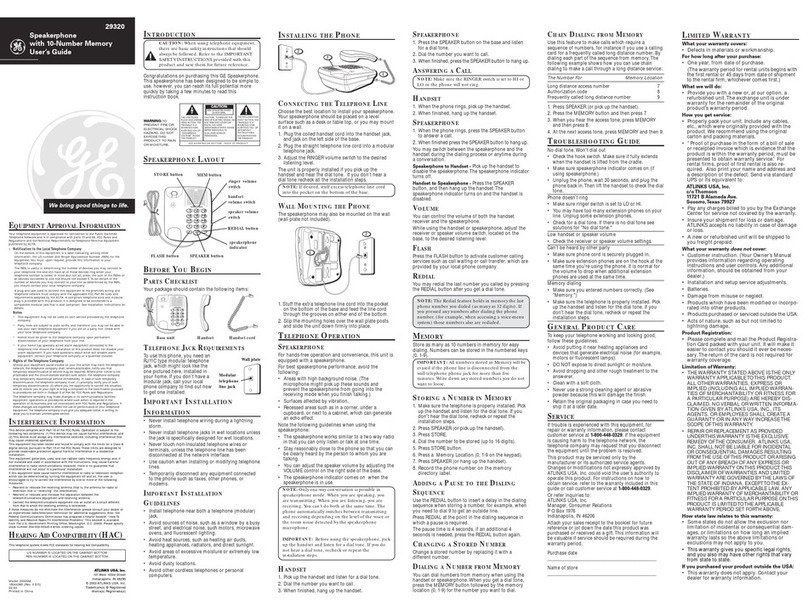
GE 2-9950 Manuel utilisateur

We bring good things to life.
2-9950
900MHz 32-Channel Cordless Telephone
with Digital Messaging System
User’s Guide

2
IMPORTANT INFORMATION
NOTICE: The Industry Canada label identifies certified equipment. This certification means
that the equipment meets certain telecommunications network protective, operational and
safety requirements. The Industry Canada does not guarantee the equipment will operate to
the user’s satisfaction.
Before installing this equipment, users should ensure that it is permissible to be connected
to the facilities of the local telecommunications company. The equipment must also be
installed using an acceptable method of connection. The customer should be aware that
compliance with the above conditions may not prevent degradation of service in some
situations.
Repairs to certified equipment should be made by an authorized Canadian maintenance
facility designated by the supplier. Any repairs or alterations made by the user to this
equipment, or equipment malfunctions, may give the telecommunications company cause to
request the user to disconnect the equipment.
Users should ensure for their own protection that the electrical ground connections of the
power utility, telephone lines and internal metallic water pipe systems, if present, are
connected together. This precaution may be particularly important in rural areas.
CAUTION: Users should not attempt to make such connections themselves, but should
contact the appropriate electric inspection authority, or electrician, as appropriate.
NOTES: This equipment may not be used on coin service provided by the telephone
company.
Party lines are subject to telephone company tariffs and, therefore, you may not be able to
use your own telephone equipment if you are on a party line. Check with your local
telephone company.
INDUSTRY CANADA NUMBER IS LOCATED ON THE CABINET BOTTOM
REN NUMBER IS LOCATED ON THE CABINET BOTTOM

3
WARNING:
TO PREVENT FIRE
OR ELECTRICAL SHOCK HAZARD,
DO NOT EXPOSE THIS PRODUCT
TO RAIN OR MOISTURE.
SEE MARKING ON BOTTOM / BACK OF PRODUCT
CAUTION
RISK OF ELECTRIC SHOCK
DO NOT OPEN
THE EXCLAMATION
POINT WITHIN THE
TRIANGLE IS A
WARNING SIGN
ALERTING YOU OF
IMPORTANT
INSTRUCTIONS
ACCOMPANYING
THE PRODUCT.
THE LIGHTNING
FLASH AND ARROW-
HEAD WITHIN THE
TRIANGLE IS A
WARNING SIGN
ALERTING YOU OF
"DANGEROUS
VOLTAGE" INSIDE
THE PRODUCT.
CAUTION: TO REDUCE THE
RISK OF ELECTRIC SHOCK,
DO NOT REMOVE COVER
(OR BACK). NO USER-
SERVICEABLE PARTS IN-
SIDE. REFER SERVICING
TO QUALIFIED SERVICE
PERSONNEL.
INTERFERENCE INFORMATION
This equipment generates and uses radio frequency energy which may
interfere with residential radio and television reception if not properly
installed and used in accordance with instructions contained in this
manual. Reasonable protection against such interference is ensured,
although there is no guarantee this will not occur in a given installation. If
interference is suspected and verified by switching this equipment on and
off, the user is encouraged to try to correct the interference by one or
more of the following measures: Reorient the radio/television receiver’s
antenna, relocate the equipment with respect to the receiver, plug the
equipment and receiver into separate circuit outlets. The user may also
wish to consult a qualified radio/television technician for additional
suggestions. This equipment has been fully tested and complies with all
limits for Class B computing devices pursuant to part 15 FCC Rules and
Regulations. This device complies with RSS-210 of Industry Canada.
Operation is subject to the following two conditions: (1) This device may
not cause interference, and (2) This device must accept any interference,
including interference that may cause undesired operation of the device.
HEARING AID COMPATIBILITY
This telephone system meets FCC/Industry Canada standards for Hearing Aid Compatibility.
NOTE: Digital Security System
When you place the handset in the base, the unit verifies its security
code which prevents false ringing from other cordless telephones. After
a power outage or battery replacement, you should place the handset in
the base for about 20 seconds to reset the code.

4
TABLE OF CONTENTS
IMPORTANT INFORMATION ................ 2
INTERFERENCE INFORMATION ............ 3
HEARING AID COMPATIBILITY ........... 3
INTRODUCTION .................................. 4
TABLE OF CONTENTS .......................... 4
GETTING STARTED ................................ 5
BEFORE YOU BEGIN .......................... 5
MODULAR JACK REQUIREMENTS ...... 5
DESKTOP INSTALLATION ...................... 6
WALL MOUNT INSTALLATION .............. 7
SETUP ............................................ 8
SETTING DAY AND TIME .................... 8
TOCHECK DAY AND TIME ................ 9
BASE RINGER ON/OFF ...................... 9
SETTING NUMBER OF RINGS ............. 10
SETTING REMOTE ACCESS CODE ....... 11
INDICATORS ........................................ 12
BASE UNIT .................................... 12
HANDSET ....................................... 12
CORDLESS PHONE BASICS .................... 13
MAKING ACALL ............................. 13
INUSE INDICATOR ....................... 13
REDIAL ...................................... 13
RECEIVING ACALL .......................... 13
FLASH ....................................... 13
VOLUME SWITCH ......................... 14
RING/PWR SWITCH ....................... 14
SELECTING ARING SOUND ............... 14
MUTE BUTTON ............................... 15
TEMPORARY TONE .......................... 15
PAGING THE HANDSET ..................... 16
CHAN (CHANNEL) ............................ 16
PHONE RECORD .............................. 16
REMOTE ACCESS ............................ 17
ROOM MONITOR ............................. 18
HANDSET CALL SCREENING .............. 18
HELP ............................................ 19
ANSWERING INCOMING CALLS DURING
PLAYBACK .................................. 19
THE MEMORY FEATURE ....................... 20
STORING ANUMBER IN MEMORY ... 20
STORING APAUSE IN MEMORY ..... 20
STORING AREDIAL NUMBER ........... 21
CHANGING ASTORED NUMBER ...... 21
DIALING ASTORED NUMBER ......... 21
CHAIN DIALING FROM MEMORY ..... 22
DIGITAL ANSWERING BASICS ................ 23
POWER ON/OFF ............................. 23
STATUS CHECK ............................... 23
RECORDING OUTGOING
ANNOUNCEMENTS ....................... 23
CHECKING ANNOUNCEMENTS (FROM
BASE ONLY)............................. 24
MEMO RECORDING ......................... 25
MESSAGE PLAYBACK ....................... 25
PAUSING PLAYBACK ..................... 26
CANCELING PLAYBACK .................. 26
REVIEWING MESSAGES ................. 26
SKIPPING MESSAGES ................... 26
ERASING MESSAGES ....................... 27
TO ERASE ASINGLE MESSAGE:........ 27
TO ERASE OLD MESSAGES: ............. 27
CHANGING THE BATTERY ...................... 28
BATTERY SAFETY PRECAUTIONS ..... 28
REMOTE OPERATIONS .......................... 29
TROUBLESHOOTING GUIDE ................... 31
GENERAL PRODUCT CARE .................... 33
CAUSES OF POOR RECEPTION ............... 33
REN NUMBER ................................... 34
TELEPHONE NETWORK INFORMATION ..... 34
ACCESSORY ORDER FORM ................... 35
INDEX ............................................... 37
SERVICE ............................................ 38
INTRODUCTION
Your GE 900 MHz Cordless Telephone is designed to give you flexibility in use and high
quality performance. To get the most from your new cordless telephone, we suggest that
you take a few minutes right now to read through this instruction manual.

5
GETTING STARTED
Make sure your package includes the items shown here.
AC power adapter
Telephone line cord
Short telephone
line cord
HandsetBase
Base plate
MESSAGE/MEMO
ANNOUNCE ERASE STOP
TIME
MENU SET ON/OFF
PAGE
ANSWER
TUV
1
456
GHI
7
PQRS
89
WXYZ
OPER
0#
*
23
TONE
JKL MNO
ABC DEF
PAUSE MUTE HELP
TALK
REMOTE
CHAN RING
ON OFF–RING
PWR ON OFF
IN USE REMOTE
REDIAL FLASH MEM
BAT LOW
MEMO
ROOM NEW MSG ON/OFF
ERASE STOP
ANNOUNCE
IMPORTANT: Because cordless phones operate on electricity, you should
have at least one phone in your home that isn’t cordless, in case the power in
your home goes out.
INSTALLATION NOTE: Some cordless telephones operate at frequencies that
may cause interference to nearby TVs and VCRs. To minimize or prevent such
interference, the base of the cordless telephone should not be placed near or on
top of a TV or VCR. If interference continues, moving the cordless telephone
farther away from the TV or VCR will often reduce or eliminate the interference.
BEFORE YOU BEGIN
MODULAR JACK REQUIREMENTS
You need an RJ11 (CA11A) type modular jack, which is
the most common type of phone jack and might look like
the one pictured here. If you don’t have a modular jack,
call your local phone company to find out how to get one
installed.
CHARGE ANSWER
PAGE FULL
MESSAGERING
IN USE

6
DESKTOP INSTALLATION
1
2
1. Make sure base plate is securely
fastened.
2. Plug the power supply cord into
the POWER 9V DC jack on the
base and into an AC outlet. The
LED indicators will all light up.
This is normal operation. The
LEDs will go out after about 30
seconds.
3. Place handset in the base to
charge for 12 hours. The
CHARGE/IN USE light (on the
base) comes on to indicate that
the battery is charging. If you
don’t charge the handset battery
properly (for 12 hours) when you
first set up the phone, perfor-
mance of the battery will be
compromised.
3
4
NOTE: Use only the Thomson
5-2420 power supply that is
compatible with this unit. Using
other adapters may damage the
unit.
4. Plug the telephone line cord into the PHONE LINE jack on the base and
into a modular jack.

7
WALL MOUNT INSTALLATION
1. Plug the power supply cord into the
POWER 9V DC jack on the base and
into an AC outlet. The LED indica-
tors will all light up. This is normal
operation. The LEDs will go out
after about 30 seconds.
Place handset in the base to charge for
12 hours. The CHARGE/IN USE light
comes on to indicate that the battery
is charging. You must charge the
handset battery continuously
(without using the phone) for 12
hours when you set up the phone.
2. Remove the handset hook; turn it
upside down, and put it back in the
slot. You need to do this so the
handset doesn’t fall out of the base.
3. Flip the base plate and re-install it
by putting the tabs into the slots on
the top of the unit first, and then
snapping the bottom tabs into
place.
4. Plug the short telephone line cord
into the jack marked PHONE LINE
on the back of the unit and plug the
other end into a modular wall jack.
5. Slip the mounting holes over the
wall plate posts and slide the unit
down firmly into place. (Wall plate
not included.)
3
4
2
1
5

8
3
SETUP
1. Set the T/P switch to T for touch-
tone service, or P for pulse
(rotary) service. If you don’t know
which type of service you have,
check with the phone company.
2. Set RING switch to ON.
3. Raise the base antenna.
4. Set message length switch to
desired setting.
SETTING DAY AND TIME
1. Hold TIME SET until the unit
announces a day of the week.
2. Press to advance through the
days or to reverse through
the days until the unit announces
the correct day of the week.
3. Press TIME SET to confirm your
choice.
The unit will announce the hour.
4. Press to advance through the
hours or to reverse through
the hours until the unit an-
nounces the correct hour of the
day.
CHAN RING
ON OFF–RING
PWR ON OFF
BAT LOW
MESSAGE / MEMO
TIME ANSWER
ON / OFF
SET
MENU
TIME ANSWER
ON / OFF
SET
MENU
MESSAGE / MEMO
Max 1 min Announce Only T/P
-
+
Message Length
1
Note: The prompts for “Setup” will cancel
after several seconds if no buttons are pressed.
4

9
5. Press TIME SET to confirm your
choice.
The unit will announce the
minute(s).
6. Press to advance through the
minutes or to reverse
through the minutes until the
unit announces the correct
minute (s) of the day.
7. Press TIME SET to confirm your
choice.
The unit will announce the set
day and time.
TOCHECK DAY AND TIME
Press TIME SET. The unit will
announce the day and time.
BASE RINGER ON/OFF
1. Press MENU and the unit will
announce the current ringer on/
off state.
2. Press or until the unit
announces the state you want:
on or off.
3. Press MENU to confirm your
choice and proceed to the next
setting.
MESSAGE / MEMO
TIME ANSWER
ON / OFF
SET
MENU
TIME ANSWER
ON / OFF
SET
MENU
TIME ANSWER
ON / OFF
SET
MENU
TIME ANSWER
ON / OFF
SET
MENU

10
SETTING NUMBER OF
RINGS
This feature allows you to set the
number of times the phone rings
before the answerer picks up. The
default is set for four rings.
1. While the ANSWER/MESSAGE
LED is flashing, press MENU and
the unit will announce the
current number of rings. If the
LED is steady, press MENU twice.
2. Press or to select: two
rings, two or four rings (toll
saver), four rings or six rings.
3. Press MENU.
The unit will confirm your selection.
TIME ANSWER
ON / OFF
SET
MENU
MESSAGE / MEMO
TIME ANSWER
ON / OFF
SET
MENU
Table des matières
Autres manuels GE Téléphone

GE
GE 2-9200 Manuel utilisateur

GE
GE 29484 Manuel utilisateur

GE
GE 27881 Manuel utilisateur

GE
GE 5467 Manuel utilisateur

GE
GE 2-9735 Manuel utilisateur

GE
GE DECT6.0 28225 Manuel utilisateur

GE
GE 28052EE2-A Manuel utilisateur

GE
GE 25982EE2 Manuel utilisateur

GE
GE 15-Feb Manuel utilisateur

GE
GE 29254 Series Manuel utilisateur

GE
GE 29480C Manuel utilisateur

GE
GE 29267 Manuel utilisateur

GE
GE AU29391GE1 Manuel utilisateur

GE
GE 27958B Manuel utilisateur

GE
GE 29585FE1 Manuel utilisateur

GE
GE 343A6768-0001 Manuel utilisateur

GE
GE 2-9120/2-9130 Manuel utilisateur

GE
GE 4228 Manuel utilisateur

GE
GE EX29350 Manuel utilisateur

GE
GE AU27850GE3 Manuel utilisateur