
G-Mouse ZYM-GM11-5U Manuel utilisateur
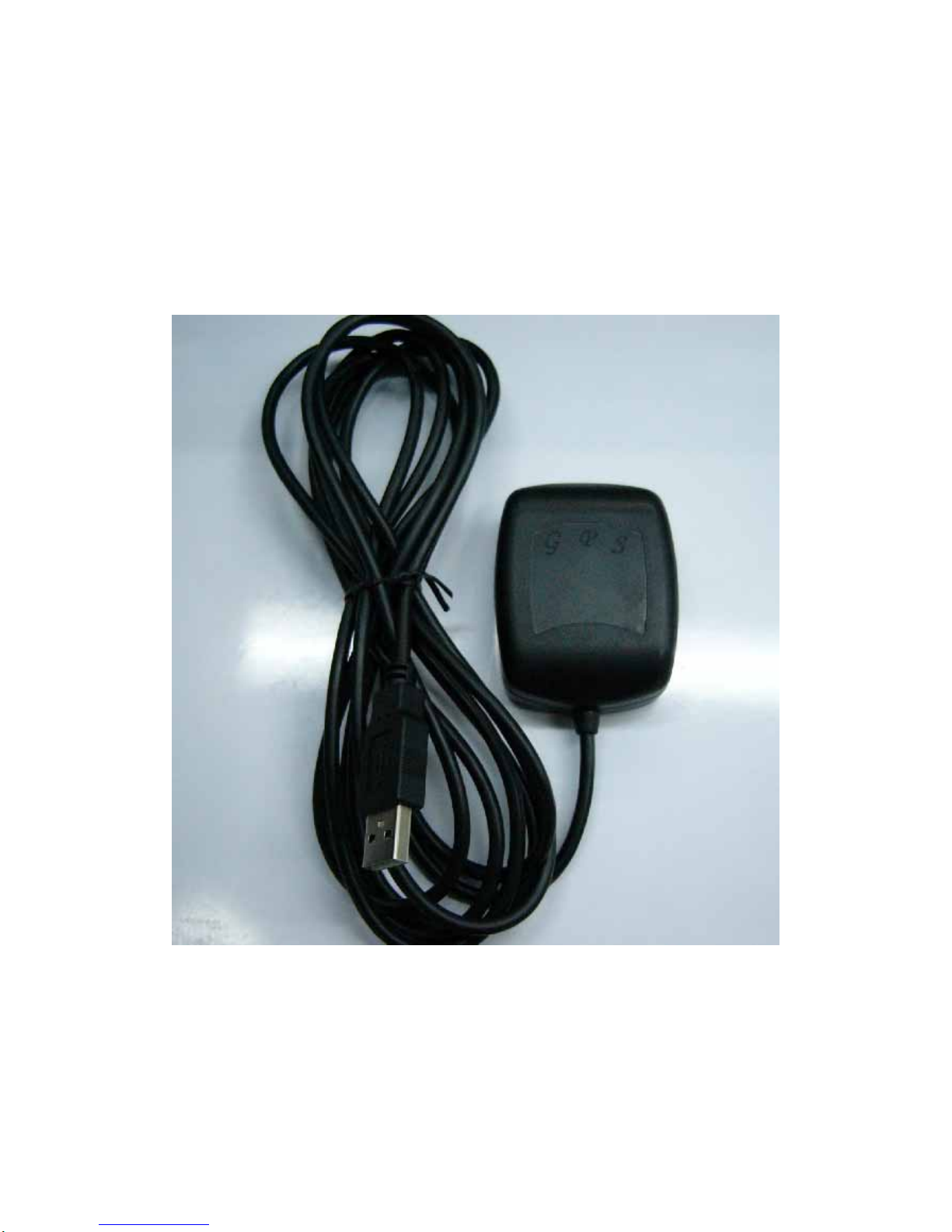
G-Mouse GPS Receiver
ZYM-GM11-5U
User Manual

Table of Contents
Usage Notice……………………………………………………………4
0. Quick Start……………………………………………………………4
0.1 Check the package…………………………………………………4
1. Introduction…………………………………………………………5
1.1 Introduction………………………………………………………5
1.2 Features……………………………………………………………5
1.3 Technical Specification……………………………………………6
2.Operational Characteristics…………………………………………8
2.1 Initialization setup…………………………………………………8
2.2 Navigation…………………………………………………………9
3. Hardware Specification……………………………………………9
3.1 Outline………………………………………………………………9
3.2 Output connector…………………………………………………9
3.3 Magnetic plate(Concurrently fixed stand)………………………10
4. G-Mouse USB Driver……………………………………… ……10
4.1 System requirement………...……………………………………10
4.2 Install USB driver…………………………………………………10
4.3 Verify the driver installation……………………………………11
5.Warranty……………………………………………………………13
6. Trouble Shooting Guide……………………………………………13
6.1 Satellite signal problem……………………………………………13

6.2 Position fixing problem……………………………………… …15
6.3 GPS not fix problems.……………………… ……………………16
7. AppendixA Software Protocol……………………………………16
A.1 NMEA transmited message…….………………………………16
A.2 RTCM received data……………………… ……………………22
8. AppendixB Coordinate System and Output Settings….…………22
B.1 Coordinate system………………………………………………22
B.2 Output settings…………………………………………… ……23

Usage Notice
Please read before you start to use the GPS receiver:
GPS(Global Position System) is found and operated by US
Department of defense. The Organization is responsible for accuracy
and maintenance of the system with full authority. Any change that
is made by the organization will affect accuracy and function of
GPS.
For your driving security, we strongly suggest that you do not
operate the device during driving.
When satellite is navigating, if you are inside a building, tunnel or
near huge blocks, it will affect GPS satellite signal receiving. At this
time, this device probably dose not have positioning capability.
If you have a speed alarm in your car, the signal receiving of this
device will be interfered. If this situation happens, please stop using
your speed alarm.
Please do not expose this device to sun for a long time to avoid
damage to internal precision circuit.
0、Quick Start
0.1、Check the package
A、Standard pack
ZYM-GM11-5U (GPS receiver, including magnet pad), disc (including
quick use manual)

B、Optional accessory
To collocate with different kinds of computers and handset devices,
G-Mouse GPS receivers you purchase may include different accessories
as below:
1. Computer connector
2. Software (navigation or special software)
3. Other software/hardware
1、Introduction
1.1 、Introduction
G-Mouse is a total solution GPS receiver (G-Mouse instead below),
designed based on most high sensitivity kernel architecture. This
positioning application meets strict needs such as car navigation, mapping,
surveying, security, agriculture and so on. Only clear view of sky and
certain power supply are necessary to the unit.
It communicates with other electronic utilities via compatible
dual-channel through TTL and saves critical satellite data by built–in
backup memory. With low power consumption, the G-Mouse tracks up to
12 satellites at a time, re-acquires satellite signals in 1 sec and updates
position data every second.
1.2 、Features
G-Mouse provides a host of features that make it easy for integration and
use.
1. Use the most advantage GPS module, the module got high
performance CPU inside(ARM CPU), allow users to design different
applications, store in the module, to provide the most economic solution
for anybody.
2. High performance receiver tracks up to 12 satellites.
3. Water proof design for all weather.
1.3 、Technical Specification
1.3.1、Dimension
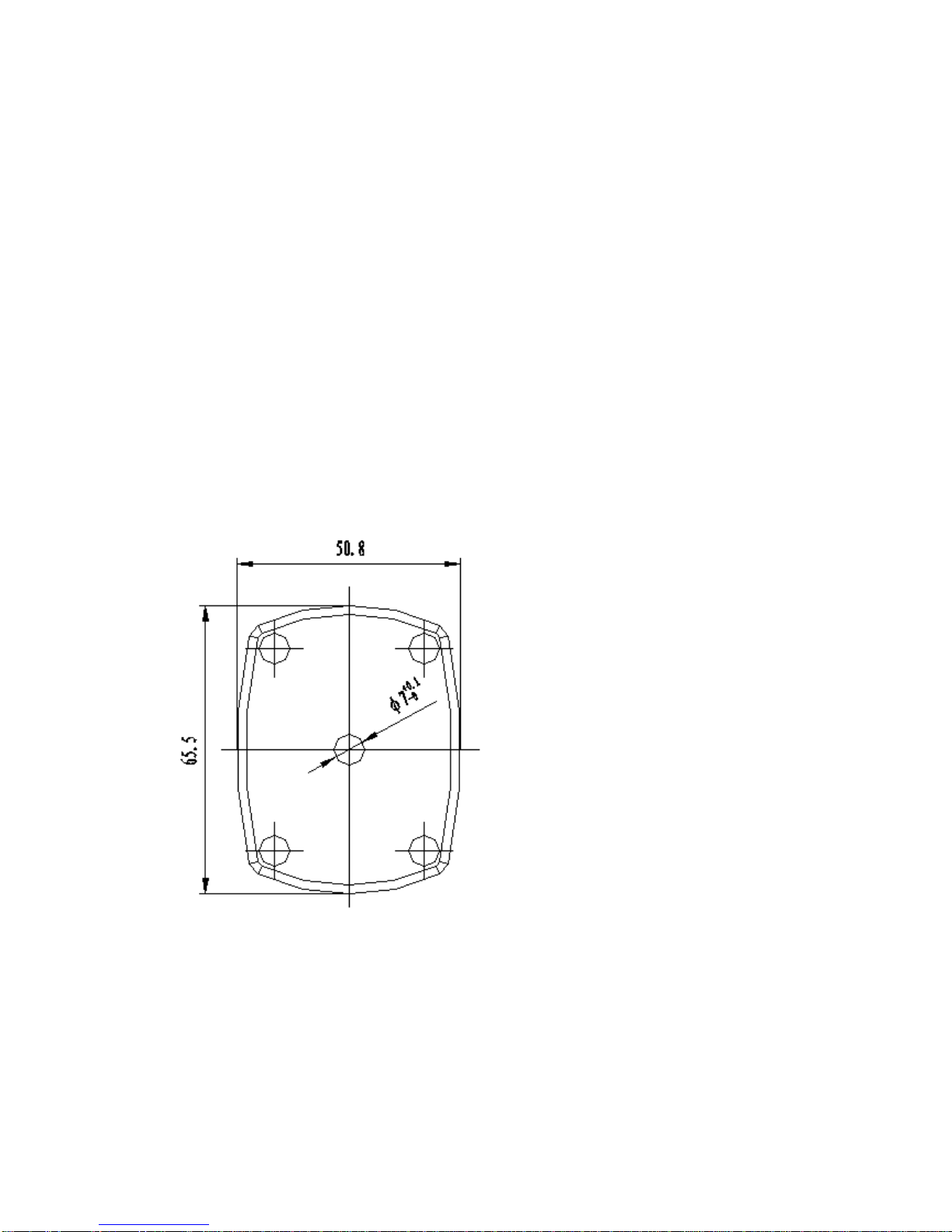
Size: 65.5 (L) x 50.8 (W) x 22.4 (H) (mm)。
1.3.2 、Environmental Characteristics
1) Waterproof: IPX7
2)Working Temperature: -40~+85°C
3) Storage temperature: -40 ~85°C

4) Humidity:≦95%
1.3.3、Electrical Characteristics
1) Input voltage: +4.95~+5.5V DC
2) Backup battery: 3V Rechargeable Lithium cell battery.
1.3.4 、Performance
1) Tracks up to 12 satellites.
2) Update rate: 1 second.
3) Acquisition time (average)
Hot start: 8 second。
Warm start: 38 second。
Cold start: 48 second。
4) Position accuracy:
Position: <10m 90% no SA
Velocity: 0.1 m/sec no SA
Time: 1 second synchronized GPS time
5) Dynamic Conditions:
Altitude: 18,000 m max
Velocity: 515 m/sec (1,000 knots) max
Acceleration: 4G max
1.3.5 、Interfaces
1) Dual channel TTL compatible level, with user selectable baud rate
(4800-Default, 9600, 19200, 38400)

2) NMEA 0183 Version 3.01 ASCII output (GPGGA, GPGSA, GPGSV,
GPRMC, option GPGLL,GPVTG).
2、Operational Characteristics
2.1、Initialization Setup
After the initial self-test is complete, the G-mouse will begin the
process of satellite acquisition and tracking. The acquisition process is
fully automatic and, under normal circumstances, will take approximately
48 seconds to achieve a position fix (38 seconds if ephemeris data is
know). After a position fix has been calculated, valid position and time
information will be transmitted over the output channel(s).
The G-Mouse utilizes initial data such as last stored position, data and
time as well as satellite orbital data to achieve maximum acquisition
performance. If significant inaccuracy exists in the initial data, or if the
orbital data is obsolete, it may take a long time to achieve a navigation
solution. The G-mouse Auto-locate feature is capable of automatically
determining a navigation solution without intervention from the host
system. However, acquisition performance can be improved if the host
system initialized the G-mouse following the occurrence of one or more
of the following events:
1) The GPS receiver is not in use for more than 3 months or
transportation over distances further than 500 kilometers.
2) Failure of the internal memory battery without system standby power.
2.2 、Navigation
After the acquisition process is complete, the G-Mouse will begin
sending valid navigation information over its output channels. These data
include:
1) Latitude/longitude/altitude
2) Velocity
3) Date/time
4) Error estimates
5) Satellite and receiver status
3、Hardware Specification
3.1、Outline
Size: 65.5 (L) x 50.8(W) x 22.4(H) (mm)。
3.2、Output Connector
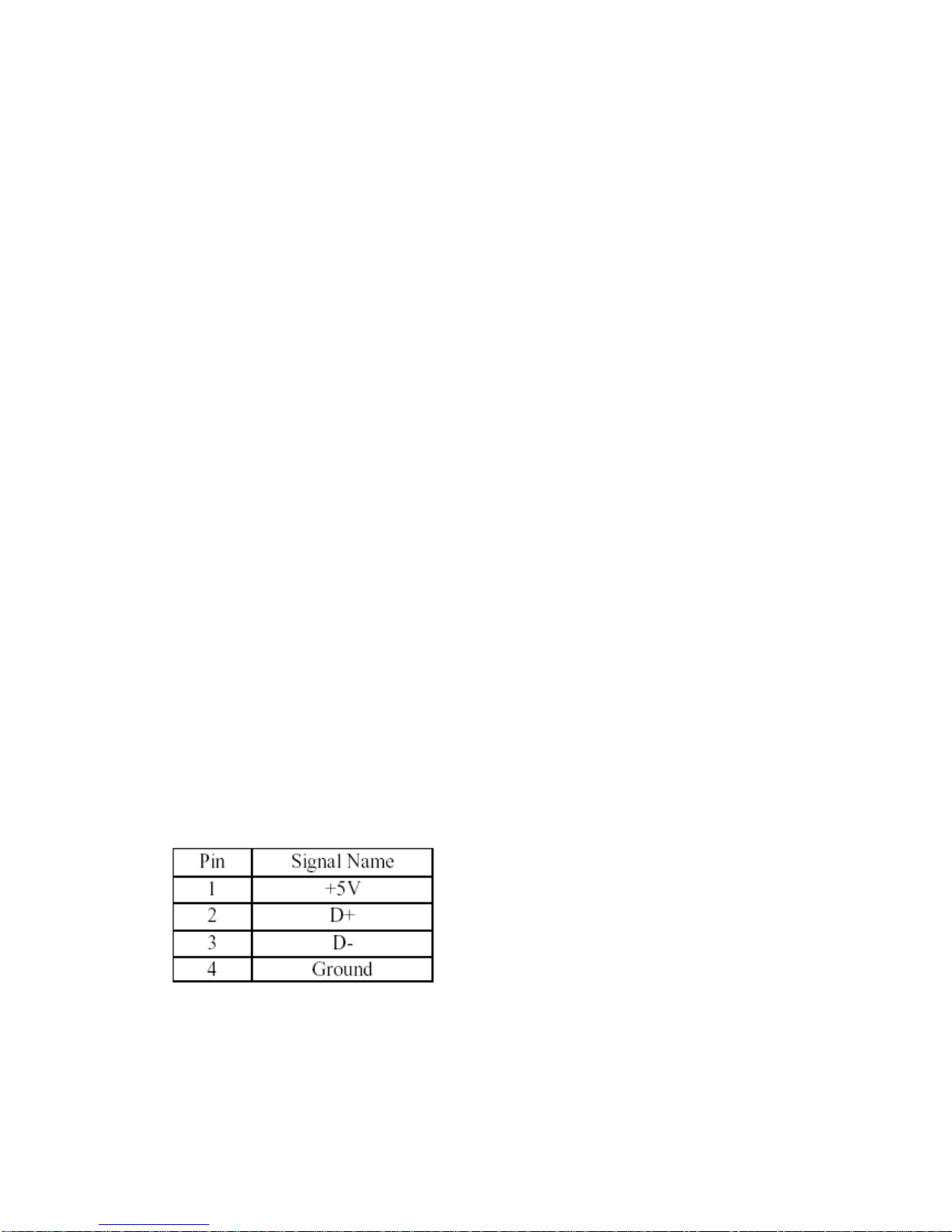
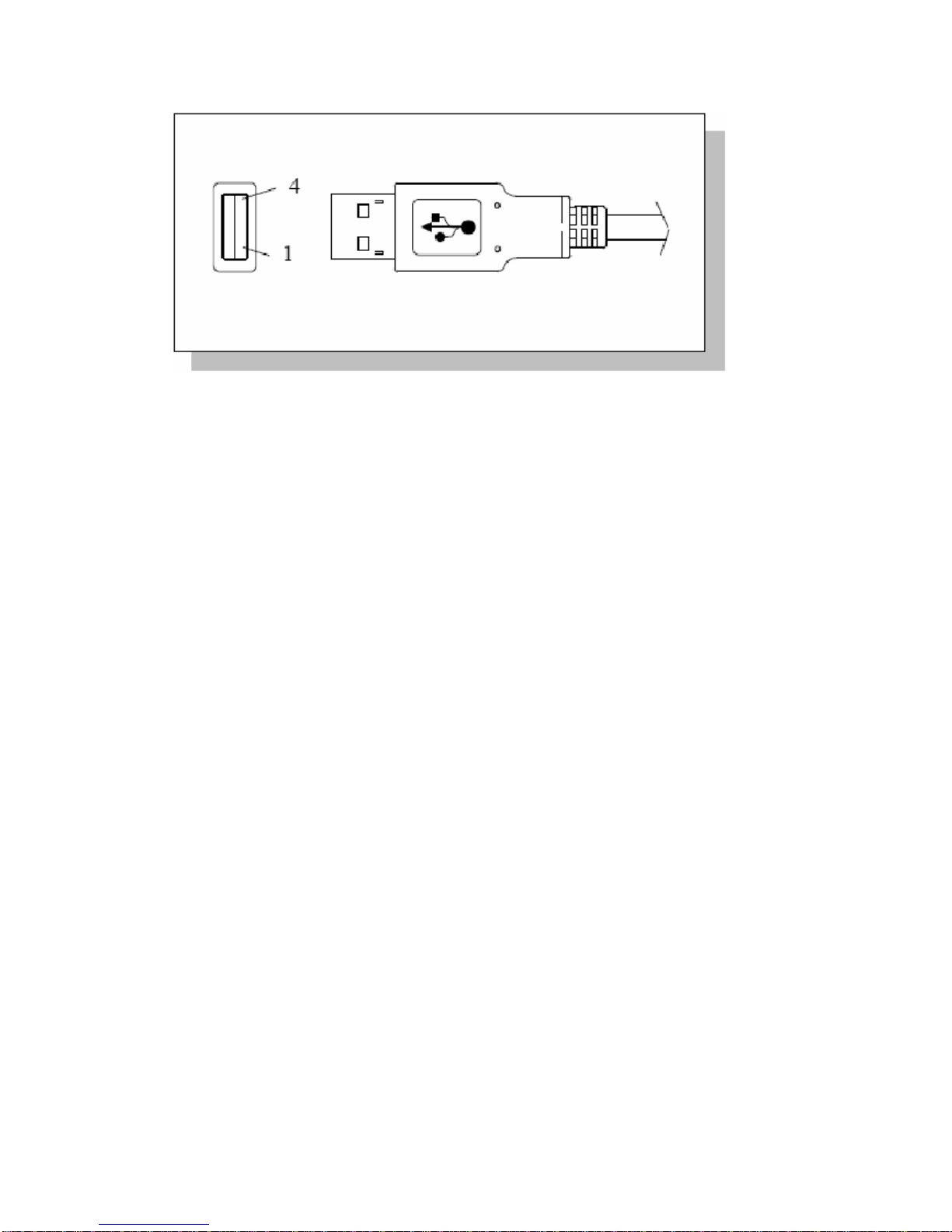
Cable length: 3 meter, Connector: USB.
The USB type:A type
3.3、Magnetic plate (Concurrently fixed stand)
The magnetic plate, a standard equipment, has been put in the G-Mouse
base on delivery, can be put on the car roof, the boat roof or the other
brace and face to the sky.
4、G-Mouse USB Adapter Driver
4.1 、System requirement
PC: IBM, Pentium or above or compatible PC。
Memory: 16MB or above。
Operation system: Windows 98/Me/2000/2000XP
Display card: VGA compatible.
4.2 、Install USB Driver
1) Insert the CD-ROM: [GPS Driver&Manual]
into the CD drive. Please make sure that the
auto-play function is enabled!
Table des matières
Autres manuels G-Mouse GPS


