
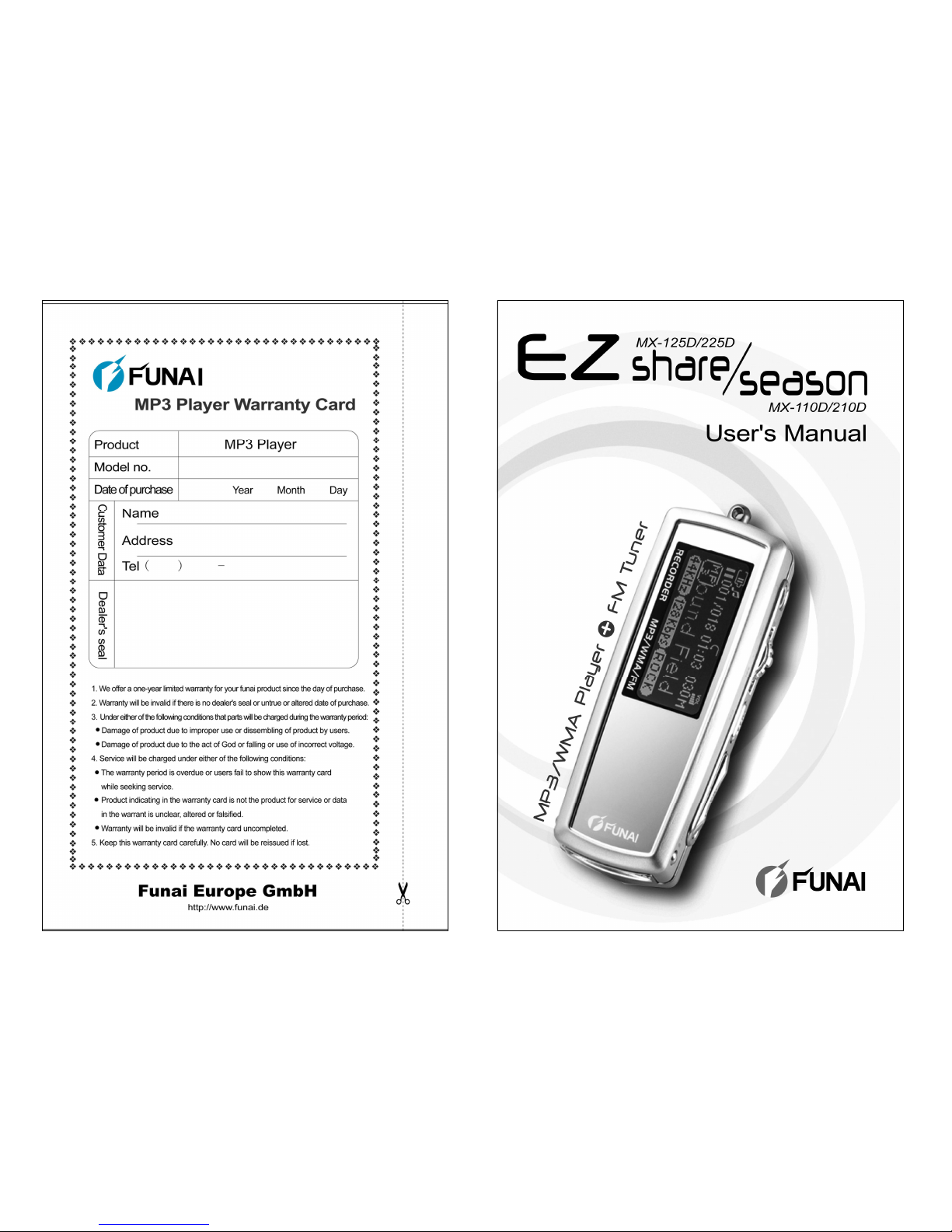
FUNAI EZ season MX-110D Manuel utilisateur
V2.12F
1
About FUNAI website
zURL: http://www.funai.de
zFrom the FUNAI website, you can learn more about
our company, keep informed of the latest news about
FUNAI, read more about our products, download
related software and receive technical support.
zYou can download the latest version of firmware to
keep the player in optimal condition at all times.
FUNAI makes no representation for the errors, omissions
or updates of this document. FUNAI also makes no
representation for the data or music files lost of the player.
Users should download the latest version of the user's
manual from our website.
FUNAI is a registered trademark of Funai Europe GmbH.
Trademarks of Microsoft Windows Media and Windows
are owned by Microsoft Corporation.Trademarks of other
products mentioned in this user's manual are owned by
respective companies or organizations.
○
C 2004 Funai Europe GmbH. All rights reserved.
2
Product features
zUnique design
Mirror surface design; special grid-structure for
thumbnail pictures; changeable panels; and unique blue and
white backlight.
zWorld-premiered player-to-player data
transfer function
Exclusive data transfer kit to allow player-to-player data
transfer for sharing of music, voice and file data.
zChangeable cabinets to match your
moods (MX-125D / 225D series)
High-quality aluminum alloy cabinets in a wide variety of
colors allow you to change the appearance of the player to
match your moods everyday.
zMultilingual display support
Supports over 40 languages and offers user interface in 10
different languages.
zMultiple audio file format support
Supports MP3, WMA and ADPCM (WAVE) formats.
zSuper energy saving
Supports continuous playing for 18 hours for one alkaline
battery.

3
Product features
zFirmware update
With the free online firmware download, you can update
new firmware to the player via USB easily.
zListening to FM channels
You can listen to any FM channel loud and clear with the
Player. You can also search and store your favorite FM
channels, and even record a program on the player
if you feel like it.
z19 EQ options
The Player comes with 19 different equalizer options:
Normal, Rock, Jazz, Classic, Pop, Ultra-Bass, Blues, Club,
Dance, Full Bass & Treble, Full Treble, Large Hall, Live,
Party, Reggae, Ska, Soft Music, Soft Rock, and Techno.
zHigh quality sound effects
The Player has an S/N ratio greater than 95dB.
zPortable storage device
The Player is also a portable storage device allowing high
speed data transfer to and from a PC with USB
1.1 / 2.0 full-speed interface.
4
Contents
About FUNAI website ........................................1
Product features................................................2
Appearance.......................................................5
Installing batteries .............................................7
Changing panel ...............................................12
Turning the player on.......................................14
Turning the player off.......................................15
LCD display description...................................16
Basic operation ...............................................18
Installing software............................................20
Connecting the player to a PC.........................26
Copy files into the player .................................28
Firmware update .............................................29
Main menu ......................................................33
Connecting your player with another player.....34
Playing back music..........................................36
Recording and playing back voice files............41
Listening to FM channels.................................43
Recording an FM program...............................45
Setup...............................................................48
Changing cabinets...........................................58
Troubleshooting...............................................59
Cautions..........................................................61
List of accessories...........................................62
Firmware update failure...................................66
Certification information...................................67
5
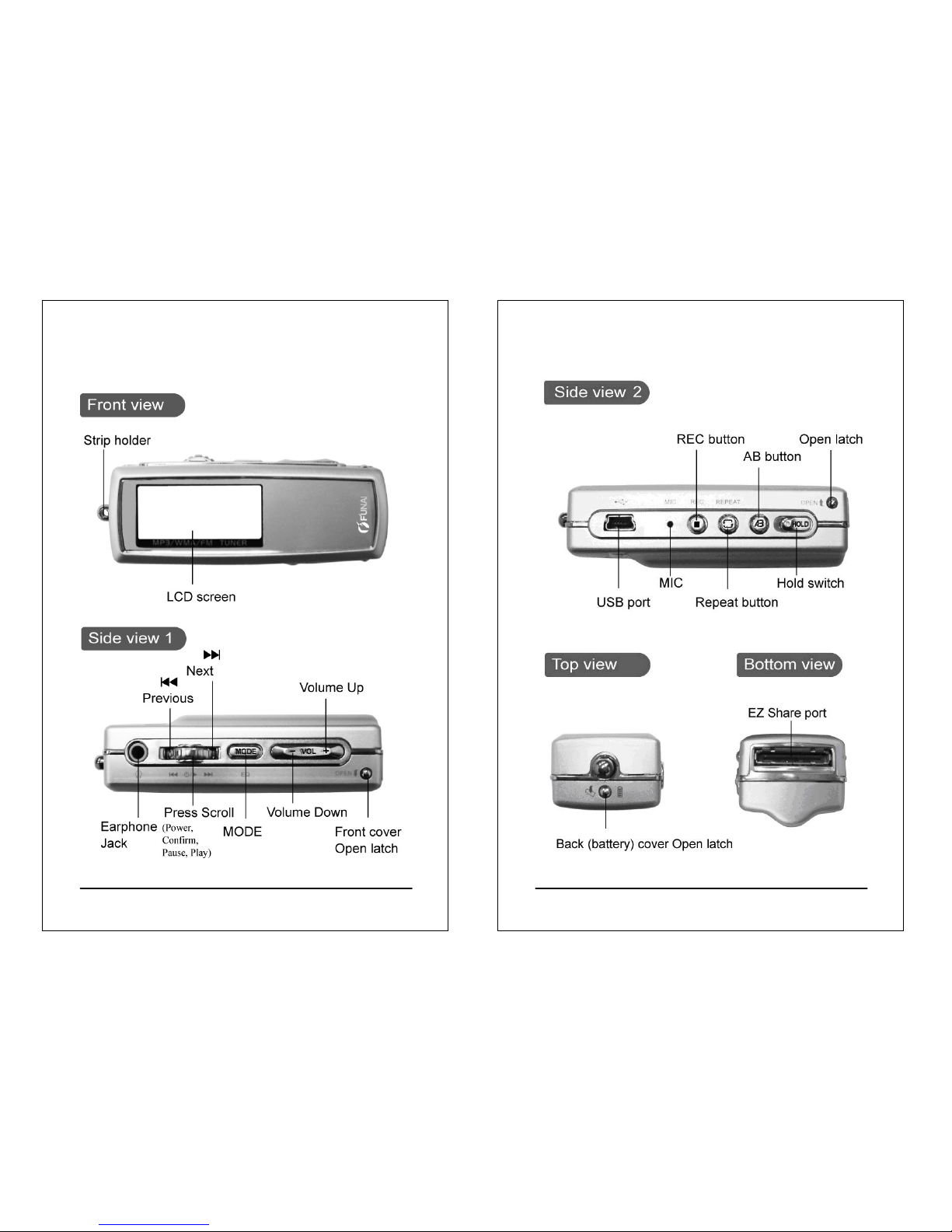
Appearance
(MX-125D/225D)
(MX-125D/225D)
6
Appearance
(MX-125D/225D)
(MX-125D/225D)
7
Installing batteries
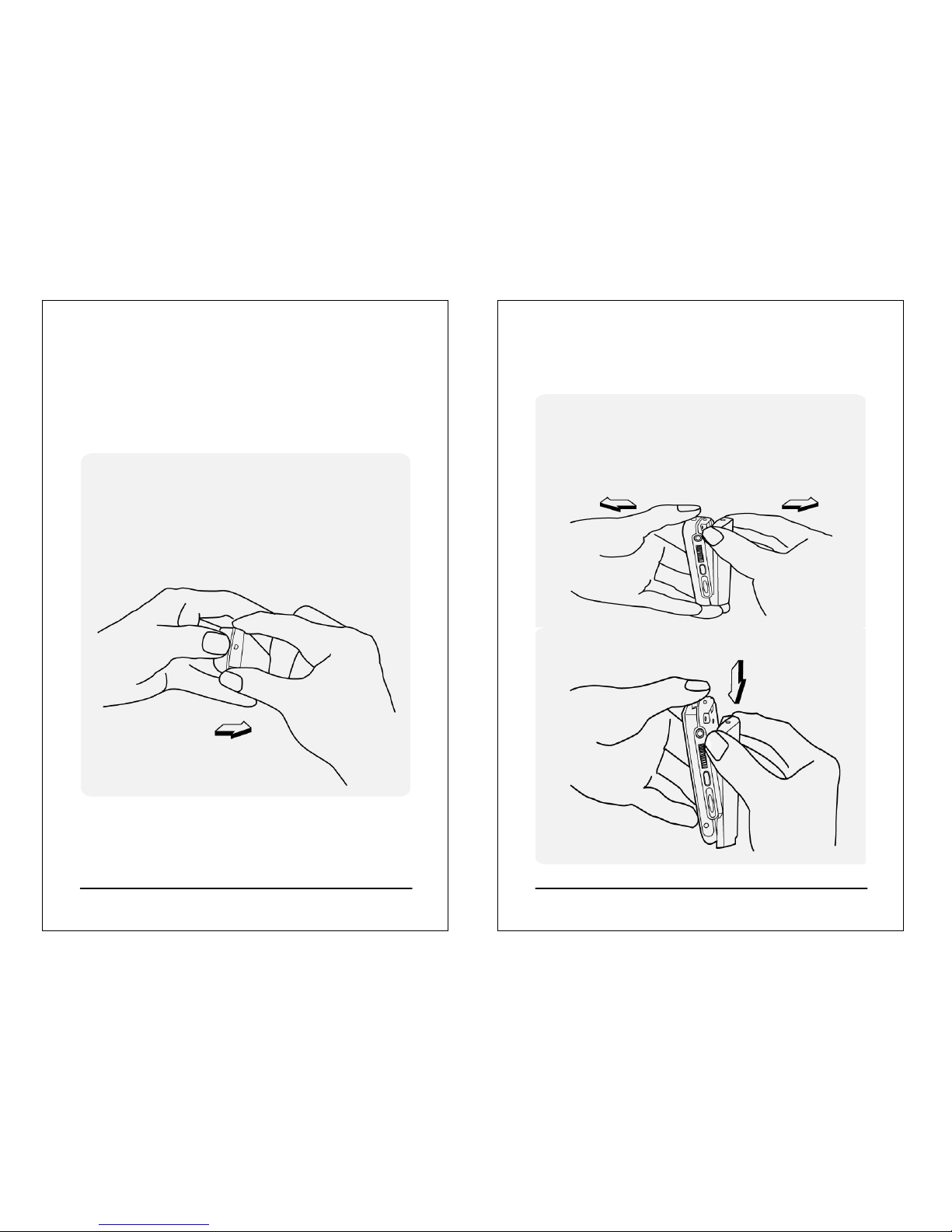
Turn the player off before installing batteries. Open the back
(battery) cabinet.
zInstalling batteries for MX-125D / 225D
1. Press and hold the strip holder (p. 5) with
one thumb and press and hold the back
cabinet Open latch (p. 6) with alternate thumb.
Hold the player with other fingers
at the same time.
8
Installing batteries
(For MX-125D and MX-225D only)
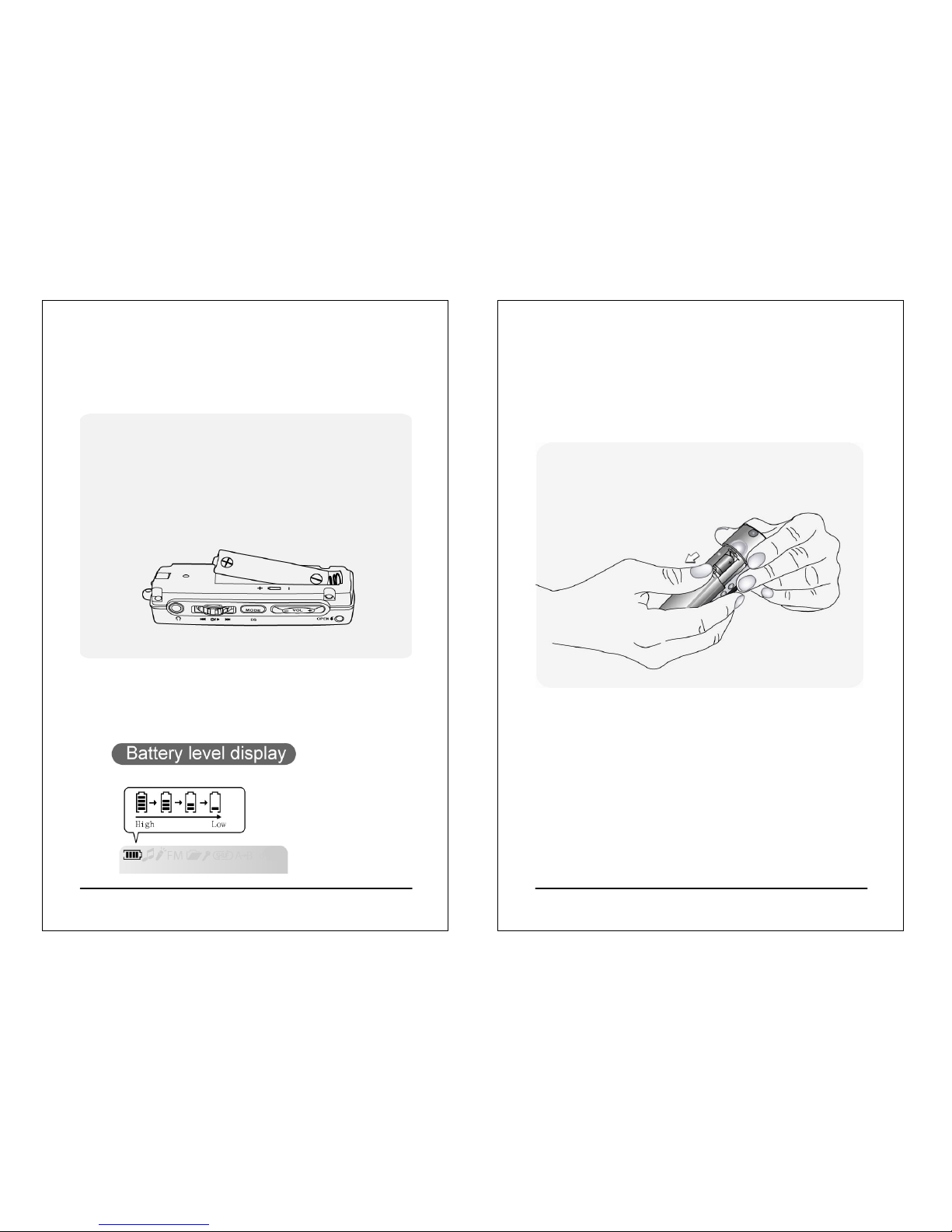
2. Open the back cabinet by pressing and holding
the two sides of Open latch as shown in the
picture below. Do not press the Open latch
directly to avoid damaging.
3. Move the back cabinet downward to detach
it from the player.
9
Installing batteries
(For MX-125D and MX-225D only)
4.Install new batteries in the battery compartment. Make
sure that the poles of batteries are installed correctly.
Wrong battery installation will cause the player damage.
5.Install the back cabinet by aligning it to the player and
then the latch.
10
Installing batteries
zInstalling batteries for MX-110D / 210D
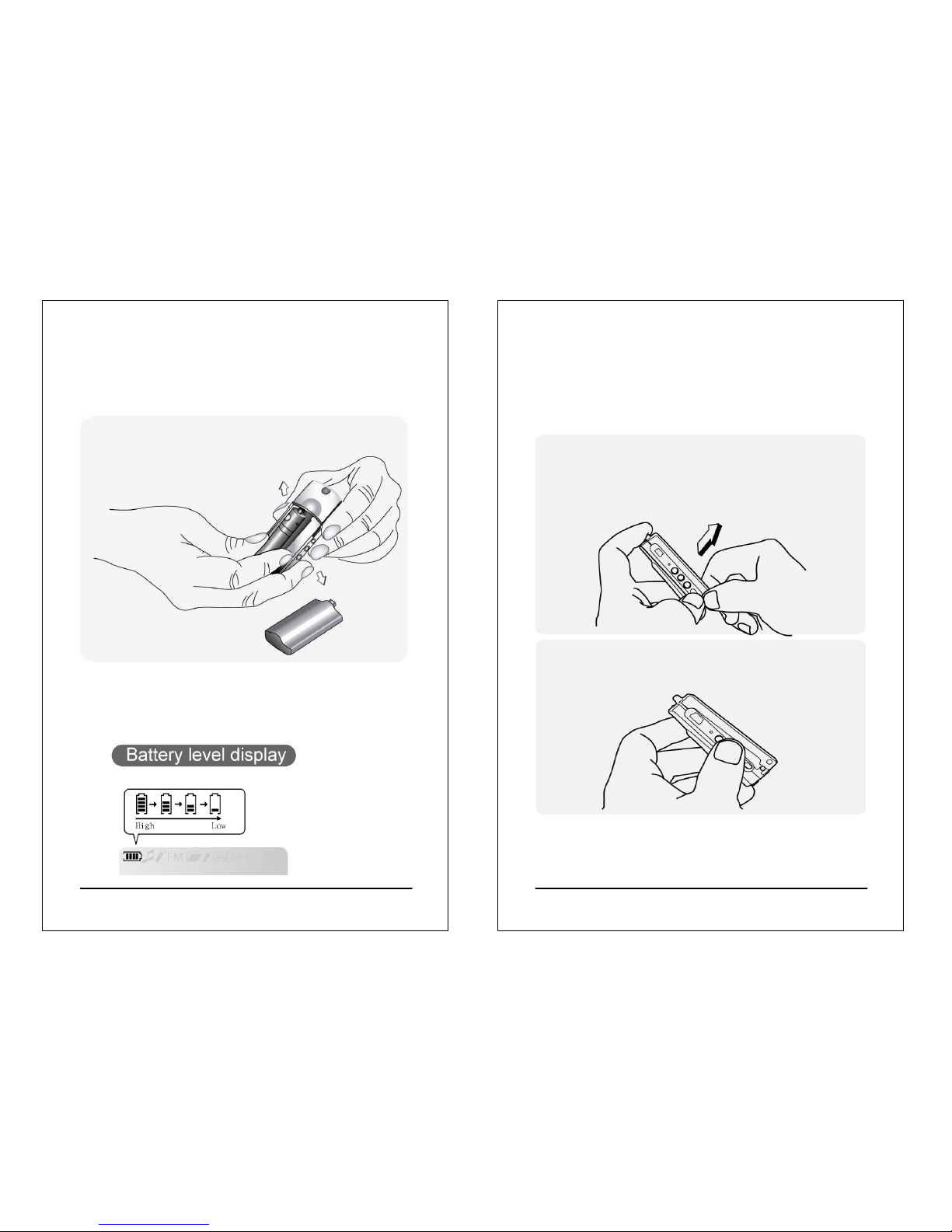
1. Press and hold the two sides of the player body
with one hand, and press and push down
the battery cabinet with alternate thumb.
Hold the player with other fingers
at the same time.
11
Installing batteries
(For MX-110D and MX-210D only)
2. Install new batteries in the battery compartment. Make
sure that the poles of batteries are installed correctly.
Wrong battery installation will cause
the player damage.
3. Install the back cabinet by aligning it to the player and
then the latch.
12
Changing panel
(For MX-125D and MX-225D only)
Please power off the player and tear off the protective
membrane before changing the front panel.
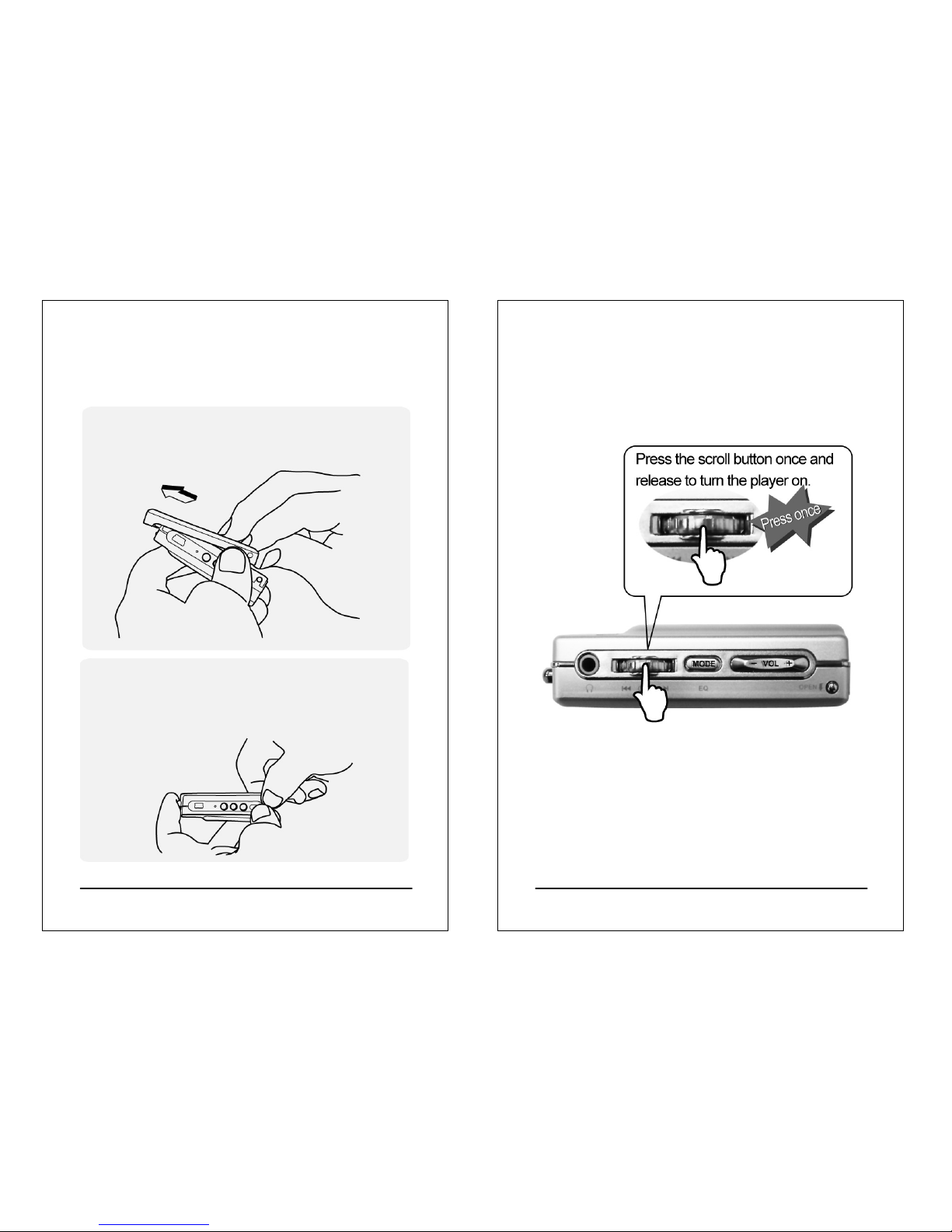
1. Hold the player with one hand and press and
hold the front cabinet Open latch (p.5) with the
thumb of another hand. Slowly lift the front cabinet
near the bottom of the player.
2. Lift the front cabinet near the bottom of
the player about 1cm, as shown in the picture below.
13
Changing panel
(For MX-125D and MX-225D only)
1.Push the front cabinet toward the direction of the strip
holder (p. 5) to detach it from the player.
2.Place the panel you want to replace with in the slot and
install back the front cabinet according to the reverse
order of opening the front cabinet.
14
Turning the player on
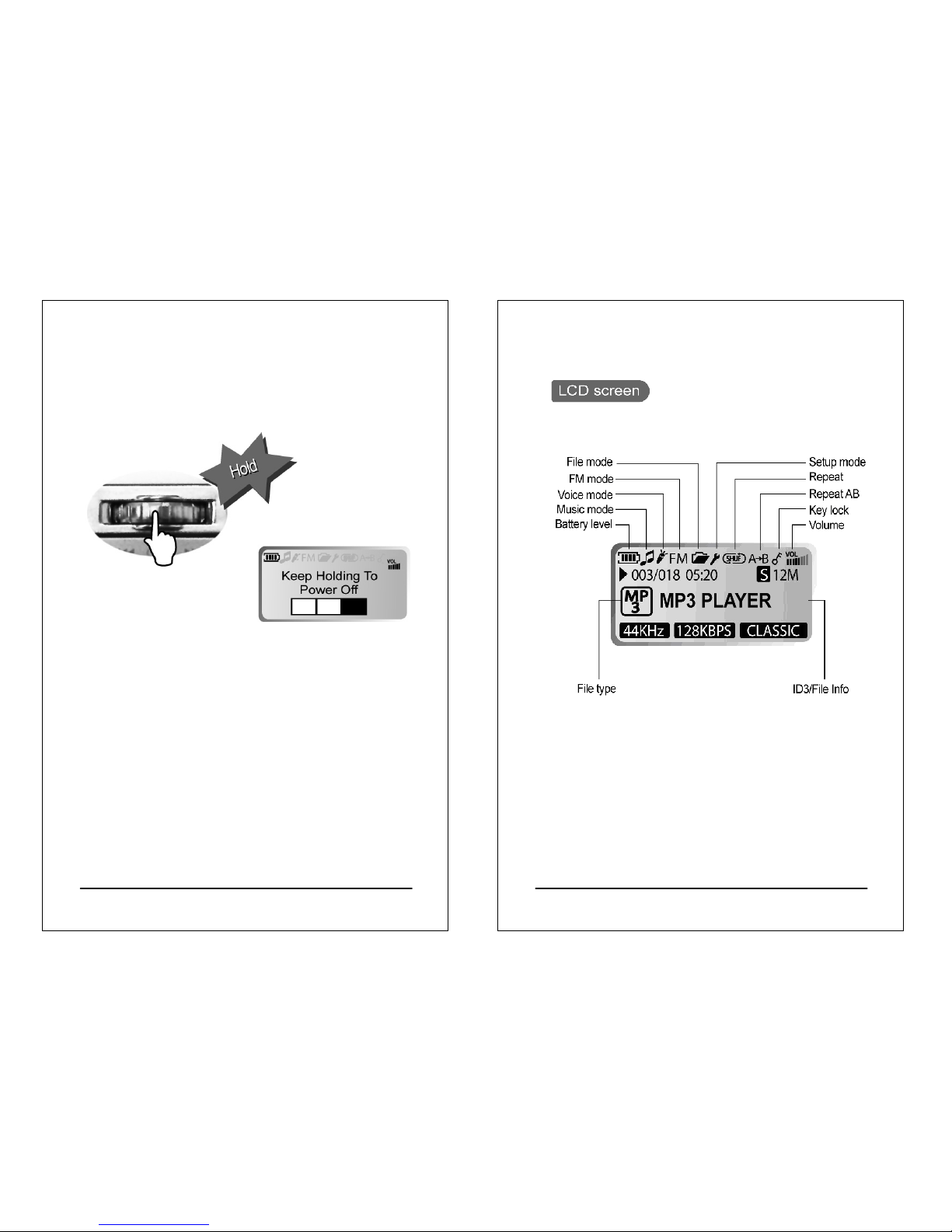
zPress the Scroll button to turn the player
on.
zIf the player turns on the backlight and show nothing on the
screen, please try to exchange a new battery. If the status is
still the same after exchanging a battery, try to install the
firmware driver from your CDROM and update the firmware
of the player, follow the procedure as p. 29.
15
Turning the player off
zPress and hold the Scroll button for about
3 seconds to turn the player off.
zTimer off
The player will turn off automatically when being idle or
operating for a period of time. You can set the timer from
Setup to adjust the duration of idling or operating.
(Default is 5 minutes) (See p. 54 and p. 55 for details)
16
LCD display description
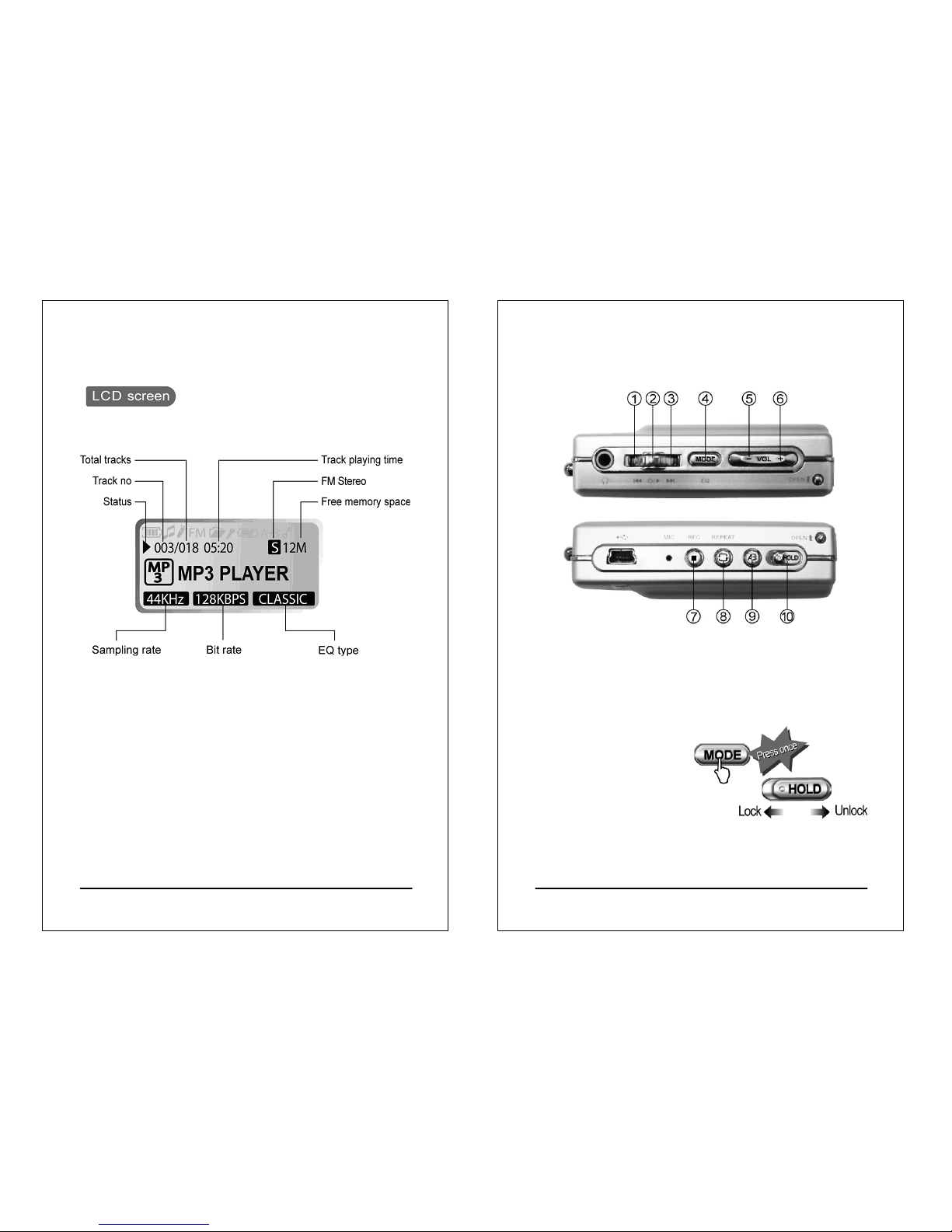
17
LCD display description
*The free memory size will be less than the internal memory
size (128MB or 256MB) when the player is empty because
the firmware of player stored in the player to occupy some
free space.
18
Basic operation
1. Select previous track/channel/file/item
2. Play/Pause/Confirm/Power
3. Select next track/channel/file/item
4. Enter Main Menu to select other mode / select EQ
5. Reduce volume
6. Increase volume
7. Start/Stop recording
8. Repeat/Shuffle
9. Repeat AB for language learning
10. Key lock / Hold switch
Ce manuel convient aux modèles suivants
3
Table des matières
Manuels Lecteur MP3 populaires d'autres marques

Blaupunkt
Blaupunkt Compact Drive MP3 Manuel utilisateur

Memorex
Memorex MMP9008 - 8GB USB 2.0 Manuel utilisateur

Meizu Electronic Technology
Meizu Electronic Technology E5 Manuel utilisateur

Naxa
Naxa NMV-173NX Manuel utilisateur

Philips
Philips PSA250 Manuel utilisateur

Zipy
Zipy go! Waving Manuel utilisateur


