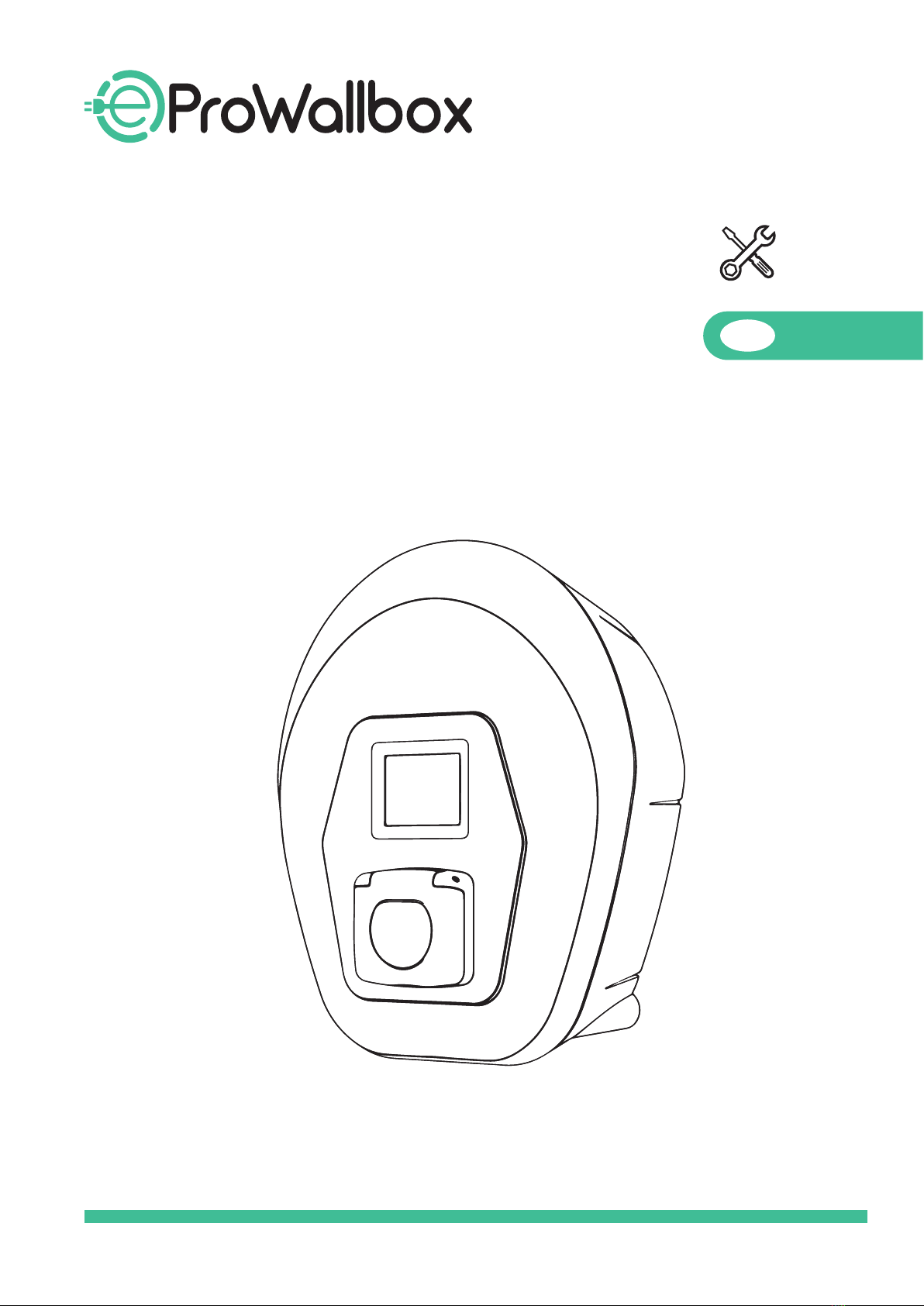
Free2Move eSolutions ProWallbox Manuel utilisateur

INSTALLATION MANUAL GB

2
TABLE OF CONTENTS
PAGESECTION
INTRODUCTION 4
GENERAL INFORMATION 7
Fields of use 7
Symbol and denitions 8
Identication label 9
Product dimensions and characteristics 10
Technical specications 11
INSTALLATION
Preparing for Installation 12
Tools required 14
Package Content 14
Space and positioning 15
First opening 16
Wall mounting 17
Installation of external protection devices 18
Power supply connection 19
Three phase installation 22
Single phase installation 23
Connecting communication cables 24
Port description 25
Setting the rotary selector 27

3
TABLE OF CONTENTS
PAGESECTION
Energy meter installation for Dynamic Power Management (optional) 28
Shunt trip installation (optional) 30
Closing operations and power supply 30
MAINTENANCE
PRODUCT DISPOSAL
ASSISTANCE
DISCLAIMER

4
INTRODUCTION
SAFETY RECOMMENDATIONS
This manual contains important safety instructions that must be followed during installation and
maintenance of the equipment.
Installation must be carried out by qualied personnel. A dedicated, state-of-the-art electricity supply
system must be designed and installed, and the system must be certied in compliance with local
regulations and the energy supply contract.
Operators are required to read and fully understand this manual, and to comply strictly with the
instructions it contains.
Installation must be carried out in accordance with the regulations in force in the country of
installation, and in compliance with all safety regulations for carrying out electrical work. Personal
protective equipment must be used, as required by the laws of the country of destination and the
instructions of employers.
Free2Move eSolutions S.p.A. cannot be held liable for damage caused to persons and/or property, or to
the equipment, if the conditions described below have not been complied with.
The purpose of this document is to support qualied technicians who have received appropriate training,
and demonstrated suitable skills and knowledge in the construction, installation, operation and maintenance
of electrical equipment.
WARRANTY AND DELIVERY CONDITIONS
Free2Move eSolutions S.p.A. declares that the equipment complies with the legal provisions currently in
force in the country of installation and has issued the relative declaration of conformity.
Free2Move eSolutions S.p.A. assumes no responsibility for failure to comply with the instructions for
proper installation, and cannot be held responsible for systems upstream or downstream of the
equipment supplied.
Free2Move eSolutions S.p.A. cannot be held responsible for defects or malfunctions deriving from:
improper use of the equipment; deterioration due to transport or particular environmental conditions;
incorrect or insucient maintenance; tampering or unsafe repairs; use or installation by unqualied
persons.
Free2Move eSolutions S.p.A. is not responsible for any disposal of the equipment, or parts thereof, that
does not comply with the regulations and laws in force in the country of installation.
NOTE: It is absolutely forbidden to modify the equipment. Any modication, manipulation or
alteration of the hardware or software not expressly agreed with the manufacturer will immediately
void the warranty.

5
PURPOSE OF THE DOCUMENT
This installation and maintenance manual is a guide to help you to work safely and carry out operations
needed to keep your equipment in good working order.
If the equipment is used in a manner not specied in this manual, the protection provided by the
equipment may be impaired. This document contains the information deemed necessary for the
installation and routine maintenance of the equipment.
This document has been carefully checked by Free2Move eSolutions S.p.A. but oversights cannot be
completely ruled out. If any errors are noted, please inform Free2Move eSolutions S.p.A. Except for explicit
contractual obligations, under no circumstances may Free2Move eSolutions S.p.A. be held liable for any
loss or damage resulting from use of this manual, or from installation of the equipment.
This document was originally written in English. In the event of any inconsistencies or doubts, please ask
Free2Move eSolutions S.p.A. for the original document.
LIST OF DOCUMENTS IN THE APPENDIX
In addition to this manual, product documentation can be viewed and downloaded by visiting
esolutions.free2move.com/low-power-charging-solutions/eProWallbox-series2/

6
WARNINGS
Before installing or using the device, make sure that none of the components have
been damaged. Damaged components can lead to electrocution, short circuits, and re due
to overheating. A device with damage or defects must not be used.
Install eProWallbox away from petrol cans or combustible substances in general.
Before carrying out any maintenance, ensure the power supply is switched o.
Before installing eProWallbox, ensure the main power source has been disconnected.
Before putting back or moving eProWallbox, ensure the device is not connected to the
power supply.
eProWallbox must only be used for the specic applications it is designed for.
Installation, maintenance or repairs not carried out correctly may pose risks to the user.
Please ensure that eProWallbox is only used in correct operating conditions.
The device must be connected to an electricity network in compliance with local and
international standards, and all the technical requisites indicated in this manual.
Children or other persons not able to gauge risks related to the installation or use of the
device could suer serious injury, or put their lives at risk. Such persons must not
operate the device and must be supervised when close to it.
Pets or other animals must be kept away from the device and packaging material.
Children must not play with the device, accessories or packaging provided with the product.
eProWallbox does not contain components that the user can repair or maintain
autonomously.
The only part that can be removed from eProWallbox (solely during the installation and
dismantling stages and following the instructions) is the removable cover. eProWallbox
should not be opened further unless by qualied personnel during installation, dismantling
or maintenance.
eProWallbox can only be used with an energy source.
eProWallbox must be treated and disposed of in compliance with current legislation,
separately from normal household waste, as electric and electronic waste (WEEE).

7
GENERAL INFORMATION
eProWallbox is an Alternate Current charging solution for powering electric vehicles and hybrid
plug-ins, and is ideal for semi-public and residential use. The device is available in three-phase
or single-phase congurations, and is equipped with a Type 2 socket.
The device charges electric vehicles up to 22 kW in three phase, or up to 7.4 kW in single phase.
The product includes connectivity options that allow it to be monitored remotely via a
Web-based portal. The device can be managed via a dedicated App.
This model is equipped with a SIM card for connection to the 4G mobile network.
This document describes how to install the product. A description of the characteristics of the
equipment is provided to identify key components and set out the technical terms used in this
manual. This chapter contains information on models, details of equipment, characteristics and
technical data, overall dimensions and identication of the equipment.
Product versions:
F2ME.EPROSCYYXXX
F2ME.EPROSLYYXXX
ields of use
Free2Move eSolutions S.p.A. declines all liability for any damage whatsoever due to incorrect or
careless actions.
The equipment may not be used for any purpose other than the one it is intended to full.
The equipment must not be used by inexperienced personnel, or even by expert personnel if
the equipment undergoes operations that do not comply with this manual and accompanying
documentation.
This piece of equipment is a charging device for electric vehicles; the following classication
(according to IEC 61851-1) identies its characteristics:
Power supply: permanently connected to the AC power supply grid
Output: alternate current
Environmental conditions: indoor / outdoor use
Fixed wall installation
Protection against electric shock: Class I
EMC Environment classication: Class B
Charging type: Mode 3 according to the IEC 61851-1 standard
Optional function for ventilation not supported.

8
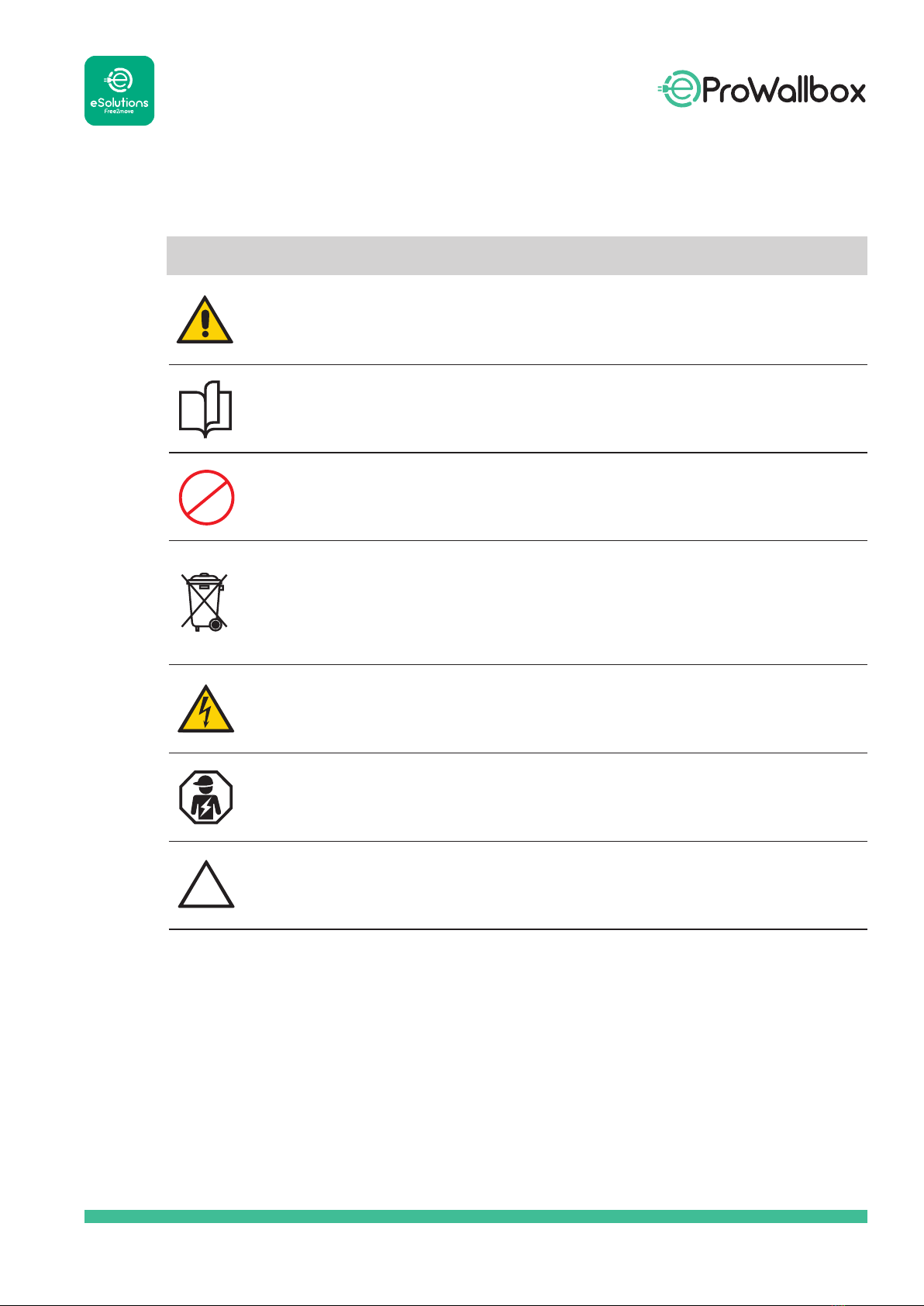
Symbol Description
General warning
It is mandatory to consult the original manual and additional documentation
Prohibition or restrictions
Although they are not made of materials that are harmful to health, the products
should not be disposed of along with household waste but must be collected
separately, because they are made of materials that can be recycled
Sign for electrical voltage hazard
Electronic device installation carried out by qualied personnel only
This symbol indicates a situation that may cause material damage to eProWallbox

9
The information on the label is shown in the Figure below. The details may dier from those
shown in the Figure, depending on the version of the product. The Part Number and Serial
Number can also be found on the packaging as well as in the eSolutions Charging app after
authentication.
The label inside the package with the printed letter C indicates the type of socket installed on
the product. This label should be applied near the socket when installation is completed.
AC EN 62192-2 TYPE 2 Plug and socket ≤ 480 V
RMS

10
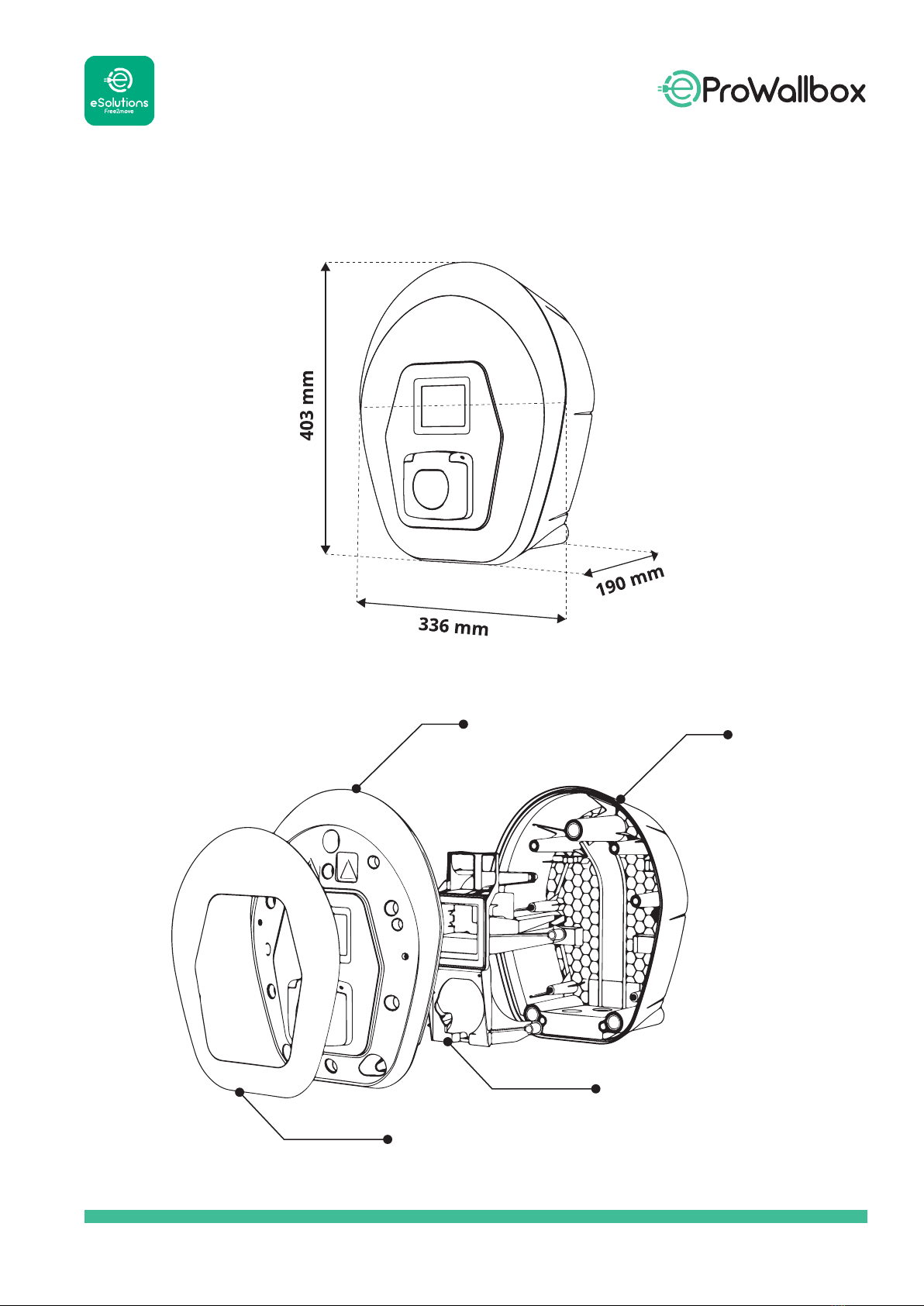
Product dimensions and characteristics
Cover Base
External Cover
Middle Base
Autres manuels pour ProWallbox
1
Table des matières
Autres manuels Free2Move eSolutions Accessoires automobiles

Free2Move eSolutions
Free2Move eSolutions ePublic Manuel utilisateur

Free2Move eSolutions
Free2Move eSolutions eProWallbox Manuel utilisateur

Free2Move eSolutions
Free2Move eSolutions ProWallbox Manuel utilisateur

Free2Move eSolutions
Free2Move eSolutions eProWallbox Manuel utilisateur

Free2Move eSolutions
Free2Move eSolutions Annex Manuel utilisateur

Free2Move eSolutions
Free2Move eSolutions PowerMeter Manuel utilisateur

Free2Move eSolutions
Free2Move eSolutions eProWallbox Manuel utilisateur

Free2Move eSolutions
Free2Move eSolutions eProWallbox Series Manuel utilisateur