
Firefly DE350 Manuel utilisateur
1 User Manual for Wireless Firefly Dermatoscope DE350 Version: 1.0
WIRELESS DERMATOSCOPE
THANKS FOR SELECTING A WIRELESS FIREFLY DERMATOSCOPE
To take full advantage of this product’s advanced capabilities,
and to properly and safely use this product, please read the manual carefully.
DE350
User Manual

2 User Manual for Wireless Firefly Dermatoscope DE350 Version: 1.0
Copyright 2011 by Firefly Global. All rights are reserved. No one is permitted to reproduce or
duplicate, in any form, this manual or any part thereof without permission from Firefly Global
(www.fireflyglobal.com).
Firefly Global assumes no responsibility for any injury, or for any illegal or improper use of the
product, that may result from failure to use this product in accordance with the instructions,
cautions, warnings, or indications for use published in this manual.
Software in this product is copyright of Firefly Global and its vendors. All rights are reserved.
The software is protected by U.S. and international copyright laws and international treaty
provisions applicable worldwide. Under such laws, the licensee is entitled to use the copy of
the software incorporated with this instrument as intended in the operation of the product in
which it is embedded. The software may not be copied, decompiled, reverse-engineered,
disassembled or otherwise reduced to human-perceivable form. This is not a sale of the
software or any copy of the software; all rights, title, and ownership of the software remain
with Firefly and/or its vendors.
Caution: Changes or modifications not expressly approved by Firefly Global will void the
purchaser’s authority to operate the equipment and its warranty.

3 User Manual for Wireless Firefly Dermatoscope DE350 Version: 1.0
TABLE OF CONTENTS
Digital Dermatoscope................................................................................................1
Table of Contents.......................................................................................................3
Introduction ..............................................................................................................5
Warnings & Cautions.................................................................................................6
Warning .................................................................................................................................... 6
Caution...................................................................................................................................... 6
Check List ..................................................................................................................8
Nomenclature............................................................................................................9
Operation.................................................................................................................10
Setting up the software application:........................................................................................ 10
Connect to PC:....................................................................................................................... 10
Power the Device On:............................................................................................................ 10
Charging Battery:..................................................................................................................... 12
Channel Mapping: .................................................................................................................... 12
Using the Firefly Dermatoscope System:.................................................................................... 13
Recommended holding position: ............................................................................................... 13
High zoom use:........................................................................................................................ 14
Focus:................................................................................................................................... 14
Brightness Adjustment: ............................................................................................................ 15
Using Focus: ............................................................................................................................ 15
Using the image capture control: .............................................................................................. 15
Using the polarizer: .................................................................................................................. 15
Standby and Remove device:.................................................................................................... 16
Launch the Software Application: .............................................................................................. 17
Viewing the Images: ................................................................................................................ 17
Tool bars ................................................................................................................................. 18
Control tool bars: ..................................................................................................................... 18
Image tool bars: ...................................................................................................................... 18
Device Tool bars: ..................................................................................................................... 19
Maintenance and Service.........................................................................................20
Cleaning recommendation......................................................................................................... 20

4 User Manual for Wireless Firefly Dermatoscope DE350 Version: 1.0
Recycling
the system
components
............................................................................................. 20
Accessories.............................................................................................................................. 20
Service policy........................................................................................................................... 21
Specifications ..........................................................................................................22
Limited
Warranty
...................................................................................................23
Troubleshooting.......................................................................................................25
Frequently Asked Questions (FAQs): ......................................................................................... 25
Wireless Interference Recommendations ...............................................................27

5 User Manual for Wireless Firefly Dermatoscope DE350 Version: 1.0
INTRODUCTION
The Wireless Firefly Dermatoscope System consists of a wireless digital Dermatoscope, a compact USB
receiver, software application and a charge cable. Only a computer equipped with a free USB port is needed
to use the system.
The Firefly Dermatoscope System is designed for effective operation under a variety of conditions and
typical video parameters are set at the factory. The software allows users to adjust most parameters
including Saturation, Hue, Brightness, Contrast and Sharpness for desired applications.
The System is equipped with an integrated polarizer ring. Rotating the ring enables multiple degrees of
polarization for dermascopy applications. The System is also equipped with a fine focus wheel which
enables crystal clear images at very high degrees of magnification.
System Requirements
The Wireless Firefly Dermatoscope System requires a user PC system running Windows XP Service Pack 2
or later operating system, a viewing screen, and a PC with an available USB 1.1 or 2.0 port.
Intended use
The Firefly Dermatoscope System is intended to conveniently enable skin inspection and image recording.
User Profile
The Wireless Firefly Dermatoscope System is intended for applications such as:
Skin examinations
Hairline examinations
Medical schools
Science education

6 User Manual for Wireless Firefly Dermatoscope DE350 Version: 1.0
WARNINGS &CAUTIONS
Please familiarize all
operating personnel
with the
general
saf
et
y
information in this
summary.
Specific
warnings
and
cautions
a
r
e
also found
throughout
this manual.
Warning
A warning statement in this manual
iden
tif
i
es
a condition
or pr
act
i
ce
which if
not
corrected or discontinued immediately
,
could lead to injury, illness, or
death.
Do not use in the presence
of
f
l
amma
ble anesthetics.
This
product
has no user
se
rv
iceable
/
replaceable
parts.
Please
refer all
service
to
authorized service personnel.
This
instrument
is not
intended to be used in the eye.
This
product generates
and
r
e
cor
d
s
reference images
from
inputs
obtained
from the
software application FireflyPro
.
These
reference images
are
not intended
for medical or other
diagnostic purposes.
Caution
A caution
statement
in this manual identifies condition
or
practice,
which
if
not
corrected
or
discontinued
immediate
l
y
, could lead to
equipment
failure,
e
quipment damage,
or data
loss.
In
order to obtain
optimum performance and
ensure patient safety,
thoroughly read this manual
.
Do not use the Wireless Firefly Dermatoscope if
y
ou
notice any
signs
of
damage
to the
components
of
th
e
system. Contact customer
service
f
o
r
immediate assistance
.
Do not attempt to
disinfect
the Wireless Firefly Dermatoscope System
using
glutaraldehyde
pro
du
c
t
s
,
ethylene
oxide gas, steam or any other liquid or
gas disinfectant.
The signal
output
(USB
P
o
r
t
)
connector
is
intended
for
con
nect
i
on
of only
devices
complying
wit
h
IEC
60601
-
1,
or other IEC
standards
(for
example,
IEC 60950), as
app
r
opriate to
the device.
Conn
ecting
additional
devices
to the Wireless Firefly Dermatoscope System
is not allowed. You

7 User Manual for Wireless Firefly Dermatoscope DE350 Version: 1.0
are responsible for verifying that the system
complies
with
th
e
requirements
of the
system standard
IEC
60601
-
1
-
1.
This
product complies
w
i
th
current
re
qu
ire
d
standards
for
electromagnetic interference
and should not present
p
r
oblems
to other
equipment
or be affected by other
devices. As
a
precaution,
avoid
using
th
is
device
in close proximity to other
e
quip
ment.
Do not apply alcohol,
c
h
e
m
icals,
or
water to
the lens. Any liquids
entering
the
optical
assembly
will
damage
internal
comp
onents.
8 User Manual for Wireless Firefly Dermatoscope DE350 Version: 1.0
CHECK LIST
Before starting, check that all the following items have been included with your product. If anything is
missing, contact your dealer.
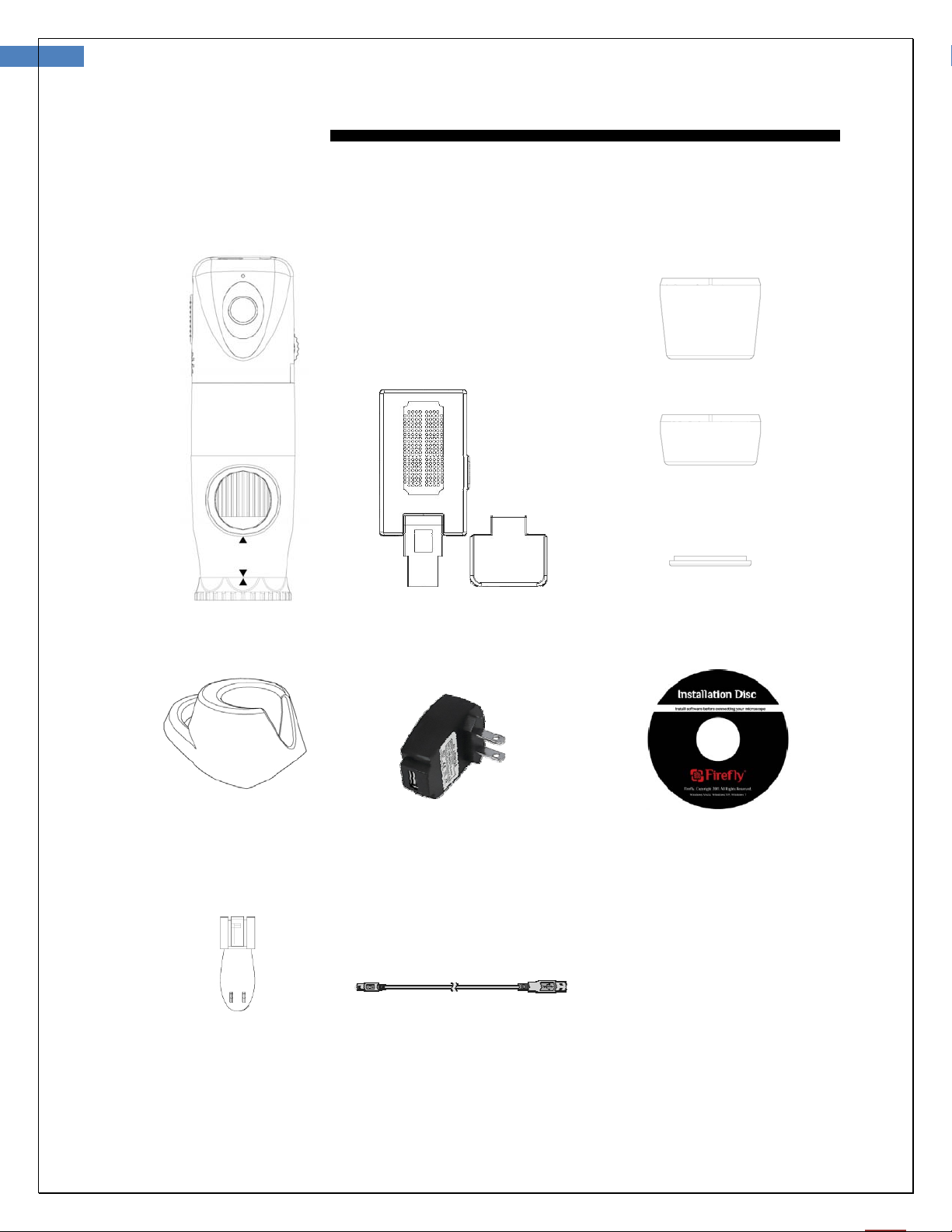
Dermatoscope x 1pc Receiver x 1 pc Extenders and cap
nd x 1 pc
Power Adapter x 1pc
100-240V AC to 5V USB DC
Notice: Actual Shape may vary.
Software Application CD
Clip x 1 pc USB DC power cord x 1 pc
9 User Manual for Wireless Firefly Dermatoscope DE350 Version: 1.0
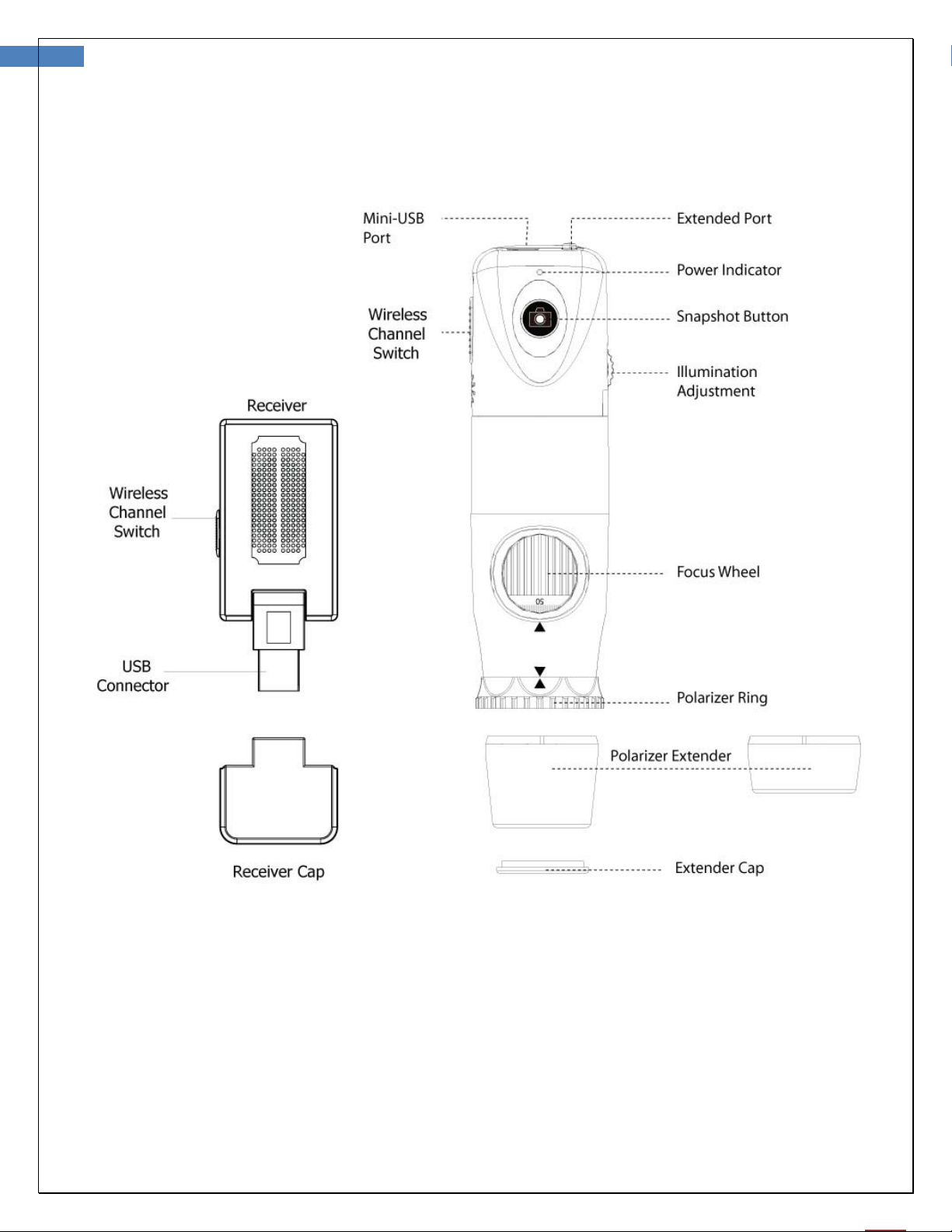
NOMENCLATURE
10 User Manual for Wireless Firefly Dermatoscope DE350 Version: 1.0
OPERATION
To obtain a clear image, please grip the Firefly Dermatoscope; remain still and avoid vibration as much as
possible during observation.
Setting up the software application:
Prior to using the Firefly Dermatoscope for the
f
i
rst
t
i
me,
install
t
he
FireflyPro software application following
the
instructions
pro
v
ided
with the installation CD
.
Connect to PC:
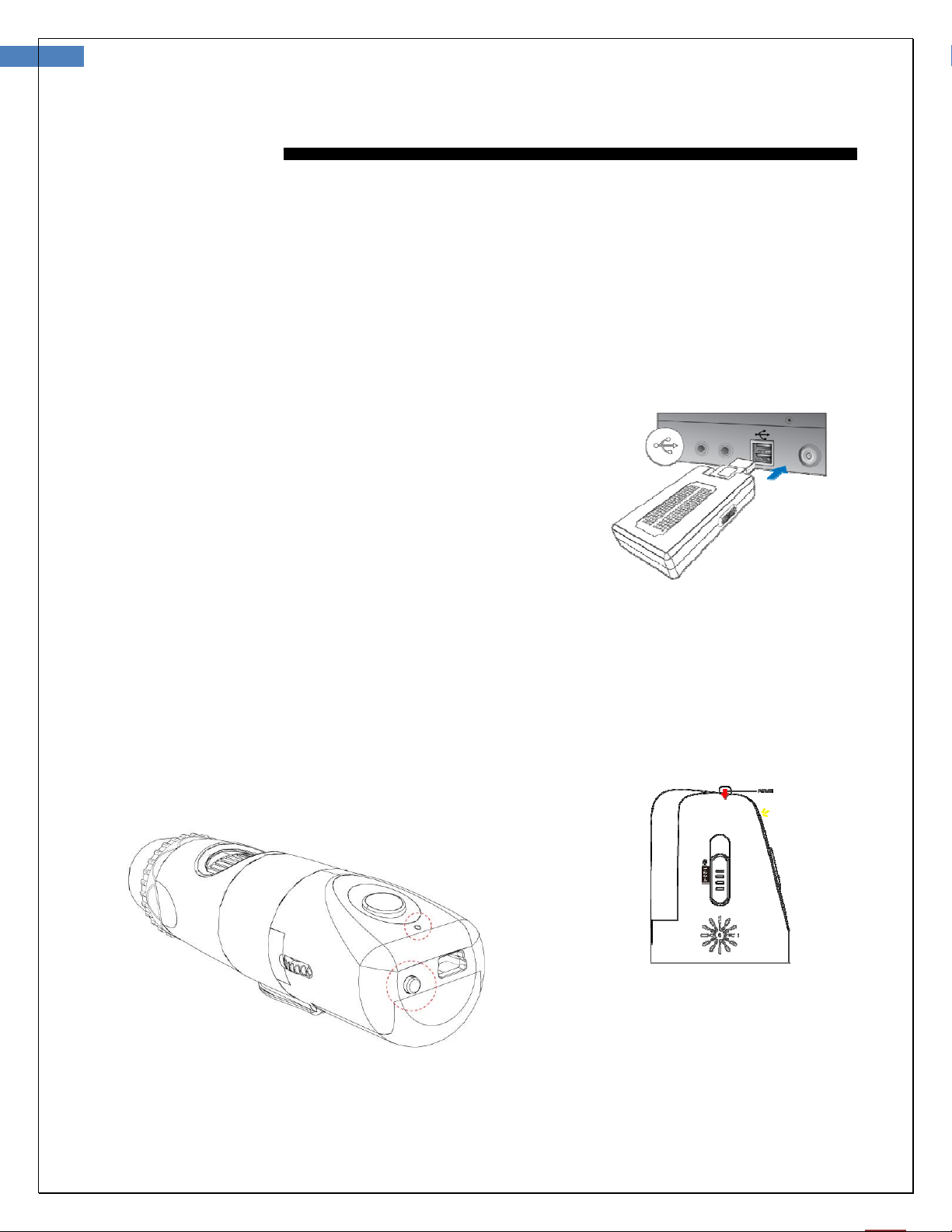
Connect the compact receiver to the
PC’s
USB port
Power the Device On:
Push the ‘Power Button’ at the rear of the dermatoscope to activate the device. An indicator light
will turn on to confirm the power status.
Table des matières
Autres manuels Firefly Équipement médical
Firefly
Firefly DE570 Manuel utilisateur

Firefly
Firefly DE300 Manuel utilisateur

Firefly
Firefly DE1200 Manuel utilisateur

Firefly
Firefly DE550 Manuel utilisateur

Firefly
Firefly DE370 Manuel utilisateur

Firefly
Firefly DE550 Manuel utilisateur

Firefly
Firefly DE500 Manuel utilisateur

Firefly
Firefly Splashy Manuel utilisateur


