8
EN
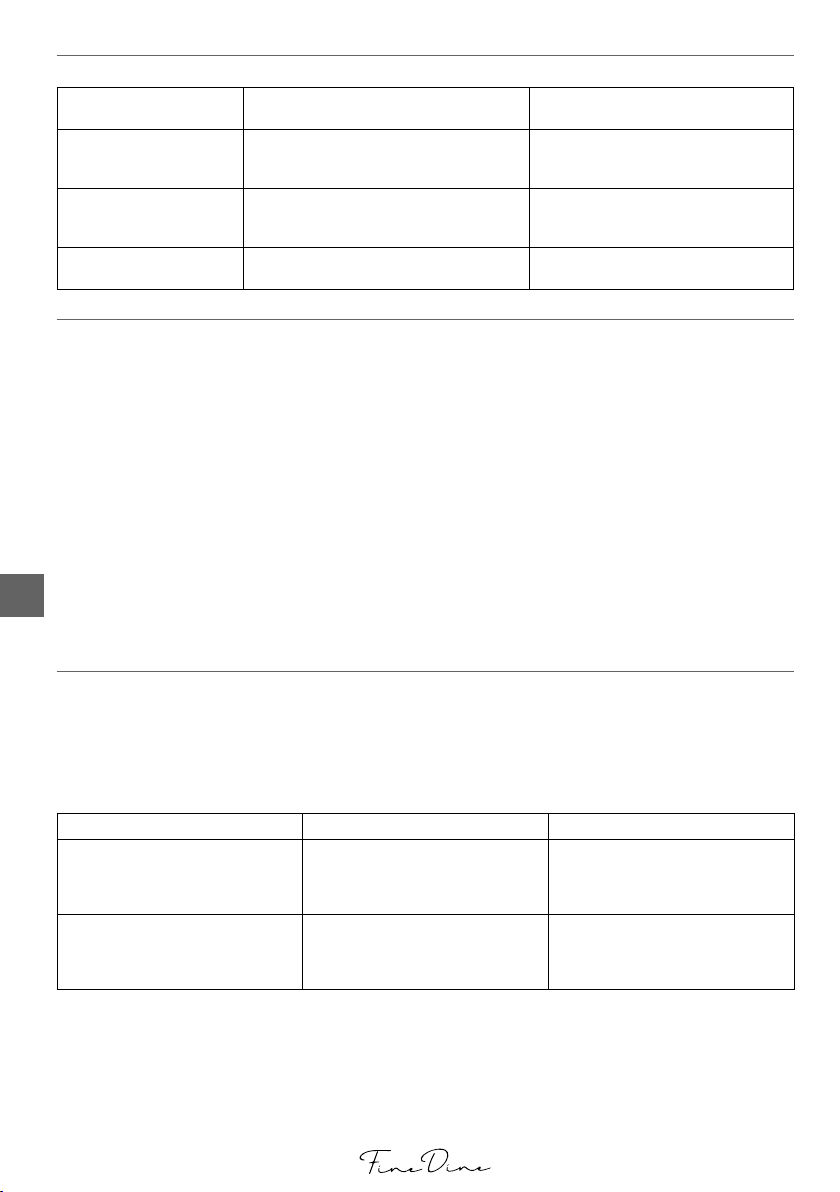
Error codes display
Error codes shown on the
display (3) Possible cause Possible solution
E1 The temperature of the appliance is too high Unplug the appliance, remove the cook-
ware, wait until the appliance is com-
pletely cooled down before trying again.
E2 The temperature of the cookware is too high.
Possibly, the cookware is empty and appli-
ance will shut down for protection.
Unplug the appliance, remove the cook-
ware, wait until the appliance is com-
pletely cooled down before trying again.
E3 Input supply voltage is too high (>260V~) or
too low (<145V~). Make sure that the appliance is connect-
ed to a suitable electrical power supply.
Cleaning and Maintenance
Attention: Always unplug the appliance from the electrical power outlet and let it cool down completely
before cleaning and storage.
Cleaning
• Never immerse the appliance in water or other
liquids.
• Clean the cooled exterior surface with a slightly
damp cloth or sponge with some mild soap solu-
tion.
• Never use abrasive sponges or detergents, steel
wool or metallic utensils to clean the interior or
exterior parts of the appliance.
Storage
• Before storage, always make sure the appliance
has already been disconnected from the electri-
cal outlet and cooled down completely.
• Store the appliance in a cool, clean and dry place.
• Never put heavy objects on the appliance during
storage, it can damage the appliance.
Troubleshooting
If the appliance does not function properly, please
check the below table for the solution. If you are
still unable to solve the problem, please contact the
supplier/service provider.
• Error codes shown on the digital display (3). (See
--> Error codes display)
Problems Possible cause Possible solution
The appliance does not switch ON. - Power connections are not connect-
ed properly with the power grid.
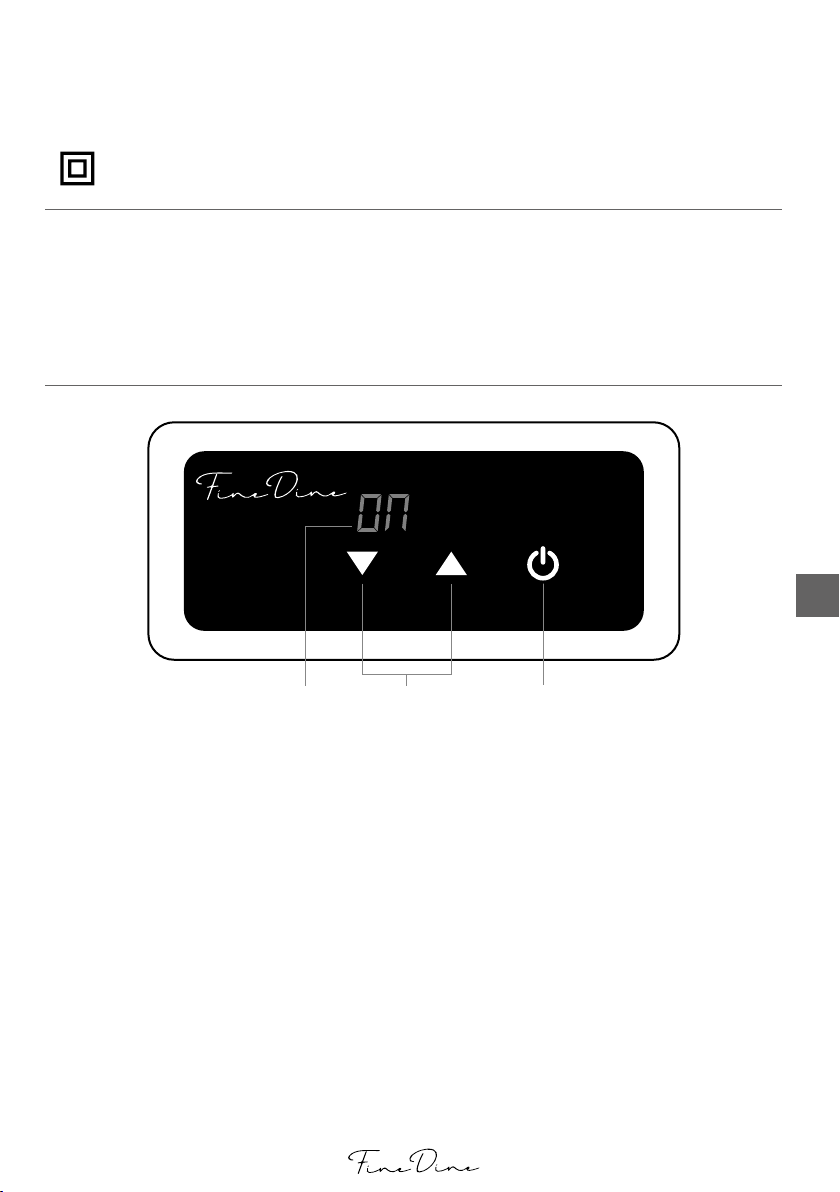
- ON / OFF button (1) is not pressed.
- Check the power plug to make sure
it is connected properly.
- Press and hold ON / OFF button (1)
to switch the appliance ON.
Cooling fan is operating even after the
appliance is switched to OFF mode.
- This is normal. The cooling fan con-
tinues running in Standby mode for
some time to cool down all internal
elements.
- Wait until the cooling fan stops ro-
tating.