Fidelix FX-RP multiDISPLAY Programming manual page 1 of 38
FX-RP multiDISPLAY programming manual
FX-RP multiDISPLAY programming manual........................................................................................................1
Getting started with the FX-RP multiDISPLAY .................................................................................................2
General overview ..........................................................................................................................................2
Device properties ..........................................................................................................................................2
Different versions ..........................................................................................................................................3
Encasings..................................................................................................................................................3
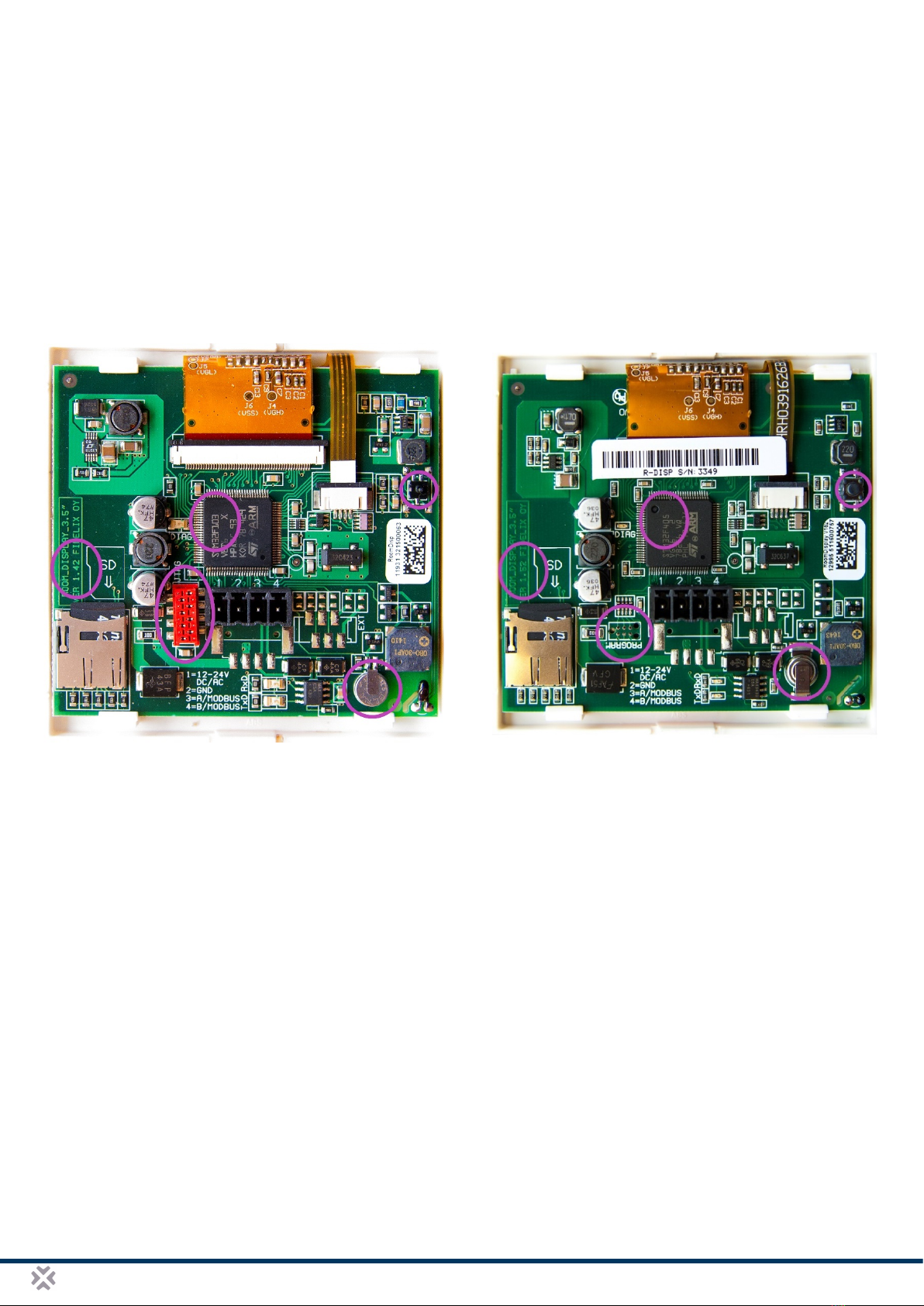
Different chip versions...............................................................................................................................4
Using the multiDISPLAY ...............................................................................................................................5
Startup.......................................................................................................................................................5
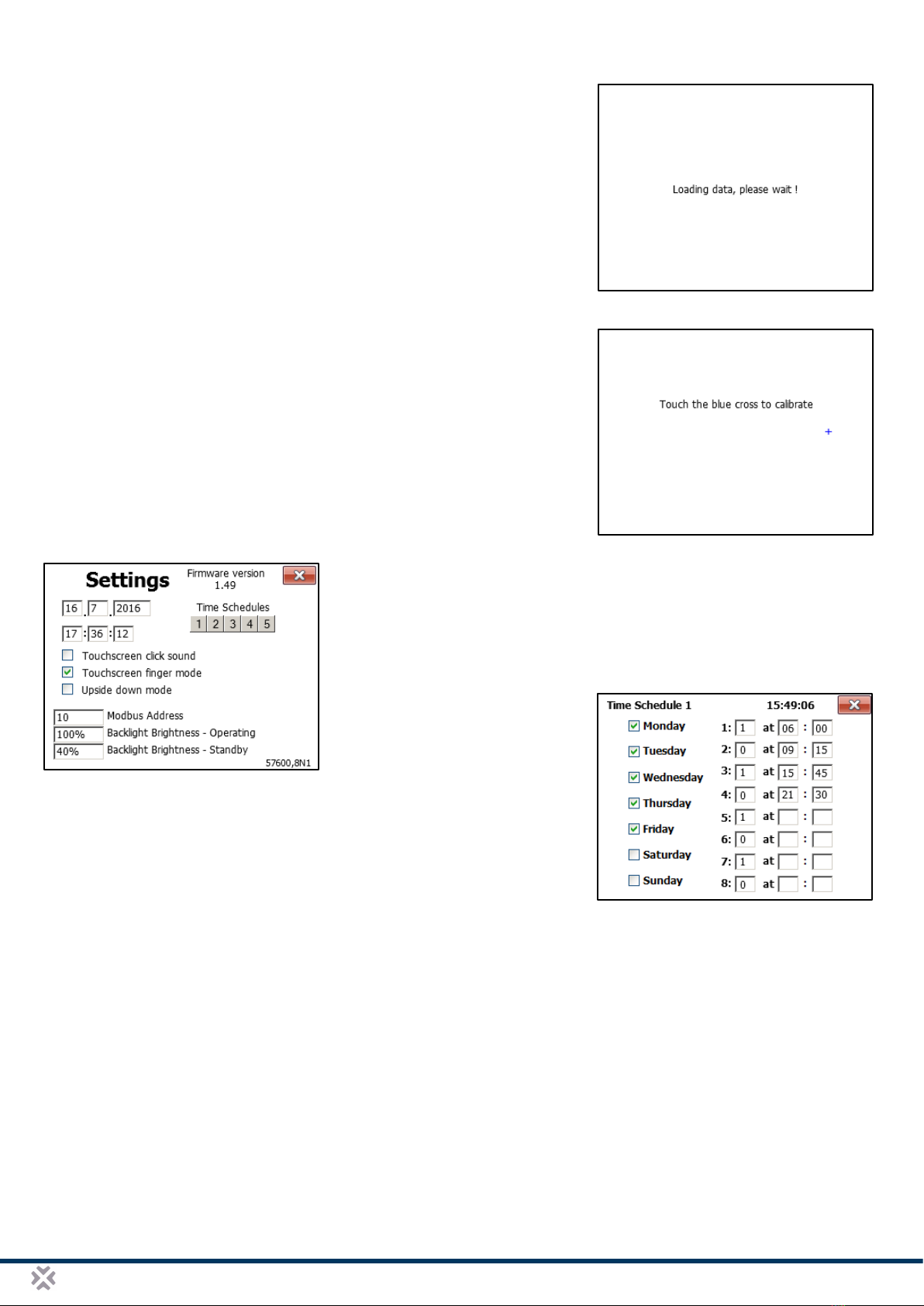
Recalibrating the touch screen and changing settings..............................................................................5
Updating the firmware of the FX-RP multiDISPLAY .....................................................................................6
Using the FX-RP multiDISPLAY with the Fidelix multi24 room controller module ........................................6
Demo projects...............................................................................................................................................6
Software ...........................................................................................................................................................6
Overview .......................................................................................................................................................6
Installation.....................................................................................................................................................7
Fidelix Graphics Editor..................................................................................................................................8
What you should know before you edit pages...........................................................................................8
The FXINDEX page...................................................................................................................................9
Editing pages (a few pointers).................................................................................................................10
HTML to Multi Display / Room Display Converter.......................................................................................11
The program’s UI.....................................................................................................................................11
Converting HTML files to the DISPLAY format........................................................................................12
Windows zoom settings and the converter..............................................................................................13
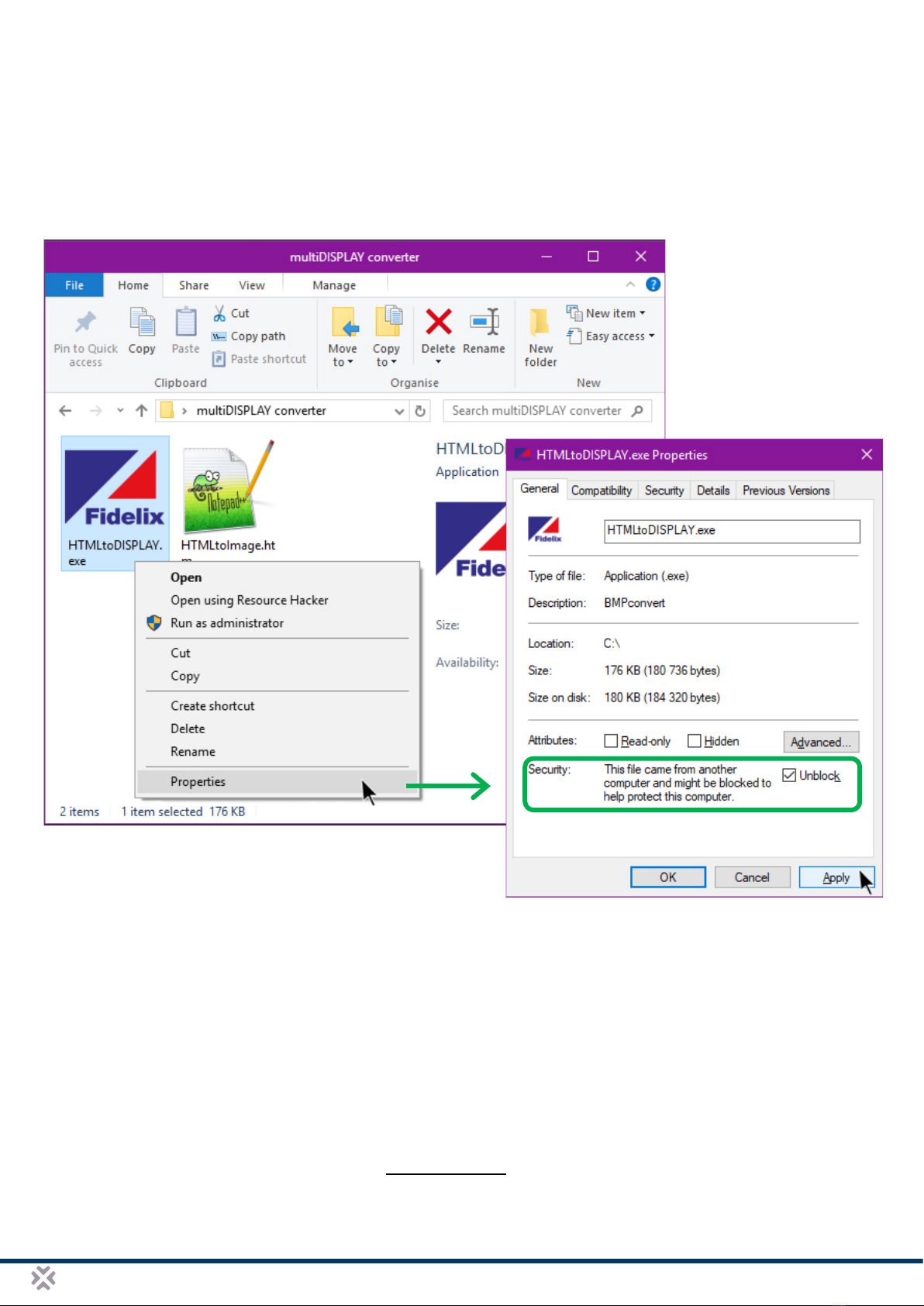
Troubleshooting the converter.................................................................................................................14
Getting projects on the multiDISPLAY............................................................................................................14
Loading projects into the FX-RP multiDISPLAY’s internal memory............................................................14
With an FX-controller...............................................................................................................................14
With a multi24 module and a PC.............................................................................................................15
With a µSD memory card ........................................................................................................................15
Using graphics from a μSD-Card ................................................................................................................15
Minimizing binary file size........................................................................................................................15
Multiple projects on one μSD-Card .........................................................................................................16
Uploading a project via Modbus..................................................................................................................16
Detailed programming ....................................................................................................................................17
Introduction .................................................................................................................................................17
Visualisation customisation.........................................................................................................................18
IEEE-754 Floating Point format...............................................................................................................20
Increment, Decrease, Minimum & Maximum ..............................................................................................20
Math operators............................................................................................................................................21
Status texts .................................................................................................................................................21
Time and date, temperature, firmware version and Modbus address.........................................................22
Internal time schedules ...............................................................................................................................23
Links............................................................................................................................................................24
Strings / texts ..............................................................................................................................................25
Entrance control user panel ........................................................................................................................26
Customising keypad buttons.......................................................................................................................26
Extended UTF-8-character support.............................................................................................................26
Modbus master functionality...........................................................................................................................27
Complete Display register structure overview ................................................................................................31
Register sections ........................................................................................................................................31
Input data (input from an external Modbus master) ....................................................................................31
Output data (output read by an external Modbus master) ..........................................................................32
How to work with input/output registers ......................................................................................................33
Trends (history)...........................................................................................................................................33
Graphical look-up table editor .....................................................................................................................34
String Variables...........................................................................................................................................34
Display parameters .....................................................................................................................................35
Change log .....................................................................................................................................................37