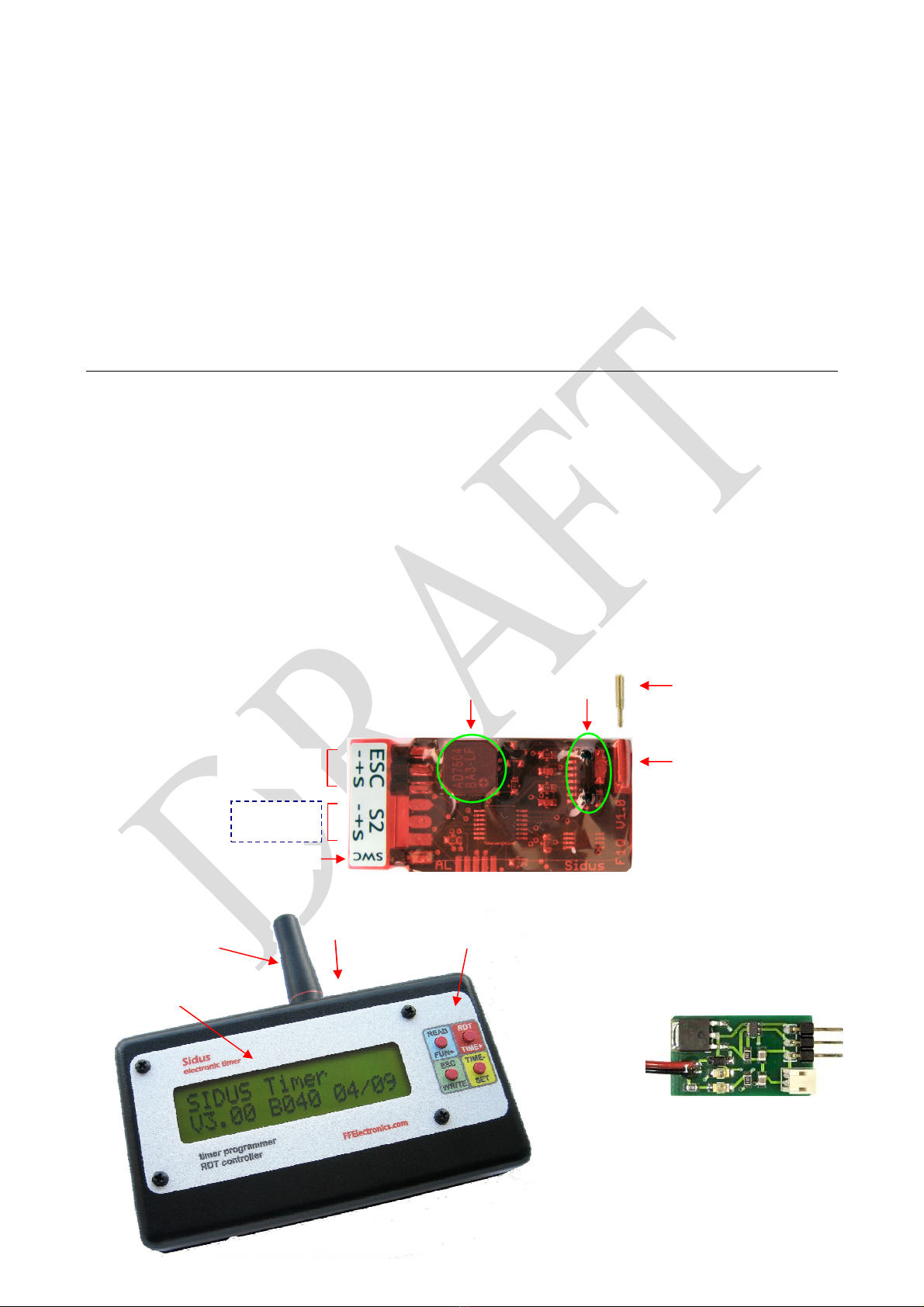
Sidus F1Q – free flight electronic timer
5/15
Automatic Programmer switch off: the Programmer automatically goes to “sleep” to
save power if inactive for about 2 min. and wakes up by pressing/releasing any key. The
message “Battery low!”indicates that the internal battery needs to be recharged.
Timing sequence modification
Each function has its own activation time and a set of servo(s) positions. The motor is
started at the beginning of the timing and it has a programmable stop time. During timing
the servo positions related to the current function will be kept until the activation of the
following function. Before modifying the timing sequence it must be read from the Timer
1. aim the Programmer at the Timer (make sure it is ON)
2. from the MAIN menu press and hold READ until seeing the screen for the first function
(FUNC1 in the example below)
3. scroll the display with ▲or ▼to view the screens related to the other functions, motor
stop time and DT time. Reach the function which time must be modified
4. press and hold the function number (FUNC4 in the example) until ‘w’ (write) appears
close to the activation time
5. shortly press + or - to increase/decrease the time of one count, or press and hold +
or - to have faster increments/decrements until reaching the wished value
6. shortly press esc once and repeat the previous steps to modify the time of another
function, or shortly press esc again to end the modifications and return to the MAIN
menu
7. if one or more time values have been altered, they must be written onto the Timer for
permanent storing. Press and hold WRITE until the message “Writing…” is
displayed. Should the writing fail, it may be repeated with WRITE or aborted with esc.
To abort the modifications without updating the Timer just make the writing fail by
aiming the Programmer away of the Timer , then choose esc
Motor start unlocking (F1Q only)
After the completion of a timing sequence, re-enable a new motor start by aiming the
Programmer at the Timer (make sure it is ON), then press and hold UNLOCK until the
message “Unlocking…” is displayed.
FUNC1 t=03.5s ▲
esc m1
FUNC4 wt=16.8s +
esc m1 -
FUNC4 t=16.8s ▲
WRITE m1 ▼
FUNC4 t=16.8s
WRITE m1 esc