Operating the (FASTRON.)®VC-210
Kitchen Brains © 2017 | www.KitchenBrains.com | 229-51422 D
This document contains confidential information. The dissemination, publication, copying, or duplication of this document or the software described herein without prior written authorization is strictly prohibited.
Page 3 of 8
RECIPE PROGRAMMING (1724)
KEY PRESS DISPLAY ACTION
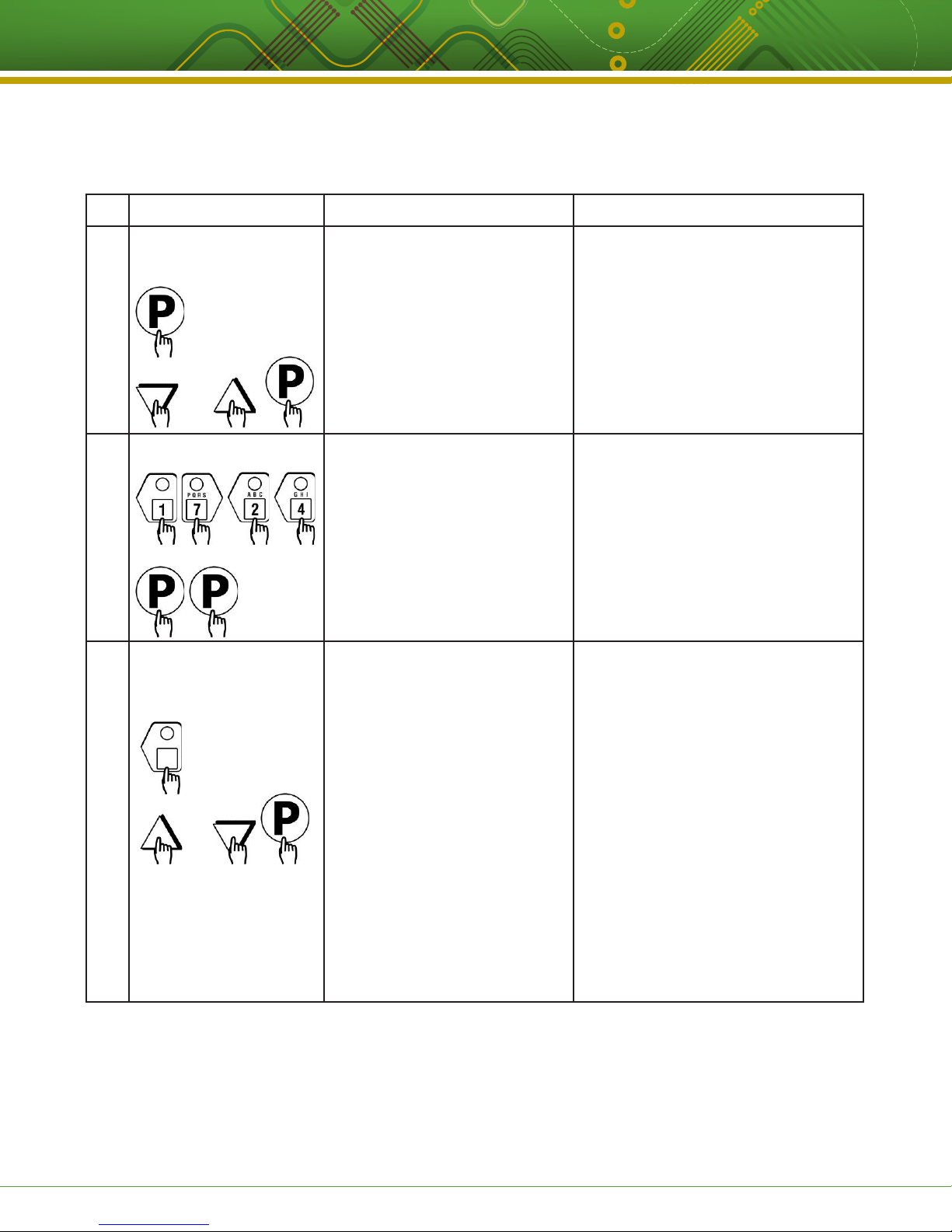
1Enter Program Mode • To enter programming mode, press
and hold the “P” key for 3 seconds.
• Scroll down to “Programming.”
• Press the “P” key to lock in entry.
• The display will prompt user to enter
a pass code.
2Enter Pass Code Enter Code
****
Recipe
• Enter pass code 1 7 2 4.
• Press the “P” key to lock in your entry.
• Display will show “Recipe.” Press the
“P” key.
3Choose a Product Key
(Recipe)
SELECT PRODUCTTO PROGRAM
Choices are:
ALL, NAME,TIME,TEMPERATURE,
TIMING, PRESSURE1, ALARM,
ALARM NAME, ALARM DONE,
TONE, HOLDTIME, HOLD LINK,
FLTR LCKOUT, PRODUCT CNT, RQI
TRACKER2, EXIT
1”Pressure” will only appear if
appliance is a pressure fryer.
2”RQITRACKER” will only appear
if it was selected in System
Programming.
• Press the product key to be
programmed.That key’s LED will
remain lit.
• Scroll to the feature you want
changed and press the “P” key.
NOTE: Selecting “ALL” allows you to
review and/or change all parameters for
that key.
To jump to a specific feature, select one
from the list and follow the appropriate
instructions to make the changes.
OR
OR