CÔNG TY CỔPHẦN FASTER VIỆT NAM
Địa chỉ: 90 Khuất Duy Tiến, Thanh Xuân, Hà Nội
Tel CSKH: 1900 54 54 52 - Trung tâm bảo hành: 1900 54 55 95
4
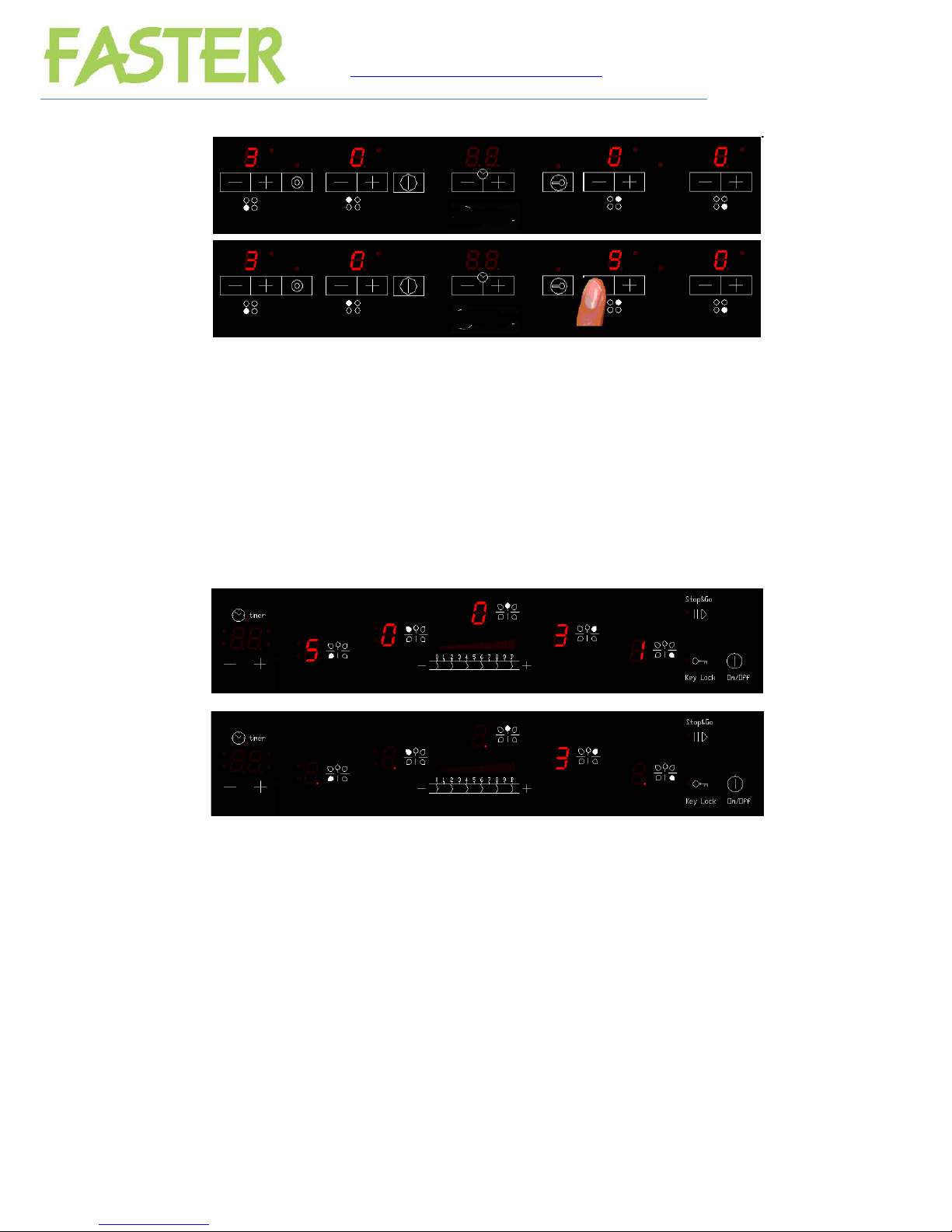
The cooktop is switched Off by touching the [ON/OFF] key for 1 sec. An [OFF_SOUND]
sounds and all the heaters are switched Off. The purpose of these [OFF_SOUND] is to
distinguish the OFF action over all others.
Fig. 2: Switching OFF the cooktop
When the cooktop is OFF, after 5 sec whitout any error/alarm to display and without any
message to indicate (residual heat), the control switches off the (KEYLOCK LED) in order to
reduce as much as possible the power consumption. As soon as we Touch a key, the
(KEYLOCK LED) goes ON and we can continue to operate us normal unlocking the keyboard
if necessary and touching the [ON/OFF] key to switch ON the cooktop.
The (ON/OFF) key will be locked to switch On the cooktop:
if the key lock is activated (KEYLOCK LED on),
or if there is any appliance error.
4. Selecting a power level for a heater
For FS - ID268, FS - ID266, FS - ID 288, FS MIX 388, FS MIX266, FS MIX 288, FS -
2SI, FS-2SIR
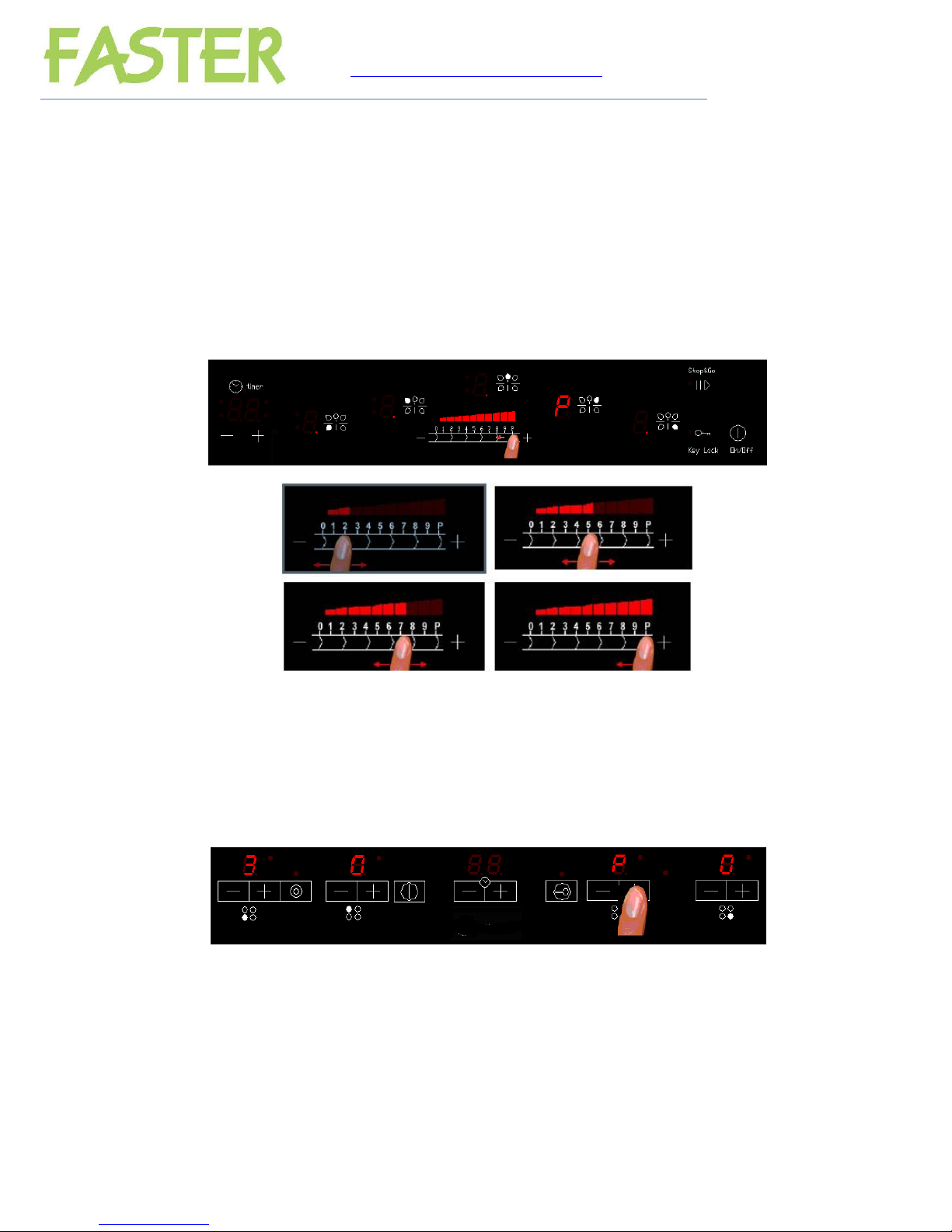
When the Cooktop is on, the power level for a heater can be selected by touching the heater [-]
[+] keys. Ineach increase/ decrease a beep sounds and the corresponding display shows the
new power level.
The touch sends the new power level to the Induction Control Unit.
The [-] [+] keys will be locked:
If the Cooktop is off, or
if the key lock is activated (KEYLOCK LED on), or
if there is any heater error or appliance error.
If the finger is held down on the key, the action is repeated twice every second. The [+] key
raises the cooking level to 9, whereas the [-] key reduces the cooking level to 0.
Fig. 3: Select cookset for a heaters.
With the heater at power level 0, the [-] key raises the cooking level to 9.