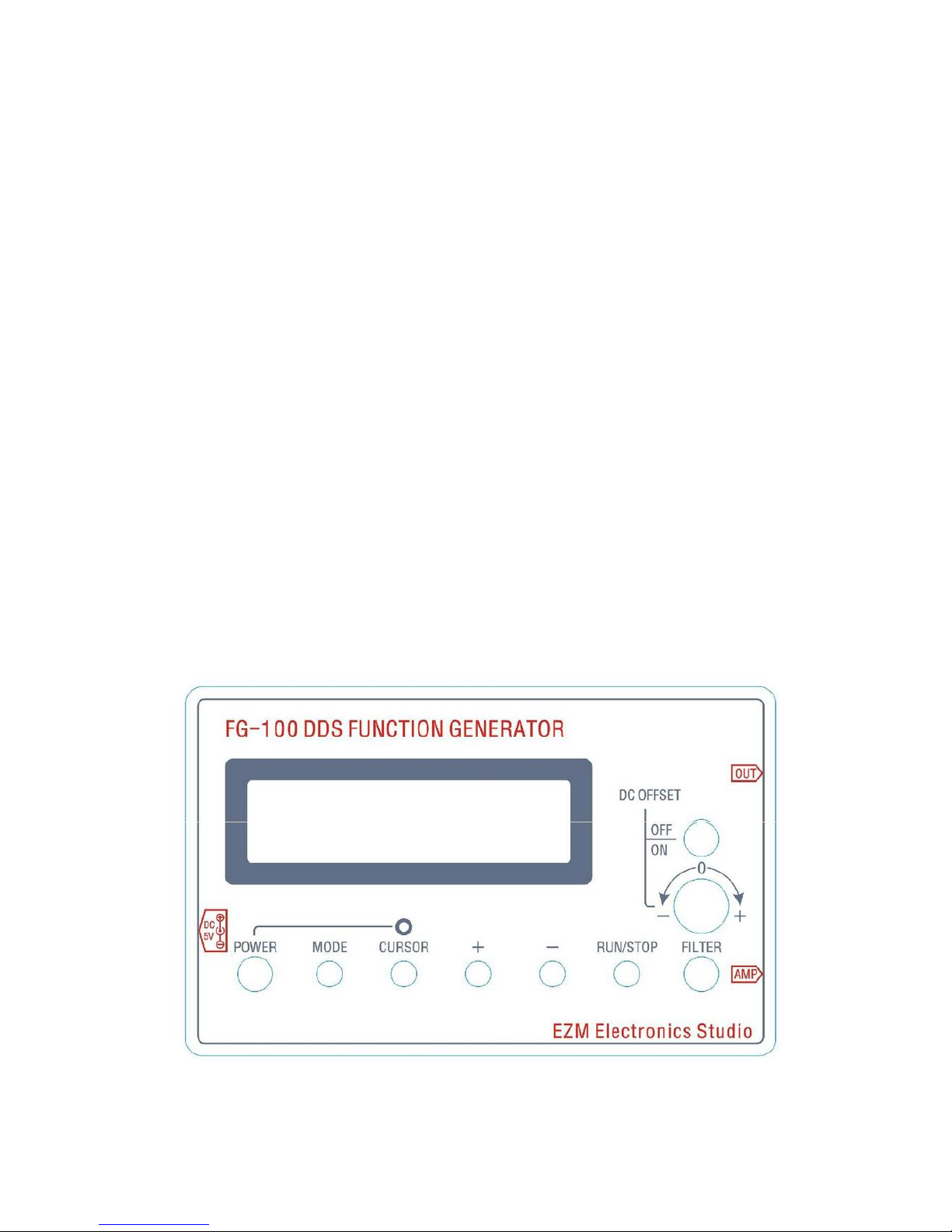
1. Press the power switch (POWER) button to turn on the power, then the power
LED and LCD backlight lit simultaneously.
2. After boot, LCD cursor position in a hundred K frequency flicker.
Then you can use the +, - keys to adjust the value, which is to adjust the frequency.
Each press of the cursor (CURSOR) button, the cursor moves to the right one. Bit
value blinking cursor can be used +, - keys to adjust the value. When the value of
the desired frequency adjustment is completed, press the operation is stopped
(RUN / STOP) button, the cursor disappears, it will generate a waveform output. To
obtain the desired waveform, you can press the "RUN / STOP" key, then the cursor
appears, click on each mode (MODE) button will change one of these waveforms.
After the waveform information to be displayed, press the "RUN / STOP" button, it
will output the desired waveform.