Experiment X Igloo Manuel utilisateur

Igloo™ + Dx Care - Instructions for Use
Experiment X
Germany GmbH
Perleberger Straße
42d
D-10559 Berlin
Germany
/ 1 13
Igloo - Instructions for Use
Contents
1. Introduction
2. Intended Use
3. Explanations of Symbols
4. Safety Information
4.1. Safety Instructions
4.2. Cautions
4.3. General Precautions
5. Pre-Use Requirements and Dependencies
6. Software Installation, Upgrade and Configuration
7. Step by Step Instructions
7.1. How to Start
7.2. Measurement Procedure
7.3. Indication Modes
7.4. Cleaning, Turn off and Storage
8. Troubleshooting
9. Technical Specifications
9.1. Scope of Delivery
9.2. Technical Data
10. Regulatory Information
11. Customer Support and Service Information
12. Copyright Information
Introduction
Thank you for purchasing this test kit, containing Experiment X products - Igloo and Dx Care in combination with single ______ _ _product -
marker lateral flow tests .________
is an electronic portable measuring device for professional use in combination with in-vitro lateral flow tests (qualitative, quantitative Igloo
and semi-quantitative lateral flow immunochromatographic and colorimetric tests) for the in-vitro examination of specimens derived from
the human bodyor other biological samples.
powered by a Li-Ion 2000 mAh battery and can also be powered by USB-C cable (power input 5V, 1400 мА) and also can be Igloo is supplied
recharged with it.
In continuous operation, the system can function without charging for over 8 hours (although note that for the intended purpose less than
half of this is needed).
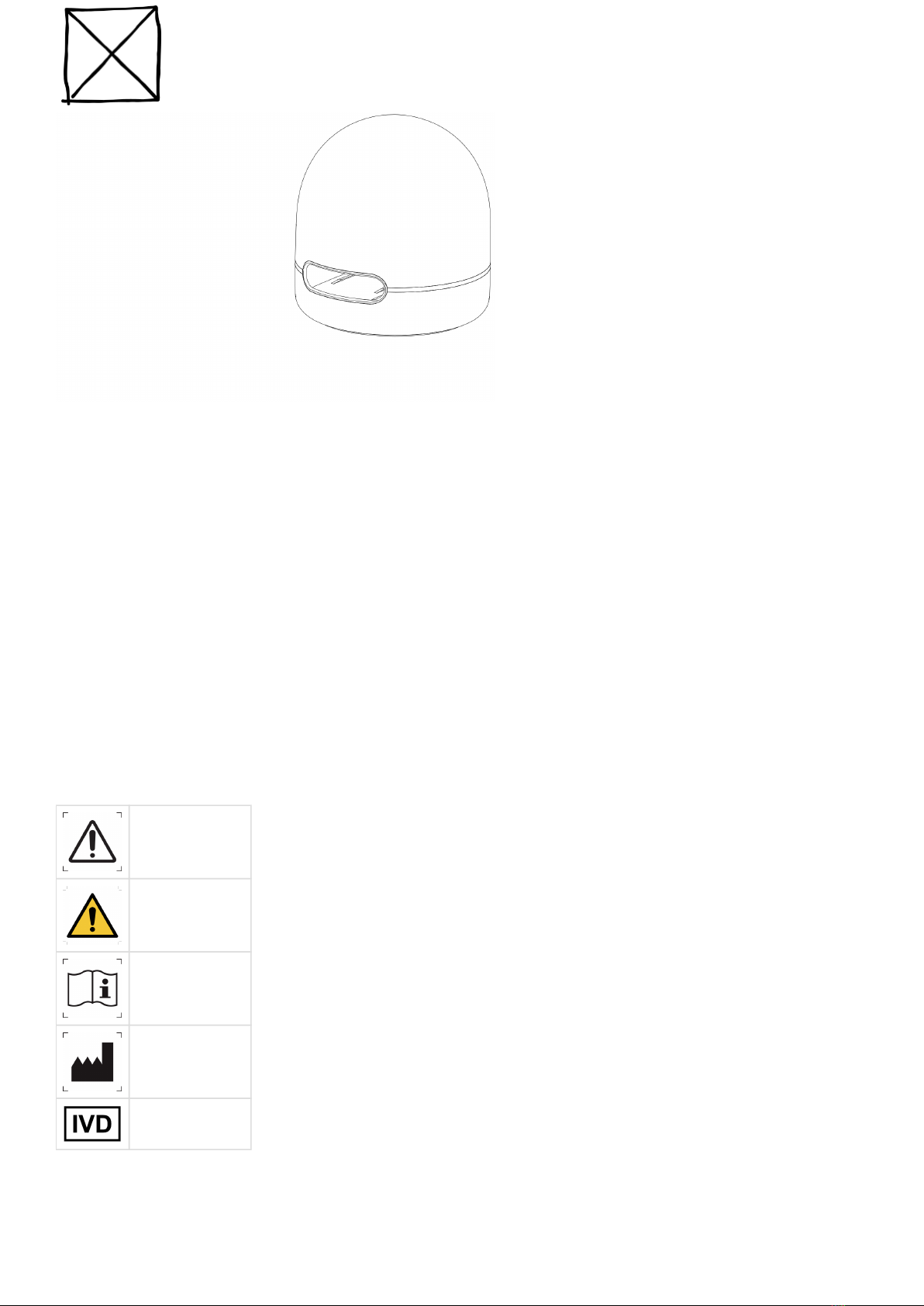
Igloo is the camera-based device enclosed in a plastic case with LED indicator ring around it and touch sensor button on the top. Reset
button is located on the device bottom.The slot on the device’s case is designed for use with various types of adapters for test cassettes.
Transmission of data from Igloo to is carried out via . application USB
It is possible that in the course of using the device, potential infectious material such as biological fluids can get into contact with it.
Therefore, it is recommended to clean the device with a disinfectant solution (e.g. Mikrozid® AF Liquid, Aerodesin®2000 or similar products).
Please read the instructions carefully before using the system.

Igloo™ + Dx Care - Instructions for Use
Experiment X
Germany GmbH
Perleberger Straße
42d
D-10559 Berlin
Germany
/ 2 13
Intended Use
Igloo is an electronic portable IVD medical device for professional use for reading, processing qualitative, and performs analysis of
quantitative and semi-quantitative lateral flow tests.in-vitro immunochromatographic and colorimetric
It is intended to be used as a part of Experiment X platform comprising Dx Care ( application).Igloo and PC
should be used in combination with qualitative, quantitative and semi-quantitative lateral flow immunochromatographic and Igloo
colorimetric tests for the in-vitro examination of specimens derived from the human body.
The limitations to the clinical indications of use for the Igloo are dictated by the limitations of each individual qualitative, quantitative or
semi-quantitative in-vitro lateral flow immunochromatographic and colorimetric test.
During the calibration processthe test specific datais written to the NFC-tag, and during the measurement is transferred wirelessly by
radio-frequency identification (NFC). NFC-tag locatedon a test cassette adapter.
Explanations of Symbols
Caution
Safety warning
Consult
Instructions for
Use
Manufacturer
In-Vitro
Diagnostic

Igloo™ + Dx Care - Instructions for Use
Experiment X
Germany GmbH
Perleberger Straße
42d
D-10559 Berlin
Germany
/ 3 13
Date of
manufacture
Degrees of
protection
provided by
enclosures (IP
Code)
Non ionizing
electromagnetic
radiation
Catalog number
Protection class
of electronic
equipment
CE-symbol
Do not use if the
packaging is
damaged
Don't dispose in
general trash.
Please refer to
country specific
rules andand
laws.
Safety Information
Please follow the mandatory safety information supplied with Igloo.
Prior to commissioning, please read this chapter carefully.
Safety Instructions
Proper use of the device cannot adversely affect the life and health of patients.
Measurement results obtained using the device should always be analysed by professionals.
Results obtained using rapid tests should only be interpreted by professionals in conjunction with other diagnostic procedures and clinical
data to eliminate any false positive and false negative results.
In case of possible use by , always check the test results with a physician.laypeople
Cautions

Igloo™ + Dx Care - Instructions for Use
Experiment X
Germany GmbH
Perleberger Straße
42d
D-10559 Berlin
Germany
/ 4 13
The device is equipped with Li-ion battery. Do not heat above the set temperature or expose to direct sunlight.
The risk of electric shock is minimized but cannot be eliminated. Observe necessary precautions when using electronic devices.
Proper use of the device cannot be a source of infection. In any case, contamination due to biological material is possible. Always wear
gloves and observe required specific laboratory precautions.
Please, follow an in vitro test manual and recommendations from these instructions.
Use the device for its intended purpose only.
General Precautions
Be aware that liquids can cause irreparable damage to Igloo.
Do not clean Igloo with excess liquid and do not spray disinfectant directly on it or into it. Considering these limitations, the device can only
be cleaned with a disinfectant solution (e.g. Mikrozid® AF Liquid, Aerodesin® 2000 or similar products) applied to a cloth.
Do not expose the device to strong electromagnetic radiation. The data can be lost.
Protect the device from dust, as it can damage some parts of the device and affect the test results.
Do not heat above the set temperature and do not freeze.
Use the device with the supplied cable and with a recommended charger. Using chargers that are not recommended may cause the device
to malfunction.
Do not disassemble the device, otherwise the warranty automatically expires.
Do not insert external tools or any other objects into the device slot, as they may cause the device to malfunction.
The device is not shockproof. Be careful, as the case of the device is smooth enough for it to slip out.
The device is intended for use outside of the human body. Do not insert body parts into the device.
The device is resistant to movement, but the manufacturer does not recommend shaking the device.
All in vitro test measurements need to be produced on a horizontal surface. Please do not move or rotate the device during the
measurement, as this may cause contamination or incorrect measurement result.
Preparing a test cassette without following the instructions may lead to incorrect results.
The calibration data and other specific test information is in the NFC-tag on the underside of the test cassette adapter. Be careful not to mix
up adapters from different batches or test types.

Igloo™ + Dx Care - Instructions for Use
Experiment X
Germany GmbH
Perleberger Straße
42d
D-10559 Berlin
Germany
/ 5 13
Always check that you are using the appropriate cassette adapter with a specific test cassette.
A test cassette from a test batch that is not calibrated by the device may affect the accuracy of the measurement result.
Pre-Use Requirements and Dependencies
No special training or special skills are required. The explanations in this guide are enough.
Igloo can only be used with specially designed software applications for different types of users.
You will need an Internet connection to download the software and start using Igloo.
Minimum system requirements for PC
Operating system:Windows 7 (32 bit and 64bit) or later or macOS version 10.10 or later
Processor: Intel Pentium 4 processor or later with SSE2 support
RAM: 1 GB of RAM
Disk: 1 GB free space on the disk
Video graphics: 1024 x 768 px resolution
Software Installation, Upgrade and Configuration
The software applications need to interact with Igloo and to process the obtained data.
Install Dx Care on your computer.
The download link is located at the bottom of the device, on the device’s packaging, or can be https://found at support.igloo.today/dxcare
Dx is available in desktop version for Windows and MacOS Care .
Carefully read agreement at first application loading.
Dx automatically installs the latest updates, consent may be required depending on your settings.Care
Please note that measurement results cannot be obtained without using the application.
Dx uses the date and time from your operation system. Care This is important for storing test results and for the proper storage of the
. device logs
If you have any problems with the software, reload or reinstall it, and in case of continuing errors, contact support and do not use the
device until troubleshooting.
The manufacturer prohibits the use of other applications or software with Igloo.
Step by Step Instructions
Regardless of the supplied kit, the start of work with the device is the same.

Igloo™ + Dx Care - Instructions for Use
Experiment X
Germany GmbH
Perleberger Straße
42d
D-10559 Berlin
Germany
/ 6 13
1.
2.
How to Start
Prepare a work area near Igloo.
Place Igloo on a flat surface, away from any liquids as they could damage the device.
The work area should have enough free space in order to easily insert and eject the cassette adapter (cartridge) or test cassette.
Launch Dx desktop version to enable Igloo for the first time and connect it to your computer via the supplied USB-C cable (initial Care
start).
Dx mobile version can be use after the fist initial start, as described above.Care
For the second and next starts Igloo can be turned on in several different ways:
connecting via USB-C cable to computer or laptopwhile,
pressing the touch buttonfor 3seconds while the brightness of LED lights on the device increases.
In case of the second variant (withoutUSB-C cable) you need to connect Igloo to your computer.
Igloo starts the self-testing process in every turning on, the indicator on the device rotates fast in white.
The self-testing process takes a few seconds.
At the end of a successful self-testing the indicator on the device will start rotate slowly in case battery level requires charging or will start
slow breath if battery level is enough.
You can start interacting with Igloo.
If a self-test is incorrect, the indicator on the device flares in red.
Please, refer to chapter 'Troubleshooting' or contact support and do not use the device.
Measurement Procedure
Launch Dx and switch on Igloo.Care
In case of already completed connection via USB-C cable, Dx and Igloo connect automatically.The device indicator flare in white.Care
The application will invite to insert an adapter with the test cassette into the device.The indicator on the device fast.breaths
Use gloves.

Igloo™ + Dx Care - Instructions for Use
Experiment X
Germany GmbH
Perleberger Straße
42d
D-10559 Berlin
Germany
/ 7 13
Prepare a test cassette following its instructions for use.
You can choose the method for calculating the incubation time using the application settings: the incubation time can be counted by Dx
Care or the measurement can be performed immediately (in this case you need to use your own external clock).
Igloo reads the incubation time and other important test information from NFC-tag. Prior to the measurements, make sure that the NFC-
tag is located on underside of the cassette adapter.
Incorrect preparation of the test cassette can lead to incorrect test results.
Place the test cassette into the cassette adapter with test strips up and insert them together into the device slot according to the adapter
direction. The sample well on the test cassette must be facing the outside of the device.
The device is intended for use with various cassette adapters, but the test cassette must be suitable for the cassette adapter.
Always check that you are using the appropriate cassette adapter with a specific test cassette. A cassette adapter with NFC-tag from other
batch or type of tests can affect the measurement result.
Dx starts to countdown the incubation time or will start the measurement immediately, while the white light on the device rotates.Care

Igloo™ + Dx Care - Instructions for Use
Experiment X
Germany GmbH
Perleberger Straße
42d
D-10559 Berlin
Germany
/ 8 13
Dx starts measurement, while the light on the device rotates. Dx shows measurement progress.Care Care
In case inserting the cassette adapter with test cassette into the device first and launching the application after it,eject the adapter and
insert it again.
If measurement process starts with the countdown of the incubation time, it cannot be canceled.
Do not eject the cassette adapter until the reading is complete. After removal for more than 10 seconds, the incubation time will be reset
and the application will ask to start at the beginning. Inserting of the same test can lead to incorrect measurement result.
In case connecting via the USB-C cable, do not disconnect it until the reading is complete. Otherwise, the measurement cannot be finished,
or result can be wrong.
Do not move the device during the measurement. This can cause an unnoticed ejection of the cassette adapter, contamination or result
can be wrong.
At the end of successful reading, the device indicator ends rotation and stars to breath fast, as Dx Care retrieves the result from Igloo and
shows it on the application screen.
In case the test result is incorrect or cannot be obtained by Igloo, the device indicator starts fast breath and Dx shows an appropriate Care
message. Use another test cassette to perform the same test at the beginning.
Occasionally the test results can be incorrect for various reasons. The results obtained using the device must be double checked using
approved comparable diagnosis techniques by professionals.
The manufacturer does not recommend to start measurement if the battery is lower than 9%, as there is a risk of the procedure failing to
be successfully completed. Nevertheless, the application will be warning about it.
Eject the cassette adapter. Move out the test cassette used.
One test cassette can be used only once.
Biological fluids introduced into the test cassettes are turned into infectious biological waste.
Always follow the instructions for the correct disposal of used test cassettes.
The lateral flow test manufacturer can recommend not to evaluate the test results after a certain time (expiration time).
The device is reusable. To continue measurements, save the test result using the application menu.
Dx will ask to insert cassette adapter with a test cassette. Follow the Instructions above.Care
Measurement result can be saved as a PDF file or printed. When measurement is complete close the application and switch off Igloo.
Be careful when saving or printing the result, do not confuse the data associated with the measurement. The device and the software
manufacturer does not responsible for the safety of the result.
Indication Modes
Color Mode Meaning Cases

Igloo™ + Dx Care - Instructions for Use
Experiment X
Germany GmbH
Perleberger Straße
42d
D-10559 Berlin
Germany
/ 9 13
White Fast breath Igloo needs your attention or action
(also check notifications in the App)
Insert or eject the cassette adapter
Measurement completed successfully
Measurement error
Reboot Igloo via Dx Care interface to
apply Firmware update
Update finished, please, check the results
in Dx Care
White Fast rotation Igloo is busy Measurement in progress
Igloo is self-testing internal components
Firmware update in progress
White Slow rotation Some background process Battery is charging, nothing else is
happening
White Slow breath Igloo is ready, nothing is happening Battery is from 10% to 100%
White Flare Connection established Igloo is connected and ready to work with
Dx Care
Yellow Flare Battery is low, please, charge it Igloo is 'slowly breathing' and each 3rd
breath is flaring yellow: battery is from
1% to 10%
Red Flare Igloo can't make measurements Battery is below 1%, please reconnect
cable and try again
Self-test returned an error
Blank Igloo is resting Igloo is turned off or in Sleep mode
Cleaning, Turn off and Storage
In case the device has been contaminated, clean it with a disinfectant solution (e.g. Mikrozid® AF Liquid, Aerodesin® 2000 or similar
products) applied to a cloth.
To avoid biological contamination, use a cleaning recommendation after each use.
After 10 minutes ofnon-usage LED indicators becomes less bright and Igloo automatically goes to standby mode after 15 minutes.
If you touch the device before this time has passed, it will start slow breathing and wait for a new interaction.
Another way to turn off the device is to The device indicator decreasesand switches off.press the touch button not less then for 3 seconds.
Always store the device out of the reach of laypeople or children.
The manufacturer recommends store the device in a closed medical cabinet or desk.
Troubleshooting
Please note, that your kit, containing Igloo Reader and a set of LFA tests, is a single unit that is certified, produced, distributed and
supported by its Legal Manufacturer.
You can normally find Legal Manufacturer name and contact information on kit packaging, additional sticker on Igloo bottom or via your
distributor.
# Trouble Reasons or recommendations

Igloo™ + Dx Care - Instructions for Use
Experiment X
Germany GmbH
Perleberger Straße
42d
D-10559 Berlin
Germany
/ 10 13
1.
2.
1 The device does not turn on. Check the USB-C cable connection to your computer.
Сheck the type of cable used.
Charge the device.
Use the reset button (see row 6).
2 The application and the device does not connect. Сheck the type of cable used.
Restart the application.
Use the reset button to reload the device (see row 6).
3 The measurement does not start. The adapter wasn't inserted into the device correctly or not enough – check the cassette adapter.
Check the NFC tag on the bottom of the cassette adapter or check Dx Care notification.
4 No measurement result was obtained. The adapter ejected before the measurement was complete, repeat the procedure with new test.
The battery is insufficiently charged, connect the device via USB-C cable, results will be taken from the device if the measurement was finished. In case lack of results
5 Self-test error. Contact support.
6 Igloo hung. Use the reset button.
The reset button located under the robber at the bottom of the device.
Push the button, release and then push again within 5 seconds time to rollback Igloo to factory firmware and settings.
7 Igloo demonstrates incorrect actions firmware or software
actions.
User wants to repair Igloo resetting to the factory settings.
Push the reset button twice to rollback the device to the factory settings:
The first time the reset button should be pressed.
The second time the reset button should be pressed in period from 4 to 5 sec after the button was released the first time.It must be held down less than 1 sec. Reset to the initial firmware occurs
afterthe button is released.
8 The device does not turn off. Disconnect the USB-C cable. Don’t press touch button and don’t connect to the device via from application. After 15 minutes, the device will go into standby mode.
Technical Specifications
Experiment X reserves the right to change the specifications at any time.
The device is equipped with Li-ion battery. Every device is shipped with a USB-C cable. Instructions for Use is electronic and also can be
printed out upon customer request.
Cassette adapter can be not included*.The availability of the adapter in the kit depends on the type of delivery.
Scope of Delivery
Igloo device
USB-C cable
Test cassette adapter*
a. Touch button (on the top)
Autres manuels pour Igloo
1
Table des matières
Manuels Équipement de laboratoire populaires d'autres marques

Agilent Technologies
Agilent Technologies 5800 ICP-OES Manuel utilisateur

Endress+Hauser
Endress+Hauser Cleanfit CPA875 Manuel utilisateur

NI
NI PXI-5422 Manuel

Collomix
Collomix Aqix Manuel utilisateur

SPEX SamplePrep
SPEX SamplePrep 6875 Freezer/Mill Series Manuel utilisateur

Ocean Insight
Ocean Insight FLAME-NIR+ Manuel utilisateur