
ExcelValley X3M Manuel utilisateur

X3M
User Manual
MIDI + USB Sound Module:
Supports hardware wavetable synthesis + audio
playback, multifunctional MIDI DIN connector.
ExcelValley
www.excelvalley.com

X3M User Manual
www.excelvalley.com 2
Contents
Introduction 3
Resources 3
Specifications 4
Board Overview 5
Pinout 6
Using the X3M 8
As a USB MIDI device 8
USB Audio Playback 10
USB Audio Digital Recording 10
X3M Upload Software 11
Overview 11
Uploading Soundbanks 11
SoundBank upload process 12
Uploading Presets 13
Preset upload process 13
X3M Preset Editor 14
X3M Routing 15
X3M Chorus Acoustic Settings 15
X3M Equalizer / Amp Settings 16

X3M User Manual
www.excelvalley.com 3
Introduction
Thank you for purchasing the X3M.
The X3M is a MIDI wavetable board which is fully General MIDI compat-
ible. It comes with 64 MB of flash memory, has a USB interface and is
software configurable.
Software development tools are available which let the user easily
program the on-board flash memory. This lets the user control properties
of the device such as the volume output, or swapping the L & R channels.
The user can also tweak the sound characteristic to their liking. Reverb,
Chorus as well as Bass and Treble can be configured with great detail.
We hope you are satisfied with this product and enjoy it!
Resources
The X3M is an advanced wavetable board, having features and functions
not found in other wavetable modules.
Because the flash memory is user upgradable, check the product page for
any updates, information and support.
Resources URL
X3M Downloads https://www.excelvalley.com/product/midi-usb-sound-module
CleanWave SoundBank 8 MB http://www.dream.fr/pdf/Serie5000/Soundbanks/GMBK5X64.pdf
CleanWave SoundBank 16 MB http://www.dream.fr/pdf/Serie5000/Soundbanks/GMBK5X128.pdf

X3M User Manual
www.excelvalley.com 4
Specifications
• Small form factor MIDI PCB: 80 mm x 36 mm
• Black color PCB
• Dream 5000 series synth chip with 54 voices polyphony, high quality
eects engine
• Real MIDI in through DIN connector. Can be changed to MIDI out
with the jumpers settings on pins J8.
• Low latency <1 ms
• 64 MB flash for Soundbank data
• USB connector for flashing the internal flash memory
• USB connector functions also as a full MIDI interface. Tested with
Windows XP, Vista, 7, 8, 8.1 and 10. Should also work on Linux, Mac
OS X, …
• Preloaded with a high quality 16 MB Dream General MIDI SoundBank
• X3M Preset Editor software: For creating and modifying profiles to
tweak the sound signature
• X3M Upload software : For flashing the X3M via USB
Latency Low latency < 1 ms
Flash 64 MB, for soundBank data
USB For flashing the internal flash memory
Functions also as a full MIDI interface
Output Stereo line out, using a high quality 24 bit DAC
SoundBank Preloaded with a high quality 16 MB Dream General MIDI SoundBank
Software
X3M Preset Editor software: For creating and modifying profiles to
tweak the sound signature
X3M Upload software: For flashing the X3M via USB
PCB Color Black
PCB Size 80 mm x 36 mm
Manufacturer Serdaco B.V.B.A.
Country of Origin Belgium
X3M User Manual
www.excelvalley.com 5
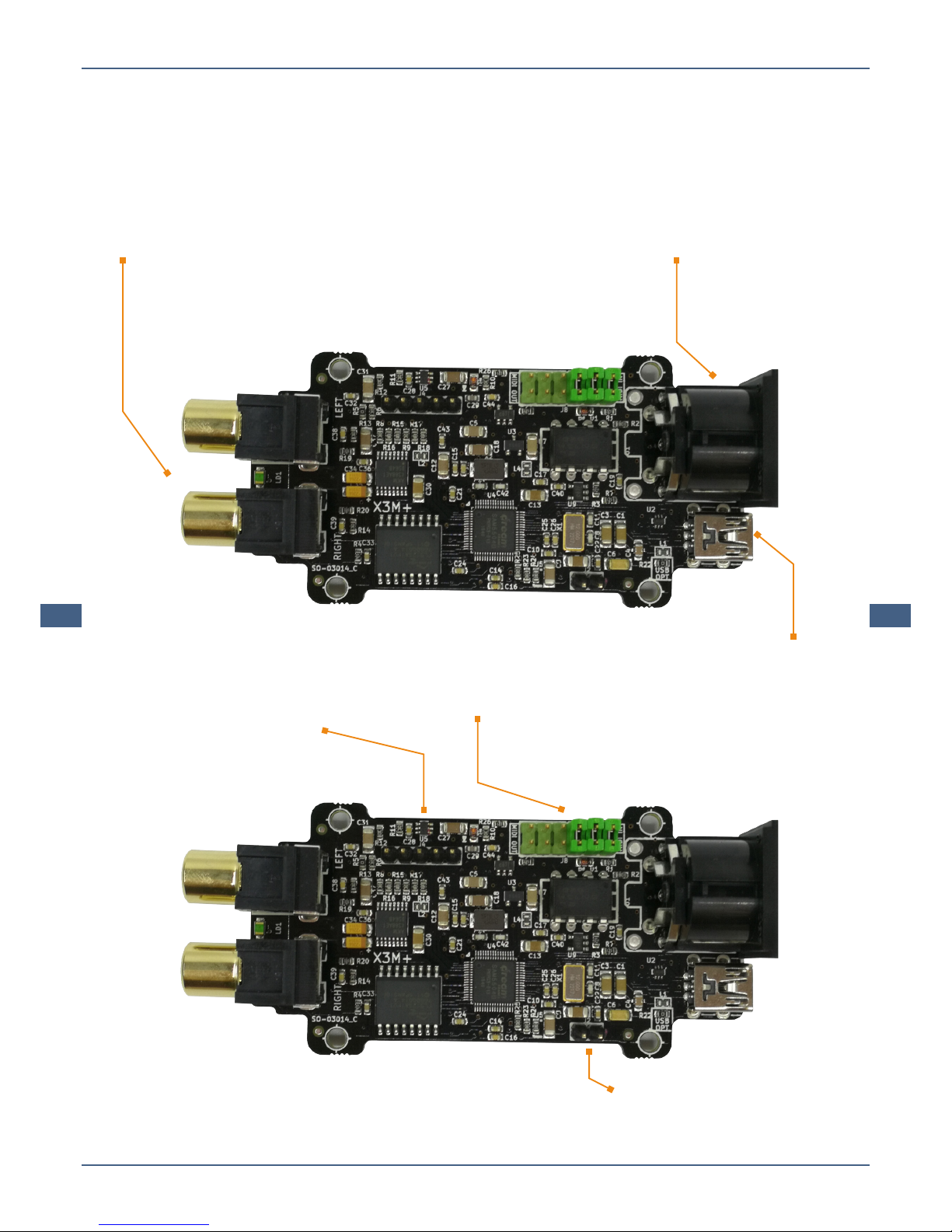
2 X RCA
Left & Right Audio.
DIN Connector
MIDI in (default) or MIDI out
J8 DIN connector jumper header
Board Overview
X3M - Pinout
X3M - Connectors
Mini USB interface used for flashing
the X3M and as a MIDI interface
J4 Proprietary program header
for the Dream DSP chip
J2 Bootup jumper header
X3M User Manual
www.excelvalley.com 6
Pinout
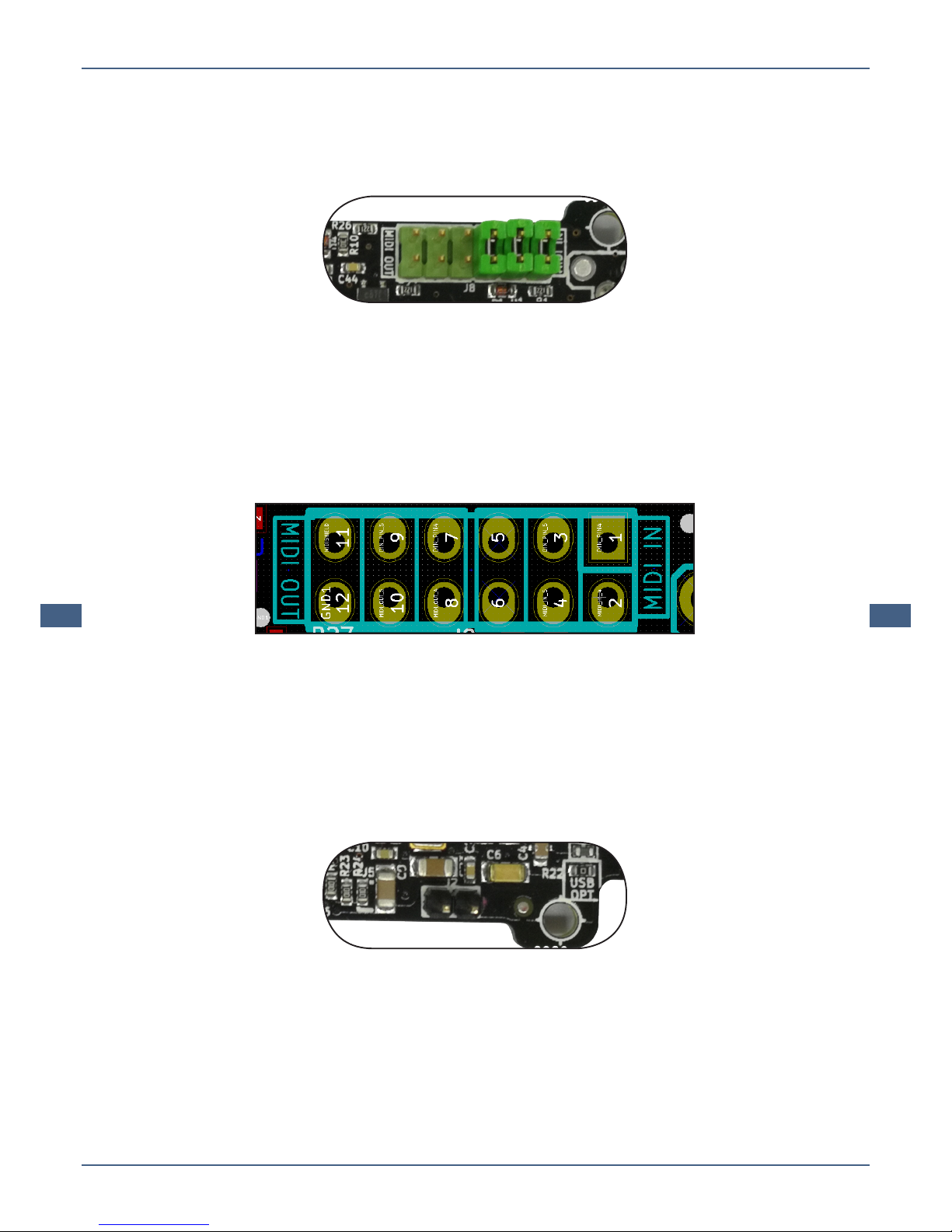
J8 DIN connector jumper header
The 3 jumpers can be positioned, either:
• Left side: MIDI Out
• Right side: MIDI IN [default]
This configuration does provide the relative MIDI In or Out to the DIN
connector. By default, the DIN connector has been configured to MIDI In.
The text “MIDI IN” & “MIDI OUT” has been printed on the PCB to prevent
any misunderstanding. All 3 jumpers have to be positioned either on the
left, or either on the ride side.
J2 Bootup jumper header
When a jumper has been connected to the J2 connector, the X3M will boot
“clean“. This without loading any preset configuration.
X3M User Manual
www.excelvalley.com 7
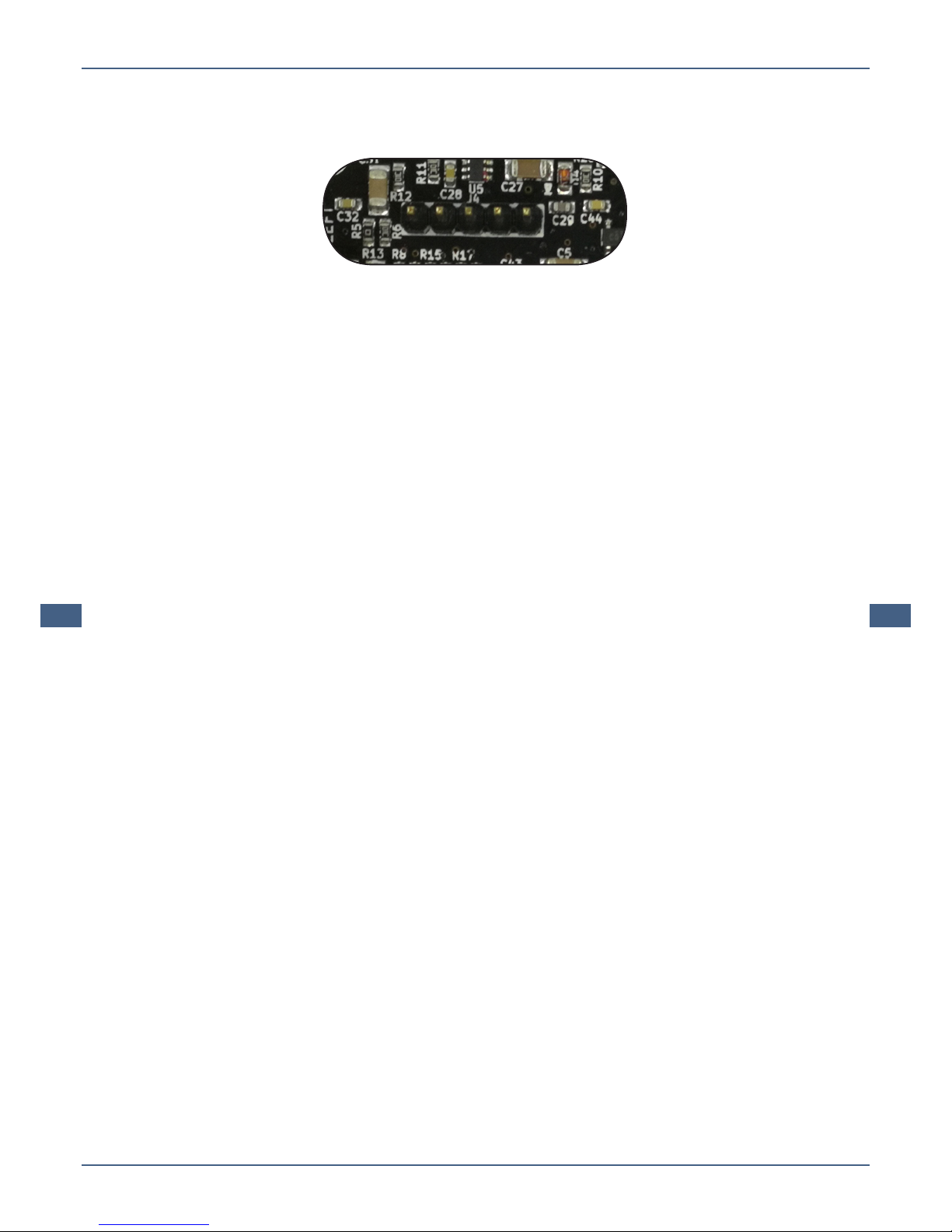
J4 Proprietary program header for the Dream DSP chip
This jumper is a proprietary header for the Dream DSP Chip and is used
with initial setup of the board by the manufacturer.
This jumper is irrelevant for the user.

X3M User Manual
www.excelvalley.com 8
Using the X3M
As a USB MIDI device
The USB interface of the X3M is a full MIDI interface. Connect the X3M
to a USB port to your PC and after a short while the X3M will appear as a
MIDI device:
Windows supports several MIDI devices, so it’s important to configure the
software so that the X3M is actually being used, rather than the default
Microsoft GS SoftSynth.
To ensure that the X3M is the default MIDI device it, is recommended
that you are using applications that let you select the MIDI device.
Examples of such applications are:
• DOSBox
• Falcosoft SoundFont Midi Player
• Midibar midi player (included with MIDI-OX)
Under XP the default MIDI device can be easily changed in the control
panel:
X3M User Manual
www.excelvalley.com 9
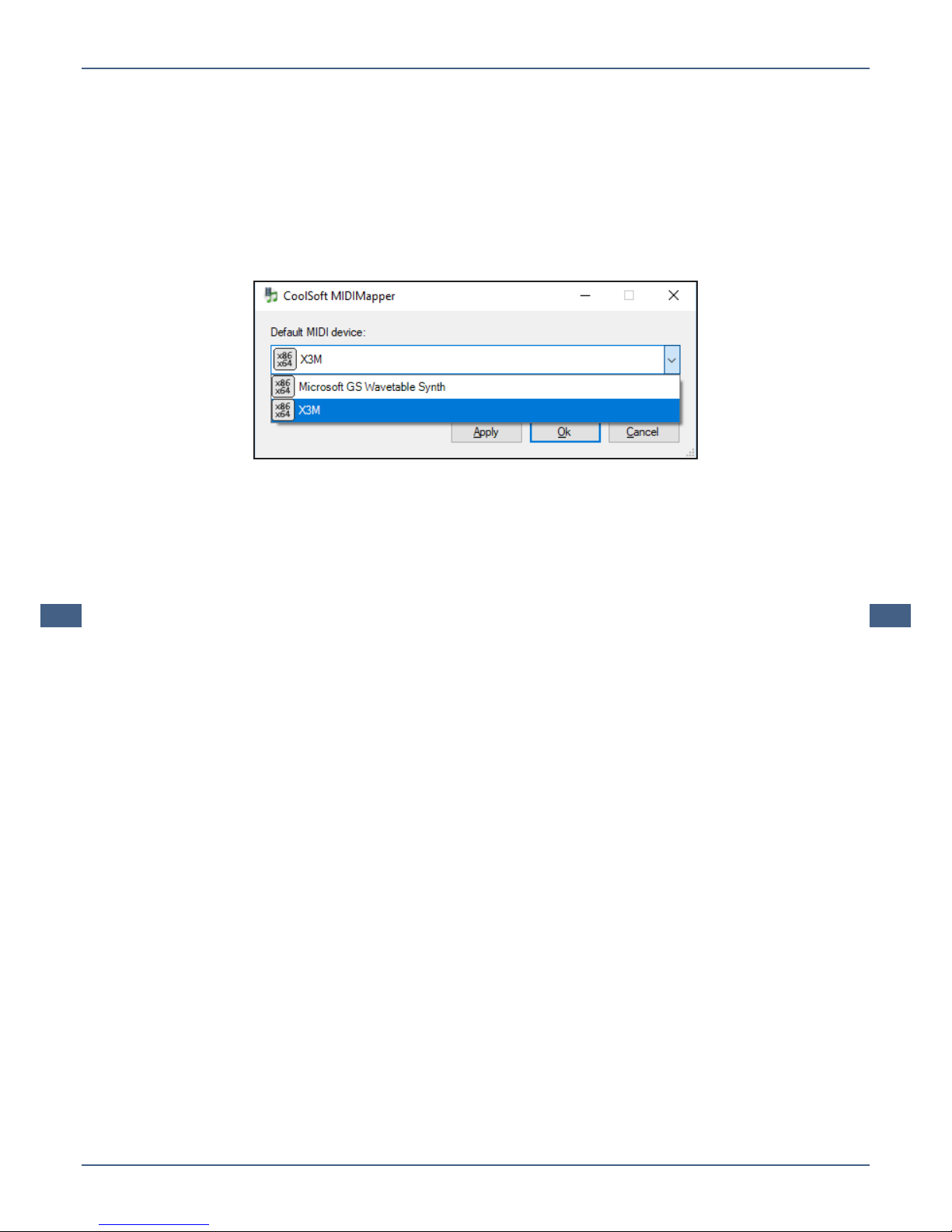
With newer versions of Windows, applications are supposed to oer the
selection of MIDI device, however not every application supports this. In
such a case you need to use a tool, often referred to as MIDI Mapper, to
select the default MIDI device of your system. We recommend the Cool-
Soft MIDIMapper:
Once you have configured the X3M as the default MIDI device, you can
use most media players to play MIDI files. It will then also work with
DOSBox and ScummVM without having to change the MIDI device inter-
nally.
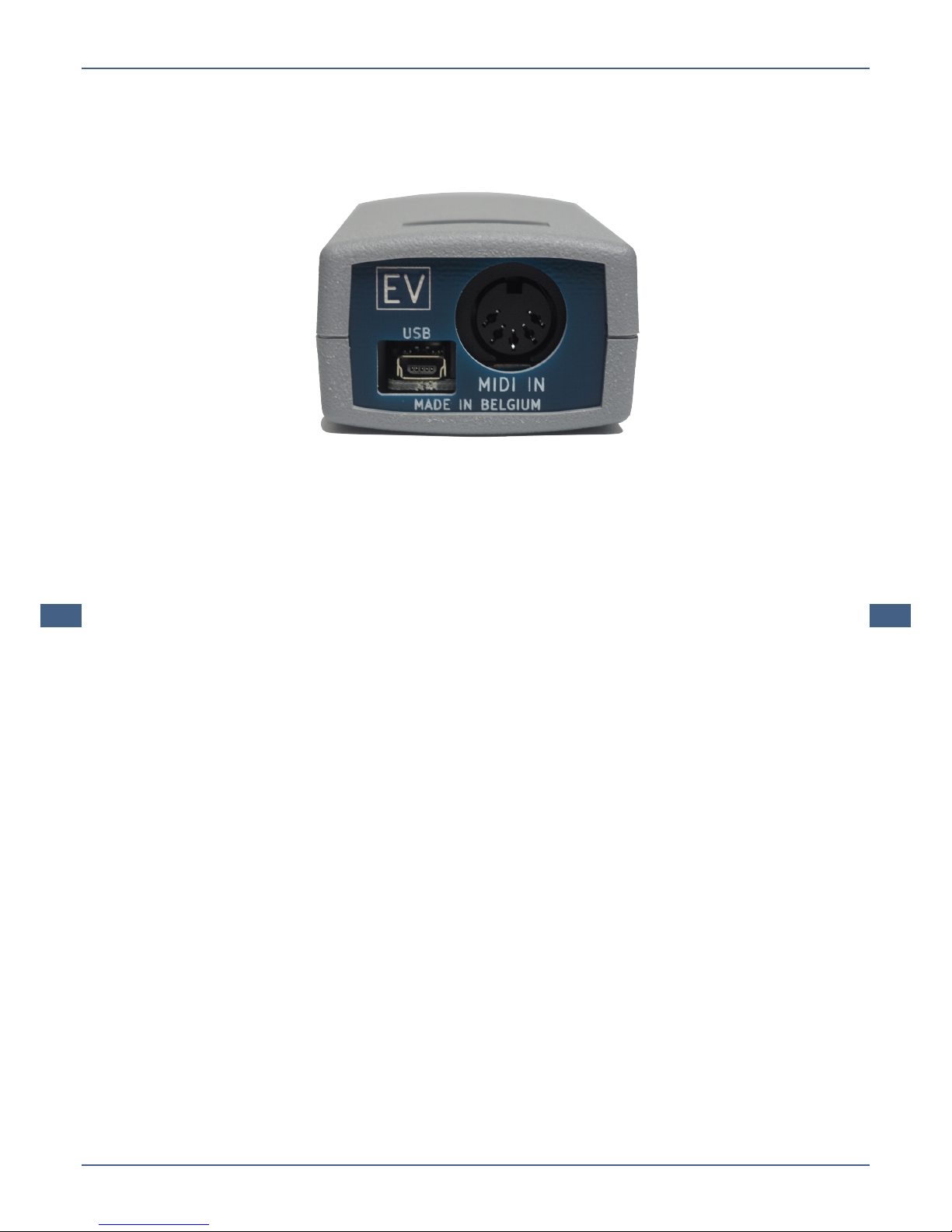
The X3M will output music through the RCA stereo out connectors to
speakers or a mixer.
X3M User Manual
www.excelvalley.com 10
USB Audio Playback
The X3M can be used for USB audio playback.
This is interesting when the USB audio playback is used in combination
with the MIDI In.
The advantage is that there is no need for mixing anymore. All the sound,
audio + MIDI, is provided by the same device.
It is quite interesting to use this device with a Raspberry Pi, as it provides
a ‘complete’ sound card solution.
USB Audio Digital Recording
The X3M is ideal for USB audio digital recording of MIDI + Wave Output.
This is very useful for the digital recording of game soundtracks. All
sounds from the game, sound eects + MIDI, are provided by the X3M.
Table des matières
Manuels Équipement d'enregistrement populaires d'autres marques


Strymon
Strymon NIGHTSKY Manuel utilisateur

Mitsubishi Electric
Mitsubishi Electric 16CH DIGITAL RECORDER DX-TL5000U Manuel utilisateur

Tews Technologies
Tews Technologies TPMC465 Manuel utilisateur

Honeywell
Honeywell Excel 50 Manuel utilisateur

SeaLevel
SeaLevel COMM+8.LPCI Manuel utilisateur

Arturia
Arturia AUDIOFUSE STUDIO Manuel utilisateur


