
Evolution EV-256MPN Manuel utilisateur

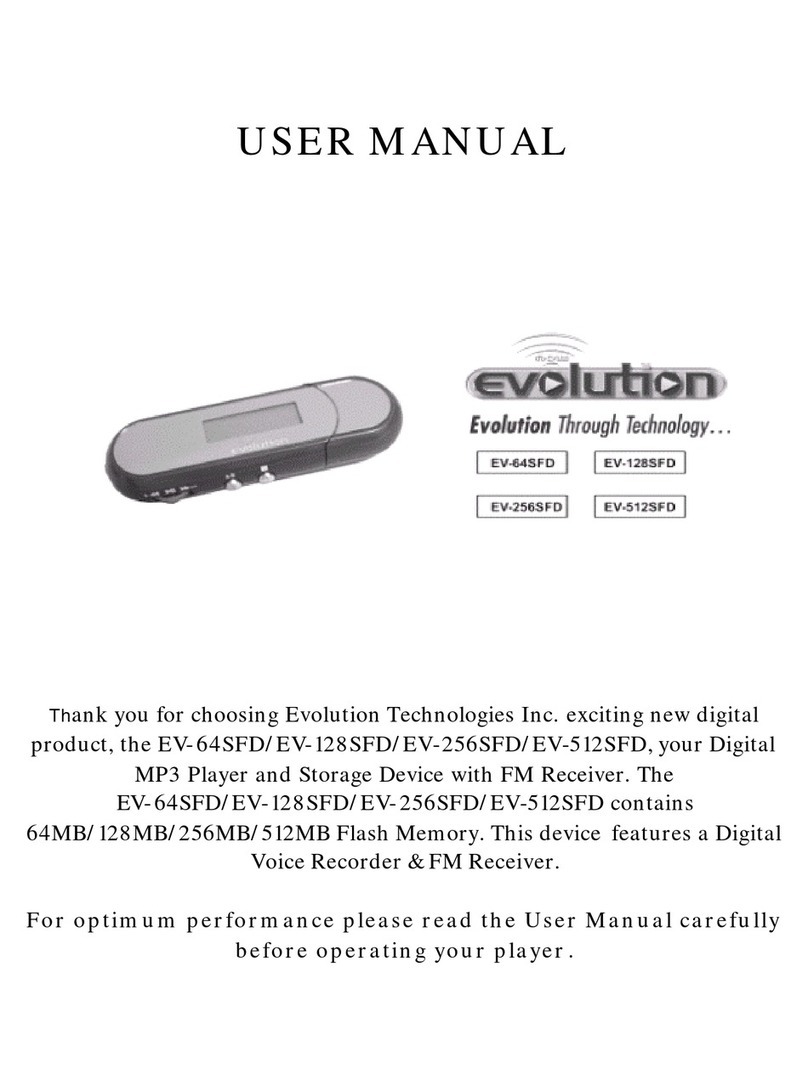
EV-256MPN
Portable MP3 Player
User’s Manual
Rev. 2002-04-11

2
FCC NOTICE
THIS DEVICE COMPLIES WITH PART 15 OF THE FCC FULES.
OPERATION IS SUBJECT TO THE FOLLOWING TWO CONDITION:
(1) THIS DEVICE MAY NOT CAUSE HARMFUL INTERFERENCE, AND
(2) THIS DEVICE MUST ACCEPT ANY INTERFERENCE RECEIVED,
INCLUDING INTERFERENCE THAT MAY CAUSE UNDERSIRED
OPERATION.
This equipment has been tested and found to comply with the limits for a Class B
digital device, pursuant to part 15 of the FCC Rules. These limits are designed to
provide reasonable protection against harmful interference in a residential
installation. This equipment generates, uses and can radiate radio frequency
energy and, if not installed and used in accordance with the instructions, may
cause harmful interference to radio communication. However, there is no
guarantee that interference will not
occur in a particular installation. If this equipment does cause harmful interference
to
radio or television reception,which can be determined by turning the equipment off
and on, the user is encouraged to try to correct the interference by one or more of
the following measures :
-Reorient or relocate the receiving antenna.
-Increase the separation between the equipment and receiver.
-Connect the equipment into an outlet on a circuit difference from that to which
the receiver is connected.
-Consult the dealer of an experienced radio/TV technician for help.
NOTE : The manufacturer is not responsible for any radio or TV interference
caused by
unauthorized modifications to this equipment. Such modifications could void the
user’s
authority to operate the equipment.

3
CONTENTS
EV-128MPN PLAYER..............................................................................3
Packing contents
Technology and features
System requirements
Safety instructions
Overview.....................................................................................................7
Preparation................................................................................................12
Inserting the battery; inserting the memory cards
Installing the software
Audio Manager..........................................................................................15
Playback .....................................................................................................17
Starting playback
Select next track/Search mode
Select previous track/Search mode
Additional playback functions
Special functions.......................................................................................22
Back light
Button lock
Information.................................................................................................23

4
EV-MPN256 PLAYER
Packing contents
•EV-128MPN Player
•USB adapter cable for connecting to a PC
•Headphones
•Installation CD
•User’s Manual / Warranty card
•Battery
•Carrying bag
Technology and features
•Multi codec MP3, WMA, (AAC-ready starting in 2002 software
updates will be available from the Internet at
http://www.nowevolution.com)
•Shock-resistant playback
•Updateable firmware
•USB port
•Two card slots for MMC and SDC memory cards
•256 MB of built-in flash memory

5
The EV-256MPN Player is a new, portable device for playing
back digital music that conforms to the MP3 standard. The EV-
256MPN Player can also playback WMA and ACC data formats.
In the following chapters, MP3will be referred to as the standard
format.
The player is completely shock-resistant and easy to operate. The
music is stored in flash memory or in exchangeable and re-
writeable memory cards. These cards are small in size,
lightweight yet sturdy.
MP3 has become a standard format for saving digital music,
particularly in the Internet. Numerous Web sites offer MP3 music
files that can be downloaded free of charge. The MP3 files that are
stored on your PC's hard disk are sent to the EV-256MPN via the
USB interface using the enclosed adapter cable.

6
System requirements
•Windows 98/ME/2000
•Pentium 233 MHz or faster
•USB port
•CD-ROM drive
•64 MB RAM
•64 MB free hard disk space for installing the software
•300 MB free hard disk space for music files
•16 Bit DirectX (r) compatible soundcard
•Netscape Navigator or Microsoft Internet Explorer (v4.x or
higher)
•28.8 kbps modem (ISDN, LAN -recommended)

7
Safety instructions
This EV-256MPN player set is designed to play back audio
signals in the form of MP3, WMA or ACC files. Any other use is
expressly prohibited.
The EV-256MPN Player with headphones meets the requirements
set out in Articles LL44.5 and 6 of the German safety regulations.
The rated output of the device guarantees the best possible sound
at medium volume.
Prolonged listening at loud volumes on headphones can damage
your hearing.
The EV-256MPN Player is an electronic device. It is designed for
use in dry rooms. If you do use it outdoors, please ensure that it is
protected from Moisture, such as rain or splashing water. Do not
expose the EV-256MPN Player to any moisture.
Do not operate the EV-256MPN Player near a heater or in direct
sunlight.
NOTES : Never open the EV-256MPN Player under any
circumstances. The manufacturer will not accept any
liability for damage resulting from improper handling.
Use only a dry cloth to clean the player. Do not use
any chemical cleaning agents Avoid any static
discharges on or near the EV-256MPN Player.

8
OVERVIEW
Buttons on the front
[ON OFF] Press and hold to switch on the player;
[ ] Press again to play back;
Press again to pause;
Press longer to stop;
Press longer again to switch off the player.
Buttons under the cover
[F.REW. ] Press briefly to go to start of track;
Press again for previous track;
Press longer for fast reverse.
[F.FWD. ] Press briefly to forward to next track;
Press longer for fast forward.

9
[MODE ] Selects either [EQ Mode] (equaliser),
[Play Mode] (repeat functions),
[Treble] (treble),
[Bass] and [Back Light].
Change the selected setting with [SELECT]
[SELECT] Select operating modes: Tone control
([EQ Mode], [Treble], [Bass]),
([Back Light]) and repeat functions.
The desired function must first be selected
With [MODE].
[A
↔
B] A↔B Repeat

10
Buttons and connections
* Slide the lower housing part downwards.
Left side:
[HOLD ON/OFF] Locks the buttons against
accidental operation.
[USB] * USB port.
Right side:
[VOLUME] Volume.
[SD/MMC CARD] * Card slots for
MultiMedia Cards (MMC)
or Security Digital Cards (SDC).
Top side:
[] Power supply connector (DC 1.5V).
[] Headphone jack.
Table des matières
Autres manuels Evolution Lecteur MP3
Manuels Lecteur MP3 populaires d'autres marques

Blaupunkt
Blaupunkt Compact Drive MP3 Manuel utilisateur

Memorex
Memorex MMP9008 - 8GB USB 2.0 Manuel utilisateur

Meizu Electronic Technology
Meizu Electronic Technology E5 Manuel utilisateur

Naxa
Naxa NMV-173NX Manuel utilisateur

Philips
Philips PSA250 Manuel utilisateur

Zipy
Zipy go! Waving Manuel utilisateur


