
ENHANCED VISION Nemo Manuel utilisateur
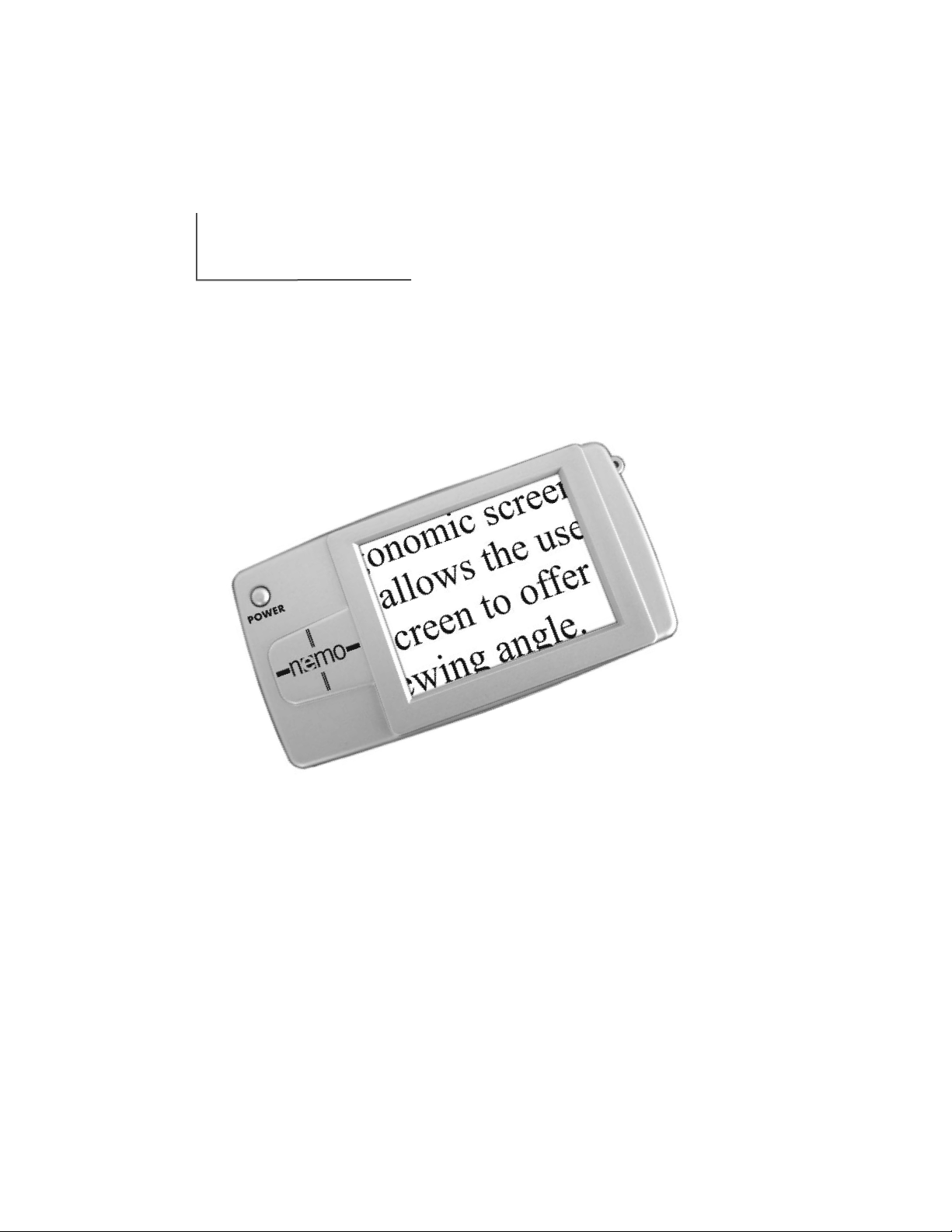
Nemo
Users Manual
TM
Portability at Your Fingertips.
FCC Compliance Notication
This device complies with Part 15 of the FCC Rules. Operation is
subject to the following two conditions: (1) This device may not cause
harmful interference, and (2) this device must accept any interference
received, including interference that may cause undesired operation.
This equipment has been tested and found to comply with the limits
for a Class B digital device, pursuant to Part 15 of the FCC Rules.
These limits are designed to provide reasonable protection against
harmful interference in a residential installation. This equipment
generates, uses, and can radiate radio frequency energy and, if not
installed and used in accordance with the instructions, may cause
harmful interference to radio communications. However, there is no
guarantee that interference will not occur in a particular installation. If
this equipment does cause harmful interference to radio or television
reception, which can be determined by turning the equipment off and
on, the user is encouraged to try to correct the interference by one or
more of the following measures:
– Reorient or relocate the receiving antenna.
– Increase the separation between the equipment and receiver.
– Connect the equipment into an outlet on a circuit different from
that to which the receiver is connected.
– Consult the dealer or an experienced radio/TV technician for help.
Unauthorized changes or modication to this system can void the
user’s authority to operate this equipment.
If your Low Vision device has an option to connect to a TV, it must be
used with shielded interface cables in order to meet FCC emissions limits
for Class B digital devices. It is the responsibility of the user to use the
shielded interface cables supplied with the equipment.
Congratulations on your purchase of Nemo from
Enhanced Vision. Like all Enhanced Vision products,
Nemo is designed to give you the highest quality and
convenience available.
Nemo enables people with low vision to see objects on
the go. This battery-operated system incorporates a 4”
viewing screen.
The slim, light and portable Nemo can be used for quick
reading, looking at photos, viewing price tags at the
grocery store, and much more. Nemo is designed to be
your pocket-sized digital magnifier.
Prior to using this system, please carefully read and
follow the instructions provided within this booklet. A
thorough understanding of the functionality will allow
you to fully benefit from the flexibility and great features
of this device.
If you have any questions, please contact the Eye Care
professional or the supplier from whom you have
acquired the unit.
About Your Nemo

About Your Nemo
Important Safety Precautions
System Warnings & Precautions . . . . . . . . . . . . .2-3
Caring For Nemo . . . . . . . . . . . . . . . . . . . . . . . . .3
Package Controls & Contents
Nemo Controls . . . . . . . . . . . . . . . . . . . . . . . . .4-5
Nemo Contents . . . . . . . . . . . . . . . . . . . . . . . . .6-7
Quick Start . . . . . . . . . . . . . . . . . . . . . . . . . . . . . . . . . .8
Using Nemo
a. Charging Battery . . . . . . . . . . . . . . . . . . . . . . . .9
b. Using Power Supply . . . . . . . . . . . . . . . . . . . .10
c. Adjust Size & Viewing Modes . . . . . . . . . . .10-11
d. Using Freeze Feature . . . . . . . . . . . . . . . . . . .12
e. Writing with Nemo . . . . . . . . . . . . . . . . . .12-13
Tips for using the Nemo
Conserving Battery . . . . . . . . . . . . . . . . . . . . . . .13
Using Nemo . . . . . . . . . . . . . . . . . . . . . . . . . . . .13
Troubleshooting . . . . . . . . . . . . . . . . . . . . . . . . . . .14-16
Specifications . . . . . . . . . . . . . . . . . . . . . . . . . . . .17-18
Warranty . . . . . . . . . . . . . . . . . . . . . . . . . . . . . . . .19-20
Enhanced Vision Products . . . . . . . . . . . . . . . . . . .21-23
Contact Information . . . . . . . . . . . . . . . . . . . . . . . . . .24
Notes . . . . . . . . . . . . . . . . . . . . . . . . . . . . . . . . . . . . .25
Table of Contents
2
To obtain the maximum benefits from your Nemo, please
read these safety precautions carefully.
Important Safety Precautions
SYSTEM WARNINGS
The Nemo is designed to help people with low vision
read and write. The extent to which Nemo can improve
the ability to see images depends on an individual’s
condition and level of vision. These products are not
designed to restore vision, correct eye conditions or halt
degenerative vision loss. An Eye Care professional can
determine the suitability of Nemo for a patient's
condition.
SYSTEM PRECAUTIONS
Avoid exposing Nemo to extreme or rapid changes in
temperature or humidity as these conditions may cause
fogging or damage to the product. Nemo should never
be placed near a radiator or heat register.
Do not smoke while using Nemo. Cigarettes, cigars and
pipe smoke release abrasive particles which are
potentially damaging to the Nemo’s optics and
electronics.
Do not use this product near water ( i.e. near a bathtub,
kitchen sink, swimming pool, etc).
Do not place this product on an unstable cart, stand or
table, as the product may fall, causing serious damage.
Do not use unit for 1 hour after transporting unit from
a cold room to room temperature.
3
Always place the power cord in an area where it will not
be damaged by persons walking on them.
To avoid the risk of electrical shock, do not disassemble
this product. Return it to the place of purchase if service
or repair work is required. Any attempt to disassemble
your Nemo product will void the warranty.
Always use the power supply provided within your
package. Do not attempt to use any other power supply;
doing so will harm the unit and void the warranty.
CARING FOR NEMO
Always turn the power OFF when you are not using the
system. Make sure the power is OFF and Nemo is
unplugged from the outlet before cleaning. Do not use
liquid cleaners.
The plastic surfaces of your Nemo product may be
dusted with a dry cloth.
The optical surfaces should be cleaned as needed for
best performance. Dampen a lens cleaning tissue with a
small amount of water and gently wipe the surfaces
clean.
Never apply lens cleaning solution directly on any
surface of your Nemo.
Important Safety Precautions
4
Package Controls & Contents
Your Nemo is packaged in a convenient soft case for storage
and transport. All required accessories for operation are
included in the box.
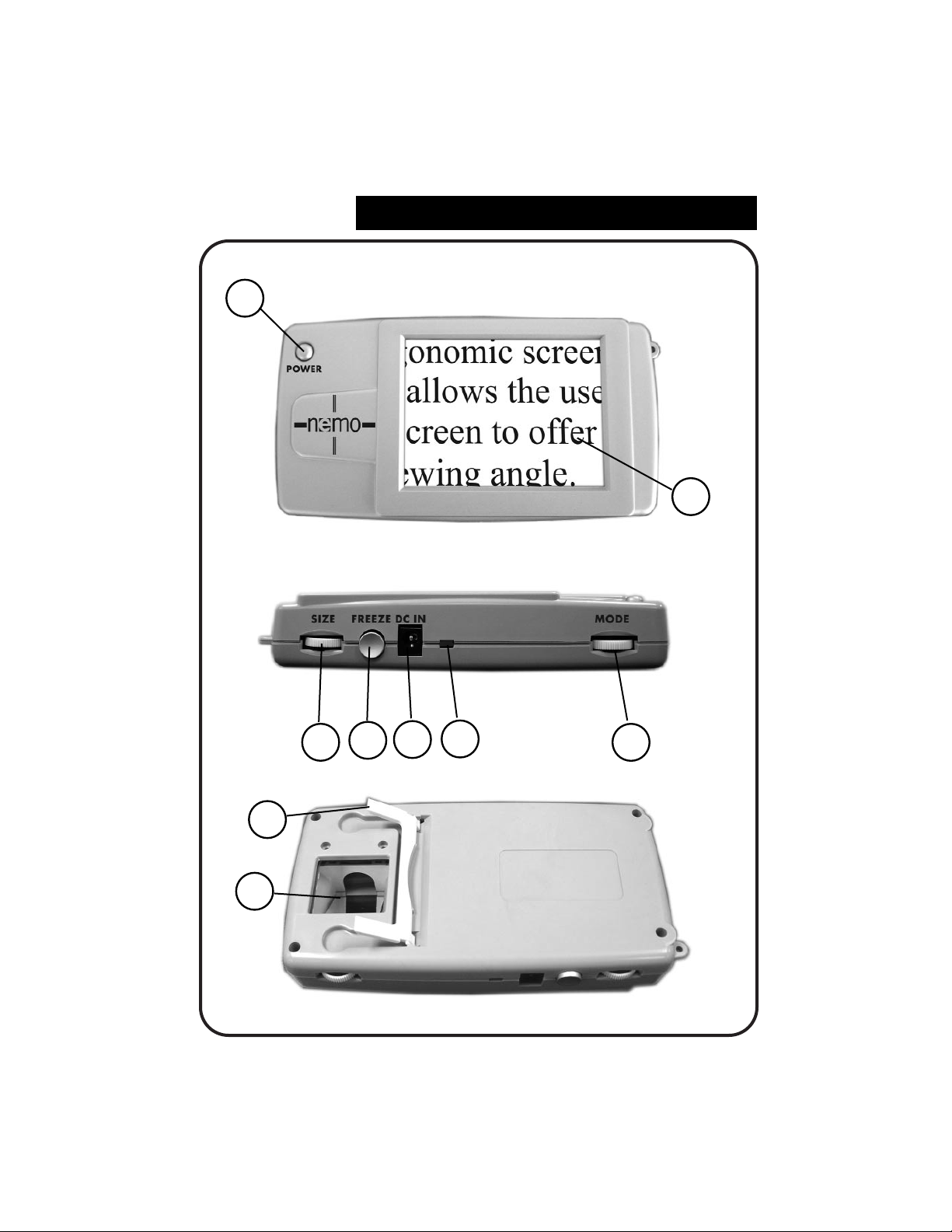
NEMO IS COMPRISED OF:
1. Power Button: turns unit ON and OFF.
2. 4” LCD screen: displays images.
3.
Size Wheel: rotates between 3 magnification sizes.
4. Freeze button: takes temporary picture of image on LCD
screen.
5. DC IN: used when plugging Power Supply into an
outlet.
6. LED indicator light: when blinking, indicates the battery
needs to be recharged.
7. Mode Wheel: rotates between 6 different viewing
modes.
8. Retractable Writing Stand
9.
Camera: place material under camera to magnify image.
Use Nemo logo to help guide object placement.
(continued on Page 6)
5
2
1
Package Controls & Contents
8
9
6
5
4
37
6
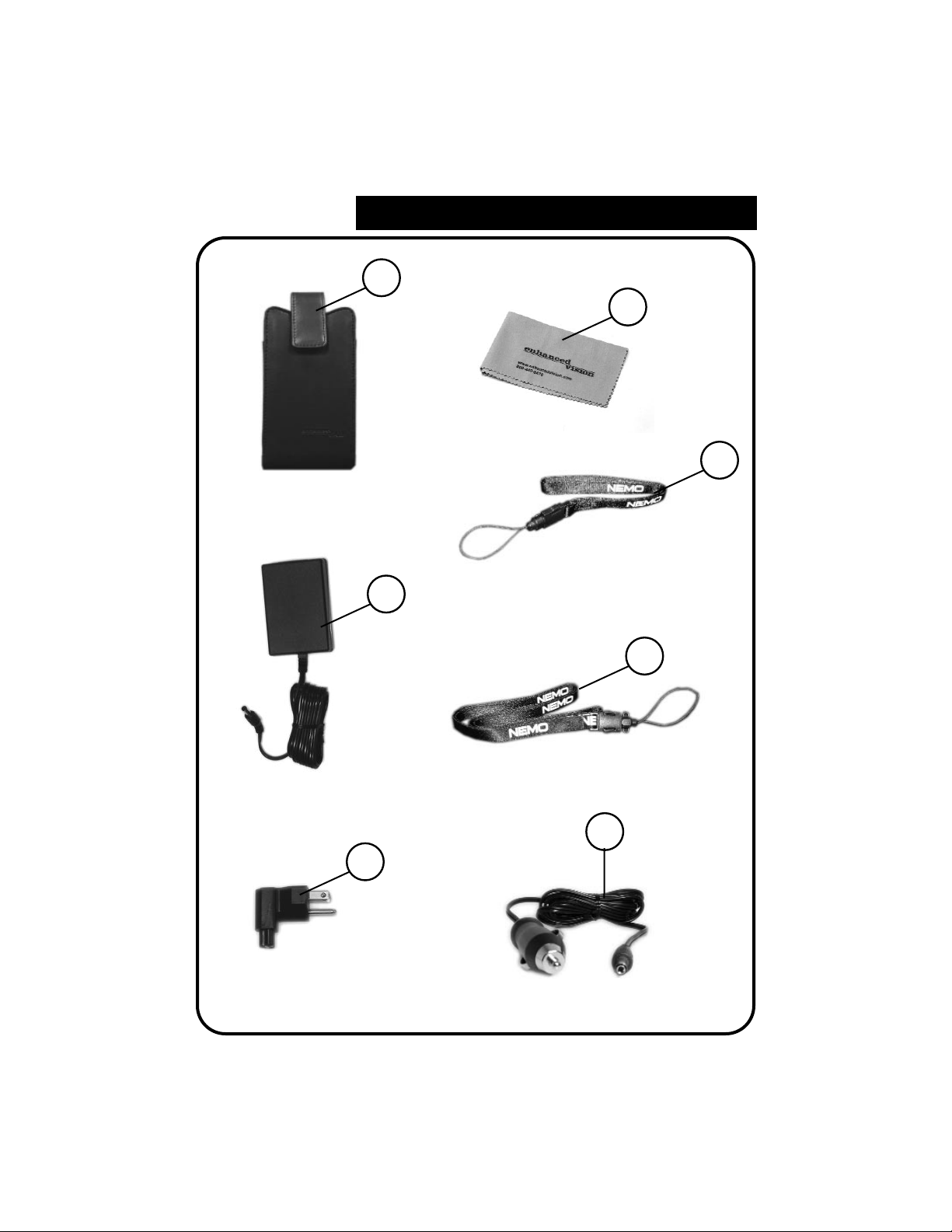
Accessories include:
10. Carrying Case
11. Nemo 12 Volt Power Supply
12. Nemo Right Angle Power Supply Plug (Varies per
country)
13. Lens Cloth
14.
Wrist Strap
15. Neck Strap
Additional Accessory (Sold separately)
16. Car Charger
Package Controls & Contents
7
13
10
11
12
14
15
Package Controls & Contents
16
Table des matières
Autres manuels ENHANCED VISION Équipement médical


