
Enersound CH-300 Manuel utilisateur
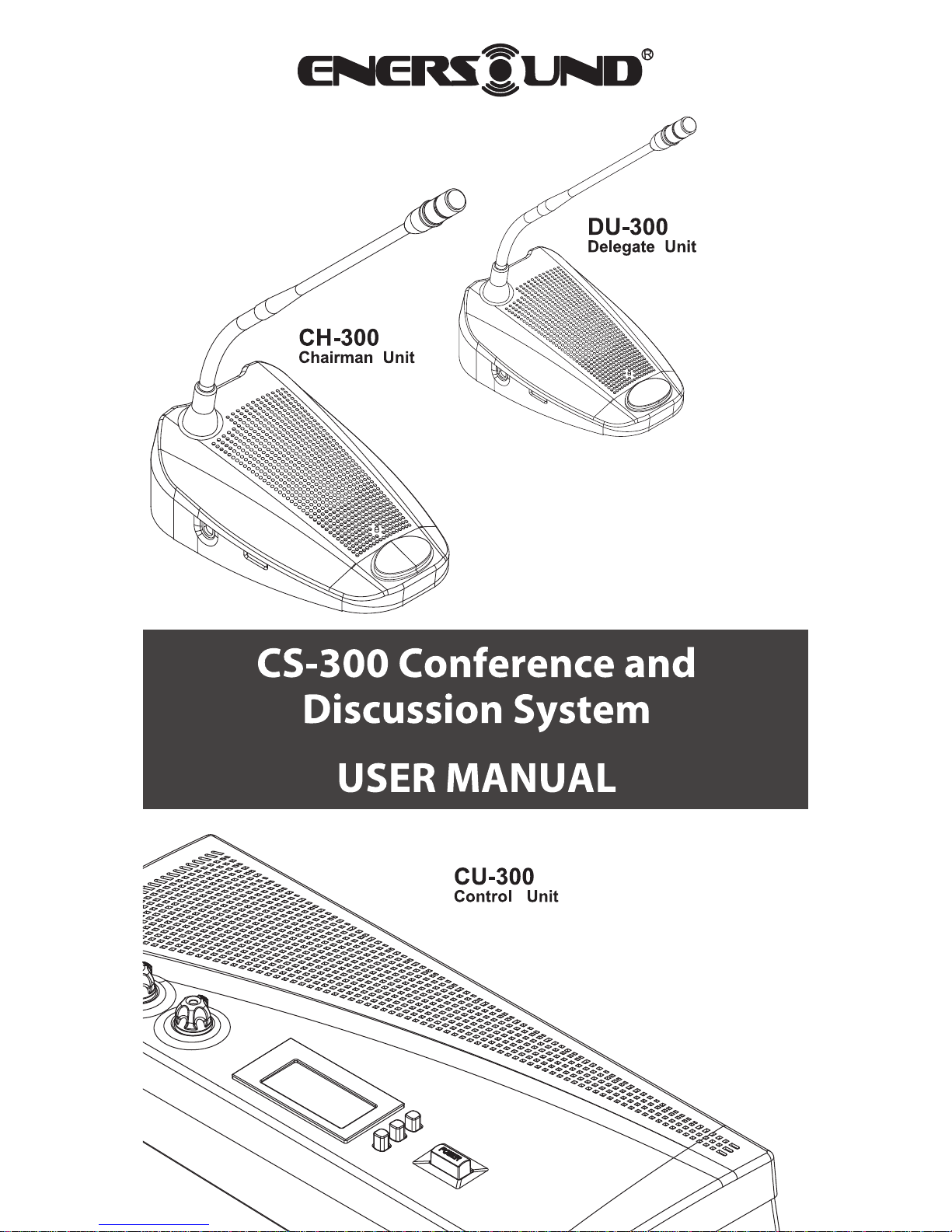


1. About this Manual
2. Safety Precautions
3. Features
4. Specications
4.1 Control and Power Supply Unit (CU)
4.2 Delegate (DU) and Chairman (CH) Units
5. System Set-up
5.1 Interconnecting Delegate and Chairman Units
5.2 Connecting up to 150 Units
5.3 Connecting an External Microphone
5.4 Connecting a Wireless Microphone
5.5 Recording / Playing Back the Discussion Audio
5.6 Connecting a PA System | Other External Equipment
5.7 Connecting a Telephone Coupler
5.8 Connecting an Equalizer or Other Eect Devices
5.9 Connecting the AC Power Cord
6. Operation
6.1 System Testing
6.2 Date / Time Setting
6.3 Key Lock
6.4 Counter Operation
6.5 Delegate Unit Operation
6.6 Chairman Unit Operation
6.7 Volume Control of the Delegate and Chairman Units
6.8 CU Internal Speaker and Headphone Volume Control
6.9 Using Headphones on Delegate/ Chairman Microphone Units
6.10 Open Mode
6.11 Time Mode
6.12 Override Mode
6.13 Chairman Only Mode
7. Technical Data
7.1 Electrical and Electro-acoustical Characteristics
7.2 Mechanical Specications
7.3 General Specications
7.4 Pin Conguration
8. Limited Warranty Statement
4
4
5
6
8
10
10
11
11
12
13
14
14
15
16
16
16
17
17
18
19
19
20
20
21
22
22
23
24
24
25
26

4
1. About this Manual
Read this user manual carefully before installing and
operating your CS-300 Conference and Discussion System.
Use the product only as described to avoid accidental injury,
damage or hearing impairment. Also, read safety warnings
carefully. Keep this manual for future reference. If you
give this system to someone else, remember to include this
manual.
2. Safety Precautions
• Make all connections before plugging the unit into an AC
power outlet.
• Never connect or disconnect cables or microphone units
with the system turned on. Always turn off the system
before plugging or unplugging microphone units or
cables so as not to damage the system.
• Do not leave the devices in places with high temperatures
or high humidity.
• Do not handle the power cord with wet hands.
• Keep the devices away from re and heat sources.
• Keep the system out of the reach of children.
• The CU must be connected to ground via the power cable
for safety reasons and to ensure the audio performance of
the system.
• Do not open the CU and/or delegate/chairman units. There
are no user serviceable parts inside.
• Before using this product with a pacemaker or other
medical device, consult your physician or the
manufacturer of your pacemaker or other medical device.
• Using this product at a loud volume or over a prolonged
period of time can lead to permanent hearing damage.
• Reduce the volume to its lowest setting before use.
• When using a mobile phone near this product, noise may
be produced, but this is not a malfunction. Keep mobile
phones as far away as possible from the product.
• To clean, be sure to rst switch off and unplug the CU
from the power outlet, then wipe with a dry cloth. When
extremely dirty, use a soft cloth dampened in neutral
detergent. Never use benzene, thinner or
chemically-treated towels, which may damage the
product’s nish.

5
3. Features
The innovative Enersound CS-300 Conference and
Discussion System is equipped with a high-quality ECM
capsule, intelligent automatic mixing technology and
integrated acoustic and mechanical design, providing a
turn-key solution and delivering consistently natural,
feedback-free audio performance in any environment.
The CS-300 Conference and Discussion System is ideal for
discussions and meetings of up to 150 people.
A CS-300 Conference and Discussion System consists of:
• (1) Control and power supply unit (CU)
• Maximum of (50) delegate or chairman units
• Peripheral audio and/or telecommunication equipment
The CU (Control Unit) is the core of the discussion system,
which controls the microphones of the chairman and
delegate units as well as the other audio input and output. It
also supplies the power for up to 50 delegate and chairman
units.
The delegate unit enables attendees to participate in a
discussion by speaking through a microphone controlled
by a microphone ON/OFF push-button and listening to the
discussion through the internal loudspeaker or external
headphone.
The chairman unit not only provides the same function
as the delegate unit, but also supports the addition of a
“priority button,” which enables the chairman to control
the discussion by temporarily or permanently overriding
and deactivating all active delegate units.
6
4. Specications
4.1 Control and Power Supply Unit (CU)
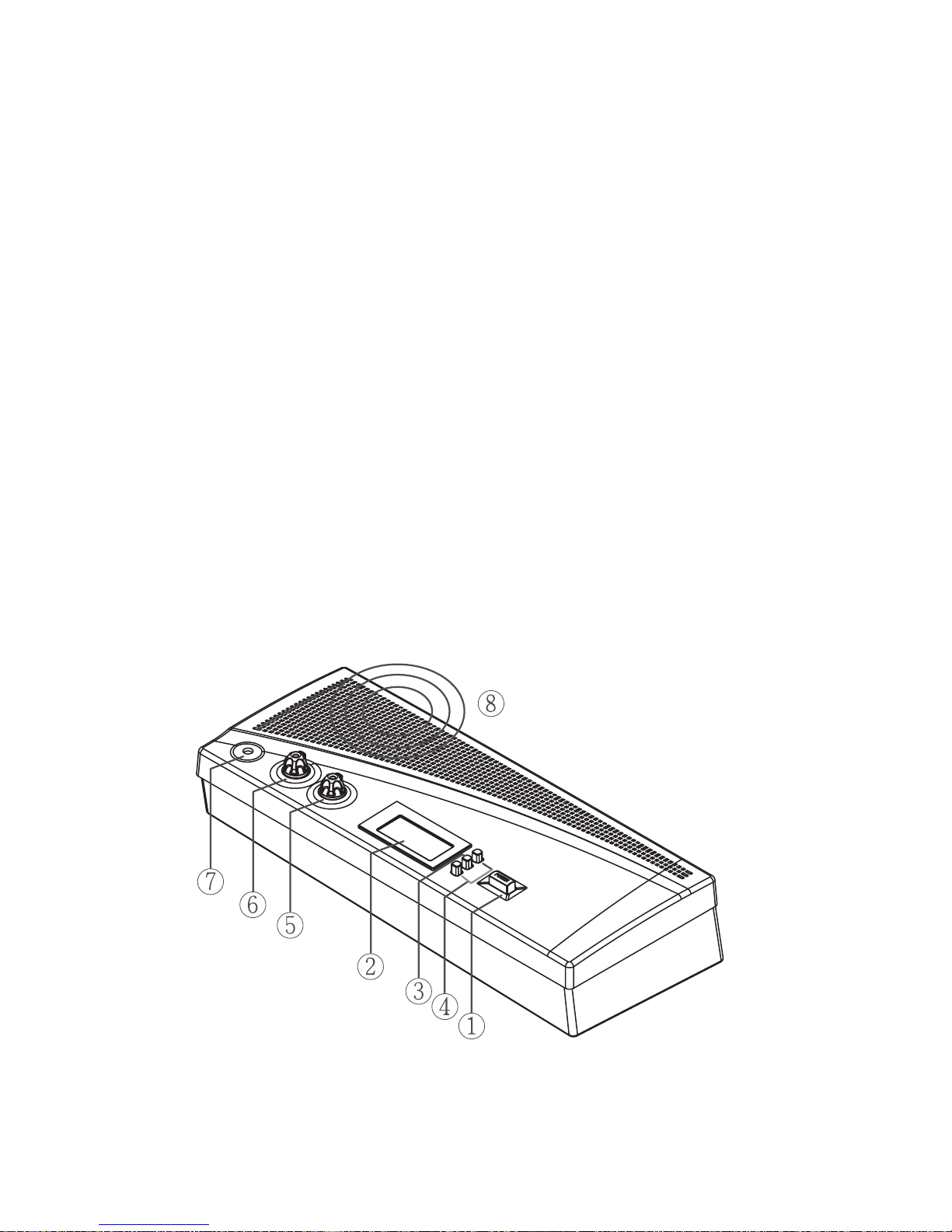
4.1.1 Front Panel
1) Power On/Off switch
2) LCD display: Simultaneously sets and displays mode
status, maximum user number and date.
3) Set button: Press “Set” button to enter setting mode on
the LCD panel.
4) Up & Down buttons: Press “Up” or “Down” to change
settings.
5) Speaker volume control: Controls the internal speaker
volume on all connected chairman and delegate units.
6) Monitor volume control: Controls both speaker and
headphone volumes on the CU.
7) Headphone input: Serves as an alternative way to listen
to the discussion. While the headphone is inserted, the
loudspeaker will be deactivated.
8) Loudspeaker: Allows the user to listen to the discussion
from the control unit

7
4.1.2 Rear Panel
1) AC power socket
2) Insertion input and output switch: When switching to
“1,” all internal speakers will be muted and switched to
external audio device. This is used in conjunction with 4).
3) Telephone coupler input and output
4) Insertion input and output: Connects to an external audio
equalizer for speech quality improvement.
5) Recorder input and output: Connects to a recorder that
can record and play back the discussion.
6) Line input and output: Connects to a PA system or other
audio devices.
7) Gain control 1: Controls the volume level of recording
input
8) Gain control 2: Controls the volume level of microphone
XLR input.
9) Trunk output 1 and 2: Connect to chairman and delegate
units.Always turn o the CU before connecting or
disconnecting cables or units in these trunks.
10)Microphone XLR input: Connects to an external
microphone or wireless microphone receiver.

8
4.1.3 LCD Display
1) Mode status: Shows the discussion mode
2) Maximum number of active microphones: The
maximum number of active delegates can be set between
1 and 4 for open and time modes.
3) Date: While setting the date, “Set” will ash.
4) Time:
4.2 Delegate and chairman units (see image below
and on next page)
1) Gooseneck microphone
2) Two 3.5mm stereo headphone sockets
3) Rotary volume control: Controls the volume level of the
headphone.
4) Ring light & microphone “On” LED indicator: While
microphone is activated, both indicators will light up.
5) Loudspeaker
6) 7-pole circular female socket
7) 7-pole circular male connection cable
8) Microphone ON/OFF push-button
9) Chairman priority button
10)Priority button and Chime setting switches (See Section
6.6 below)
11) Gooseneck microphone gain control: Adjusts the volume
of the microphones on the chairman and delegate units.
Modifying the gain is not recommended unless it is
necessary for a particular purpose.
A
B

9
Delegate unit
Chairman unit

10
5. System Set-up
5.1 Interconnecting Delegate and Chairman Units
1) Insert 7-pole circular male connection cable of rst unit
(chairman or delegate units) into the trunk socket on CU.
2) Connect second unit to 7-pole circular female socket of
rst unit.
3) Repeat the above actions for the rest of units. Maximum
connected number of units per trunk socket is 25. (50
per control unit). Maximum total cable length per trunk
should not exceed 100 meters including the 2 m cables
attached to each unit.
5.2 Connecting up to 150 Units
The CS-300 Conference and Discussion System can be used
with up to 150 units by adding a maximum of 2 additional
CUs functioning as power supply units only. The system
is controlled by the master CU. The necessary expansion
boxes and cables for these connections can be provided by
your local dealer.
3...25 3...25
Ce manuel convient aux modèles suivants
2
Table des matières
Autres manuels Enersound Système de conférence

Manuels Système de conférence populaires d'autres marques

Kramer
Kramer VIA GO Manuel utilisateur

AVT
AVT MAGIC AC1 Go Manuel utilisateur

ProSoft Technology
ProSoft Technology AN-X4-AB-DHRIO Manuel utilisateur

Sony
Sony PCS-I150 Manuel utilisateur

Middle Atlantic Products
Middle Atlantic Products VTC Series Manuel utilisateur

Prentke Romich Company
Prentke Romich Company Vanguard Plus Mode d’emploi


