Enercell 6100006 Manuel utilisateur

Please read this user’s guide before using your new
surge protector.
®
6100006 User’s Guide
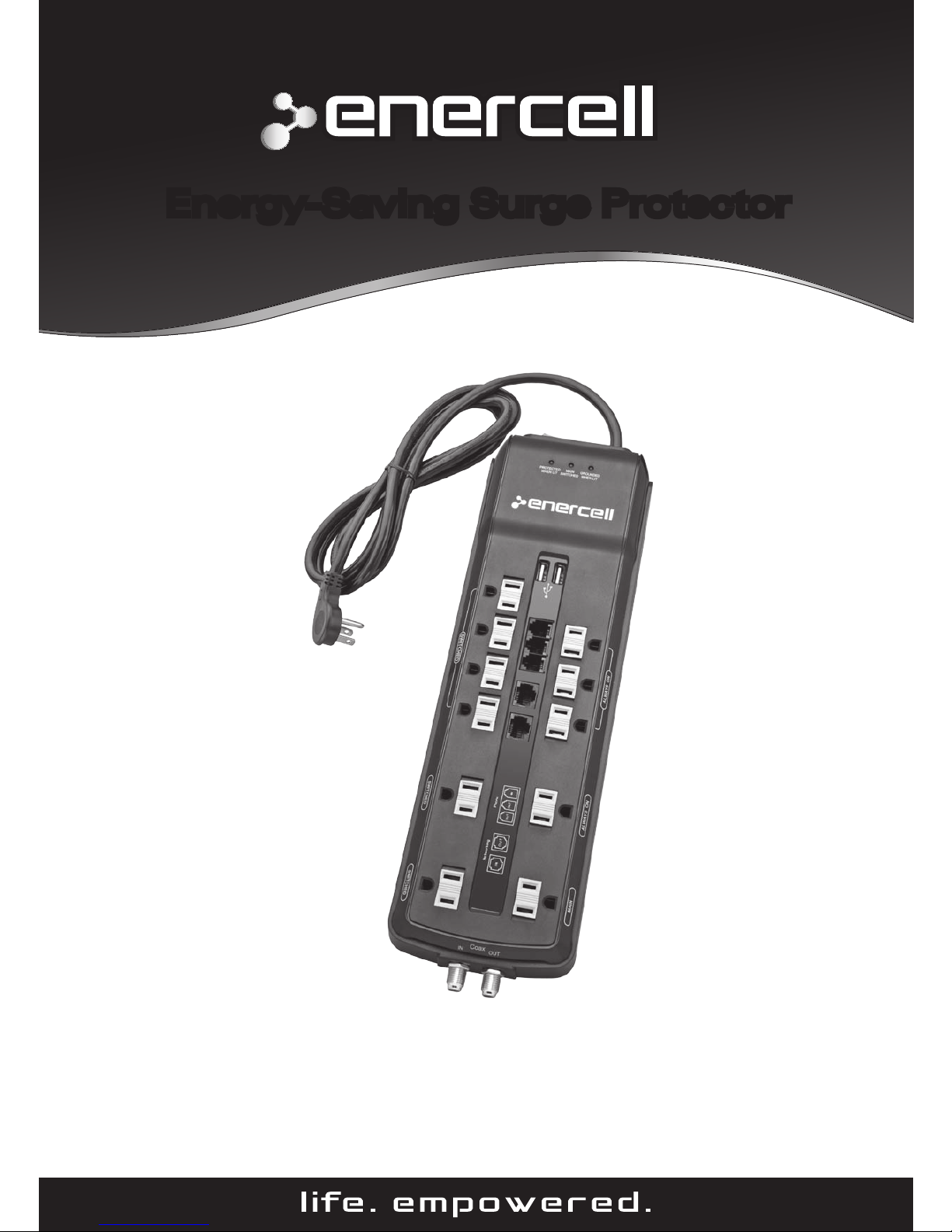
Energy-Saving Surge Protector
®
2/3

2
Package contents
• SurgeProtector
• User’sGuide
• QuickStart
Features
• Protectsyourequipmentagainstharmfulpowersurges
• Childsafetycovershelpkeepsmallngersaway
fromdanger
• Alsochargestwopersonalelectronicsdevicesusing
thebuilt-indualUSBports
• Signicantlyreducesstandbypowerdrainto
saveenergybyautomaticallyturningoffthesix
“Switched”outletswhenthemaincomponentis
turnedoff.
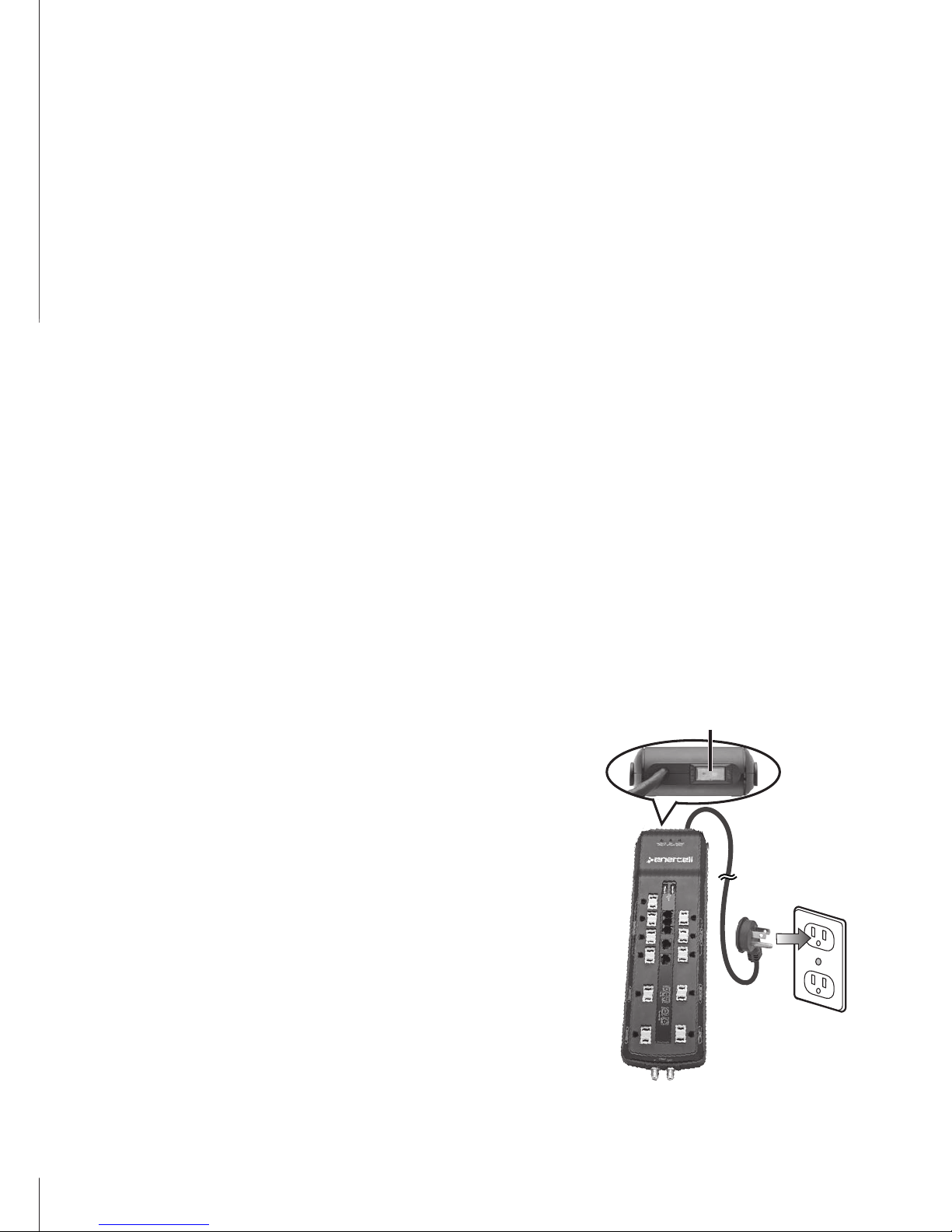
1Plug into wall outlet
SwitchRESET/OFFtoOFFandplug
thesurgeprotectorintoagrounded
walloutlet.
w Caution: Do not plug this surge
protector into a non-grounded outlet.
Doing so invalidates your Equipment
Guarantee and puts your equipment
at risk.
RESET/OFF

3
2Connect equipment
Slidethesafetycoversasidetomakethe
followingconnections:
• MAIN Outlet:Pluginyourmain
component(usuallyaTVor
computer).
• SWITCHED Outlets:Plugin
componentsthatareusedonlywiththemain
component.Tosavepower,theseturnoff
automaticallywhenthemaincomponentisturned
offorinsleep/standbymode.
• ALWAYS ON Outlets:Plugincomponentsthatare
usedevenwhenthemaincomponentisturnedoff.
3Turn on
SwitchRESET/OFFtoRESET:
w Caution: If PROTECTED WHEN LIT or GROUNDED
WHEN LIT do not light, stop using the surge protector.
Safety Cover

4
Typical power connections
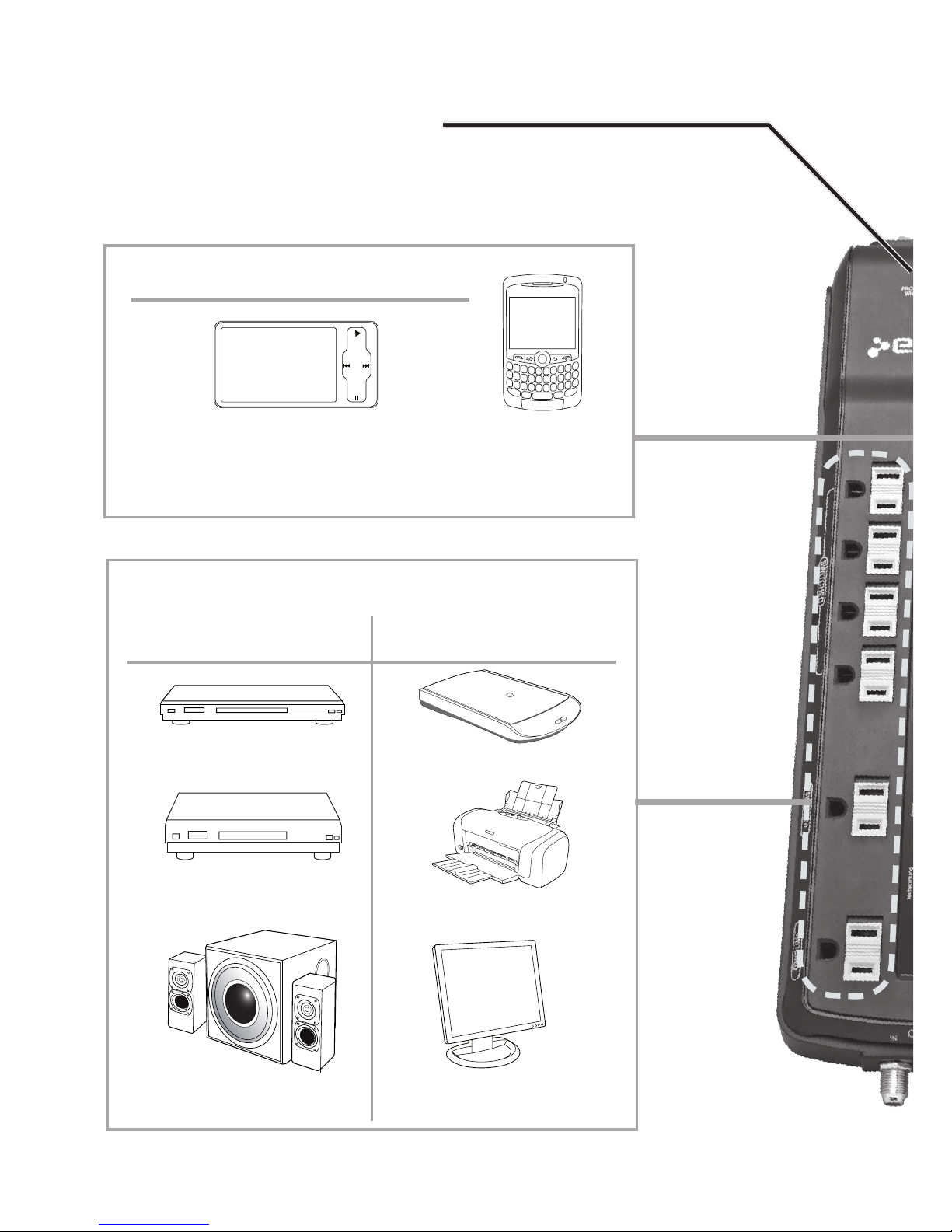
PROTECTED WHEN LIT
Lightswhentheconnecteddevicesareprotected.
VCR or DVD player
Gaming system
Powered speaker
Home Theater Home Office
SWITCHED
Scanner
Printer
Monitor
USB Charging Port
USBcablesarenotsupplied.
MP3 Mobile phone

5
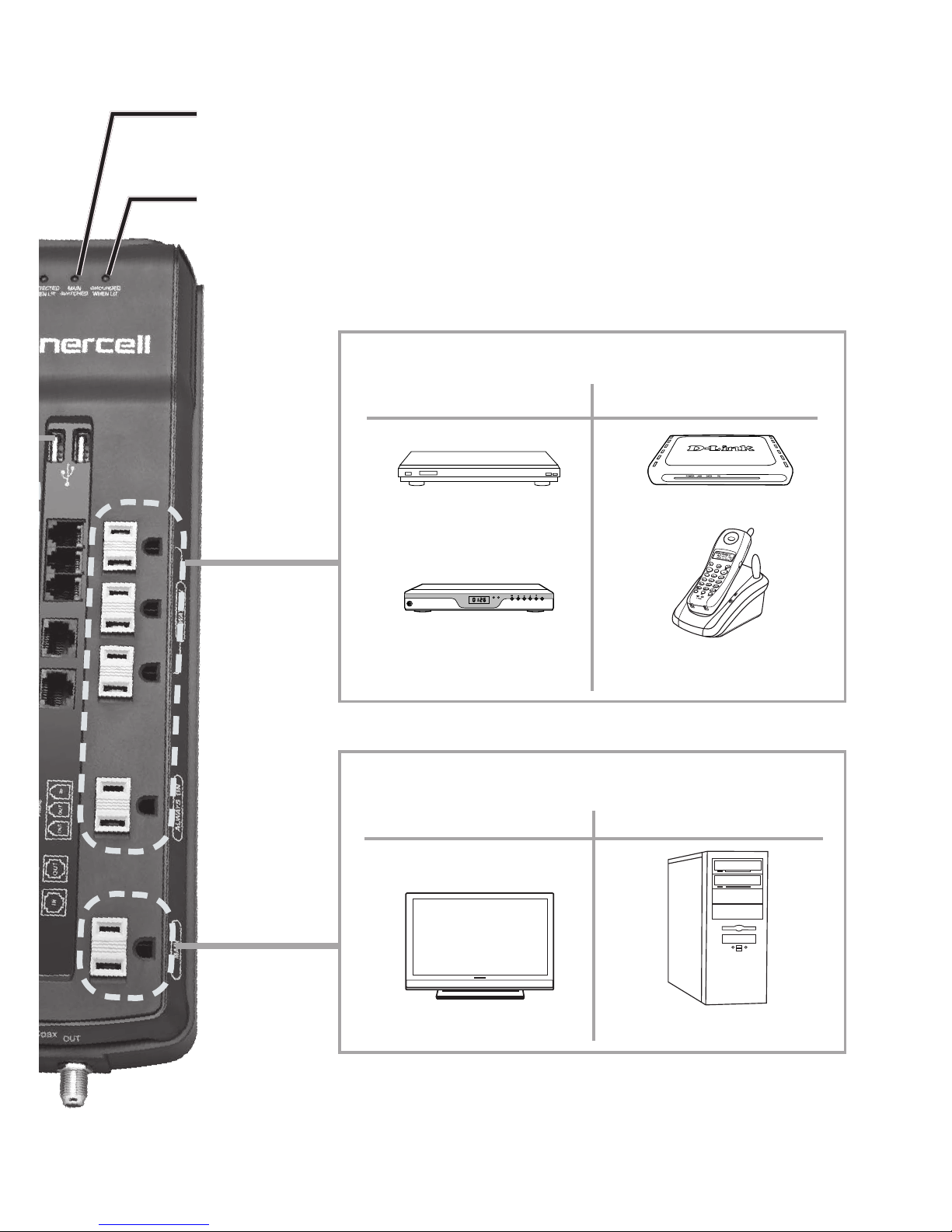
GROUNDED WHEN LIT: Lightswhenconnection
tothewalloutletisproperlygrounded.
MAIN SWITCHED:Lightswhenthedevice
pluggedintotheMAINoutletisturnedon.
DVR Router or modem
Satellite or
cable receiver VOIP phone
ALWAYS ON
MAIN
Home Theater Home Office
TV or receiver Computer
Home Theater Home Office

6
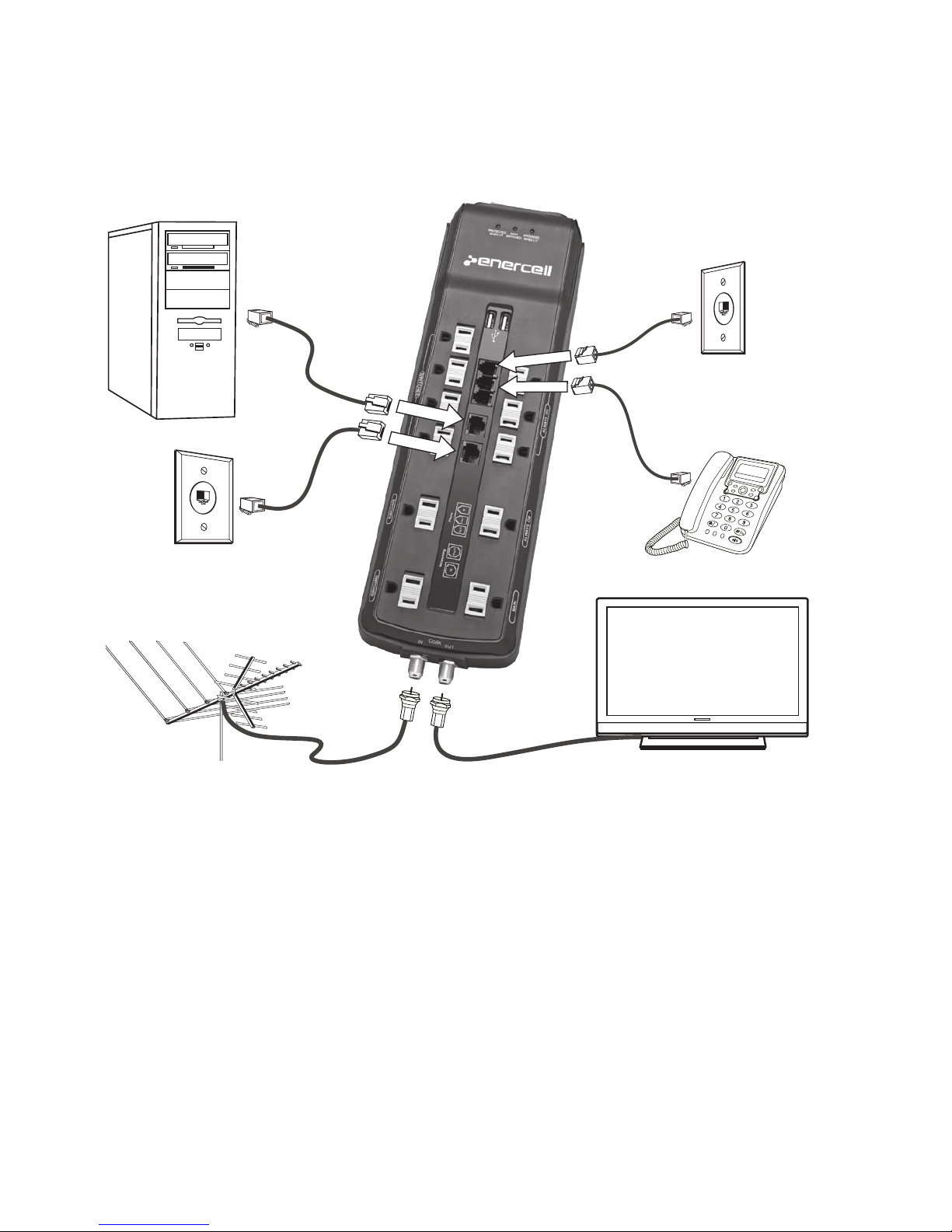
Communication connections
Ethernetcables,modulartelephonecords,andcoaxial
cablesarenotsupplied.
n Note: The Antenna/Cable connection on this unit
allows voltage to pass through.
Coax IN Coax OUT
Networking IN
Networking
OUT
Phone IN
Phone OUT

7
Troubleshooting
IftheRESET/OFFswitchturnsoff:
The15Acircuitbreakerhastripped.Examineyourconnected
equipmentandremovethedevicethatisoverloadingthe
circuit.ThenswitchRESET/OFFbacktoRESET.
IftheGROUNDED WHEN LITindicatordoesnotlightwhen
youpluginthesurgeprotector:
Moveyoursurgeprotectortoadifferentgrounded,three-
prongACoutlet.Ifitworksproperly,yourrstoutletsmay
notbeproperlygroundedandneedtoberepairedbya
professionalelectrician.Ifitstilldoesnotlight,returnthe
producttothedealerforassistance.
IftheGROUNDED WHEN LITindicatorturnsoffduringuse:
Aportionofsurgeprotectionhasbeendepleted.Replace
yoursurgeprotector.
IfthePROTECTED WHEN LITindicatordoesnotlightorthe
alarmsounds:
Thesurgeprotector’sAClineisnolongerprotected;itmay
havereceivedasurgeorspikebeyonditsspeciedlimits.It
shouldhaveabsorbedenoughofthesurgetoprotectyour
connectedequipment,butitwillnotprotectagainstfuture
surgesandspikes.Replacethesurgeprotector.
IftheSWITCHEDoutletsdon’tturnonoroffwhenanotebook
computerordockingstationisconnectedtotheMAINoutlet:
• Somenotebookcomputersanddockingstationsdraw
toomuchpowerduringbatterychargingtoallowthe
SWITCHEDoutletstoturnoff.
• Somenotebookcomputersanddockingstationsdonot
drawenoughpowertoturnontheSWITCHEDoutlets.

8
Specifications
LineVoltage..............................................................................120VAC
LineCurrent....................................................................................15A
Frequency................................................................................50/60Hz
CordLength/PlugType................................. 8ft(2.4m),rightangleplug
CircuitBreaker................................................................................ 15A
NoiseFrequencyRange.......................................... 150kHz–100MHz
NoiseAttenuationLevel.......................................................Upto30dB
MaximumSurgeVoltage...................................................... 6,000VAC
TotalMaximumSurgeCurrent................................................150,000A
TotalMaximumEnergyDissipation........................................... 3,150J
ModesofProtection........3(Hot-Neutral,Hot-Ground,Neutral-Ground)
ClampingTime.............................................................. <1nanosecond
ClampingVoltage..................................................................... 400VAC
AdditionalProtection..............................................................................
.....Coax(1in,1out);Fax/Modem(1in,2out);networking(1in,1out)
OperatingTemperature......................................32to104°F(0to40°C)
ULApprovals............................................................UL1449&UL1363
Voltagetopassthrough............................................................ Allowed
USBchargingport.................................................................. 5VDC/1A
Specicationsaresubjecttochangeandimprovementwithoutnotice.
Actualproductmayvaryfromtheimagesfoundinthisdocument.

9
Important safety information
• Thisproductisintendedforindooruseonly.
• Thissurgeprotectorisnotalightningarrestorand
mightnotprotectagainstlightning-inducedsurges.
• Thetotalwattageofallconnecteddevicesmustnot
exceed1,875watts.
• Usethesurgeprotectoronlywithathree-prong
standardACplug.Thesurgeprotectorcannot
provideprotectionwithoutagroundedACsource.
• Telephone Wire Instructions
• Neverinstallphonewiringduringalightningstorm.
• Neverinstallatelephonejackinwetlocationsunlessthe
jackisspecicallydesignedforuseinwetlocations.
• Nevertouchun-insulatedtelephonewiresorterminals
unlessthetelephonelinehasbeendisconnectedatthe
networkinterface.
• Retain Instructions—Retainthesafetyand
operatinginstructionsforfuturereference.
• Damage—Turnoffthebreaker,thenunplugthe
surgeprotectorfromthewalloutletandreplaceit:
• Iftheplugisdamaged.
• Ifliquidhasbeenspilledorobjectshavefalleninto
thesurgeprotector,orthesurgeprotectorhasbeen
exposedtorainorwater.
• Ifthesurgeprotectorhasbeendroppedordamagedin
anyway.
• IfthePROTECTED WHEN LITindicatorfailstolight.

10
FCC information
a)ThisequipmentcomplieswithPart68oftheFCCrulesandthe
requirementsadoptedbytheACTA.Onthebottomofthisequipmentis
alabelthatcontains,amongotherinformation,aproductidentierinthe
formatUS:AAAEQ##TXXXX.Ifrequested,thisnumbermustbeprovidedto
thetelephonecompany.
b)TheregistrationjackUSOCfortheequipmentisRJ11.
c)Thisequipmentisdesignedtobeconnectedtothetelephonenetworkor
premiseswiringusingacompatiblemodularjackwhichisPart68compliant.
Seeinstallationinstructionsfordetails.
d)TheRENisusefultodeterminethequantityofdevicesthatmaybe
connectedtothetelephoneline.ExcessiveRENsonthetelephonelinemay
resultinthedevicesnotringinginresponsetoanincomingcall.Inmost,
butnotallareas,thesumofRENsofalldevicesshouldnotexceedve(5).
Tobecertainofthenumberofdevicesthatmaybeconnectedtoaline,as
determinedbythetotalRENs,contactthelocaltelephonecompany.
e)IfthisSurgeProtectorcausesharmtothetelephonenetwork,the
telephonecompanywillnotifyyouinadvancethattemporarydiscontinuance
ofservicemayberequired.Butifadvancenoticeisn’tpractical,the
telephonecompanywillnotifythecustomerwillbenotiedassoonas
possible.YouwillbeadvisedofyourrighttoleacomplaintwiththeFCCif
youbelieveitisnecessary.
f)Yourtelephonecompanymaymakechangesinitsfacilities,equipment,
operations,orproceduresthatcouldaffecttheoperationofyourequipment.
Iftheydo,youwillbegivenadvancenoticesoastogiveyouanopportunity
tomaintainuninterruptedservice.
g)EnercellproductsaresoldexclusivelyatRadioShack.IfyourEnercellsurge
protectorisnotperformingasitshould,takeittoyourlocalRadioShackstore
forassistance.TolocateyournearestRadioShack store,usethestorelocator
featureonRadioShack’swebsite(www.radioshack.com),orcall1-800-The
Shack(843-7422)andfollowthemenuoptions.Ifyourequipmentiscausing
harmtothetelephonenetwork,thetelephonecompanymayrequestthatyou
disconnecttheequipmentuntiltheproblemisresolved.
h)Norepaircanbedonetothisequipment.
i)Connectiontopartylineserviceissubjecttostatetariffs.Contactthe
statepublicutilitycommission,publicservicecommissionorcorporation
commissionforinformation.
j)Ifyourhomehasspeciallywiredalarmequipmentconnectedtothe
telephoneline,ensuretheinstallationofthisSurgeProtectordoesnot
disableyouralarmequipment.Ifyouhavequestionsaboutwhatwilldisable
alarmequipment,consultyourtelephonecompanyoraqualiedinstaller.
Table des matières
Autres manuels Enercell Parafoudre

Enercell
Enercell Enercell 61-184 Manuel utilisateur

Enercell
Enercell Enercell 61-186 Manuel utilisateur

Enercell
Enercell enercell Manuel utilisateur

Enercell
Enercell 2250-Joule Manuel utilisateur

Enercell
Enercell 2100-Joule Surge Protector Manuel utilisateur

Enercell
Enercell Enercell 61-185 Manuel utilisateur

Enercell
Enercell Enercell 61-188 Manuel utilisateur
Manuels Parafoudre populaires d'autres marques

OBO Bettermann
OBO Bettermann ÜSM-20-230I1PE65 Manuel utilisateur

Minuteman
Minuteman MMS7120RCT Manuel utilisateur

Leviton
Leviton 52412-DS3 Manuel utilisateur

Savio
Savio LZ-07 Manuel utilisateur

Siemens
Siemens HNM3M120 Manuel utilisateur

Mitsubishi Electric
Mitsubishi Electric LITOL LTM-125RF Manuel utilisateur