EMU Vintage Keys Manuel utilisateur

VINTAGE KEYS
CLASSIC ANALOG KEYBOARDS
OPERATION MANUAL
E-mu Systems, Inc.

This product is covered under one or more of the following U. S. patents: 3,969,682;
3,986,423; 4,404,529; 4,506,579; 4,699,038; 4,987,600; 5,013,105; 5,072,645;
5,111,727 and foreign patents and/or pending patents. Vintage keys is a registered
trademark of E-mu Systems, Inc.
Important Notice:
In order to obtain warranty service on your Vintage Keys unit, the serial number sticker
must be intact and you must have a sales receipt or other proof of purchase. If there is no
serial number sticker on Vintage Keys, please contact E-mu Systems at once.
Operation Manual
© 1992 E-mu Systems, Inc.
All Rights Reserved
• FI407 Rev. C
PRINTED AND MADE IN THE USA
V
INTAGE KEYS
CLASSIC ANALOG KEYBOARDS
Manual - Riley Smith
Design & Cover - Nancy Enge
E-mu World Headquarters
E-mu Systems, Inc. U.S.A.
P.O. Box 660015
Scotts Valley, CA USA
95067–0015
Telephone: 408-438-1921
Fax: 408-438-8612
Europe, Africa, Middle East
E-mu Systems, Ltd.
Suite 6, Adam Ferguson
House
Eskmills Industrial Park
Musselburgh, East Lothian
Scotland, EH21 7PQ
Telephone: 44-31-653-6556
Fax: 44-31-665-0473

WARNING: READ THIS FIRST!
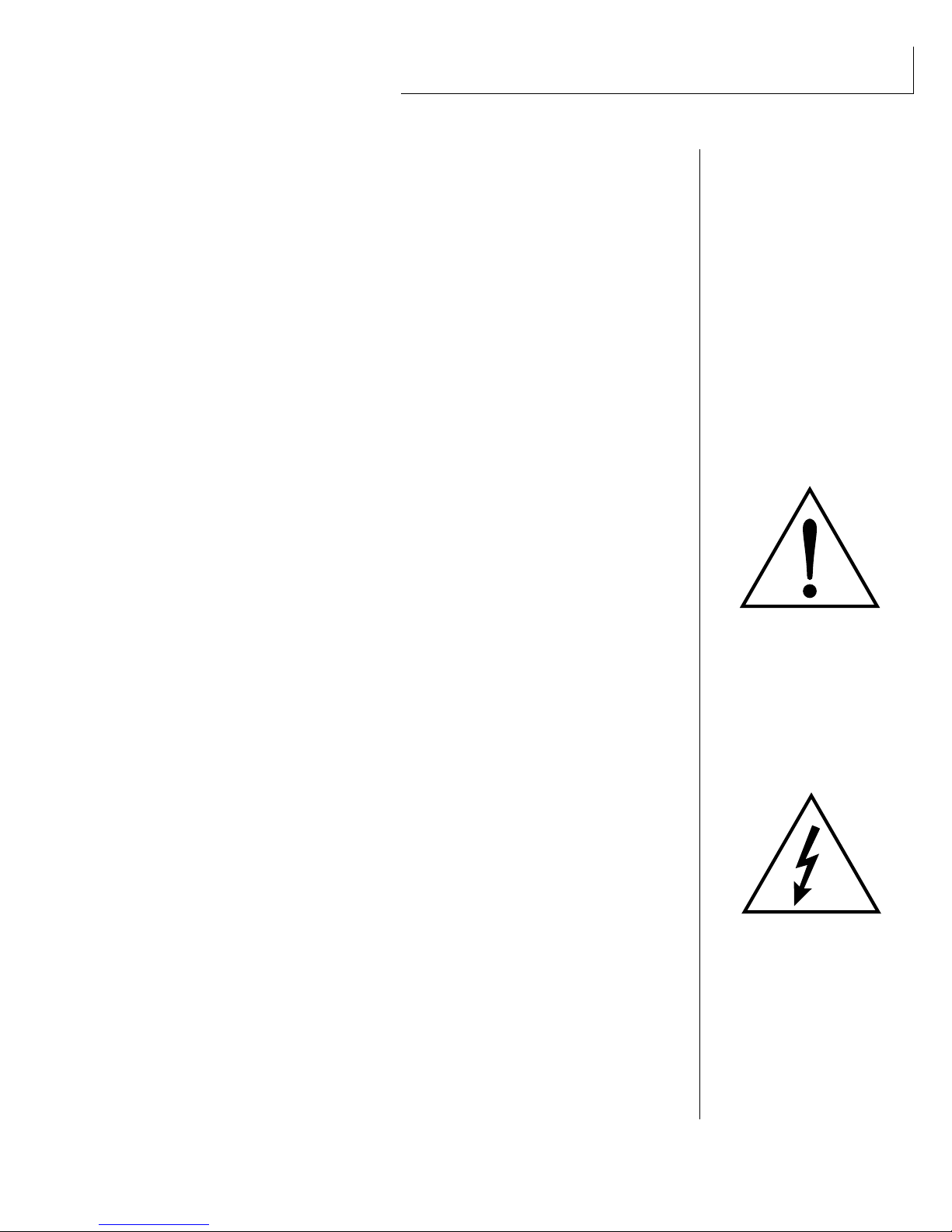
This symbol is intended to alert
the user to the presence of
important operating and
maintenance (servicing)
instructions in the literature
accompanying the appliance.
This symbol is intended to alert
the user to the presence of
uninsulated dangerous voltage
within the product's enclosure
that may be of sufficient
magnitude to constitute a risk of
electric shock to persons.
IMPORTANT SAFETY INSTRUCTIONS
Use in countries other than the U.S.A. may require the use of a different line
cord or attachment plug, or both. To reduce the risk of fire or electric shock,
refer servicing to qualified service personnel. To reduce risk of fire or electric
shock do not expose this product to rain or moisture.
GROUNDING INSTRUCTIONS
This product must be grounded. If it should malfunction or break down,
grounding provides a path of least resistance for electric current, reducing the
risk of electric shock. This product is equipped with a cord having an equip-
ment-grounding conductor and a grounding plug. The plug must be plugged
into an appropriate outlet properly installed and grounded in accordance
with all local codes and ordinances.
DANGER
Improper connection of equipment grounding conductor can result in the
risk of electric shock. Check with a qualified electrician or service personnel
if you are in doubt as to whether the product is properly grounded. Do not
modify the plug provided with this product — if it will not fit the outlet,
have a proper outlet installed by a qualified technician.
CAUTION
If the 9045, Vintage Keys is rack mounted, a standard 19-inch open frame
rack must be used.
USER-MAINTENANCE INSTRUCTIONS
1. Vintage Keys should be kept clean and dust free. Periodically wipe the unit
with a clean, lint free cloth. Do not use solvents or cleaners.
2. There are no user lubrication or adjustment requirements.
3. Refer all other servicing to qualified service personnel.
INSTRUCTIONS PERTAINING TO A RISK OF FIRE,
ELECTRIC SHOCK, OR INJURY TO PERSONS
WARNING; When using electric products, basic precautions should
always be followed, including the following:
1. Read all instructions before using Vintage Keys.
2. To reduce the risk of injury, close supervision is necessary when Vintage
Keys is used near children.
3. Do not use Vintage Keys near water — for example near a bathtub, wash-
bowl, kitchen sink, in a wet basement, on a wet bar, or near or in a swim-
ming pool.

SAVE THESE INSTRUCTIONS
4. Vintage Keys should be situated so that its location or position does not
interfere with its proper ventilation.
5. Vintage Keys should be located away from heat sources such as radiators,
heat registers, fireplaces, stoves, or ovens.
6. Vintage Keys should only be connected to a power supply of the type
described in the operating instructions and as marked on the product.
7. This product, in combination with an amplifier and headphones and
speakers, may be capable of producing sound levels that could cause
permanent hearing loss. Do not operate for a long period of time at a high
volume level or at a level that is uncomfortable. If you experience any
hearing loss or ringing in the ears, consult an audiologist.
8. Vintage Keys may be equipped with a polarized line plug (one blade wider
that the other). This is a safety feature. If you are unable to insert this plug
into the outlet, do not defeat the safety purpose of the plug. Contact an
electrician to replace your obsolete outlet.
9. The power supply cord of Vintage Keys should be unplugged from the
outlet when left unused for a long period of time.
10. Care should be taken so that objects do not fall and liquids are not spilled
into the enclosure of Vintage Keys through openings.
11. The product should be serviced by qualified service personnel when:
A. The power supply cord has been damaged; or
B. Objects have fallen, or liquid has been spilled into the product; or
C. The product has been exposed to rain; or
D. The product does not appear to operate normally or exhibits a
marked change in performance; or
E. The product has been dropped or the enclosure damaged.
12. All servicing should be referred to qualified service personnel.
SAVE THESE INSTRUCTIONS

CONTENTS
INTRODUCTION & BASIC SETUP 1
Introduction ............................................................................................ 3

Vintage Keys Organization.................................................................. 4
Connection Instructions ....................................................................... 5
BASIC OPERATION 9
Main Controls....................................................................................... 11
Selecting MIDI Channels .................................................................... 12
Selecting Presets ................................................................................... 12
Adjusting Volume & Pan Position .................................................... 12
Playing the Demo Sequences............................................................. 13
Multi-Timbral Operation.................................................................... 13
About Vintage Keys ............................................................................. 14
MASTER MENU 15
Enabling the Master Menu ................................................................ 17
Master Tune .......................................................................................... 17
Transpose .............................................................................................. 18
Global Bend .......................................................................................... 18
Global Velocity Curve ......................................................................... 18
Mix Output............................................................................................ 20
MIDI Mode ............................................................................................ 20
MIDI Mode Change ............................................................................. 21
MIDI Overflow ...................................................................................... 21
MIDI Enable .......................................................................................... 21
Preset Change ........................................................................21
MIDI Controller Assign ....................................................................... 22
MIDI Footswitch Assign ...................................................................... 22
MIDI Program ➔Preset...................................................................... 22
Send MIDI Data ................................................................................... 23
User Key Tuning ................................................................................... 24
Viewing Angle....................................................................................... 24
PROGRAMMING BASICS 25
Modulation ........................................................................................... 28
Modulation Sources ............................................................................. 29
Envelope Generators ........................................................................... 30
Low Frequency Oscillators ................................................................. 31
MIDI Patch ............................................................................................ 32

PROGRAMMING BASICS (continued)
Filter Modulation ...................................................................... 33
Vintage Keys Signal Flow .......................................................... 36
Keyboard & Velocity Modulation ............................................. 37
Key Number .............................................................................. 38
Velocity Curves ......................................................................... 38
Realtime Modulation ................................................................ 39
MIDI Realtime Controls ............................................................ 40
Stereo Mix Outputs ................................................................... 42
EDIT MENU 43
Enabling the Edit Menu ...................................................................... 45
Preset Name .......................................................................................... 46
Primary Instrument ............................................................................. 47
Secondary Instrument ......................................................................... 47
Key Range .............................................................................................. 47
Primary Key Range .............................................................................. 48
Secondary Key Range .......................................................................... 48
Coarse Tuning ...................................................................................... 49
Fine Tuning ........................................................................................... 49
Volume ................................................................................................... 49
Pan .......................................................................................................... 49
Alternate Envelope On/Off ................................................................. 50
Primary Alternate Envelope Parameters ......................................... 50
Secondary Alternate Envelope Parameters..................................... 50
Delay ...................................................................................................... 51
Sound Start ........................................................................................... 51
Reverse Sound ....................................................................................... 51
Solo Mode ............................................................................................. 52
Portamento Rate .................................................................................. 52
Chorus .................................................................................................... 52
Crossfade Mode.................................................................................... 53
Crossfade Direction ............................................................................. 54
Crossfade Amount .................................................................... 55
Cross-switch Point ............................................................................... 55
Primary Filter Type .............................................................................. 55
Primary Filter Cutoff & Q ................................................................... 56
Secondary Filter Type .......................................................................... 56
Secondary Filter Cutoff & Q .............................................................. 56
Auxiliary Envelope ............................................................................... 57
LFO 1 - Shape & Amount ................................................................... 58
CONTENTS

EDIT MENU (continued)
LFO 1 - Rate, Delay & Variation ............................................... 58
LFO 2 - Shape & Amount.......................................................... 59
LFO 2 - Rate, Delay & Variation ............................................... 59
Keyboard & Velocity Modulation Control................................. 60
Realtime Modulation Control ................................................... 61
Footswitch Control .............................................................................. 62
Pitch Bend Range ..................................................................... 62
Pressure Amount .................................................................................. 62
MIDI Controller Amount .................................................................... 62
Velocity Curve ....................................................................................... 63
Keyboard Center .................................................................................. 64
Keyboard Tuning ...................................................................... 64
Mix Output Assign ............................................................................... 65
Preset Links............................................................................................ 65
Save Preset ............................................................................................ 66
PRACTICE PROGRAMMING 67
Linking Presets .......................................................................... 69
Editing Presets ...................................................................................... 70
Changing the Tuning of an Instrument .......................................... 70
Chorus ...................................................................................... 71
Reversing an Instrument ........................................................... 71
Alternate Volume Envelope ................................................................ 72
Working with the Filter ....................................................................... 73
Vintage Synthesis ................................................................................. 77
Reverb Spaces ....................................................................................... 78
Using Vintage Keys with a Sequencer ............................................. 79
More Advanced Sequencing .............................................................. 80
REFERENCE SECTION 83
Preset Listing ............................................................................ 84
Instrument Listing .................................................................... 88
B3 Waves - Drawbar Settings ................................................... 95
Percussion Instrument Locations .............................................. 98
Technical Specifications .......................................................... 101
MIDI Specifications ................................................................. 102
Warranty ................................................................................ 118
Index ...................................................................................... 119
CONTENTS


INTRODUCTION

1Chapter 1: Basic Setup
INTRODUCTION
& BASIC SETUP
Autres manuels pour Vintage Keys
1
Table des matières
Autres manuels EMU Clavier électronique

EMU
EMU LONGboard 61 Manuel utilisateur

EMU
EMU Xboard 49 Manuel utilisateur

EMU
EMU Xboard 25 Manuel utilisateur

EMU
EMU E4k Manuel utilisateur

EMU
EMU Xboard 25 Manuel utilisateur

EMU
EMU LONGboard 61 Manuel utilisateur

EMU
EMU EII+ Manuel utilisateur

EMU
EMU Xboard 25 Manuel utilisateur

EMU
EMU Vintage Keys Manuel utilisateur

EMU
EMU Xboard 25 Manuel utilisateur