
EMBRON Hatteland Technology HTC03 AC Series Manuel utilisateur
Please visit www.hattelandtechnology.com for the latest electronic version of this manual.
USER MANUAL
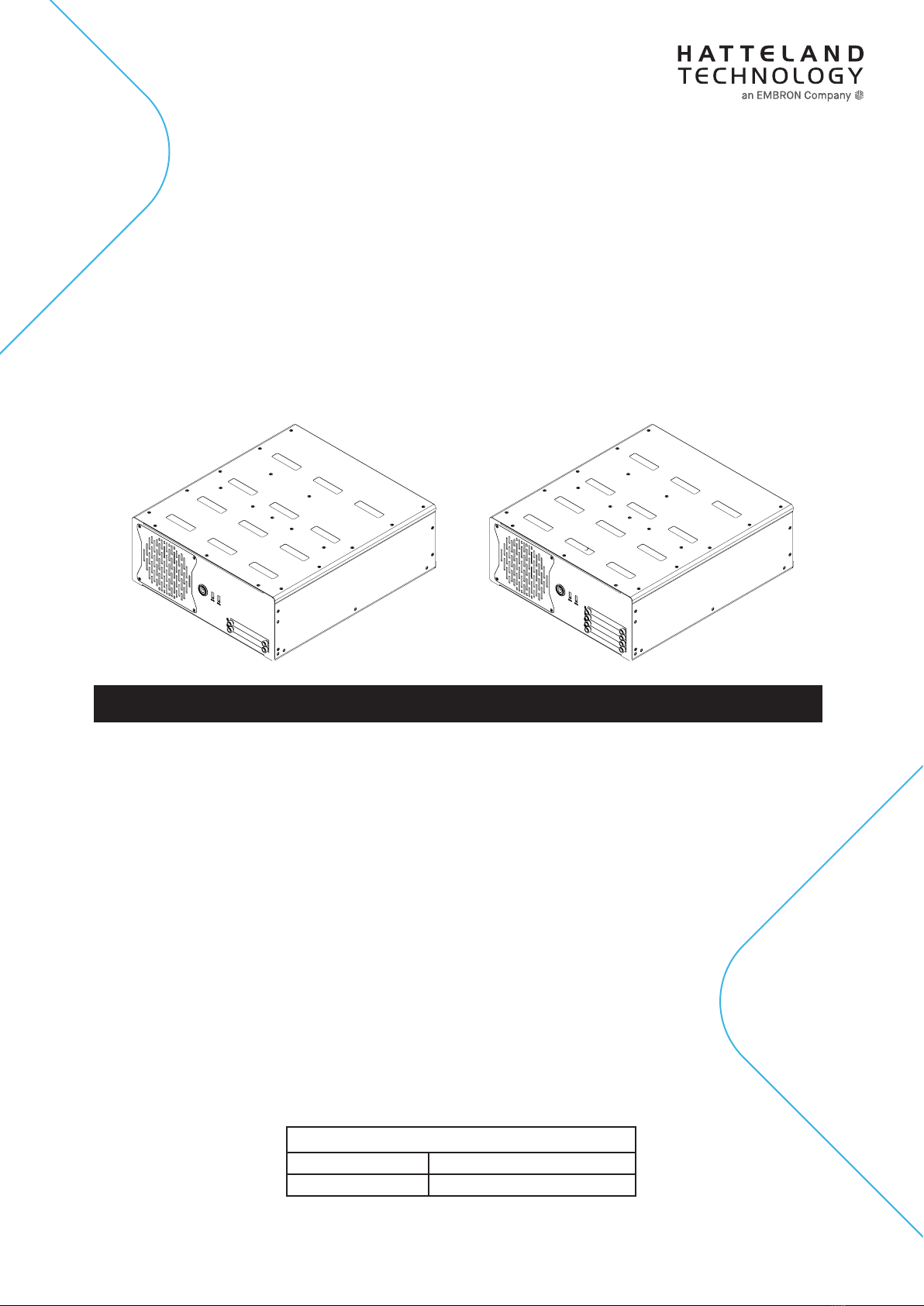
4-Bay Model
2-Bay Model
HTC03 - Compact Computer
User Manual HTC03
Updated: 28 May 2021 Doc Id: INB100042-6 (Rev 02)
Created: 7495/363 Approved: 6987
Models:
HTC03-xx-AC yzzzzzz (Single AC power input)
HTC03-xx-MP yzzzzzz (Multi-Power AC+DC inputs)
where xx=CPU type (i3,i5,i7), y=manufacturing site, zz=conguration

Copyright © 2020 Hatteland Technology AS
Eikeskogvegen 52, N-5570 Aksdal, Norway.
All rights are reserved by Hatteland Technology AS. This information may not, in whole or in part, be
copied, photocopied, reproduced, translated or reduced to any electronic medium or machine-
readable form without the prior written consent of Hatteland Technology AS. Review also:
www.hattelandtechnology.com/hubfs/pdf/misc/doc100703-1_permission_to_create_user_manuals.pdf
The products described, or referenced, herein are copyrighted to the respective owners.
The products may not be copied or duplicated in any way. This documentation contains proprietary
information that is not to be disclosed to persons outside the user’s company without prior written consent
of Hatteland Technology AS.
The copyright notice appearing above is included to provide statutory protection in the event of
unauthorized or unintentional public disclosure.
All other product names or trademarks are properties of their respective owners !
WARNING: This is a class A product. In a domestic environment this product may cause radio interference
in which case the user may be required to take adequate measures.
Statement above last revised 31 Jul. 2019

3
IND100206-28
Contents
Contents.................................................................................... 3
Contents of package............................................................................................................... 6
General ...................................................................................... 9
IEC62368 policy - Introduction ............................................................................................. 10
About this manual..................................................................................................................11
About Hatteland Technology..................................................................................................11
www.hattelandtechnology.com ..............................................................................................11
Contact Information ...............................................................................................................11
Computers introduction ........................................................................................................ 12
Product Labels (Examples) .................................................................................................. 13
Installation............................................................................... 15
Installation and mounting of computers................................................................................ 16
General mounting instructions.............................................................................................. 17
Cables .................................................................................................................................. 17
Unit Upgrade Precaution Note.............................................................................................. 18
Ferrite ................................................................................................................................... 19
Housing / Terminal Block Connector Overview .................................................................... 20
Cabinet cover removal.......................................................................................................... 22
Installing PCIe Card / Rework PCI Bracket Options - Notice ............................................... 23
HT 00275OPT-A1 (PCIe Card Bracket, Removal & Replacement) HL/FL/HH..................... 25
Air Filter removal / replacement (H733S30Q20-SP000-0) .................................................. 26
Front Fan removal / replacement ......................................................................................... 27
Mounting Bracket Kit (Wall / Desktop) HTC03...................................................................... 28
Mounting Brackets for Console Mounting - HT 00226 OPT-A1............................................ 29
19 inch Rack Kit 4U - HT 00223 OPT-A1 ............................................................................. 30
Sliding Rails - HT 00224 OPT-A1 (20”) / HT 00225 OPT-A1 (26”) ....................................... 30
Replacing Internal CMOS/BIOS Battery............................................................................... 31
User Controls........................................................................................................................ 34
Physical Connections .......................................................................................................... 36
Specications ......................................................................... 41
Specications - HTC03-xx-AC xxxxxxx ................................................................................ 42
Specications - HTC03-xx-MP xxxxxxx................................................................................ 43
Multi-Power (AC+DC)...................................................................................................... 43

Contents
4
IND100206-28
Specications Factory Options............................................. 45
Specications - NMEA / IEC COM Module RS-422 / RS-485 .............................................. 46
PCA200828-1.................................................................................................................. 46
Specications - CAN Module with CO-Processor................................................................. 50
ZIA0001310-B ................................................................................................................. 50
Specications - CAN Module with CO-Processor................................................................. 51
ZIA0001310-SLCAN ....................................................................................................... 51
Specications - Isolated Digital Input/Output Module ........................................................... 52
PCA100297-1.................................................................................................................. 52
Specications - LAN Module ................................................................................................ 54
PCA100298-1.................................................................................................................. 54
Specications - Isolated COM Module RS-232 .................................................................... 55
PCA100309-1.................................................................................................................. 55
Specications Accessories ................................................... 57
Specications - External Modules (USB).............................................................................. 58
Specications - VSDDPVGA340 / HT DPM2VGAF-A1 ........................................................ 60
DisplayPort to VGA adapter ............................................................................................ 60
Specications - RC3473 / HT DPM2DVI-DF-A1................................................................... 61
DisplayPort to DVI adapter.............................................................................................. 61
Specications - JH C01MF A-A ............................................................................................ 62
Technical Drawings ................................................................ 63
Technical Drawings - HTC03-xx-AC xxxxxxx ...................................................................... 64
Technical Drawings - HTC03-xx-MP xxxxxxx ...................................................................... 65
Multi-Power (AC+DC)...................................................................................................... 65
Technical Drawings - Accessories........................................ 67
Technical Drawings - HT MBK STD-C1................................................................................ 68
Mounting Bracket Kit HTC03/HTC04 - L-Shaped ........................................................... 68
Technical Drawings - 19” Rack Kit 4U .................................................................................. 69
HT 00223 OPT-A1........................................................................................................... 69
Technical Drawings - Mounting Brackets.............................................................................. 71
HT 00226 OPT-A1........................................................................................................... 71
Technical Drawings - EN60945 PCI/PCIe Support Bracket.................................................. 72
HT 00275 OPT-A1........................................................................................................... 72
Technical Drawings - External Modules (USB)..................................................................... 73
Technical Drawings - 20” Slide Rails (for 19” Rack) ............................................................. 74
HT 00224 OPT-A1........................................................................................................... 74
Technical Drawings - 26” Slide Rails (for 19” Rack) ............................................................. 75
HT 00225 OPT-A1........................................................................................................... 75

Contents
5
IND100206-28
Appendixes ............................................................................. 77
SSD Selection Guide............................................................................................................ 78
BIOS - Overview and functions ............................................................................................ 82
BIOS - How to create RAID volume ................................................................................... 131
BIOS - Hybrid Multi Monitor Conguration ......................................................................... 133
Pinout Assignments ............................................................................................................ 134
Trouble-shooting................................................................................................................. 137
Operating System Recovery (tool) .................................................................................... 137
How to activate Windows Recovery Environment on OS Drive ........................................ 141
IEC62368 policy for Hatteland Technology products.......................................................... 142
Declaration of Conformity ................................................................................................... 144
Return Of Goods Information ............................................................................................. 145
General Terms and Conditions ........................................................................................... 146
Notes .................................................................................................................................. 147
Revision History.................................................................................................................. 149
6
IND100207-21
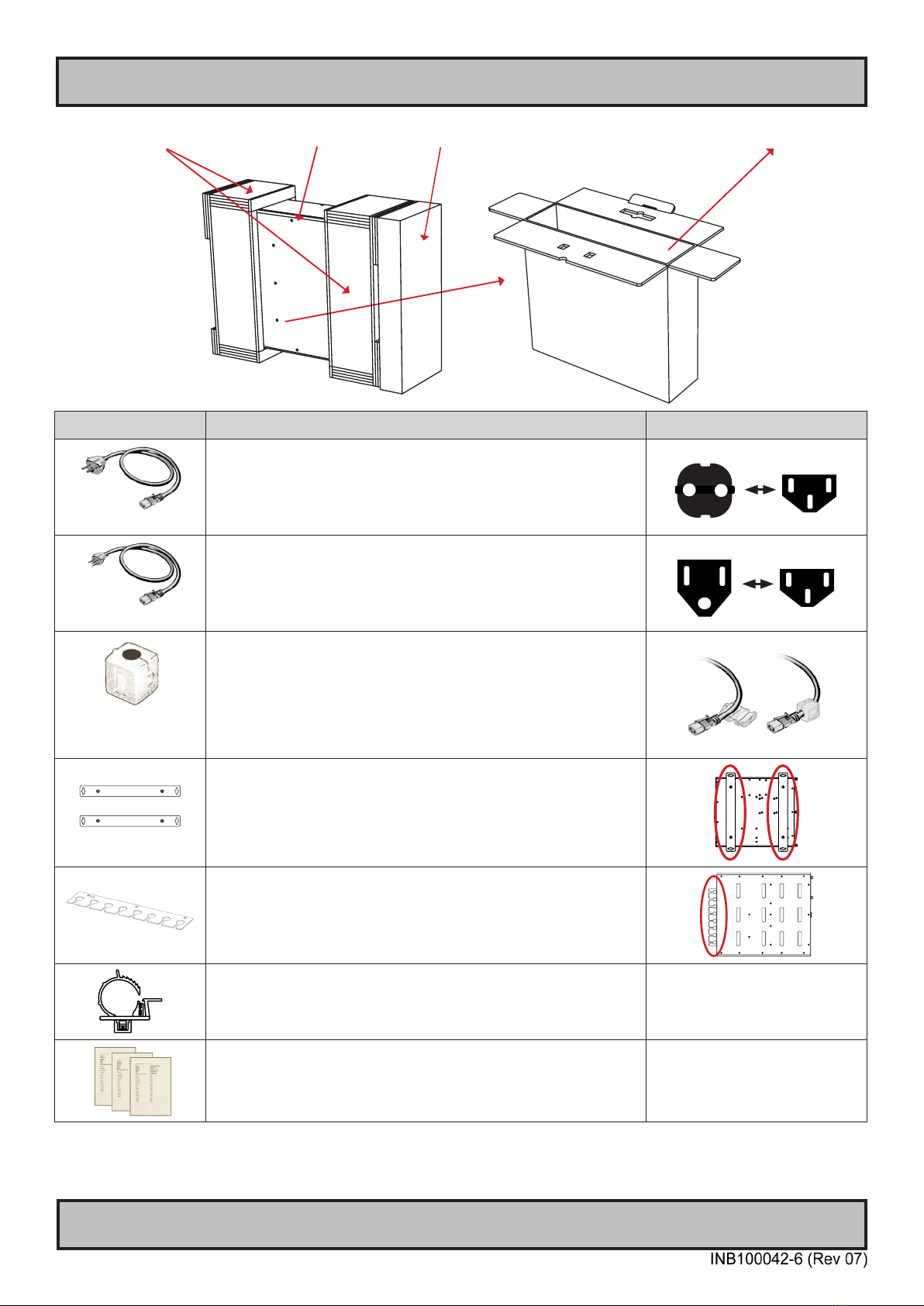
Contents of package
Item Description Illustration
702002605
1 x Power Cable European Type F “Schuko” to IEC.
Length 1.8m
EUR TYPE F
IEC
702002600
1 x Power Cable US Type B plug to IEC.
Length 1.8m US TYPE B IEC
Würth 742 712 21
(1212004518-01)
(split, 10.5mm)
1 x Würth 742 712 21
This ferrite is required when using 100/110/115V AC voltage on the power
supply (not required for 230V AC) to be fully compliant with type approvals.
Review installation chapter for more information.
HT 00226 OPT-A1
Mounting brackets incl. screws (for console mounting)
HT RET STD-A3
Cable Retainer/Relief kit with
3 x Screws M3x4 DIN 965-10.9 Torx BLANK
Cable Relief for DP - kit consists of:
1 x DP cable tie (1990025128S000)
1 x DP cable mounting (1990036354S000)
1 x screw M3x5 (1930006255-01)
Test Reports papers:
1 x Product Declaration TBD
1 x Computer Checklist TBD
1 x BurnInTest Certificate TBD
Stratocell packaging foam HTC03 computer Accessories Box (Contains items as listed below) Outer Box

Contents of package
7
IND100207-21
Package may also include: (based on accessories/options ordered)
Item Description Illustration
Tx- Tx+ COM Rx- Rx+
Terminal Block Connectors
Depending on factory mounted options, connector kit as follows:
2 x 4-pin Terminal Block 3.81 for CAN Interface (ZIA0001310-B / ZIA0001310-SLCAN)
4 x 5-pin Terminal Block 3.81 for RS-422 / RS-485 NMEA 4 Channel (PCA100828-1)
4 x 5-pin Terminal Block 3.81 for Digital Input/Output (PCA100297-1)
PNY NVIDIA Quadro P2200
1 x Installation guide
1 x DP to DVI-D (SL) Adapter
Not available for Multi-Power models
PNY NVIDIA Quadro P620
1 x Installation guide
1 x DVD with drivers/support software
4 x mDP to DP adapter*
or 4 x mDP to DVI (SL) adapter*
*Depends on ordered conguration
Not available for Multi-Power models
CP114EL-I
1 x MOXA Cable with 4 ports

8
This page left intentionally blank

9
General
10
IND100078-81
General
IEC62368 policy - Introduction
Safety Instructions
Please read and understand the material in the manual in its entirety before doing any installation/servicing/upgrades.
Personnel who are allowed to do work on the unit is detailed in the “IEC62368 policy for Hatteland Technology
product” section later in this manual. Symbols pertaining to different personnel in regard to operations is described in
the user manual.
Based on requirements EN 62368-1:2014 and IEC 62368-1:2018
Authority Description
Children This equipment is not suitable for use in locations where children are likely to be present.
Ordinary person/
Sailor/End-User
Not allowed to open unit.
Not allowed to install the unit.
Not allowed to terminate/connect cables to the unit.
Instructed person Allowed to open hatches/latches which does not require tools, such as Disktrays.
Allowed to open "battery-hatch" to change the battery even if tools are required.
Allowed to install the unit.
Allowed to terminate/connect cables to the unit indoors.
Skilled person Allowed to open and disassemble the unit.
Allowed to install the unit.
Allowed to terminate/connect cables to the unit indoors and outdoors.
Allowed to terminate/connect earth/ground wire.
Note: Be aware that additional denition for “skilled person” may apply, country dependent.
Ce manuel convient aux modèles suivants
1
Table des matières
Autres manuels EMBRON Ordinateur de bureau

EMBRON
EMBRON HATTELAND HT B30G STC M Series Manuel utilisateur

EMBRON
EMBRON HATTELAND TECHNOLOGY HT C02H STC Series Manuel utilisateur

EMBRON
EMBRON Hatteland E Series Manuel utilisateur

EMBRON
EMBRON Hatteland X Series Manuel utilisateur

EMBRON
EMBRON Hatteland X G2 Series Manuel utilisateur

EMBRON
EMBRON HATTELAND HD 08T30 Series Manuel utilisateur

EMBRON
EMBRON Hatteland Display HT B22G Series Manuel utilisateur

EMBRON
EMBRON Hatteland HT20 70 Series Manuel utilisateur


