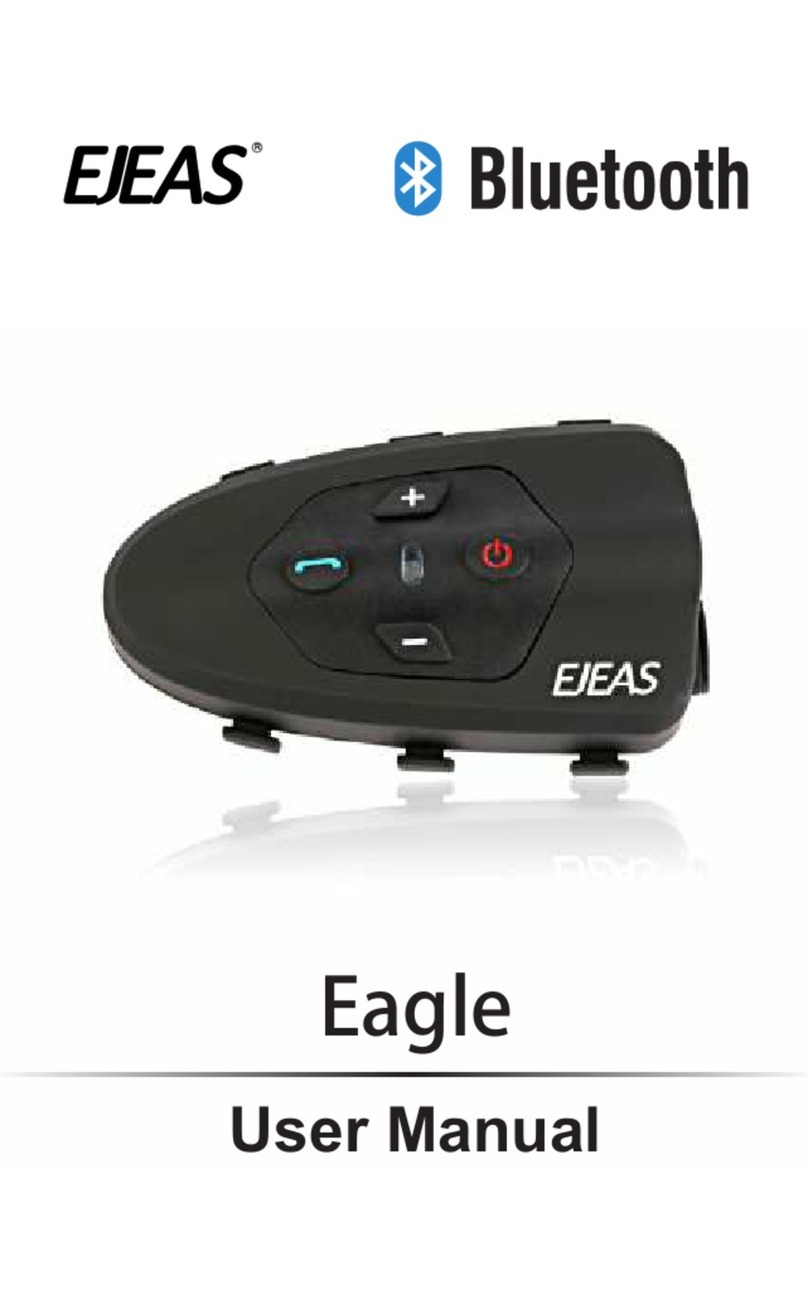
EJEAS E300 Manuel utilisateur

User manual E300
High-Fidelity Sound Motorcycle lntercom
WWW.EJEAS.COM

E300 is an enthusiast class high-quality Bluetooth intercom headset with a unique mix
of ultra bass sound units to meet the user's need for HD sound.E300 could make a full
duplex communication between two main units, not only answer phone calls
automatically but also could be connected to a common walkie-talkie via a dedicated
PTT transfer cable (PTT transfer cable is optional). E300 ensures the safety of vast
numbers of motorcycle riders, as well as the close range full duplex communication
and the long range group conference. It is the best choice for motorcycle enthusiasts to
ride safely and communicate freely.
Power on/Intercom
Indicator light
Volume +
Headset Headset
Volume- Microphone
Micro USB Charging Port
Phone
Instructions
Power on
Press and click the button “power on” for 2 seconds
Press the button “Power on” and “Phone” for 2 seconds at the same time
1
English
Power off

Turn on E300, Press the button “Phone” for 5 seconds till the red and blue lights flash
alternately, find “E300” in the Bluetooth Setting of your mobile phone, then start pairing
between them.
Pairing with a Mobile Phone
Pairing between Two E300
First, please make sure the devices were turned off.
Second, Press the button “Power On” of the two units for 5 seconds till the red and blue
lights flash alternately, click either button “Power On”, the device would search the other
E300 automatically.
Third, When you hear the voice reminder “successful”, that means the pairing is done,
and by this time, the two machines are flashing blue slowly.
2
English
pair

Reconnect with a Mobile Phone
Clear all Pairing Records
Control the Mobile Phone
Intercon control
It is defaulted an auto-reconnection once the unit is turned on.
If a E300 is not connected when standby, click the button “Phone”, it would search and
connect to the mobile phone automatically.
Turn on the E300, press the button “Phone” and “Volume –“ at the same time, hold on
for 5 seconds or so, when you see the red and blue light quickly flashes 4 times and
shut down, that indicates the pairing records were removed.
1. Answer Phone Calls:
i. E300 would automatically answer a phone call in 5 seconds
ii. Click the button “Phone” when there is a phone coming
2. Refuse Phone Calls:
Press the button “Phone” for 2 seconds when a phone call is coming.
3. Hang up Phone Calls: Click the button “Phone” when you’re in the call state.
4. Redial the Last Number: Press the button “Phone” for 3 seconds when the E300 is
standby.
5. Cancel the Redial: Click the button “Phone” when you’re redialing.
6. Voice Dialing (Voice Assistant): Double click the button “Phone” to activate the voice
service (your mobile phone should support voice assistant at first) when you’ve
connected the E300 with your mobile phone.
7. Volume Control:
i. Click the button “Volume +” or “Volume –“
ii. Press the button “Volume +” or “Volume –“ for seconds
8. Music Playback/Pause: Click the button “Phone”
9. Previous Track: Double Click the button “Volume -”
10 . Next Track: Double Click the button “Volume +”
1. Start the Intercom Communication: Click the button “Intercom”
2. End the Intercom Communication: Click the button “Intercom”
3. Volume Control:
i. Click the button “Volume +” or “Volume –“
ii. Press the button “Volume +” or “Volume –“ for seconds
3
English

Istruzioni dei parti di prodotto
Status description
Helmet installation
1. Standby: The E300 was turned on, but didn’t entered the mode of intercom and phone call
2. Intercom: The E300 has entered the mode of intercom communication
3. Phone/Music: Paired with a mobile phone successfully
4. Charging: Red Light is always on.Full Charged: Red light off
4
English
3. Stick the smaller Velcro
patch on both earpieces.
5-6. Place the earpieces on the Velcro patch
4. Stich the larger Velcro patch
on the center ofcheek pads
where the surface is recessed.
2. Take off the inner lining1. Snap off the cheek pads
7. Put cheek pads and lining
back in place
8. Glide the foam bonnet on
the microphone end.
1 2 3 4
5 6 7 8

Parameters
The set contains
5
English
Bluetooth version: Bluetooth 4.2
Frequency Range: 2402MHz ~ 2480MHz
Battery Capacity: 250mAh
Charger Requirements: DC5V/500mA
Talking Time: 8 hours
Working Temperature: -10~40℃Standby Time: 300 hours
Charge and Discharge Times: more than 500 times
Charging Time: approx. 1 hour
Operating Voltage: 3.7V
Max. Distance: 300m
Battery Type: rechargeable polymer lithium-ion battery
Bluetooth Protocol: A2DP, AVRCP, HFP & HSP

Anschalten
Ausschalten
Betriebsmeructions
Das E300 ist ein Bluetooth Intercom-Kopfhöher mit hoher Klangqualität für Enthusiasten,
und verfügt über ein einzigartiges Mischgeräusch für super schwere Bässe, um das die
Bedürfnisse der Benutzer nach hochwertiger Klangqualität zu erfüllen. Dieses Produkt
kann die Funktion der Vollduplex-Gegensprechanlage zwischen zwei E300 und die
automatische Anrufannahme realisieren. Es kann auch über eine dedizierte PTT-Über-
tragungsleitung (optionales PTT-Übertragungsleitung) an eine normale Sprechanlage
verbunden werden. Die Einführung von E300 garantiert nicht nur die Sicherheit der
Fahrer, sondern ermöglicht auch Vollduplex-Gegensprechanlage im Nahbereich und
Intercom mit Ferngesprächen im Fernbereich. Dies ist die beste Wahl für Motorradfahrer,
die sicher fahren und frei kommunizieren können.
Anschalten/ Intercom-Taste
Kontrollleuchte
Lautstärketaste
Headset Headset
Leiser-Taste Mikrofon
USB-Ladeanschluss
Telefontaste
Drücken Sie den Ein/ausschalter für 2 Sekunden lange
Press the button “Power on” and “Phone” for 2 seconds at the same time
6
German

Handy anpaaren
Anpaarende Gegensprechanlage
Drücken Sie die Telephontaste im ausgeschalteten Zustand 5 Sekunden lang, bis die
rote und blaue Lampe schnell blinkt. Suchen Sie den E300 im Bluetooth-Telefon zue
Anpaarung.
Drücken Sie die Ein / Aus-Taste von zwei Hauptmaschine im ausgeschalteten Zustand 5
Sekunden lang, bis die rote und blaue Lampe schnell blinkt. Drücken Sie die Ein / Aus-Taste
einer der beiden ernuet, um diese Maschine automatisch nach einer Anderen anzupaaren.
Nachdem die Beide erfogreich angepaart war“successful”, wird die blaue Licht langsam
blinken.
7
German
pair

Pairing-Datensatz löschen
Handy erneut verbinden
Mobiltelefonsteuerung
Gegensprechanlagekontrolle
Drücken Sie die Telefontaste und Leiser-Taste im eingeschalteten Zustand gleichzeitig
für mehr als 5 Sekunden. Das rote und blaue Lichter blinken viermal gleichzeitig und
schalten aus, um anzuzeigen, dass den Pairing-Datensatz schon gelöscht wurde.
1. Anruf annehmen: Innerhalb 5 Sekunden wird den Anfruf automatisch angenommen oder
beim Anrufen die Telefontaste kurz dürcken..
2. Anruf abweisen: Drücken Sie beim Anrufen die Telefontaste 2 Sekunden lang
3. Auflegen: Drücken Sie im Anrufzustand die Telefontaste kurz
4. Durch Letzte Code wieder anrufen:Wenn das Handy im Standby-Modus verbunden wird,
drücken Sie die Telefontaste 3 Sekunden lang.
5. Wahlwiederholung absagen: Bei Wahlwiederholung drücken Sie die Telefontaste bitte kurz.
6. Die Nummer per Sprache wählen (Sprachhelfer): Verbinden Sie das Handy, doppelklicken
Sie auf die Telefontaste, um den Sprachhelfer des Telefons zu starten (braucht
Unterstützung von Mobiltelefone).
7. Volumen verstellen: Drücken Sie die Lautstärketaste oder Leiser-Taste kurz.
8. Musikwiedergaben / Stoppen: Klicken Sie auf die Telefontaste
9. Das letzte oder nächstes Lied von : Doppelklicken Sie Leiser-Taste oder Lautstärke-Taste
1. Gegensprechanlage beginnen: Drücken Sie die Intercom-Taste kurz
2. Gegensprechanlage beenden: Drücken Sie die Intercom-Taste kurz,
3. Volumen verstellen:Drücken Sie die Lautstärketaste oder Leiser-Taste kurz.
8
German
Die Standardeinstellung ist die automatische Wiederverbindung,oder wenn sich das
Telefon im Standby-Modus befindet und nicht verbunden wird, drücken Sie die
Telefontaste kurz, wird es automatisch suchen und mit dem Handy verbinden.

Beschreibung der Produktteile
Statusbeschreibung
Installationsschema
1. Standby-Modus: Das Gerät ist eingeschaltet und wird in Intercom-und Telefonmodus
eingegangen
2. Intercom-Status: In den Intercom-Modus eingehen
3. Telefon- / Musikstatus: erfolgreiche Verbindung mit dem Mobiltelefon
4. Ladezustand: Bei Aufladen wird das rote Licht ist immer geleuchtet, das rote Licht ist
nach dem völligen Aufladen aus
9
German
3. Kleben Sie den magischen
Aufkleber auf dem Kopfhörer
auf.
5-6. Legen Sie den Kopfhörer auf den magischen Aufkleber
4. Setzen Sie den anderen
magischen Aufkleber in die
Mitte des Wangenpolsters
2. Nehmen Sie die innere
Stütze des Helmes heraus.
1. Packen Sie das
Wangenpolster aus
7. Stellen Sie die Wangenauflage
und den inneren Abdruck
wieder her.
8. Stellen Sie die
Mikrofonposition ein
1 2 3 4
5 6 7 8
Table des matières
Langues :
Autres manuels EJEAS Système d'interphone