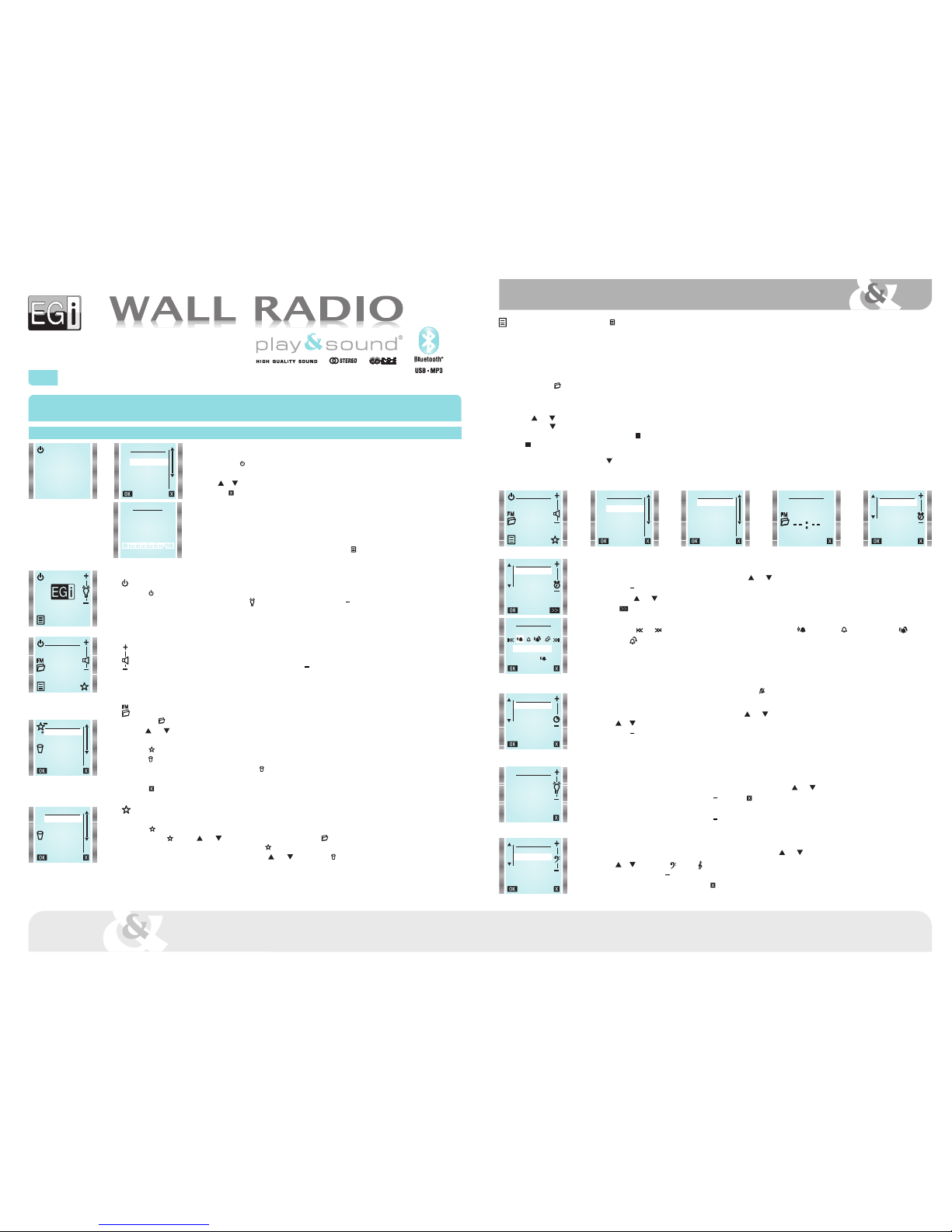
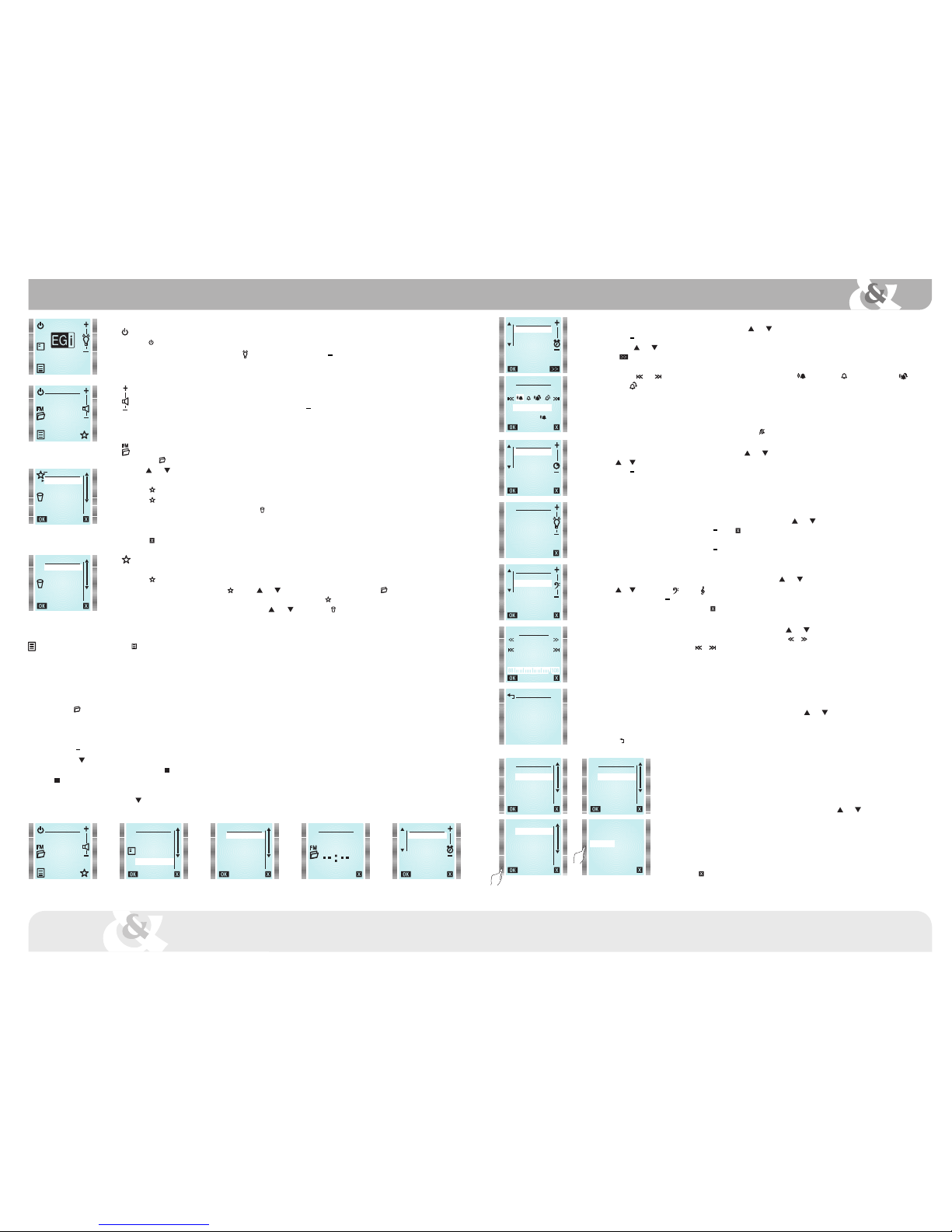
Main MENU (to enter it, press MENU key)
TIME
Internal clock can be adjusted automatically (by synchronizing it to a station with RDS time information) or manually.
If AUTO mode is selected, time information will be restored automatically after a power failure.
Automatic setting:
From TIME menu select AUTO.
Press FM key and choose a station that offers RDS time information (usually state stations).
Wait 1 or 2 minutes for the clock to synchronize and press OK. If current time is not displayed, switch to other station.
Manual setting:
From TIME menu select MANUAL.
Use +and keys to modify hours value (HOURS is highlighted).
Then, press key to adjust minutes the same way as hours. When all is correct, press OK key.
Once the clock is set, OK key will be replaced by key in TIME menu.
If key is pressed, time will not be displayed anymore.
12-24 hours mode:
To change time display mode, press key to highlight 12/24H.
Then press 12/24H to choose the desired option. Press OK to validate.
Main screen
Turn on/off the device
Press key to turn on/off the device.
When the module is off, backlighting intensity can be adjusted by means of +& keys.
It affects only to the backlighting when the module is off.
NOTE: In case of power failure, when the module is turned on again, RADIO mode will be selected.
Volume adjustment
When the module is on, volume level can be adjusted by means of +and keys.
A short press changes the volume step by step, whereas a long press changes it at an accelerated rate.
NOTE: This function is available when an audio source is activated and the remote control is at the idle screen.
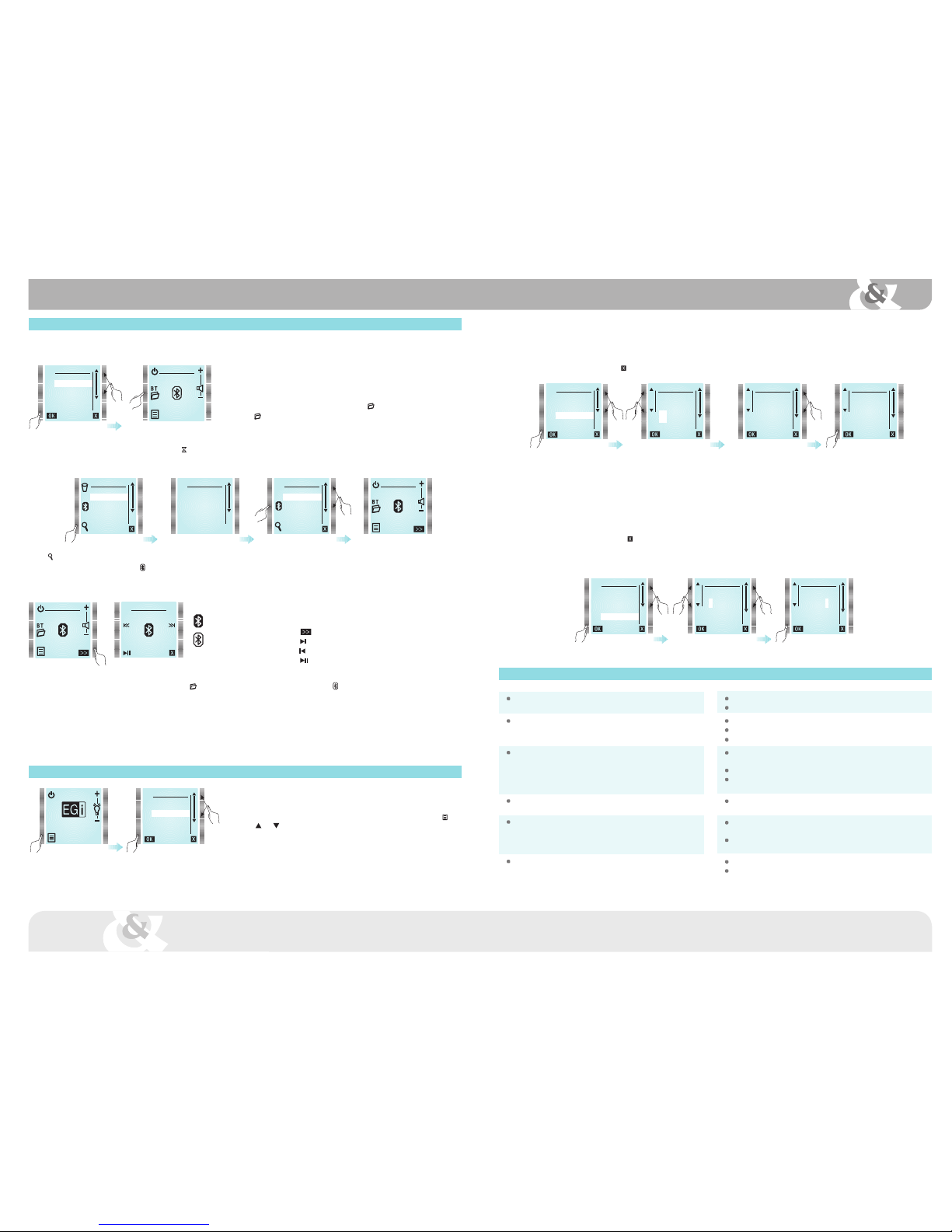
FM List
Press FM key to see all tuned stations.
Use and keys to select a station and press OK to listen to it. Normally, station name is displayed. If the station does not send RDS
information, station frequency is displayed instead.
Press key to add stations to FAVOURITES list.
Press key again to remove a station from FAVOURITES list.
To remove a station from FM LIST, select it and press (REMOVE).
It will be erased permanently.
To recover an erased station, it must be tuned later by using MANUAL FM.
Press key (EXIT) to quit menu at any moment.
Favourites list
It can be selected up to 6 favourite stations.
Press at FM LIST to choose them. Selected station will be added to favourites list at the first free location.
A station can be added at FAVOURITES by using and keys to select a free location and then FM key. This way a list of available
stations will appear, from which the desired station can be added to FAVOURITES .
To remove a favourite station from the list, select it using and keys and press key (REMOVE).
FM LIST
RADIO 1
RADIO 2
RADIO 3
RADIO 4
RADIO 5
RADIO 6
FAVOURITES
NATIONAL RADIO
NEWS RADIO
TOP 40
EMPTY
EMPTY
EMPTY
RADIO 5
107,9 FM
EGI 0008
RADIO 5
107,9 FM
MENU
RADIO
BLUETOOTH
INPUT
MASTER ON
TIME
ALARM
TIME
AUTO
MANUAL
12/24H
TIME TIME
HOURS
MINUTES
00:34
LINKS
REMOVE
ADD
ALARM
To set the alarm, highlight ALARM from main menu by using and keys and press OK.
Use +and keys to modify hours value (HOURS is highlighted).
Then, press and key to adjust minutes the same way as hours.
Press key (MORE) to select alarm type.
Alarm volume will be set at the same level that it was when configured.
By means of and keys, following options can be chosen: FM radio once , Buzzer once , FM radio every day or Buzzer
every day .
When all is correct, press OK key.
Activation time and alarm type will be shown on main screen.
When alarm is triggered, it can be turned off by pressing STOP (stop alarm) or SNOOZE (repeat every 9 minutes).
If not turned off, alarm will stop after 10 minutes.
To delete the alarm, select ALARM from the main menu and press key.
SLEEP (TIMER)
To set the timer, highlight SLEEP from main menu by using and keys and press OK.
Use or to select whether the timer will be activated once (NOW) or every time the module is turned on (ALWAYS).
Use +and keys to adjust turn off time.
Press OK to save the settings.
Select 0 minutes to deactivate SLEEP function.
LIGHTING CONTROL
Lighting when the module is on:
To adjust screen lighting level, highlight BACKLIGHT from main menu by using and keys and press OK.
Lighting level can be modified by using +and . Press (EXIT) to save the setting.
Lighting when the module is stand-by:
Lighting level can be modified by using +and keys.
When the module is off, the screen can be completely darkene.
EQUALIZER
To adjust bass and treble, highlight EQUALIZER from main menu by using and keys and press OK.
Use or to select basss or treble .
Once selected, press +or to increase or decrease bass or treble level.
When adjusted press OK to save and quit, or to quit without saving.
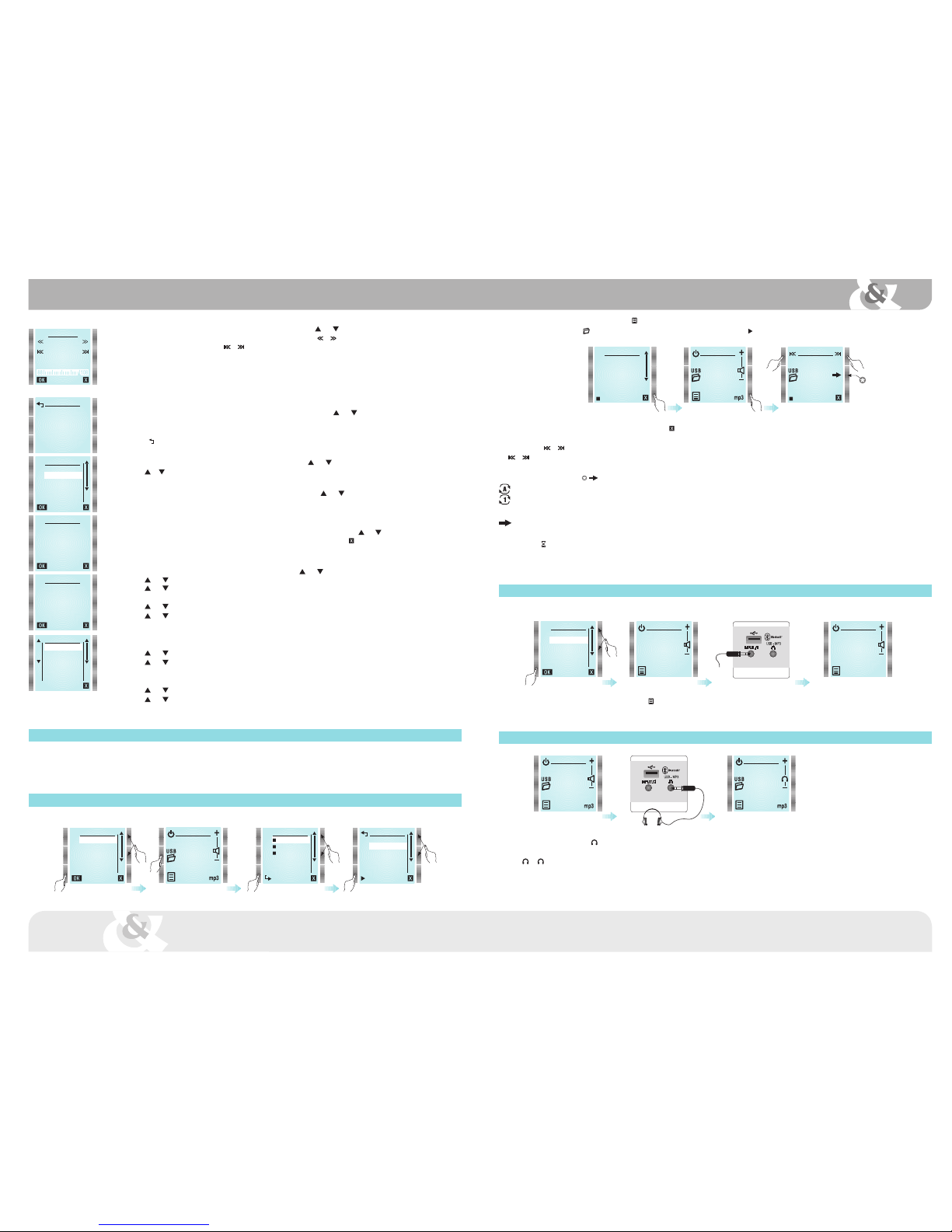
MANUAL FM
To tune manually a station, highlight MANUAL FM from main menu by using and keys and press OK.
Tuning frequency can be increased or decreased in 100 KHz steps by pressing or .
To perform an automatic search, press or to find the next higher/lower frequency station (signal level must be over a certain threshold).
When a station is found (both in auto and manual mode), after some seconds RDS*information will appear.
Sometimes this information is changing, press OK when it is displayed the information you want to associate with the station. The station
will be added to FM list (if there is any memory available).
It can be stored up to 36 stations (30 from autoscan + 6 from manual tuning).
(*) Not all the stations transmit RDS information, If RDS text does not appear, press OK.
AUTOSCAN
To activate automatic station search, highlight AUTOSCAN from main menu by using and keys and press OK.
A new FM station list will be created. Favourites list can be kept or deleted.
Autoscan process can take several minutes.
Press to quit without doing autoscan.
ALARM
HOURS
MINUTES
00:00
ALARM TYPE
FM ONCE
00 : 00
SLEEP
NOW
ALWAYS
10
MINUTES
BACKLIGHT
EQUALIZER
TREBLE
BASS
0
MANUAL FM
RADIO 1
107.9
AUTOSCAN
NEW
FM LIST
KEEP
FAVOURITES?
YES NO
LINKS
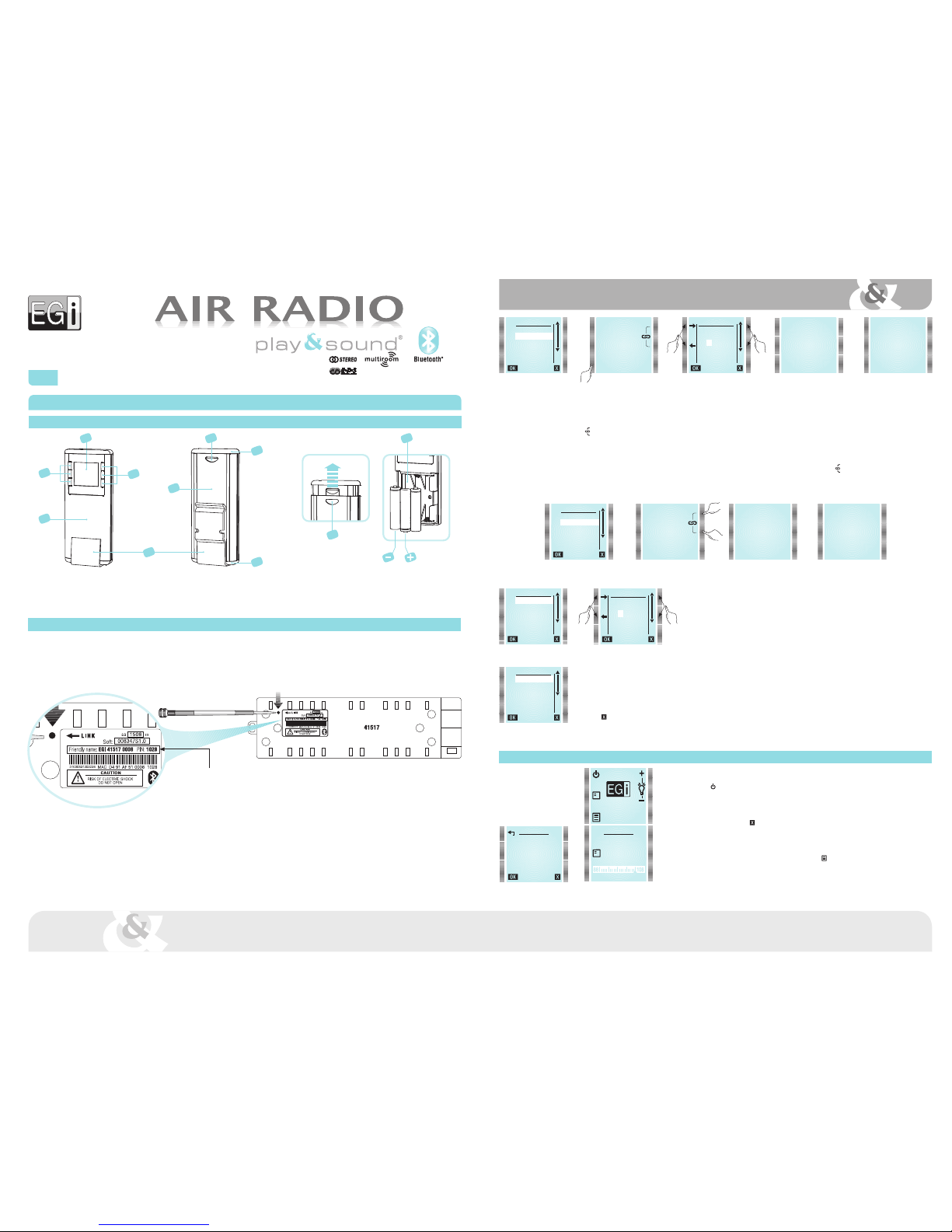
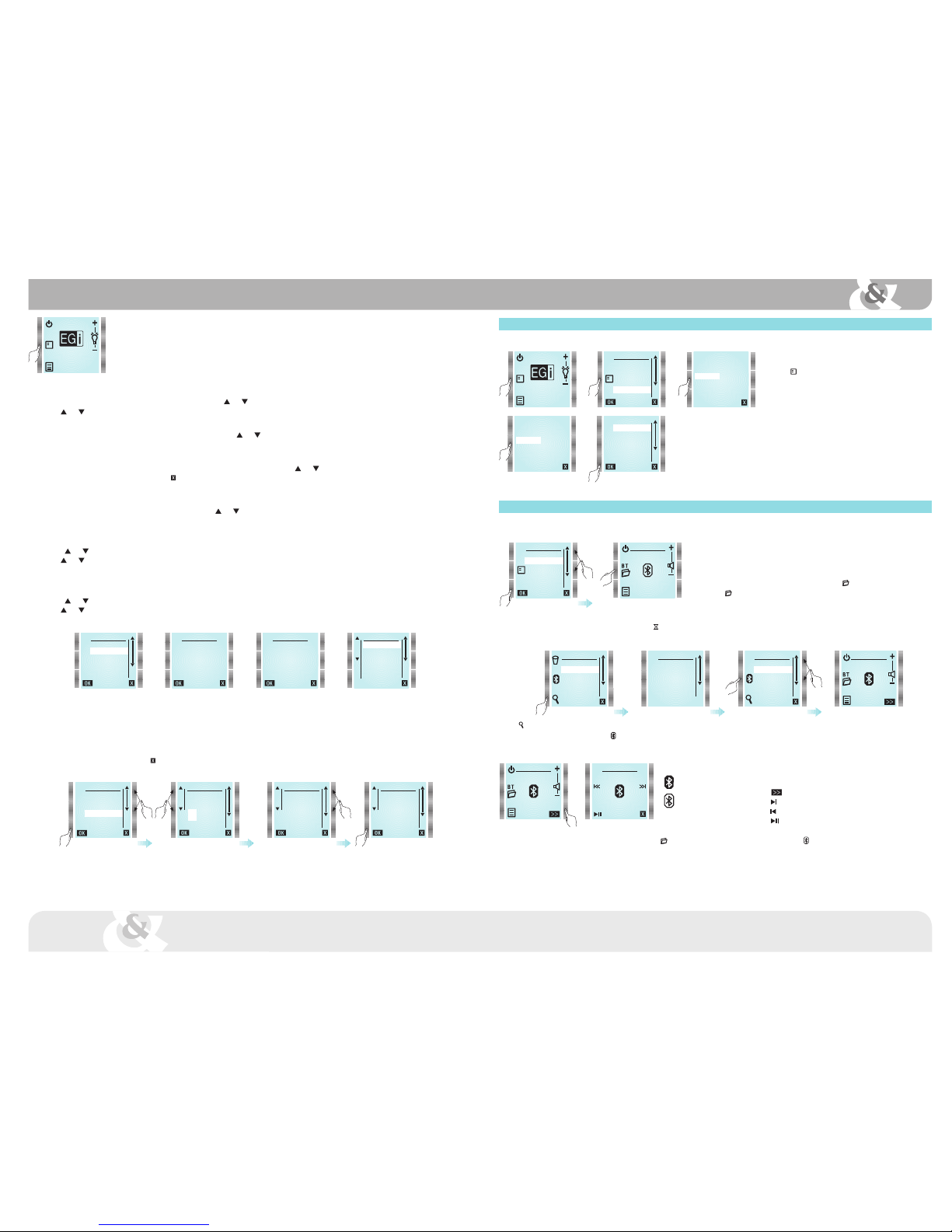
LINKS menu allows 41514 remote control to be linked to other 41517 master modules.
Up to 5 master modules can be linked. A remote control can manage 5 rooms and even change its name.
However, a 41517 master module can be linked with up to 15 remote controls.
Concretely, this menu allows deleting or adding links to 41517 master modules.
To do that, follow these instructions.
To enter LINKS menu, highlight LINKS from main menu by using and keys and press OK.
To add a new master module press ADD option. It will appear a new screen with two methods of linking:
PIN entering or pressing LINK key on master module (see LINKING section).
To change master module name, go to main menu, select SETTINGS and then select NAME.
To remove a link to a master module, press REMOVE.
Then a list of linked modules will be displayed.
Select the module to be removed.
Press key (EXIT) to quit without removing any link.
MENU
VERSION
LINKS
RESET
SETTINGS
EGI 0008
EGI 0030
LIVING ROOM
REMOVE
LINKS
REMOVE
ADD