
Edge Products Juice Attitude Manuel utilisateur

Accel,Warranty

Congratulations on purchasing the Edge Juice/Attitude system for
the Ford Power Stroke Diesel®.
The Juice/Attitude system features an intelligent module (Juice)
that acts as an add-on Engine Control Module (ECM) for the
Power Stroke® Engine. This module is controlled and custom-
ized in the cab of your truck by the Attitude monitor/controller.
This system offers many cutting-edge, additional features not
available with the factory setup. Since the Juice Module is an
add-on ECM, it uses data from your truck’s computer or engine
control module (ECM), and then enhances the factory settings to
optimize your truck’s performance. This product offers a wide va-
riety of amazing performance and safety features that can ensure
you get the driving experience you desire without damaging your
valuable truck.
Please take the time to thoroughly review all of the features and
product options outlined in this manual. Taking the time to under-
stand how this product works and how to properly operate this
product will ensure that you have an extraordinary and safe driv-
ing experience. If we can be of any assistance to help you get
the most from your product please call us at 888-360-3343. We
are open Monday through Friday from 6am to 6pm MST.
IMPORTANT: Read through these instructions completely
so that you understand each step prior to installation. Refer
to the on dash display User Manual for Safety and Warranty
information.
About the Juice
Getting Started

PLEASE take the time to register your product online:
http://www.edgeproducts.com/product_registration.php
BENEFITS OF PRODUCT REGISTRATION
-Your Safety - Registering your product allows us to know exactly
which product you have and provide important product updates to
you that improve the quality and/or safety of the product.
-Enhanced Features - Almost all Edge products are easily updated
via the internet. We are constantly adding new features and improve-
ments to our product that we know you will want to enjoy.
-Conrmation of Ownership - Provides a record in case of product
loss, theft, or required warranty work. When you call us for support
our team will already have much of the information they need to help
you.
-Improved Product Development - Helps us better understand you
(our customer) and design products that meet your needs.
-Special Offers - Allows us to inform you about special offers on ac-
cessories and/or new products that t your vehicle and enhance your
driving experience.
Safety Terms
Product Registration
Throughout this User Guide (hereafter noted as User Manual or
Manual) you will see important messages regarding your safety
or the protection of your vehicle. These messages are designat-
ed by the words WARNING or CAUTION.
WARNING indicates a condition that may cause serious
injury or death to you, your passengers or others nearby.
Pay careful attention to these Warning messages, and al-
ways comply with them. They could save a life.
CAUTION indicates a condition that could cause damage
to your vehicle. It is important to install and operate your
EDGE product in conformance with instructions in this
Manual. Caution alerts you to particularly important things
that will keep your vehicle operating properly.

Important Notes
1. If you have used another tuner/programmer on your truck,
you will need to program your truck back to stock before using
the Attitude or Juice.
Failure to return to stock may result in PCM failure or en-
gine damage.
2. Do not program your vehicle in remote location in case of
vehicle failure.
3. All Edge modules and programmers are built to operate with
OEM calibrations. When you take your vehicle to a service
center they may, by your request or otherwise, update your ve-
hicle’s calibrations. It is important that you return your vehicle
to stock before taking it in for service. Edge updates its prod-
ucts to work effectively with updated OEM calibrations. How-
ever, Edge is not always made aware of calibration changes
made by the OEM. In the case of discontinued products, Edge
cannot ensure that your unit will work effectively if you take
your vehicle to a dealership and you are given, by your request
or otherwise, a new calibration.
NOTE: This product will not work on E-Series Vans, as
some of the connectors are different from the F-Series
pickups for which this product was designed for.
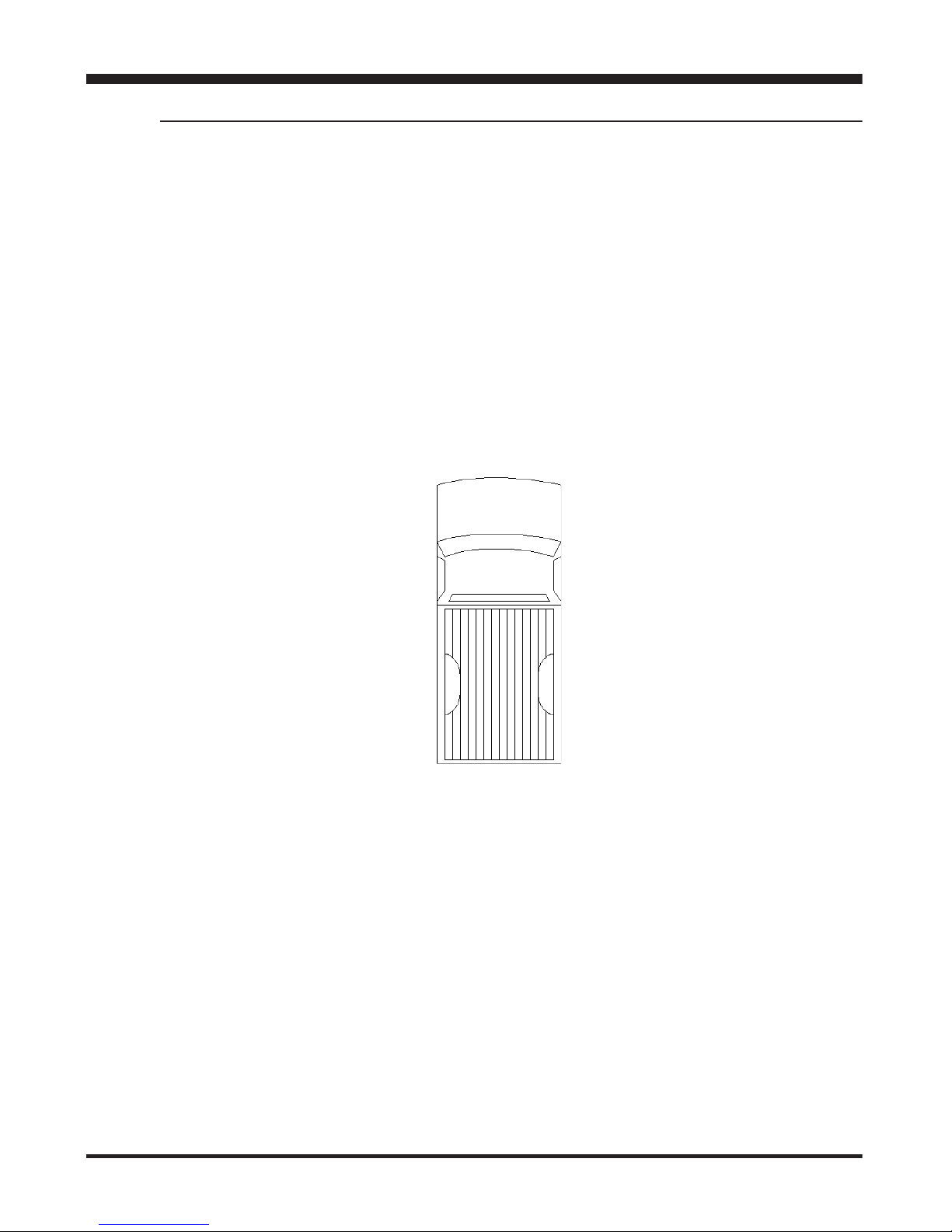
Front of Truck
Passenger side of truck –
Usually referred to as the
right side.
Driver side of truck–
Usually referred to as
the left side.
The following view is a top view of the vehicle (looking down from
above the vehicle). References in the text to “looking down”,
means looking toward the ground. Looking up, means looking
towards the sky from below the vehicle. Front, rear, left and right
are as noted below. See Figure below.
Back of Truck
Truck Orientation

Supplied Items & Required Tools
Juice Installation 1999-2003 (7.3L)
1
2
4
3
6
8
5
7
Note: Depending on your year of
truck, you may not need everything
provided.
REFER TO QUICK
INSTALL GUIDE
FOR INSTALL
1 Main Harness
2 Juice Module
3 Throttle Position Sensor (TPS)
Harness - Year Specic
4 Velcro Strips
5 Zip Ties
6 EGT Sensor Probe
7 Juice Attitude Bridge (JAB)
8 Quick Install Guide
99-00
01-03
- Electric/Cordless Drill
- 1/8” drill bit or similar size
(for pilot hole)
- 21/64” (best size) or 5/16”
drill bit (for nal hole)
- 9/16” wrench or socket
- 5/8” open end wrench
- 1/8”-27 NPT Thread Tap
- Phillips screwdriver
- 5/16” or 8mm wrench
- 13mm wrench

WARNING An electrical
charge or battery acid can burn
you. Battery gas can explode or
ignite. Take care when working
around the battery. Follow in-
structions in the vehicle owner’s
manual for disconnecting and
reconnecting a battery.
CAUTION: It is strongly recom-
mended for this installation that
both batteries be disconnected.
1. Use a 13 mm or 8 mm
wrench to remove the NEGA-
TIVE terminal on each battery.
(The wrench size depends on
the battery style.)
2. Set the NEGATIVE terminal
aside and secure it so it does
not make contact with the bat-
tery during the installation.
3. Connect the MAP connec-
tors in between the stock har-
ness and the sensor.
Stock
Harness
MAP
Sensor
Installing the Juice Harness
Harness Connection Guide
Injector Control Pressure (ICP)
Sensor Connectors
EGT Connections
TPS Adapter
Cam Position (CMP)
Sensor Connectors
Manifold Absolute Pressure
(MAP) Sensor Connectors
JAB
Connector
Manifold Absolute Temperature
(MAT) Sensor Connectors
Main Juice Connector

NOTE: The MAP connection is
located in front of the passenger
side of the engine compartment.
4. Connect the MAT connectors
in between the stock harness
and the sensor as shown.
NOTE: The MAT connection is
located in the middle of the of the
engine compartment, and under
the waste gate control solenoid.
5. Connect the ICP connectors
in between the stock harness
and the sensor.
NOTE: The ICP connection is
located in the middle of the engine
compartment, and to the right of
the MAT sensor (Towards driver
side).
CAUTION: The ICP sensor closely
resembles the coolant sensor
which is located towards the front
of the engine.
6. Remove the plastic “Power
Stroke” cover located on top of
the engine.
Stock
Harness
MAP
Sensor
MAP Harness - Edge
Stock
Harness
MAT
Sensor
MAT
Sensor
Edge
Harness
Stock
Harness
ICP
Sensor
ICP
Sensor
ICP Harness - Edge

7. Route the CMP harness
across the top of the engine,
and down towards the bottom
of the engine as shown. It is
best to route along side the
factory wiring harness)
NOTE: The CMP sensor is located
on the front of the engine. Look-
ing “up” from underneath the
truck, it will be above and towards
the passenger side of the main
pulley.
8. Once the CMP sensor is
located, and the Edge harness
plugged in, use zip ties to keep
all parts of the harness away
from the belt or other moving
parts.
NOTE: Fasten the Edge harness
to the existing truck harness. The
metal support for the plastic cover
is a convenient place to secure the
harness using a wire tie.
CMP ASSEMBLY
(LOOKING “UP” FROM
UNDERNEATH THE TRUCK)
9. Next, locate the TPS Sen-
sor harness that is specic to
your truck. (included in box)
10. Locate the truck’s Throttle
Position Sensor (TPS) ac-
cording to the pictures on the
following page:
Metal
Support
Edge CMP
Harness
Engine
Harness
CMP
Sensor
Serpentine Belt
Coolant Reservoir
CMP Sensor
Routed Edge Harness

1999 to 2000
2001-2003
NOTE: The two gures above are
showing underneath the dash
console near the brake and accel-
erator pedals.
11. Connect the TPS connec-
tors in between the stock har-
ness and the sensor as shown.
12. From in the cab, route the
TPS Sensor harness through
the re wall and into the engine
compartment.
NOTE: Route through the existing
holes located on the re wall.
13. Locate the TPS Adapter
wire.
14. Plug the single wire adapt-
er into the end of the TPS Sen-
sor harness.
This concludes the Juice Har-
ness installation. Please refer
to the EGT PROBE INSTALLA-
TION section of this manual to
continue your installation.
Brake
Linkage
TPS Sensor
TPS Adapter - Edge
Truck
Harness
Accelerator Linkage
Brake
Linkage TPS Sensor
Edge TPS
Adapter
Truck
Harness
Accelerator
Linkage
Stock
Harness
TPS
Sensor
Plugs into Main Juice harness
Table des matières


