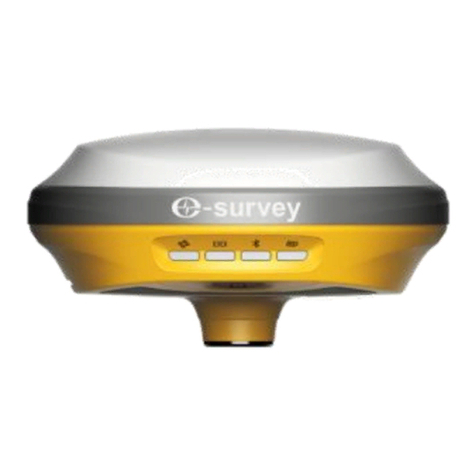
e-survey E800 Manuel utilisateur


E800 User Manual
Web: www.esurvey-gnss.com Email: support@esurvey-gnss.com
Contents
1. Introduction ..........................................................................................................1
1.1 Appearance ...................................................................................................1
1.2 Indicator........................................................................................................1
1.3 Interface........................................................................................................2
1.4 Pin definition.................................................................................................2
1.5 Power button ................................................................................................2
1.6 Touch Screen................................................................................................. 3
1.6.1 Main Screen ..........................................................................................3
1.6.2 Device Information ...............................................................................3
1.6.3 Work Mode Setting............................................................................... 3
2. Web User Interface...............................................................................................4
2.1 Position .........................................................................................................4
2.2 Satellites........................................................................................................5
2.3 Information ...................................................................................................5
2.4 Working Mode ..............................................................................................6
2.5 Satellite Setting .............................................................................................6
2.6 Device Configuration.....................................................................................7
2.7 NMEA Message .............................................................................................7
2.8 View Logs ......................................................................................................8
2.9 Raw Data .......................................................................................................8
2.10 Backup Data ..................................................................................................9
2.11 Management.................................................................................................9
3. Basic Operation...................................................................................................10
3.1 Insert SIM card............................................................................................10
3.2 Charge the battery ......................................................................................10
3.3 Insert radio antenna ...................................................................................10
3.4 Measure antenna height.............................................................................10
3.5 Sensor .........................................................................................................11
3.5.1 E-bubble Calibration ...........................................................................11
3.5.2 MEMS Tilt Survey ................................................................................11
4. Internal Radio......................................................................................................13
4.1 Default channel frequency..........................................................................13
4.2 Supported radio protocol ...........................................................................13
5. Standard Accessories ..........................................................................................14

E800 User Manual
Web: www.esurvey-gnss.com Email: support@esurvey-gnss.com
6. Technical Specifications ......................................................................................15
6.1 E800 (P40 Version)......................................................................................15
6.2 E800 (BD990 Version) .................................................................................16
7. Warranty Policy...................................................................................................17

E800 User Manual
Web: www.esurvey-gnss.com Email: support@esurvey-gnss.com
1. Introduction
This is the user manual for survey E800 GNSS receiver. It gives basic description and
operation guide which may help user to operate device properly.
1.1 Appearance
The E800 main body is designed with magnesium alloy material to provide durable
usage and better heat dispersion. The receiver is also equipped with 1.45” touch
screen and 5watt internal radio to meet different kind of working environment.
1.2 Indicator
Working status is viewable through the indicators. The meaning of each indicator:
Indicator
Color
Meaning
Satellite
Red and Green
•Off: no receiving satellites
•Flash red: receiving satellites but no
solution status
•Flash green: have solution but not fixed
•Solid green: fixed solution
•Flash red and green alternately: mainboard
abnormal
Data link
Green and Blue
•Solid green: datalink is ready to start
•Flash green: datalink is transmitting data
normally
•Flash Blue: when raw data recording is
enabled, the LED will flash according to the
interval
Bluetooth
Blue
•Off: no Bluetooth connection
•Solid blue: has Bluetooth connection
Battery
Green and Red
•Solid green: battery level between
30%~100%
•Flash green: battery level between
10%~30%, speaker will beep
•Flash red: battery level below 10%

E800 User Manual
Web: www.esurvey-gnss.com Email: support@esurvey-gnss.com
1.3 Interface
E800 GNSS receive bottom interface is shown as below. The 5-pin port is used to
connect external radio and external power, or output NMEA messages. Type-C port
can be used for data download (internal storage access) or charging.
1.4 Pin definition
The 5-pin port is defined as below:
5 Pin
Front View
1
+12V
Power
2
GND
Power ground
3
TXD
Device out
4
SGD
Signal ground
5
RXD
Device in
1.5 Power button
There is a power button on E800 control panel, the main function as below:
Power On
Long press button for three seconds to power on
receiver, all the indicators will on.
Power Off
Long press button for two seconds then release,
will hear the voice “Power off?” Then press the
button again to confirm.
Broadcast Current Working
Mode
Receiver will broadcast current working mode
when press the power button.
Power Button
Type-C
5-Pin
SIM
SIM Card
5-Pin
Type-C
Indicators
UHF

E800 User Manual
Web: www.esurvey-gnss.com Email: support@esurvey-gnss.com
Self-check
Long press button for two seconds then release,
will hear the voice “Power off?” Then long press
button for three seconds, will hear the voice “self-
check”.
1.6 Touch Screen
E800 1.45” colorful screen supports touch operation. User can view device status or
operate device by simply touch the screen. The screen includes three parts: the main
page, device information and work mode setting.
1.6.1 Main Screen
Press the power button to weak the screen, user will see the main page.
1.6.2 Device Information
Slide the screen to the right, the device information can be found. There are four
pages as below pictures. User can view basic position information, firmware version
and device expire date.
1.6.3 Work Mode Setting
Start
Start/Stop
Start/Stop current working mode
Mode
Static
Sample Interval
Cut-off Angle
Auto Record: Yes/No
Base
Auto Record: Yes/No
PDOP Limit
Base ID: Change from software
Current Mode
PDOP
VRMS
Solution
Satellites in Use
HRMS
Date
Time
Mode
Datalink
Battery

E800 User Manual
Web: www.esurvey-gnss.com Email: support@esurvey-gnss.com
Rover
Change to rover setting
Datalink
Radio
Channel: Channel frequency
Power: Low(2W)/High(5W)
Protocol: Radio Protocol
GPRS
Auto APN: Yes/No
External Radio
Baud Rate
Diff
Diff Mode
Available in base mode
Setting
Setting
Backlight Time
Language: wait for 3 seconds to apply setting
2. Web User Interface
User can connect to receiver WIFI hotspot with PC, smart phone or tablet. The hotspot
name is the device serial number, can be found under the bottom of the device label.
Open web browser and input the IP address “192.168.10.1”. The default password is
“password”. From the website, user can manage working status, change working
mode, configurate basic settings, download raw data, update firmware and register
device.
2.1 Position
View basic position information, satellite number, PDOP and time. In static mode, can
start and stop recording here.


E800 User Manual
Web: www.esurvey-gnss.com Email: support@esurvey-gnss.com
2.6 Device Configuration
Configurate receiver settings: User can set time zone. Sensor means MEMS sensor
data output. Also, the 5-pin port baud rate is changeable. Speaker “Smart voice
broadcast”can be disabled. Base Alert is enabled, the rover will receive message
when base is moved. When SIM card is insert and “WIFI share network” is enabled,
PC can surf the internet when connected to device hotspot by using SIM data.
2.7 NMEA Message
Configurate NMEA data output through Bluetooth or 5-pin port.
Autres manuels pour E800
2
Table des matières
Autres manuels e-survey Récepteur

e-survey
e-survey E600H Manuel utilisateur
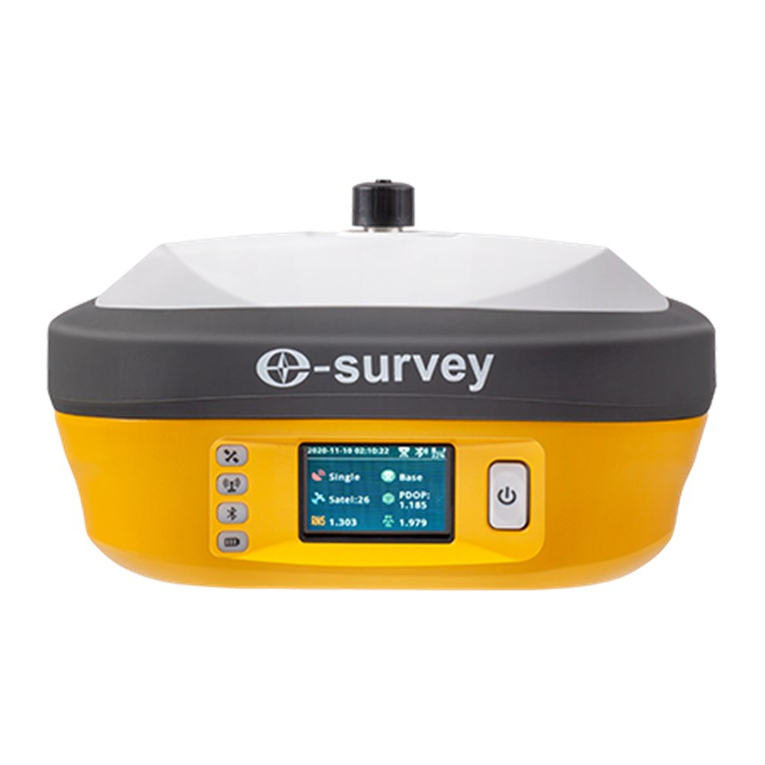
e-survey
e-survey E800 Manuel utilisateur

e-survey
e-survey E200 Manuel utilisateur

e-survey
e-survey CORS System Net 20 Plus Manuel utilisateur

e-survey
e-survey E300 Pro Manuel utilisateur

e-survey
e-survey E600 Manuel utilisateur

e-survey
e-survey eRTK10 Manuel utilisateur

e-survey
e-survey CORS System Net 20 Plus Manuel utilisateur

e-survey
e-survey E500 Manuel utilisateur

e-survey
e-survey E300 Pro Manuel utilisateur