NOTE: modes can be operated with
remote control, app and on the
control panel.
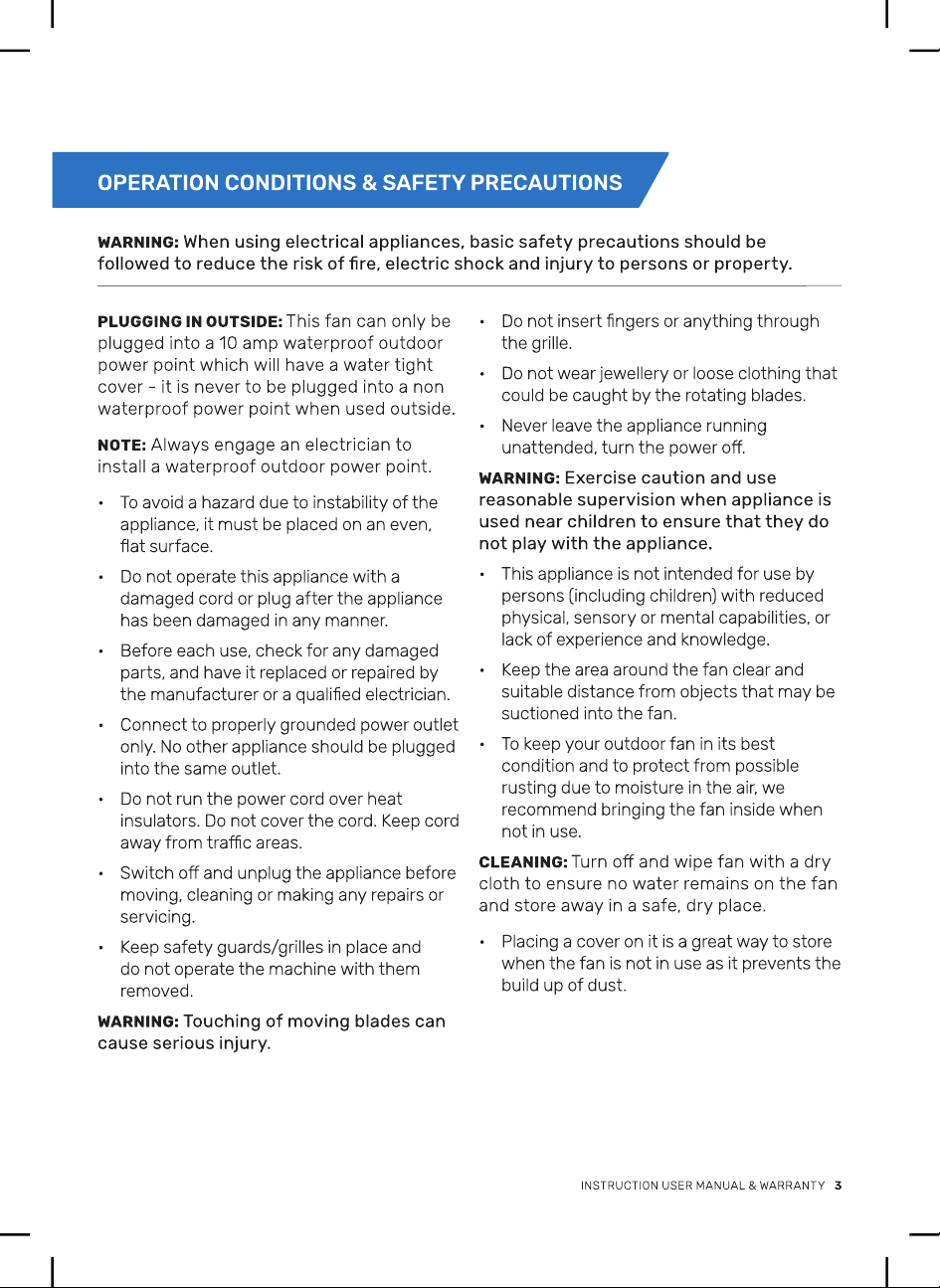
Press button to set
the fan mode and
change the speed
by pushing +/-
8400MM IP65 OUTDOOR WALL FAN
Operating with WiFiOperating the remote
To pair the unit with your Wi-Fi please
complete the following steps:
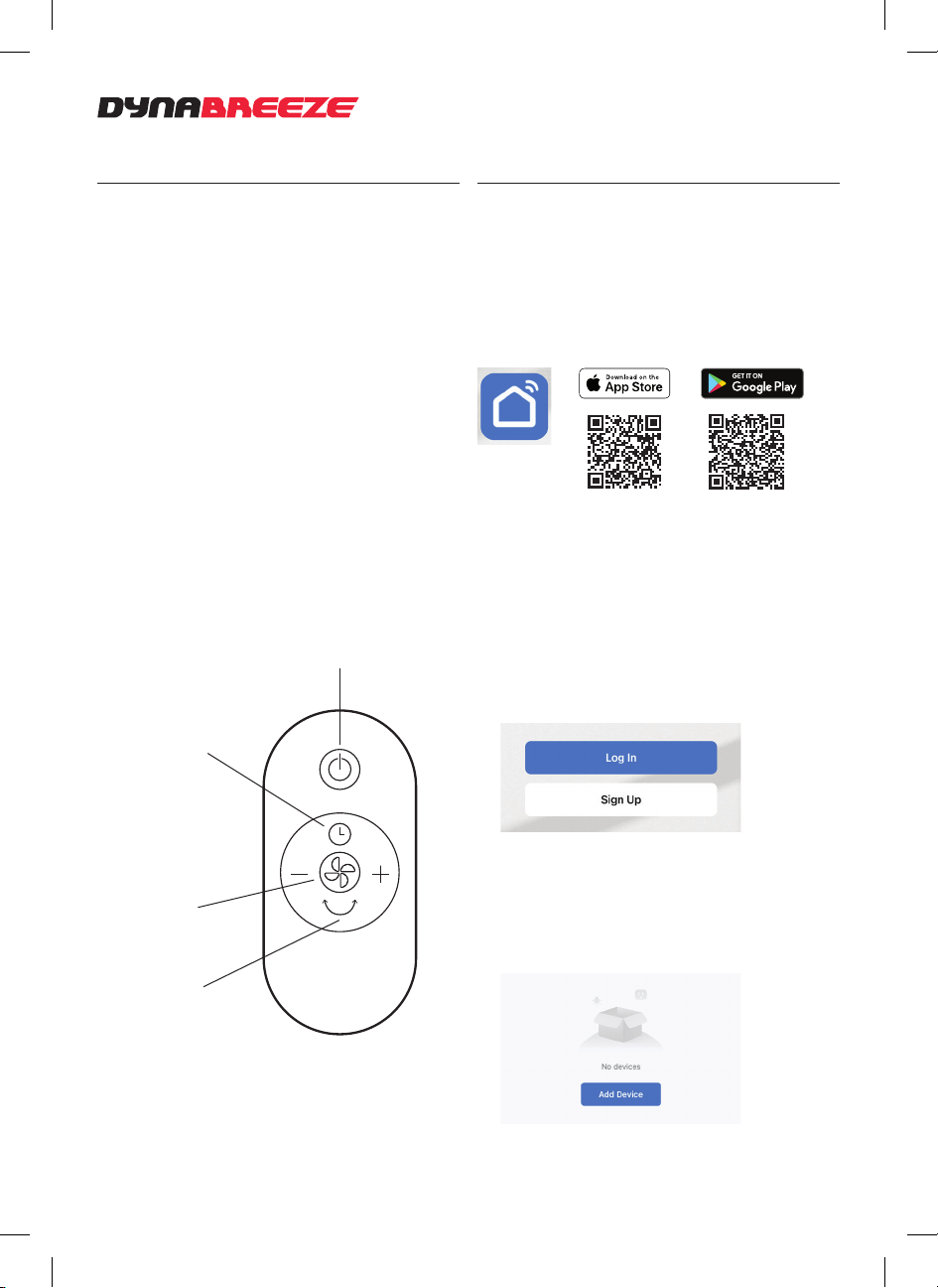
1. Download app
Download and install the app ‘Smart Life’
from the App store (iOS) or Play store
(Android).
2. Create account or login
Create a new account if you are a new user.
Follow the prompts to set-up and complete
your account.
Login with your account details if you have
an existing account.
NOTE: You must agree with the Privacy
Policy in order to use the app.
3. Pairing a device
Turn on bluetooth and ensure you’re
connected to Wi-Fi 2.4Ghz.
Open the app and tap ‘add device’
Press button to
turn fan ON/OFF
Press to activate
oscillation when
fan is on
Press to activate
timer. Fan turns o
after the set time,
between 1-9hrs
Remove the protective lm strip from
remote to activate battery. If there is no
battery, insert a new one, CR2032.
To sync remote to the unit, turn the unit on.
For 2 seconds push the timer and swing
button together until you hear a beep
sound.
Then push the on/o button on the remote
and it is now ready to use.
If it fails, the above steps may need to be
repeated as sometimes the signal is not
strong enough.
Modes: natural, normal, sleep