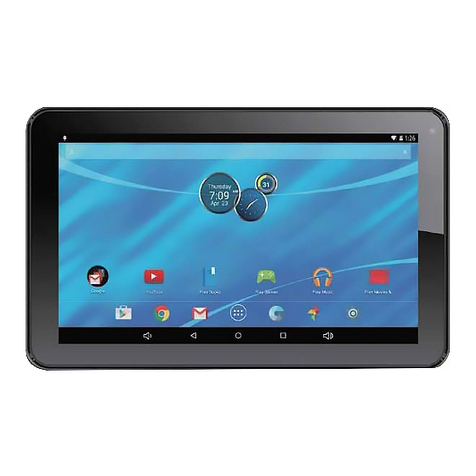
DIREKT-TEK DTLAPY116-2 Manuel utilisateur

DTLAPY116-2
USER GUIDE
11.6" Convertible Touchscreen (2MP)
Review this manual before operating your Direkt-Tek laptop
and keep it for future reference.


1
Table of Contents
1.0 Introduction...........................................................................
1.1 Overview ..............................................................................
2.0 Appearance and Buttons........................................................
2.1 Introduction to Desktop........................................................
2.2 Windows Start Menu ...........................................................
2.3 Introduction to App Interface ..............................................
3.0 Basic Operations...................................................................
3.1 Sleep, Restart and Shut Down .............................................
3.2 Recovery...............................................................................
3.3 Bluetooth...............................................................................
3.4 Security Management ..........................................................
4.0 How To Set Up Fingerprint (Windows Hello).....................
4.1 Remove Fingerprint..............................................................
5.0 Using Windows Ink..............................................................
5.1 Sticky Notes..........................................................................
5.2 Sketchpad..............................................................................
5.3 Screen Sketch........................................................................
6.0 Using The Smart Stylus........................................................
6.1 Parts Of The Smart Stylus....................................................
6.2 Replacing The Tip................................................................
6.3 Package Contents..................................................................
6.4 Install The Battery................................................................
7.0 Cortana: Your Personal Digital Assistant ...........................
7.1 What Can Cortana Do...........................................................
7.2 One Experience Across All Your Windows 10 Devices .....
7.3 Interacting With Cortana.......................................................
7.4 Setup.....................................................................................
7.5 Cortana’s Notebook..............................................................
7.6 Places....................................................................................
7.7 Reminders.............................................................................
7.8 Music....................................................................................
7.9 Settings..................................................................................
8.0 Specifications........................................................................
TABLE OF CONTENTS Page
2
2
3
4
4
4
6
6
6
7
8
9
11
12
12
13
14
14
14
15
15
15
16
16
17
17
17
19
21
22
23
24
25

2
The new Direkt-Tek 13.3” Convertible Touchscreen Laptop (DTLAPY133-1)
features Windows 10, HD resolution screen of 1920 x 1080 and boasts an Intel®
Celeron® Processor N3350 with 2M Cache and up to 2.4 GHz. With the
Convertible Touchscreen Laptop you can access the web, news, local business
information and the Windows Store, where you can download your favorite
apps, games, movies and more! With the built-in Bluetooth function you can
seamlessly pair your Convertible Touchscreen Laptop with any Bluetooth
compatible devices.
Introduction / Overview and Notes
This User Guide is designed to guide you through the key functions and
features of your new laptop. Please read carefully to ensure an optimal user
experience and keep it handy for future reference.
1.0 INTRODUCTION
1.1 OVERVIEW
NOTES
• The Convertible Touchscreen Laptop is a high-density electronic product. DO
NOT attempt to disassemble the device.
• Please do not drop or bang the device.
• Avoid using this product in the following environments: Extremely hot or cold
places, high humidity, dusty areas, direct sunlight or long-term exposure to the sun.
• The product may be cleaned with a damp cotton cloth; the use of any chemical
cleaning fluid is prohibited. Please keep the product away from water at all times.
• If you use headphones, DO NOT use them while crossing the street, riding a
bicycle or driving a motorcycle.
• Please use approved battery, battery charger and accessories only. The use of any
other type of products would be a breach of warranty and may be dangerous.
• If you have any questions regarding the use of this product, please contact your
local dealer or contact Direkt-Tek customer service center directly at
• Direkt-Tek will not be held responsible for any files lost due to product damage,
repair or other causes. Please be sure to follow instructions in the User Guide and
backup your files in a timely manner.

3
2.0 APPEARANCE AND BUTTONS
Appearance and Buttons
TOP
KEYBOARD
SCREEN
56
7
8
9
10
12
13
4
2
11
1 3
14
15
16
6
8
7
9
10
12
13
14
11
1
3
2
Microphone
Camera
Microphone
USB Type C
Charging LED
Micro HDMI Output
USB Port
Touch Pad
5
4
DC In
Earphone
USB Port
SD Card Reader
Power
Keyboard
Speaker
Touchscreen
15
16

4
Introduction to Desktop
2.1 INTRODUCTION TO THE DESKTOP
2.2 WINDOWS START MENU
Press the key on the keyboard or click the icon on the screen until you see
the Start Menu. All applications/programs are displayed in the form of
“magnets” listed on the screen. Click on any of the icons to open.
You must log on to your Microsoft account before the start up application can run.
2.3 INTRODUCTION TO APP INTERFACE
If you want to pin more application programs on the Start interface, press and
hold the application program for about one second, and release the magnet until
the pop-up option appears and select “Pin to Start” to fix to the start screen, or
just press and move to the start screen. (Screen 1).

5
Introduction to Desktop (Cont’d)
Conversely, if you want to cancel or delete a certain application in the Start
screen, press and hold the application program magnet for about one second and
click . You can also click to check more menu options, such as resizing the
magnet you want. (Screen 2) Slide it to the left from the right side of the screen to
start Action Center to check the laptop status: Rotation lock, Bluetooth,
Brightness, etc.
(Screen 1)
(Screen 2)

6
3.0 BASIC OPERATIONS
3.1 Sleep, Restart and Shutdown
Basic Operations
3.2 RECOVERY
Force Reset / Shutdown
If the laptop freezes, you can press and hold the Power button for 8~12 seconds,
then the laptop will shutdown.
Follow the steps below
Click the button in the lower left corner of screen and select “Settings”
then select “Update & Security”, click on “Recovery”. The program will walk
you through simple steps necessary to recover your system.

7
3.3 BLUETOOTH
Basic Operations (Cont’d)
• Click the button in the lower left corner of screen.
• Select “Settings”
• Select “Devices”, click on “Bluetooth”.
a) Make sure the Bluetooth switch is set to “On”
After you turn on Bluetooth, the laptop will auto-search other devices you can pair
with your device.
Send or Receive Files via Bluetooth
b) Send a File: Before sending files, you should open the window, "Select where
to send your files": Click the icon at lower right corner of desktop - - Send a File.
c) Receive a File: Before receiving the files, you should open the window "Waiting
for a connection": Click the icon at lower right corner of desktop - - Receive a File.

8
3.4 SECURITY MANAGEMENT
Basic Operations (Cont’d)
Method for quick setup:
Click the button in the lower left corner of screen and select “Settings”.
Select “Accounts” on the right and click “Create local account” in “Your account”
on the right side. After creating a user name and a password for Windows Live ID
Account, input username, password, confirm password and password prompt.
Table des matières
Autres manuels DIREKT-TEK Comprimé

DIREKT-TEK
DIREKT-TEK DT7171A Manuel utilisateur

DIREKT-TEK
DIREKT-TEK DT101172A Manuel utilisateur

DIREKT-TEK
DIREKT-TEK DTTAB2in1-116-1 Manuel utilisateur

DIREKT-TEK
DIREKT-TEK DTTAB2in1-116-1 Manuel utilisateur

DIREKT-TEK
DIREKT-TEK DT101Bv51 Manuel utilisateur

DIREKT-TEK
DIREKT-TEK M07B7 Manuel utilisateur