
Digital Zone MHP-4011NS Mode d'emploi

MHP-4011NS
for Multi HD Player
How to install Video Wall

Components Description

3
MHP-4011NS
MHP-4011NS
Video
•HDMI x 1ea
•Component (YPbPr) x 1ea
Audio
•Optical x 1ea
•Coaxial x 1ea
•RCA(L+R) x 1ea
ETC
•LAN x 1ea
•RS-232 x 1ea
•IR Extender x 1ea
•USB x 1ea (1 for front)
•Sync(RJ-45): IN x 1, OUT x 1
Size & Weight
•223 (W) x 195 (D) x 79.5(H)
•1.68kgs
POWER MENU DELETEVIDEO ENTER
PLAY/PAUS
EDIRECTION KEYS US
B
Adapter
power
input
IR
Extension
receiver
input
Audio
(Optical) SYNC
(Gen-lock)
RS 232
LANHDMI output
Componen
t output
Audio
(Coaxial)
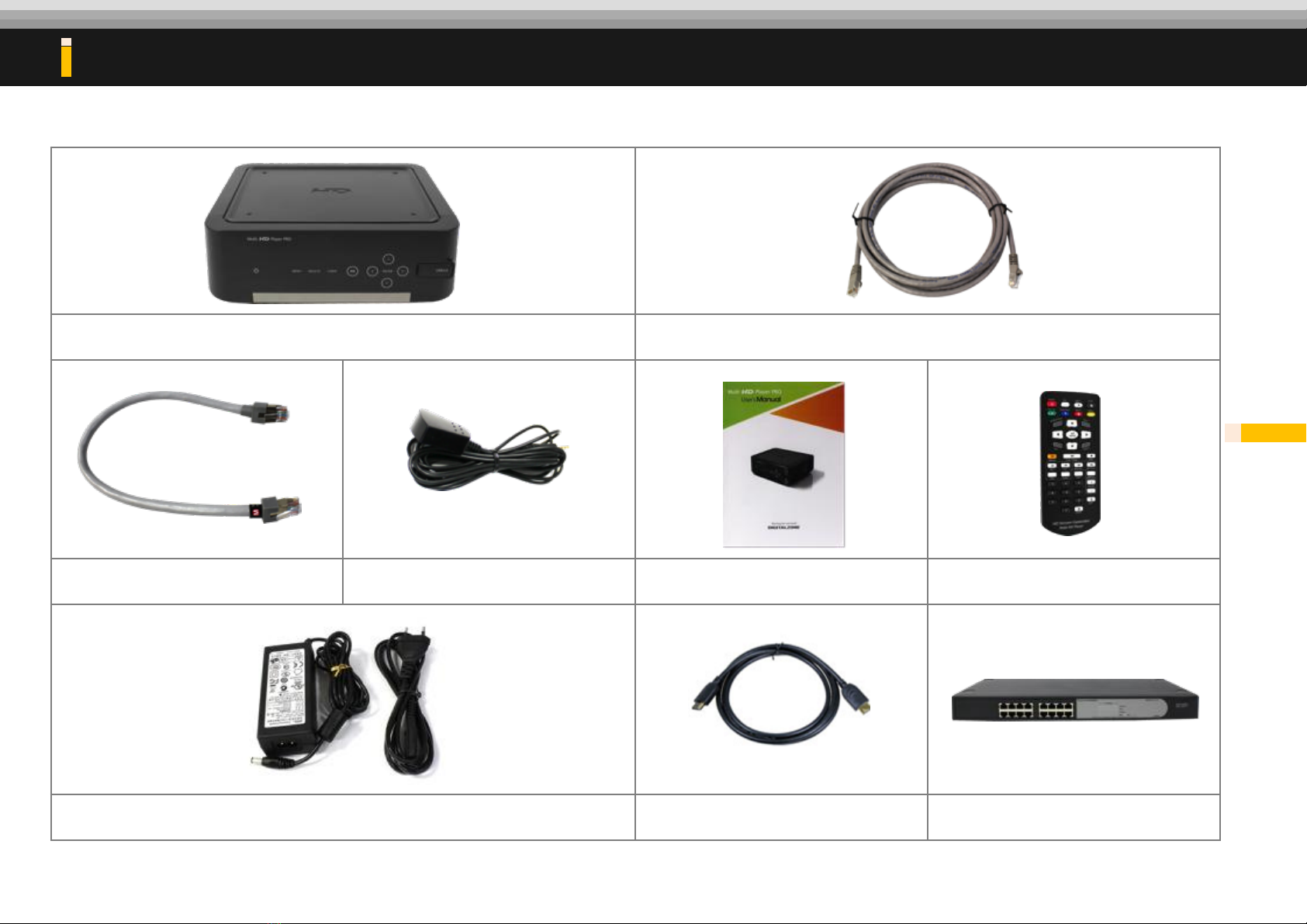
Multi HD Player (MHP-4011NS)
Network Cable(Direct Cable)
M Sync. Cable
IR Extension receiver
User Manual
Remote control
Adaptor & Power cord
HDMI cable(Option)
HUB(Option)
What kind of materials do you need for installation?
4

How to Use MHP (Multi HD Player)

How to update firmware
※The latest firmware version is 3.040 and it will be possible to save the setting for by-pass mode from firmwaree version
3.040 or higher version.
1. Press Set-up in RCU and you can see Set-up window.
2. Press Left or Right button to see the firmware page.
3. If it can see the new firmware from the USB, then it will
show the new firmware version.
4. Press Enter to proceed.
1. Plug USB in the Front.
2. Save the firmware file in the root folder and
do not copy more than 2 firmware files. 6
1
2
Move to “Firmware menu”
Update completed.
Being updated.

How to update new contents
1. Press UPDATE on remote control to open
Update menu.
2. Use Left/Right button “◀▶” to move from
USB media source.
3. Use ‘CHECK’ button of remote to select
files which will be copied to the built in
HDD.
1. Plug USB in the front page.
2. USB media menu will only appear when
USB storage is connected.
7
1
2
Update
Check
Move to “Update menu”
Update completed.
Being updated.

How to make Contents for MHP

Check the file names before setting display mode
9
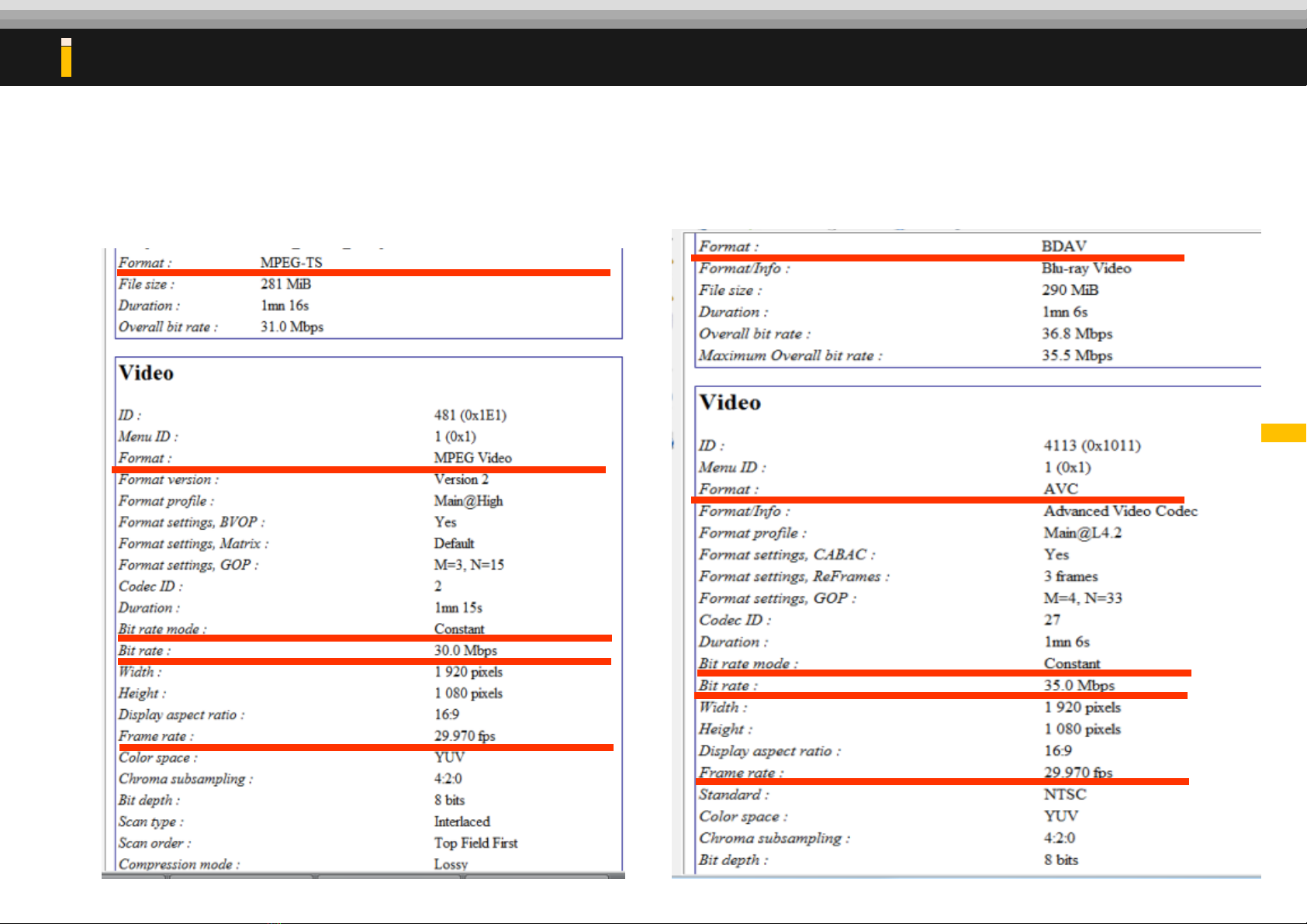
Pre-condition (Contents should be made with below option)
•File Name
- Extension should be “0X_filename.udg”
-For Example,
01_SS.udg / 02_SS.udg / 03_SS.udg / 04_SS.udg
•Bit rate : up to 35Mbps
•Bit rate option : CBR (Constant Bit Rate)
•Frame Rate : 29.97
•Audio : should be Mpeg
The policy & rules for making files & names.
01_SS.udg
03_SS.udg
02_SS.udg
04_SS.udg
Check the file names before setting display mode
10
The policy & rules for making files & names.
Example of MPEG2 TS File Example of AVC (H.264) File
Autres manuels pour MHP-4011NS
1
Table des matières
Autres manuels Digital Zone Lecteur multimédia


