USER’S MANUAL
MA24-02/B
7
o When“0,00 kg
0,00 kg0,00 kg
0,00 kg” displays on the screen and scale beeps twice, place the object (clothes) to be tared on the tray.
o Press [TARE]
[TARE][TARE]
[TARE] key after the weight stabilizes and stable sign appears on the display.
o Display will return to “0,00 kg
0,00 kg0,00 kg
0,00 kg”
o Place the item/ baby to be weighed (without removing the tare object). The weighing result is the Net weight
of the item / baby.
o To delete the saved tare value, remove the tare object from the tread platform and press [TARE]
[TARE][TARE]
[TARE] key.
3.5
3.53.5
3.5.
. .
. H LD
H LDH LD
H LD
The scale is provided with the integrated hold function (determination of average value). It enables people to be
weighed accurately although they are not still on the scale plate.
N TE: Determination of average value is not possible when a person moves too much.
o Switch on the scale with the [ N/ FF]
[ N/ FF][ N/ FF]
[ N/ FF] key. The scale self-check diagnostic is performed. The scale is ready
for weighing when the “0,00 kg
0,00 kg0,00 kg
0,00 kg” weight display is shown.
o Place a person in the centre of the scale plate.
o Press the [H LD]
[H LD][H LD]
[H LD] key. When the triangle is flashing on the display, the scale takes some measuring values and
then the calculated average value is displayed.
o Remove the object/ baby from the scale platform. The object/ baby’s weight reading will remain on the
display.
o Press the [H LD]
[H LD][H LD]
[H LD] key again to return the scale to the normal weighing mode.
o H LD function can be activated before or after putting the weight on the platform. In case of weighing babies
that move a lot, it is recommended to press [H LD]
[H LD][H LD]
[H LD] key before the person moves on the platform.
3.6
3.63.6
3.6.
. .
. B DY MASS INDEX (BMI)
B DY MASS INDEX (BMI)B DY MASS INDEX (BMI)
B DY MASS INDEX (BMI)
For BMI calculation, height is needed, therefore it is recommended to measure the height of subject before
starting weighing procedure.
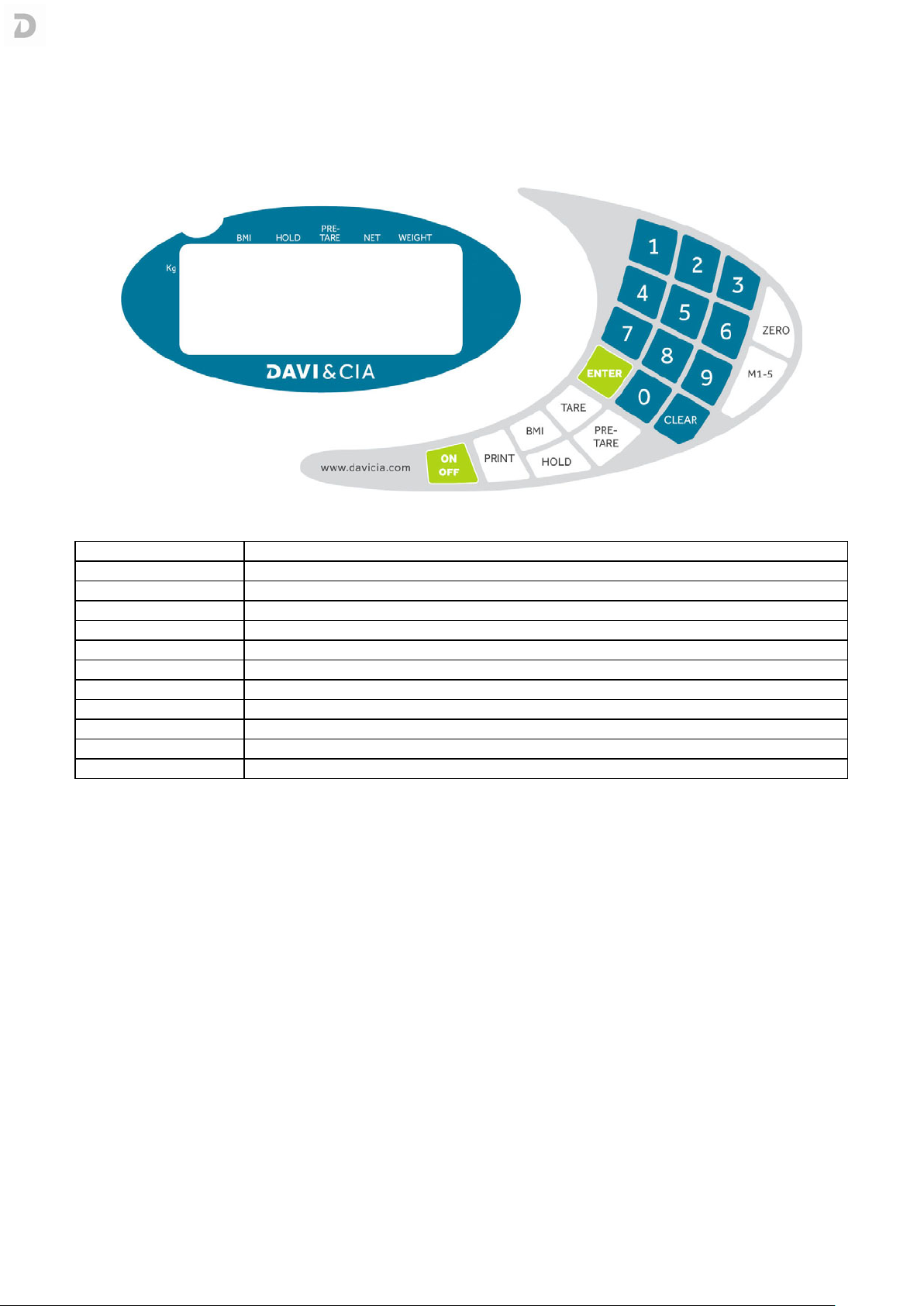
o Turn N the scale using [ N/ FF]
[ N/ FF][ N/ FF]
[ N/ FF] key.
o Proceed to weigh as normal.
o After the weight is stable and stable sign displays on the screen press [BMI]
[BMI][BMI]
[BMI] key.
o Display will change to “0,00 kg
0,00 kg0,00 kg
0,00 kg”.
o Key-in the height of the person using numeric keys (0~9). Example: 186cm (the height should be in
centimeters).
o Press [ENTER]
[ENTER][ENTER]
[ENTER] to confirm, the Display will show the B.M.I. of the person.
o Press [BMI]
[BMI][BMI]
[BMI] again to return to normal mode.
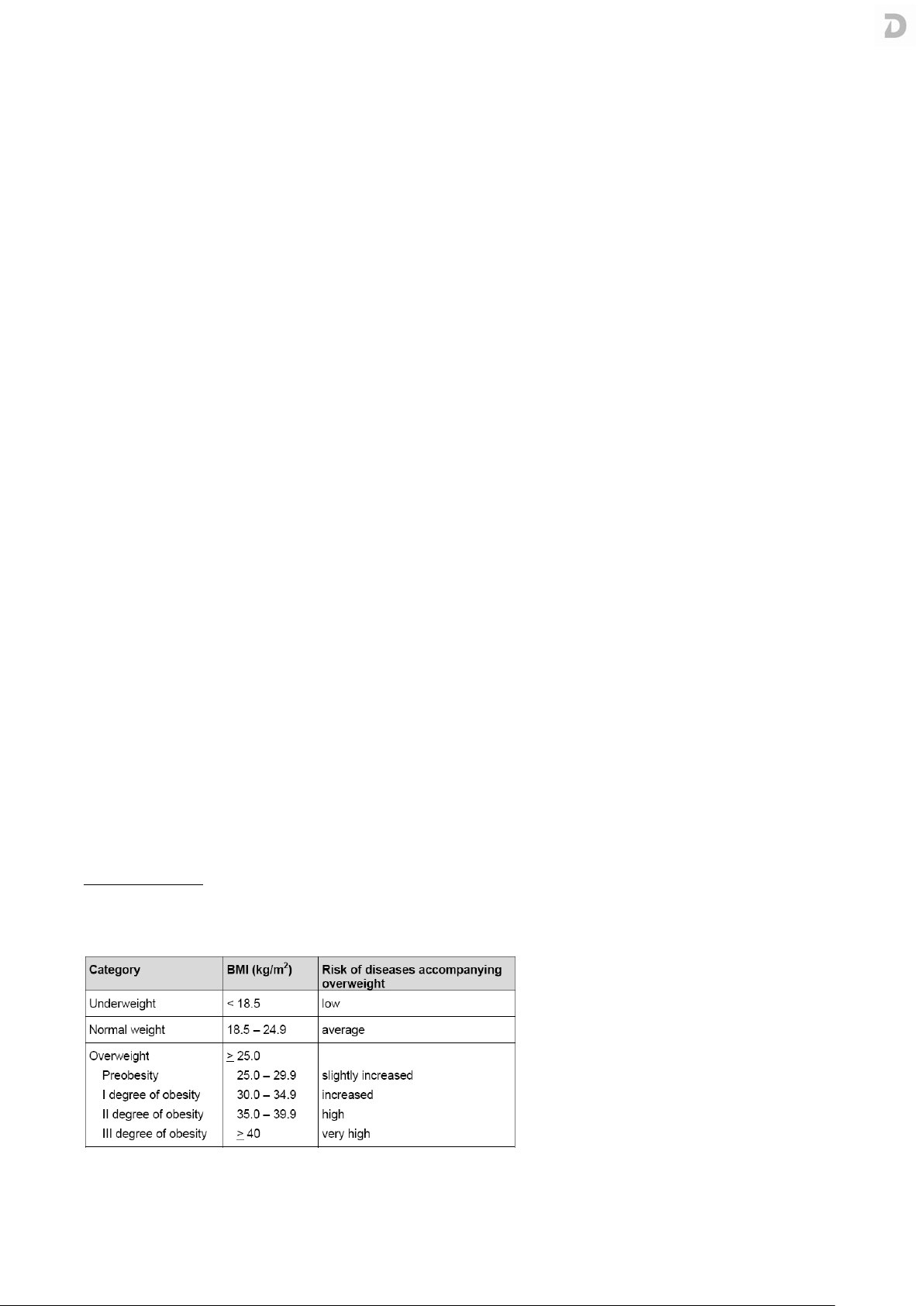
Categories of BMI
Classification of weight for adults over 18 years on the basis of Body Mass Index according to WH , 2000 EK IV
and WH 2004 (WH - World Health rganization).