8Dateq ONYX Manual Operation EN
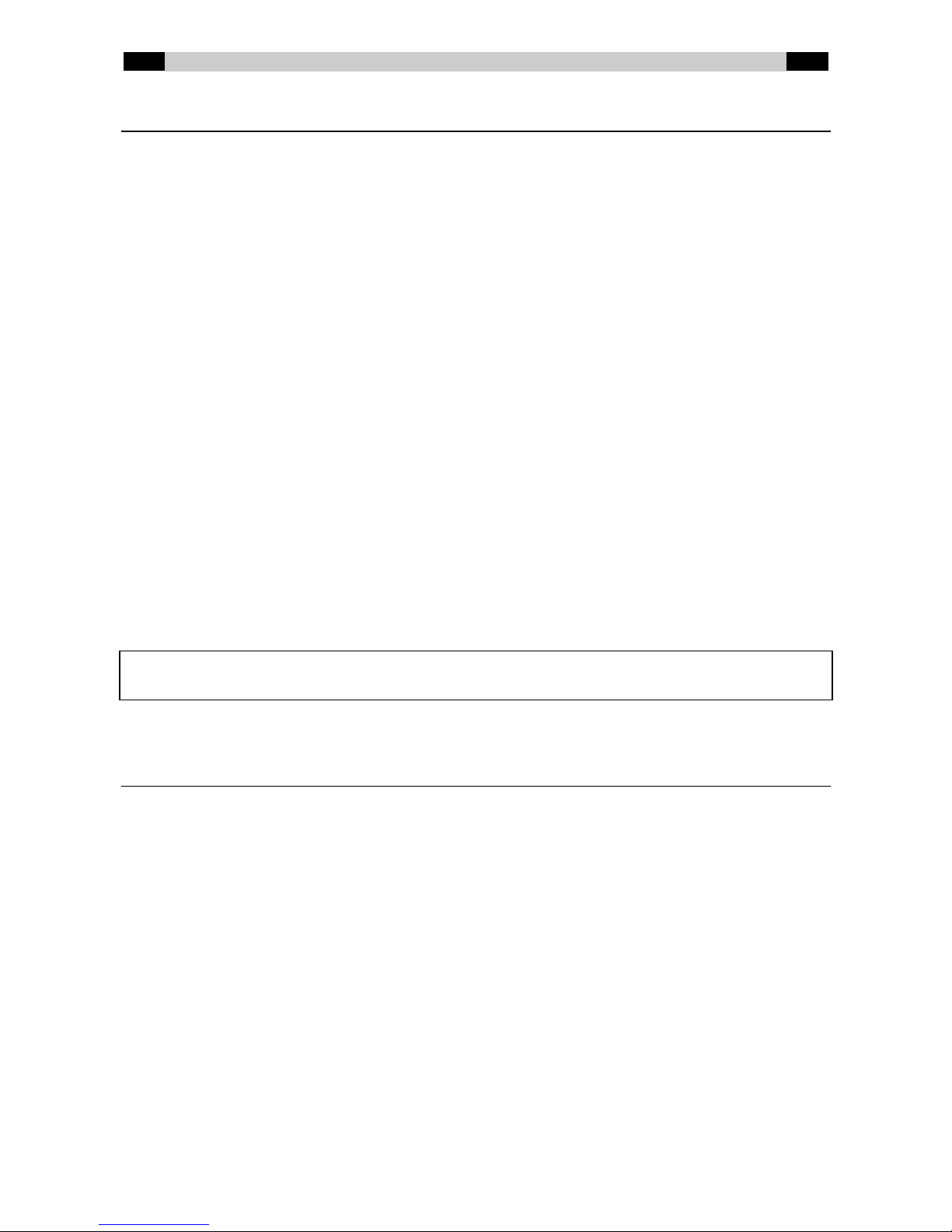
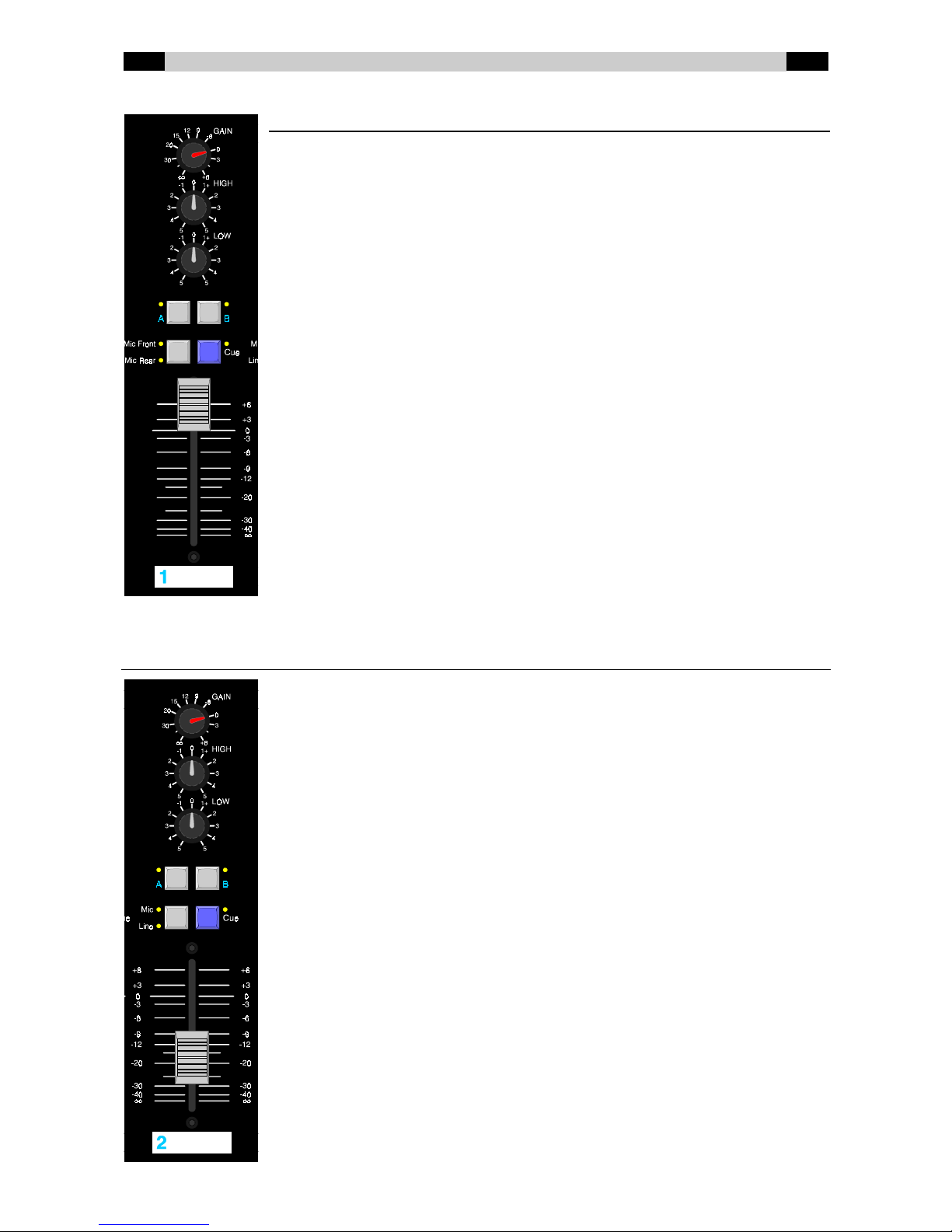
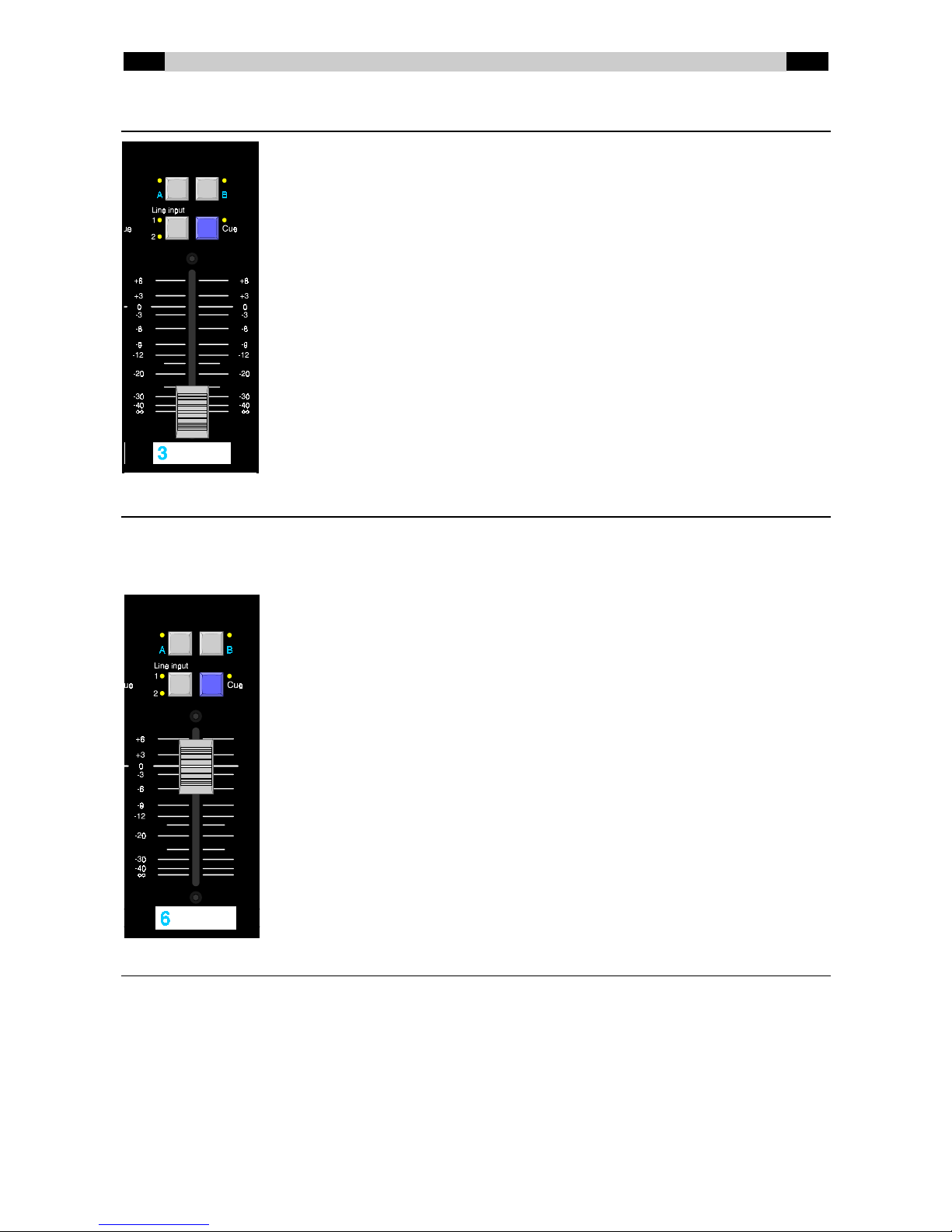
Stereo Line channels (3, 4 en 5)
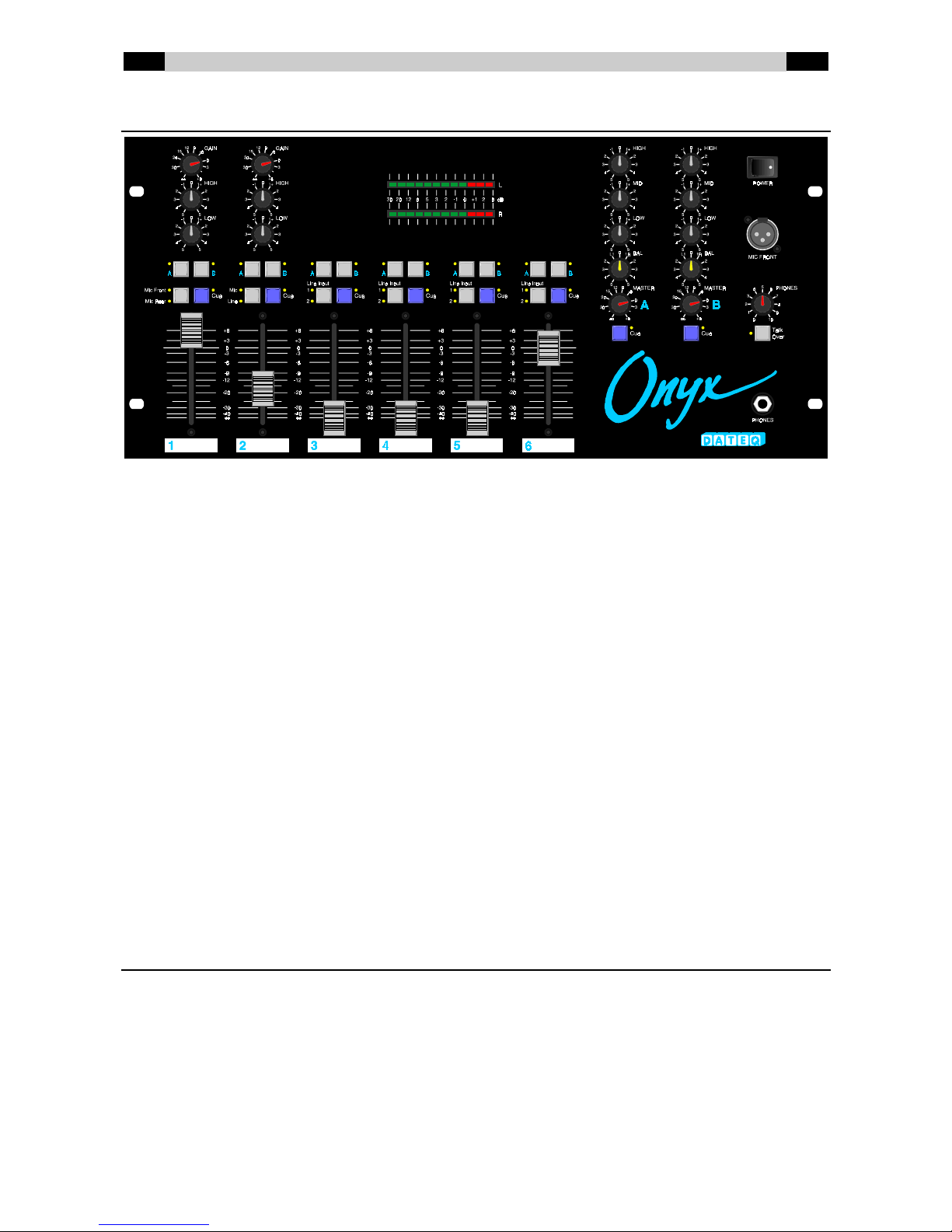
Use these channels to connect stereo sources. Each channel is equipped with
A/B output selection, input selection (Line 1 and Line 2) and a pre-listening
function.
A/ B Output selection. When button A is pressed the signal of this
channel is directed to output A. When talkover is active on
output A the signal of this channel is attenuated. When button
B is pressed the signal of this channel is directed to output B.
When talkover is active on output B the signal of this channel
is attenuated.
Line 1/ Line 2 Input selection. Normally Line 1 is selected. Press the button
to select the Line 2 input.
Cue Switches the pre-listening function on and off. When this
button is pressed the signal of this channel is audible on the
headphones and visible on the LED VU meter.
Fader 60 mm fader which can be used to control the volume of this
channel.
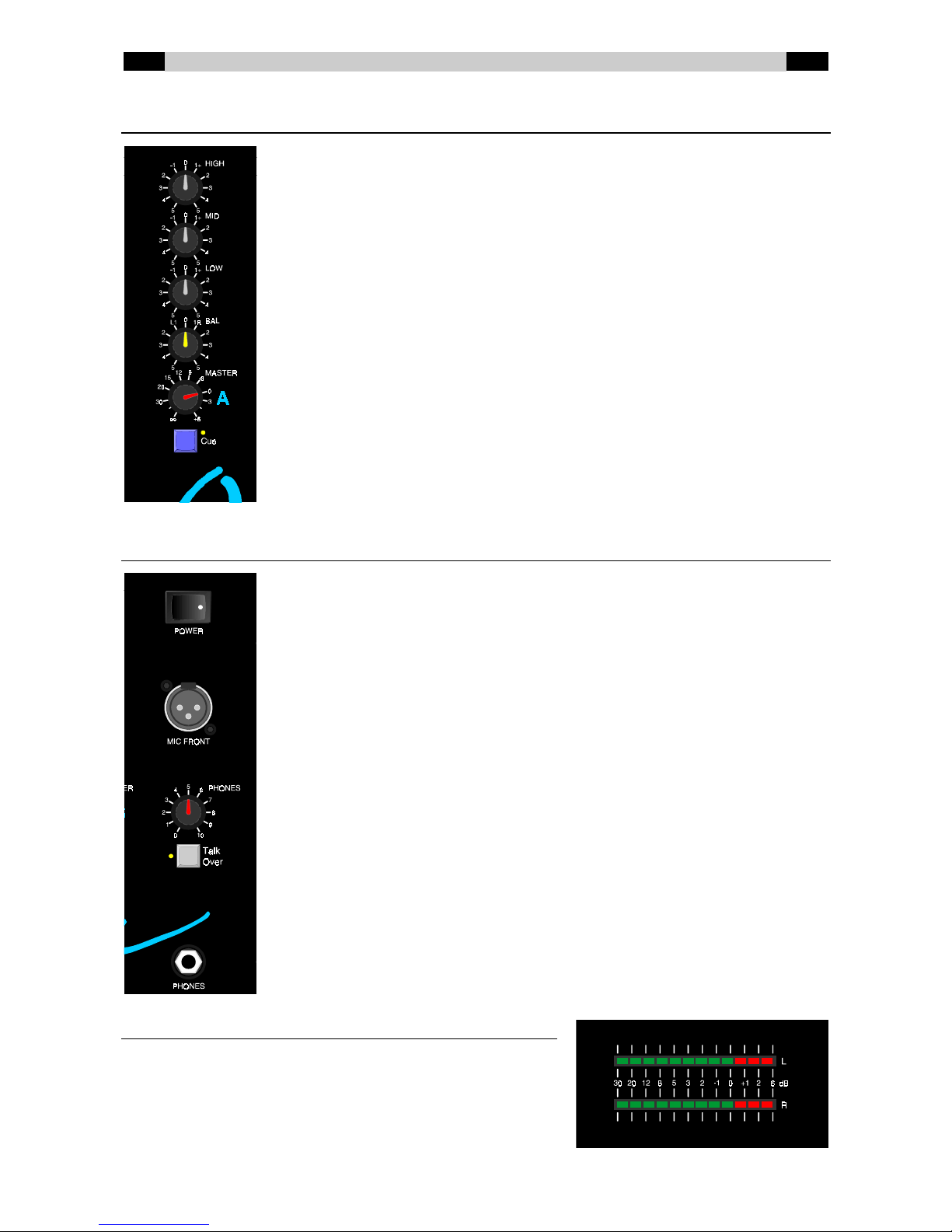
Stereo Line channel with jukebox input (6)
This channel can be used for a stereo source which can suppress channels 2-5 if the jukebox input is
active. The channel has A/B output selection, input selection (Line 1 and Line 2) and a pre-listening
function.
A/ B Output selection. When button A is pressed the signal of this
channel is directed to output A. When talkover is active on
output A the signal of this channel is attenuated. When the
jukebox input is active the signal of any of the channels 2-5
on which button A has also been pressed is suppressed.
When button B is pressed the signal of this channel is
directed to output B. When talkover is active on output B the
signal of this channel is attenuated. When the jukebox input
is active the signal of any of the channels 2-5 on which button
B has also been pressed is suppressed. For more information
on the jukebox input, see the description on page 5.
Line 1/ Line 2 Input selection. Normally Line 1 is selected. Press the button
to select the Line 2 input.
Cue Switches the pre-listening function on and off. When this
button is pressed the signal of this channel is audible on the
phones and visible on the LED VU meter.
Fader 60 mm fader which can be used to control the volume of this
channel.
Cue-function
When the Cue button on any of the channels 1-6 is pressed it is possible to monitor the incoming
signal on that channel on the headphones (pre-fader listening). With the meter, it is also possible to
read off the signal level at the selected input. The Cue buttons of output A and B can be used to
monitor the signal at this output on the headphones (after-fader listening) and to read it off on the
LED meter (what you see is what you hear).
If no Cue buttons have been pressed there will be no signal at all on the headphones.