
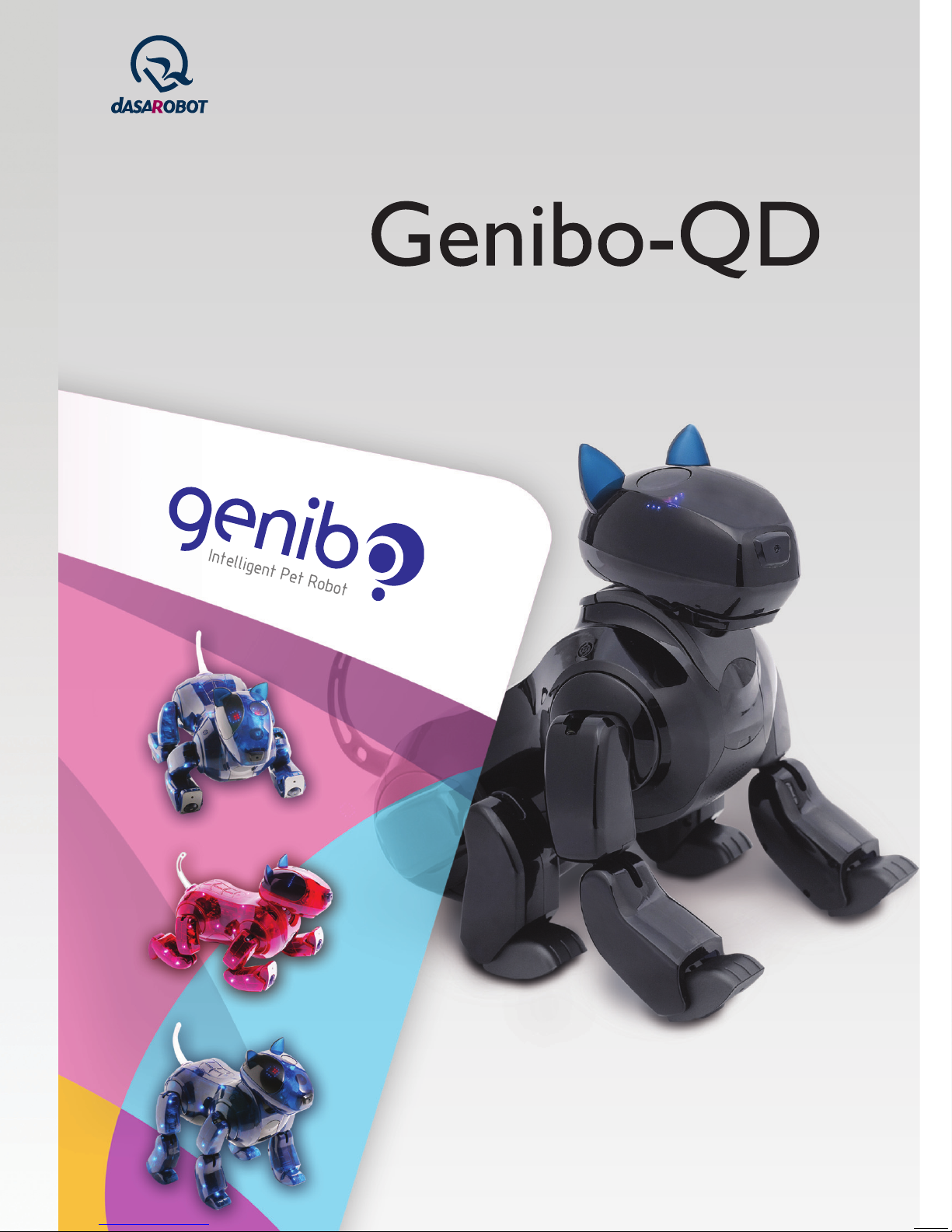
Dasarobot Genibo-QD Manuel utilisateur
• We strongly recommend users to read “Important Safety Instructions” before use.
• Product Warranty is enclosed in this manual.
Control Manager User Manual
Intelligent Pet Robot
Service Request & Information
+82-32-329-5551 (ext. 112)
10:00~17:00 (except holidays)
www.dasarobot.com
www.genibo.com
Control Manager User Manual
Intellignet Pet Robot
Model: Genibo-QD
For information about our product, call us at +82-32-329-5551 (ext. 112).
(Weekdays: 10:00~17:00)
●
For any problem or inconvenience during use of your product, please contact DASA ROBOT CUSTOMER SERVICE CENTER.
●
Warranty Period is 6 months. (Except for spare parts, such as a battery.)
● Service Request and Information Customer Service Center:
Telephone +82-32-329-5551 (ext. 112), 10:00-17:00 (except holidays)
Performance,
functional failure
naturally occurred
during normal use
Performance &
functional
Failure on purpose
or user's mistake
•
Failure occurred due to natural disasters (fire, sea water, gas, earthquake, flood, storm)
• Exchange of spare parts worn out naturally
• Failure occurred due to abnormal power supply or defects in the supply device
• Due to an external factor, rather than a defect in the product.
• Failure occurred because the product was repaired or remodelled by someone
other than a repairman of our company>s sale store or Customer Support Centre.
Major repair required within ten days of purchase
Repair of important parts required within one month of purchase
Major repair for exchanged product required within one month of exchange
If exchange is impossible
Product defect
Defect recurred (4th time) even after repair of the defect
Failure of several parts recurred (5th time) after 4 times of repair
Irreparable
Irreparable because there is no spare part for repair
Serviceman lost the product that consumer provided for repair.
Damage caused during transportation or installation of the product
Reparable
Irreparable because there is no spare part for re pair
Trouble Types
Exchange or
refund
Exchange
Refund
Free-of-charge
repair
Exchange or
refund
Exchange after an
amount equivalent of
repair charge is paid.
Paid repair
Within Warranty
Period
Compensation Details
After Warranty
Period
Paid repair
Refund by adding
10% to the
depreciated amount
Consumer Compensation Info.
DASAROBOT CO., LTD.,
11th floor, Bucheon Techno Park Bldg. 401, Yakdae-dong, Wonmi-gu, Bucheon-city, Gyunggi-do,
Republic of Korea, 420-734
Contents
1. Overview
2. Software License
3. Package Components
4. System Requirements
5. Wireless LAN Settings
6. Installing the Control Manager Program
7. Reinstalling/Upgrading the Control
Manager Program
8. Main Menu
9. Connecting to the Genibo
10. Instructions for Use
Instructions for User Modes
Controlling Basic Actions
3D Simulator
Executing the Basic Actions of the Genibo
Displaying the Mood/Emotion of the Genibo
Viewing Today’s Schedule
Taking Pictures
View Album
Basic Settings
AI Index
Save MP3
Add and Edit Contents
Edit Emoticon
Voice Memo
Help
Schedule Management
Action Editing
11. Appendix
12. Important Safety Instructions
13. Troubleshooting
14. Service Information
Product Warranty / Consumer Rights / Consumer
Compensation Info.
4
5
7
8
9
13
14
15
17
20
20
21
22
22
24
25
26
27
28
29
30
31
32
36
37
38
40
50
66
70
72
Overview
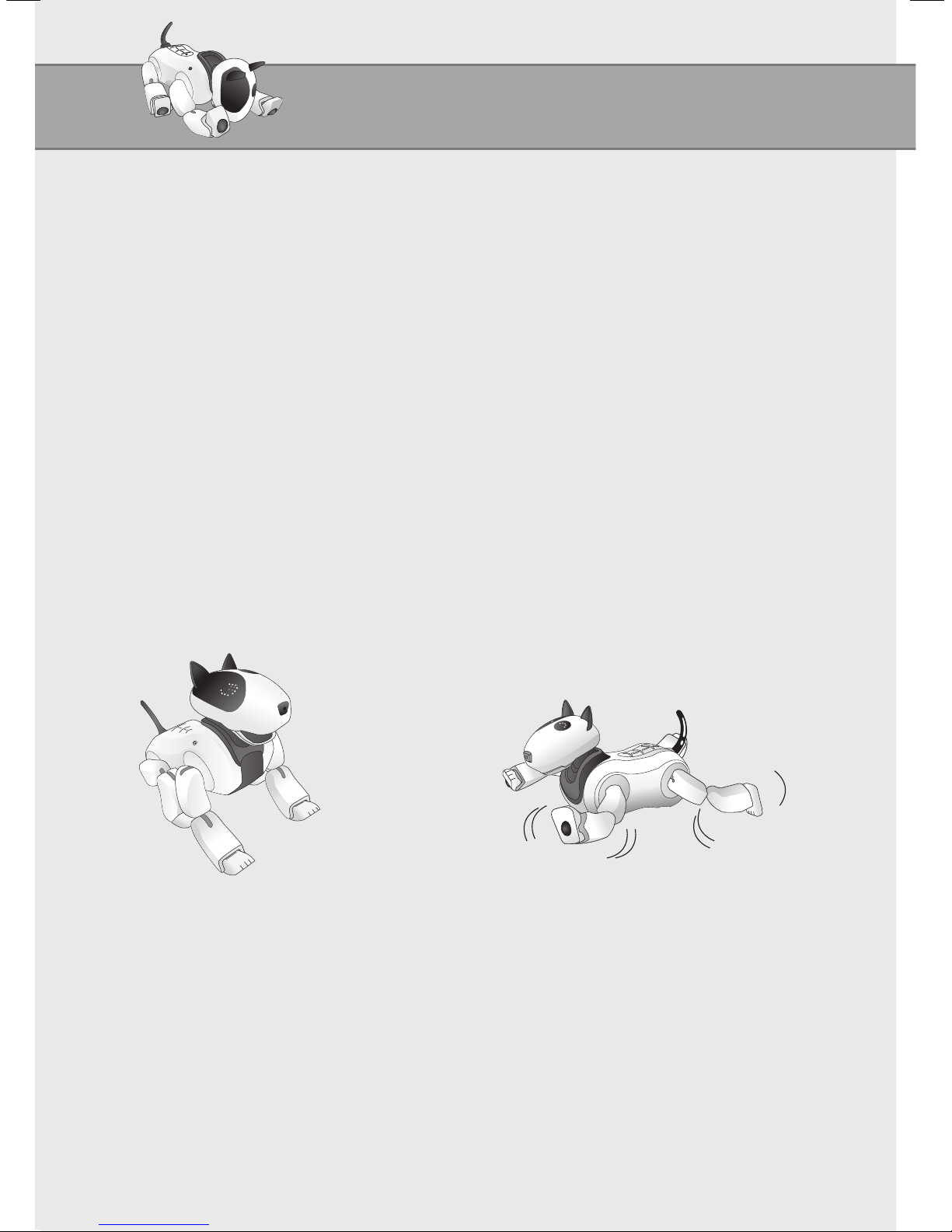
What is the Genibo Control Manager?
The Genibo Control Manager is a program designed for the user to control all
the Genibo’s functions once the Genibo is connected wireless on PC.
The Control Manager allows the user to create motions and sounds, add them to
the Genibo’s action list, and custom-make it as the user desires.
Offers a completely new type of entertainment through listening to the latest
songs, dancing, remote control, taking pictures, and real-time view of videos.
Provides enhanced user convenience through morning call service and voice
recording.
♥ To control the Genibo using the Control Manager, the Control Manager
Program offered at time of purchase must be installed on PC first.
Once the Genibo and PC are all connected to wireless router, the Control
Manager will be ready for use.
4
Overview
5
Software License
End User Software License Agreement
[Note 1] Important: Read the following carefully.
This End User Software License Agreement (“License Agreement”) is a contract between you
(an individual or a business entity) and DASA ROBOTCO., LTD. which grants you a license
to use software products developed, sold, and distributed by DASA ROBOT CO., LTD.
The licensed software of DASA ROBOT CO., LTD may include not only computer
software but also related media, printed materials, and “online” or electronic documents
(“Software”).
By installing and copying “Software,” you agree to the terms of this “License Agreement.”
Unless you agree to the terms of this “License Agreement,” you are not permitted to use
“Software.”
- Software License -
License
Upon agreeing to this “License Agreement,” you will be granted the rights below.
DASA ROBOT CO., LTD. grants the user who purchased this “Software” by fair means rights
to use the number of licenses in the certificate enclosed in “Software,” and grants unlimited
rights to use this “Software” to only those individuals for non-profit purposes.
For your fair use of “Software,” you are permitted to download or copy this “Software.” You
may also make backup copies of this “Software.”
Copyrights and Limited Purposes
All originals and copies of this “Software” must contain copyright information. The copyright and
intellectual property of all derivative works, designs, derivative printed materials, and copies of
software included in this “Software” and the product belong to DASA ROBOT CO., LTD.
These rights are protected by the Copyright Law of Republic of Korea and the WIPO (World
Intellectual Property Organization) Copyright Treaty.
The end user must use this “Software” in compliance with Korea’s Copyright Law, the WIPO
Copyright Treaty, and other applicable law, and cannot reverse-engineer, decompile, or
disassemble this “Software” beyond the expressly permitted limits by the applicable law,
nor can it copy, alter, or adapt the components of this “Software” in its entirety or in part; nor
can it arbitrarily make a copy of or duplicate and distribute this product or the related printed
materials without prior consent of DASA ROBOT CO., LTD.
1
2
6
Software License
DASAROBOT CO., LTD.
11th floor, Bucheon Techno Park Bldg. 401, Yakdae-dong, Wonmi-gu, Bucheon-city, Gyunggi-
do, Republic of Korea, 420-734
http://www.genibo.com
Package Components
3
4
5
6
7
In the event that the copyright of DASA ROBOT CO., LTD. Is infringed, thereby causing
damage due to the user’s breach of any of the clauses above, DASA ROBOT CO., LTD
is fully entitled to compensation for all damages caused by the end user’s copyright
infringement.
Liability for Consequential Damages
DASA ROBOT is not responsible as long as the applicable law permits for business
damages, including but not limited to gain/loss, suspension, loss of business information,
or pecuniary loss, as well as incidental and indirect damages, which occur because of the
user’s inability to use this “Software” or insufficient knowledge of the instructions for use,
even if it is already aware of the possibility of such damages.
With respect to jurisdiction, liability for consequential or incidental damages as described above
may not be excluded or restricted. Be advised that the limits above may not apply to you.
Acknowledgement of Agreement
You acknowledge that you have read and fully understand all statements in this “License
Agreement” and you agree to the terms of this contract.
Termination of Agreement
In the event that you do not comply with the terms of this “License Agreement,” DASA
ROBOT CO., LTD. may terminate this contract without prejudice to any other rights.
Choice of Law and Jurisdiction
This “License Agreement” shall be governed by law of Republic of Korea, and all legal
matters arising in connection with this software license, such as litigation, are subject to
jurisdiction of the Seoul Central District Court in Republic of Korea.
Information about the Agreement
If you have questions related to the software license certificate or “License Agreement,”
please contact us as below:
7
※
Product specifications and components are subject to change without
notice to improve system performance.
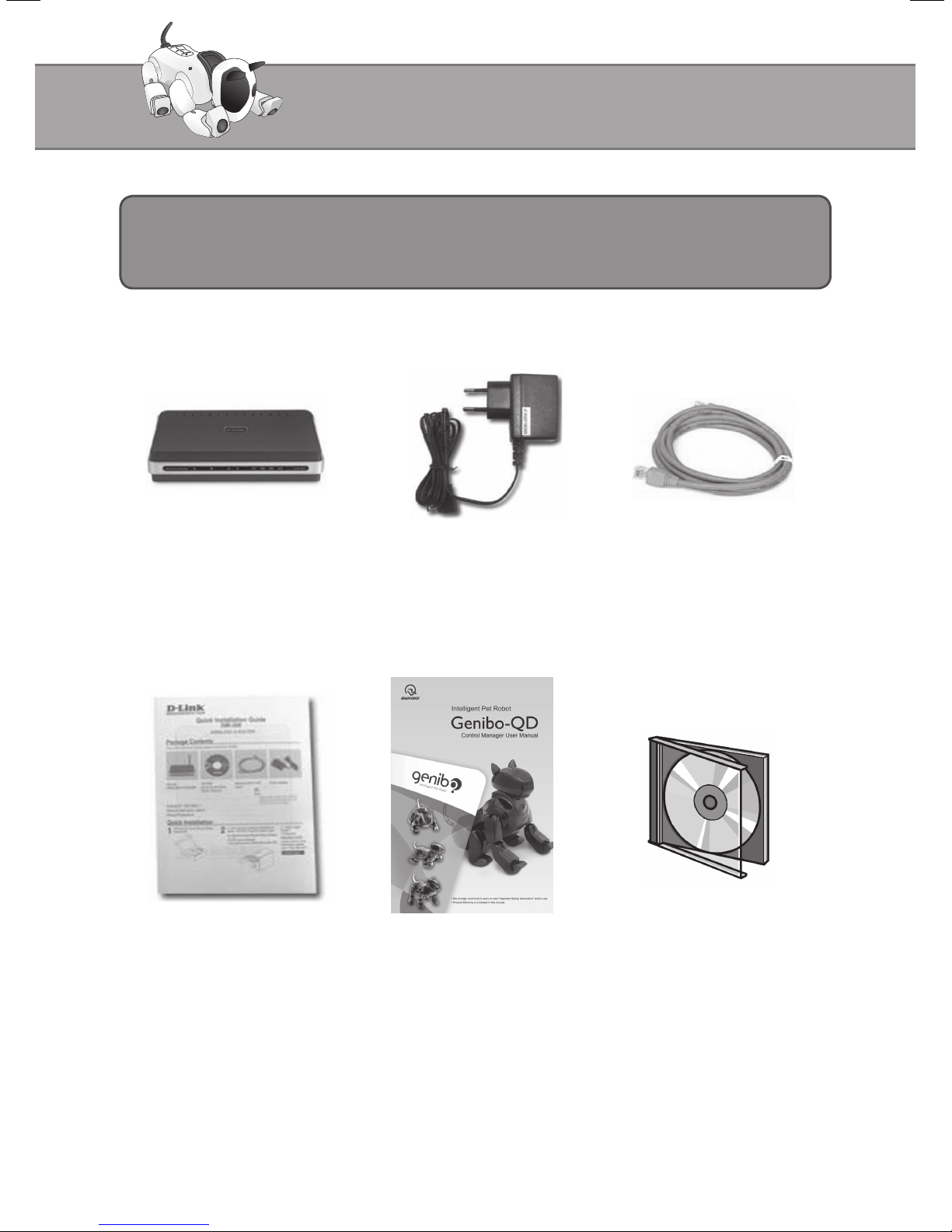
Package Components
Wireless router Install Guide Control Manager User Manual Control Manager
Install Program CD
Wireless router Body Set Wireless router Adapter Wireless router / PC UTP
Cable
8
System Requirements
• Operating system: Windows 2000 or higher
• Video card with resolution of 1024X768 or higher. (DirectX 9.0 or higher can be installed/ 3D
can be supported)
• Pentium or higher
• Memory requirements: 512 M bytes or higher
• Spare space of Free space of hard disk: 50M bytes or more
Hardware Requirements for the Control Manager
• To connect the Control Manager to the Genibo, wireless router setup must be complete.
• Wireless router, offered in conjunction with the Control Manager, is available as completely
set up and can be used immediately.
• If you must replace wireless router or if your wireless router has been initialized, see
“5. Wireless LAN Settings” and the wireless router Setup Guide enclosed in the router.
Preparing Wireless router
Wireless LAN Settings
9
• The Genibo does not come with wireless LAN installed in the body.
• To use the Control Manager, set up wireless LAN enclosed in this Control Manager
package as the picture below shows.
[Tip] Two cross-head screws are underneath the ‘Power Switch’ and the ‘Main Power
Switch’, respectively.
[Tip] Open the rear case to mount wireless LAN on the buttocks.
Setting Up Wireless LAN in the Genibo
Wireless LAN Settings
Wireless LAN Settings
10
Wireless LAN Settings
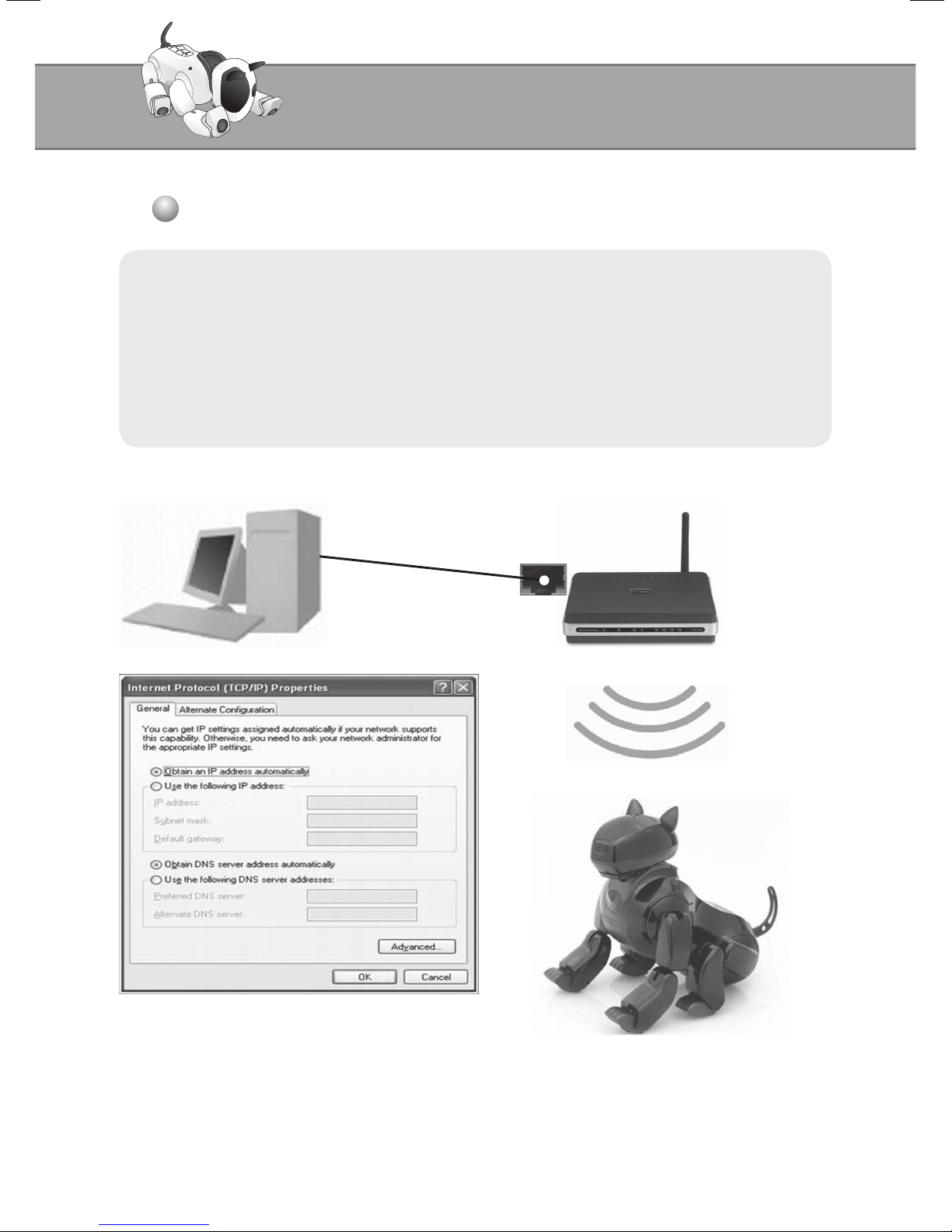
• First, connect the wireless router offered with the product to wired PC.
• For user’s PC network setup, set to to Obtain an IP Address Automatically.
• The wireless router and the Genibo will exchange signals by wireless.
• The wireless router is set as being able to communicate with the Genibo.
Connecting to the Genibo (Wired Connection)
Autres manuels pour Genibo-QD
1
Table des matières
Autres manuels Dasarobot Jouet


