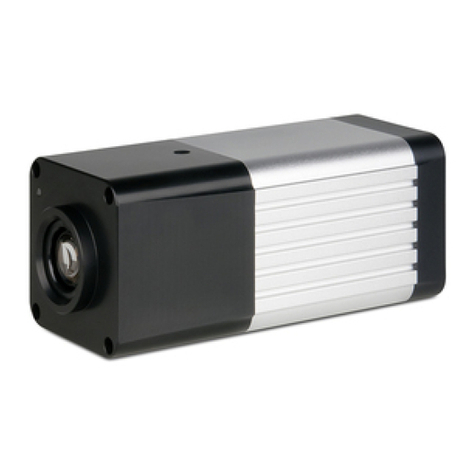
dallmeier PANOMERA S4 Mode d’emploi

English
Commissioning
005110 / 1.0.7 / 2016-08-03
S4-S8

Informaon about Copyright, Trademarks, Design Patents
© 2016 Dallmeier electronic
The reproducon, distribuon and ulizaon of this document as well as the communicaon of its contents to others without express authorizaon is prohibited.
Oenders will be held liable for the payment of damages.
All rights reserved in the event of the grant of a patent, ulity model or design.
We reserve the right to make technical modicaons.
The manufacturer accepts no liability for damage to property or pecuniary damages arising due to minor defects of the product or documentaon, e.g. print or spelling errors, and for those not
caused by intenon or gross negligence of the manufacturer.
All trademarks idened by ® are registered trademarks of Dallmeier electronic.
All trademarks idened by *) are trademarks or registered trademarks of the following owners:
JavaScript of Oracle Corporaon (and/or its aliates) headquartered in Redwood Shores, California, USA;
Microso, AcveX, Internet Explorer and Windows of Microso Corporaon headquartered in Redmond, Washington, USA;
NVIDIA, CUDA and GeForce of NVIDIA Corporaon headquartered in Santa Clara, California, USA.
Third-party trademarks are named for informaon purposes only.
Dallmeier electronic respects the intellectual property of third pares and always aempts to ensure the complete idencaon of third-party trademarks and indicaon of the respecve holder of rights.
In case that protected rights are not indicated separately, this circumstance is no reason to assume that the respecve trademark is unprotected.

www.dallmeier.com 3
Commissioning S4-S8
Contents
1 Validity 4
2 Documents 4
2.1 This Document 4
2.2 Other Applicable Documents 5
3 Approvals/Cercaons 5
4 Typographical Convenons 6
5 Safety Instrucons 7
6 General Notes 9
6.1 Scope of Delivery 9
6.2 Transportaon and Packaging 9
6.3 Warranty 9
6.4 Appropriate Use 10
6.5 Operaon 10
6.6 Formaon of Condensaon 11
7 Requirements 12
7.1 Ambient Condions 12
7.2 Power Supply 13
8 Maintenance 14
9 Limits of the System 15
10 Installaon 16
10.1 Installaon on Wall Mount Bracket 17
10.2 Installaon on Ceiling Mount Bracket 22
11 Connecons 36
12 Conguraon 38
12.1 System Requirements 38
12.2 Conguraon Steps 39
12.3 Establishing the Connecon (Panomera® WebCong) 39
12.4 Login (Panomera® WebCong) 40
13 Technical Specicaons 41
14 Dimensions 42

4www.dallmeier.com
S4-S8 Commissioning
1 Validity
This document applies to the following Panomera® Mulfocal Sensor Systems:
• Panomera® S4 – S8
Figures in this document may dier from the actual product.
2 Documents
The product documentaon contains several documents which are included in the scope of delivery in a printed form and/or on a digital medium.
Read all documents included in the scope of delivery carefully and thoroughly before using the respecve device or soware applicaon.
Always follow the instrucons, notes and warnings and observe the technical specicaons in the relevant product data sheet.
Keep all documents in legible condion and in a suitable locaon for future reference.
Regularly check the website www.dallmeier.com for the latest updates on product documentaon.
2.1 This Document
Commissioning
The document “Commissioning” (this document) contains detailed descripons of the installaon, connecon and commissioning of the above-menoned
Panomera® Mulfocal Sensor Systems as well as safety instrucons and general notes.
The target audience of this document is trained system integrators.

www.dallmeier.com 5
Commissioning S4-S8
2.2 Other Applicable Documents
Data Sheet
The document “Data Sheet” contains detailed technical specicaons, features and characteriscs of the respecve Panomera® Mulfocal Sensor System.
The target audience of the document is trained system integrators.
Installaon Requirements
The document “Installaon Requirements” contains the most important steps for installing and calibrang the respecve Panomera® Mulfocal Sensor System.
The target audience of the document is trained system integrators.
Conguraon – Quick Guide
The document “Conguraon – Quick Guide” contains the most important steps for conguring a Panomera® Mulfocal Sensor System.
The target audience of the document is trained system integrators.
Also read the documentaons of the following Dallmeier soware applicaons:
• PService3
• SMAVIA Recording Server
• SMAVIA Viewing Client
3 Approvals/Cercaons
The following approvals/cercaons were valid for the device at the me of this document’s compilaon:
• CE, FCC, ACA, DIN 50130-4 compliant
Visit www.dallmeier.com for possible updates.
Note (USA)
This equipment has been tested and found to comply with the limits for a Class A digital device, pursuant to Part 15 of the FCC Rules. These limits are designed to provide
reasonable protecon against harmful interference when the equipment is operated in a commercial environment. This equipment generates, uses, and can radiate radio
frequency energy and, if not installed and used in accordance with the instrucon manual, may cause harmful interference to radio communicaons. Operaon of this
equipment in a residenal area is likely to cause harmful interference in which case the user will be required to correct the interference at his own expense.

6www.dallmeier.com
S4-S8 Commissioning
4 Typographical Convenons
This document may contain various warning words and symbols that indicate potenal sources of danger:
DANGER
DANGER indicates a hazardous situaon which, if not avoided, will result in death or serious injury.
WARNING
WARNING indicates a hazardous situaon which, if not avoided, could result in death or serious injury.
CAUTION
CAUTION indicates a hazardous situaon which, if not avoided, could result in minor or moderate injury.
NOTICE
NOTICE indicates pracces for prevenng property damage, incorrect conguraons or faulty operaons.
For reasons of clarity and readability, various text formang elements and types of emphasis are used in this documentaon:
Instrucons are indicated by arrows (➡).
➡Always carry out instrucons one aer the other in the sequence described.
“Expressions” in quotaon marks generally indicate a control element on the device (switches or labels) or on its user interface (buons, menu items).
Paragraphs in italics provide informaon on basic principles, special features and ecient procedures as well as general recommendaons.

www.dallmeier.com 7
Commissioning S4-S8
5 Safety Instrucons
Only use the device if it is technically in proper working condion and for the intended purpose while keeping safety and potenal dangers in mind.
• Qualied Personnel
The installaon, mounng, connecon, commissioning and conguraon of the device may only be carried out by qualied personnel.
This also applies to the maintenance, tesng and repair, whereat the regulaons of the DIN VDE 0701 series of standards (repair, modicaon and inspecon
of electrical appliances) must be followed.
• Regulaons
The use of video and audio surveillance systems is, in general, strictly regulated.
Inform yourself about the currently valid laws and regulaons regarding data, worker and environmental protecon before using the device and ensure
compliance with them.
• System Components
Only use internal components that have been tested and approved by Dallmeier.
Inappropriate internal components may cause malfuncons, damages and data loss and may result in the loss of warranty.
• Modicaons
Do not make any modicaons to the hardware or soware that have not been tested and approved by Dallmeier.
Inappropriate modicaons may cause malfuncons, damages and data loss and may result in the loss of warranty.
• Documentaon
The product documentaon contains several documents which are included in the scope of delivery in a printed form and/or on a digital medium.
Read the documents included in the delivery carefully and thoroughly.
Always follow the contained instrucons, notes and warnings and observe the technical specicaons in the product data sheet.
Keep all documents in legible condion and in a suitable locaon for future reference.
Regularly check the website www.dallmeier.com for the latest updates on product documentaon.
• Condensaon Water
If the device is brought from a cold to a warm environment, resulng condensaon water may cause malfuncons and damages.
In this case, wait (up to 8 hours) unl the device has reached room temperature before commissioning.

8www.dallmeier.com
S4-S8 Commissioning
• Earthing & Equipotenal Bonding
For the safety of persons (protecon against dangerous contact voltages) and devices (protecon against over-voltages) as well as for the immunity of in-
formaon and communicaon technology equipment to electromagnec interferences (EMI), all protecve measures, which are specied by the currently
valid DIN, VDE and ISO standards and which provide for a standard-compliant earthing and a correct equipotenal bonding of electrical and electronic
devices, are mandatory and must be fullled by all means.
• Lightning Storms
To avoid damage to the device by electrical surge during lightning storms, all protecve measures, which are specied by the currently valid DIN, VDE and
ISO standards and which provide for a standard-compliant lightning protecon equipotenal bonding, are mandatory and must be fullled by all means.
• Operang Condions
Unfavorable operang condions may shorten the life of the device and may cause malfuncons, damages and data loss and may result in the loss of warranty.
Observe the specicaons given in the technical data, the operang condion requirements and the maintenance instrucons.
• Foreign Bodies
If objects or liquids get into the device, immediately disconnect it from the power supply (pull out the power plug).
Contact the sales partner responsible for your area.
• Burnt Smell
If you noce burnt smell or a formaon of smoke coming from the device, immediately disconnect it from the power supply (pull out the power plug).
Contact the sales partner responsible for your area.
• Opening
The device may only be opened by qualied personnel for inspecon, maintenance and repair.
• Disposal
Do not dispose waste electrical and electronic equipment into the household trash.
Disconnect the device from the power supply.
Remove all connected devices.
Return the device to your respecve sales partner.

www.dallmeier.com 9
Commissioning S4-S8
6 General Notes
6.1 Scope of Delivery
Included in the standard scope of delivery is:
• Adapter plate incl. xing screws
• Safety wire rope (according to BGI 810-3)
• Connecon cables (power, network) according to the ordered Panomera® variant
• Documentaons (published in print and on DVD-ROM)
The scope of delivery may dier depending on the ordered equipment, device variant or country of desnaon.
The funconal range of the device depends on the ordered equipment or device variant and may dier from this document’s content.
Certain funcons and features may require the purchase of an addional license.
6.2 Transportaon and Packaging
Store the original packaging for later transportaon.
Dallmeier is not responsible for any damage resulng from unprofessional/improper transportaon.
The device should only be shipped in the original packaging.
If the original packaging is no longer available, ensure that the used packaging suciently protects the device against damage, moisture, heat and cold.
6.3 Warranty
The terms and condions valid at me the contract was signed shall apply.

10 www.dallmeier.com
S4-S8 Commissioning
6.4 Appropriate Use
The patented Panomera® Mulfocal Sensor System is a totally novel camera technology parcularly developed for the extensive video surveillance of large-
scale areas. With Panomera®, enormous distances and areas are displayed in a completely new resoluon quality – in real me and at high frame rates.
With Panomera®, a huge area can be surveilled from a single locaon – and the resoluon can almost be scaled without limits by combining mulple
Panomera® Mulfocal Sensor Systems to one array.
The innovave lens and sensor concept of the Panomera® oers a unique overall view while simultaneously capturing the nest of details even for long dis-
tances. The result is a signicant reducon of infrastructural demands. In places where previously several megapixel cameras would have been required, now
only one Panomera® Mulfocal Sensor System is sucient.
Panomera® goes far beyond the convenonal Full HD 1080p standard and megapixel resoluon.
Due to the Mulfocal Sensor System, all areas of the enre surveillance scene are simultaneously displayed at maximum detail resoluon.
No maer which part of the surveillance zone an operator focuses at any me, Panomera® always captures the enre event.
Therefore, an incident can always be reconstructed later to be used as evidence in court, regardless of where it happened, and it is possible to recognize the
individuals involved.
Panomera® enables full overview with minimum wear and nearly no maintenance.
The Mulfocal Sensor System thus provides long service life and long-term investment protecon.
The Panomera® Mulfocal Sensor System is designed for both indoor and outdoor use.
The camera unit is supplied with 48 V DC. The integrated heater is separately supplied with 48 V DC or 24 V AC.
6.5 Operaon
Observe the following notes for the operaon of the device:
• If the device or the cables connected to the device are located near sources with strong radiaon, the video image may be distorted.
• The device is equipped with automac gain control (AGC). In low light condions the image may be altered (e.g. noise). However, this is not a malfuncon.
• The quality of the video image depends on the lighng condions and the used monitor.
• The accuracy of the automac white balance (AWB) algorithm depends on the used lighng. Mixed light (consisng of arcial light and daylight) may
cause color distorons (inaccurate color reproducon).
• Poor lighng can lead to an incorrect white balance.
Autres manuels pour PANOMERA S4
4
Ce manuel convient aux modèles suivants
1
Table des matières
Autres manuels dallmeier Caméra IP

dallmeier
dallmeier DF3000IP Instructions d'utilisation et d'entretien

dallmeier
dallmeier DDF4900HDV Series Instructions d'utilisation et d'entretien

dallmeier
dallmeier DDF4820HDV-DN-IM Mode d’emploi

dallmeier
dallmeier DF5200HD-DN/IR Mode d’emploi

dallmeier
dallmeier DDF51 HDV-DN-SM Series Mode d’emploi

dallmeier
dallmeier DF5400HD-DN/IR Mode d’emploi

dallmeier
dallmeier DF4 20HD-DN/IR Series Mode d’emploi

dallmeier
dallmeier DF5 00HD-DN/IR Series Manuel utilisateur

dallmeier
dallmeier DDF5 50HDV-DN-IM Series Mode d’emploi

dallmeier
dallmeier DDZ5000HD-DN/IR Series Mode d’emploi